1. Introduction
Thank you for choosing the Silvergear® 2400W Smart Infrared Patio Heater, model 4539. This manual provides essential information for the safe and efficient operation, installation, and maintenance of your new infrared heater. Please read this manual thoroughly before use and keep it for future reference.

Image: The Silvergear 2400W Smart Infrared Patio Heater, a sleek black unit with an illuminated heating element, is shown alongside its remote control and a smartphone displaying the control app. The heater features a digital display showing '45°C'.
2. Important Safety Instructions
WARNING: To reduce the risk of fire, electric shock, or injury, read and understand all instructions before using this product.
- Always ensure the heater is securely mounted before operation.
- Do not cover the heater. Ensure adequate clearance around the unit for proper ventilation.
- Keep flammable materials at least 1 meter (3 feet) away from the heater.
- This heater is designed for outdoor use and has an IP65 waterproof rating, protecting it from dust and low-pressure water jets. However, do not immerse it in water.
- Do not operate the heater with a damaged cord or plug, or after the heater malfunctions or has been dropped or damaged in any manner.
- Always unplug the heater when not in use or before cleaning.
- Do not allow children to operate or play with the heater.

Image: A close-up view of the Silvergear patio heater highlights its LCD screen displaying '45°C' and the safely shielded heating element. An arrow points to the LCD screen, and another indicates the shielded area. A circular label confirms its IP65 waterproof rating.
3. Package Contents
Carefully unpack your Silvergear® Smart Infrared Patio Heater and check that all items are present and in good condition. If any items are missing or damaged, please contact your retailer.
- 1 x Silvergear® Smart Infrared Patio Heater
- 1 x Remote Control
- 1 x User Manual (this document)

Image: A visual representation of the product's packaging contents. It shows the patio heater with dimensions (97cm length, 16cm height, 8cm depth), the remote control, and the user manual, labeled as '1x Patio Heater', '1x Remote', and '1x Manual' respectively.
4. Product Features
The Silvergear® Smart Infrared Patio Heater is equipped with advanced features for optimal comfort and convenience:
- High Heat Output: Heats up to 45°C with a powerful 2400 Watts.
- Durable Infrared Technology: Provides efficient and long-lasting heating.
- Smart Functions: Includes Eco mode, Timing mode, and Overheating protection.
- Motion Sensor: For energy-saving operation.
- Multiple Control Options: Operate via included remote control or a free smartphone app.
- LCD Screen: Displays current settings and temperature.
- Safely Shielded: Designed with safety in mind.
- Weather Resistant: IP65 waterproof rating for outdoor use.
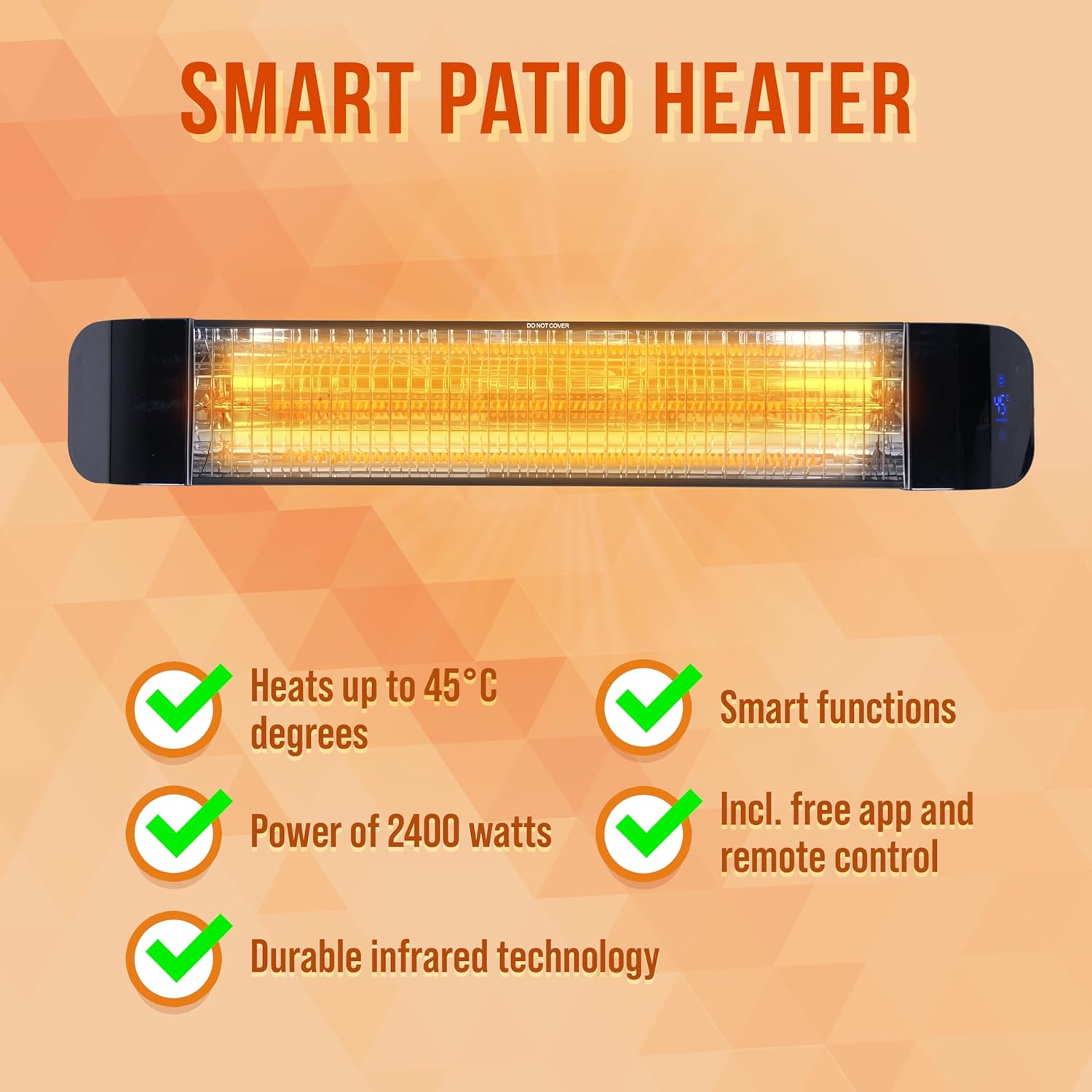
Image: An infographic titled 'SMART PATIO HEATER' lists key features with green checkmarks: 'Heats up to 45°C degrees', 'Power of 2400 watts', 'Durable infrared technology', 'Smart functions', and 'Incl. free app and remote control'.

Image: An infographic titled 'SMART FEATURES' displays the heater mounted on a wall above a patio seating area, with a hand holding a smartphone showing the control app. Icons illustrate features like 'Eco mode', 'Timing mode', 'Operate from your phone', 'Motion sensor', and 'Overheating protection'. A 'WITH FREE APP!' badge is also visible.
5. Setup and Installation
The Silvergear® Smart Infrared Patio Heater is designed for wall mounting. Follow these general steps for installation:
- Choose a Location: Select a suitable wall location that is protected from direct rain and allows for adequate clearance around the heater (at least 1 meter from flammable materials). Ensure the mounting surface is sturdy enough to support the heater's weight.
- Mounting Bracket: Securely attach the provided mounting bracket to the wall using appropriate screws and anchors for your wall type.
- Attach Heater: Carefully attach the heater unit to the mounting bracket, ensuring it is firmly locked in place.
- Power Connection: Plug the heater into a suitable outdoor-rated power outlet. Ensure the power supply matches the heater's requirements (220-240V, 50/60Hz).
For detailed installation instructions, refer to the separate installation guide if provided, or consult a qualified electrician.

Image: The Silvergear patio heater is mounted on a white brick wall, providing warmth to a family seated on an outdoor sofa. The heater emits a warm glow, illuminating the patio area.
6. Operating Instructions
Your Silvergear® Smart Infrared Patio Heater can be operated using the included remote control or the dedicated smartphone app.
6.1 Remote Control Operation
The remote control provides easy access to the heater's main functions:
| Button | Function |
|---|---|
| Power (On/Off) | Turns the heater On or Off. |
| Set | Confirms selection or enters setting mode. |
| Up / Down Arrows | Adjusts temperature or timer settings. |
| Smart Heating (AUTO) | Activates intelligent heating mode. |
| Power Select | Cycles through different power levels. |
| Eco Mode | Activates energy-saving mode. |
| Timing | Sets the operating timer. |

Image: A diagram illustrating the remote control's buttons and their corresponding functions, such as On/Off, Set, Up/Down, Smart heating, Power select, Eco mode, and Timing. A smartphone displaying the control app is also shown, indicating operation via app.
6.2 Smartphone App Operation
For advanced control and smart features, download the dedicated Silvergear app from your smartphone's app store. Follow the in-app instructions to connect your heater.
- Pairing: Follow the app's instructions to pair your heater via Wi-Fi or Bluetooth.
- Temperature Control: Adjust the desired temperature directly from your phone.
- Mode Selection: Switch between Eco mode, Timing mode, and other smart functions.
- Scheduling: Set schedules for automatic on/off times.
- Monitoring: View current status and settings of the heater.
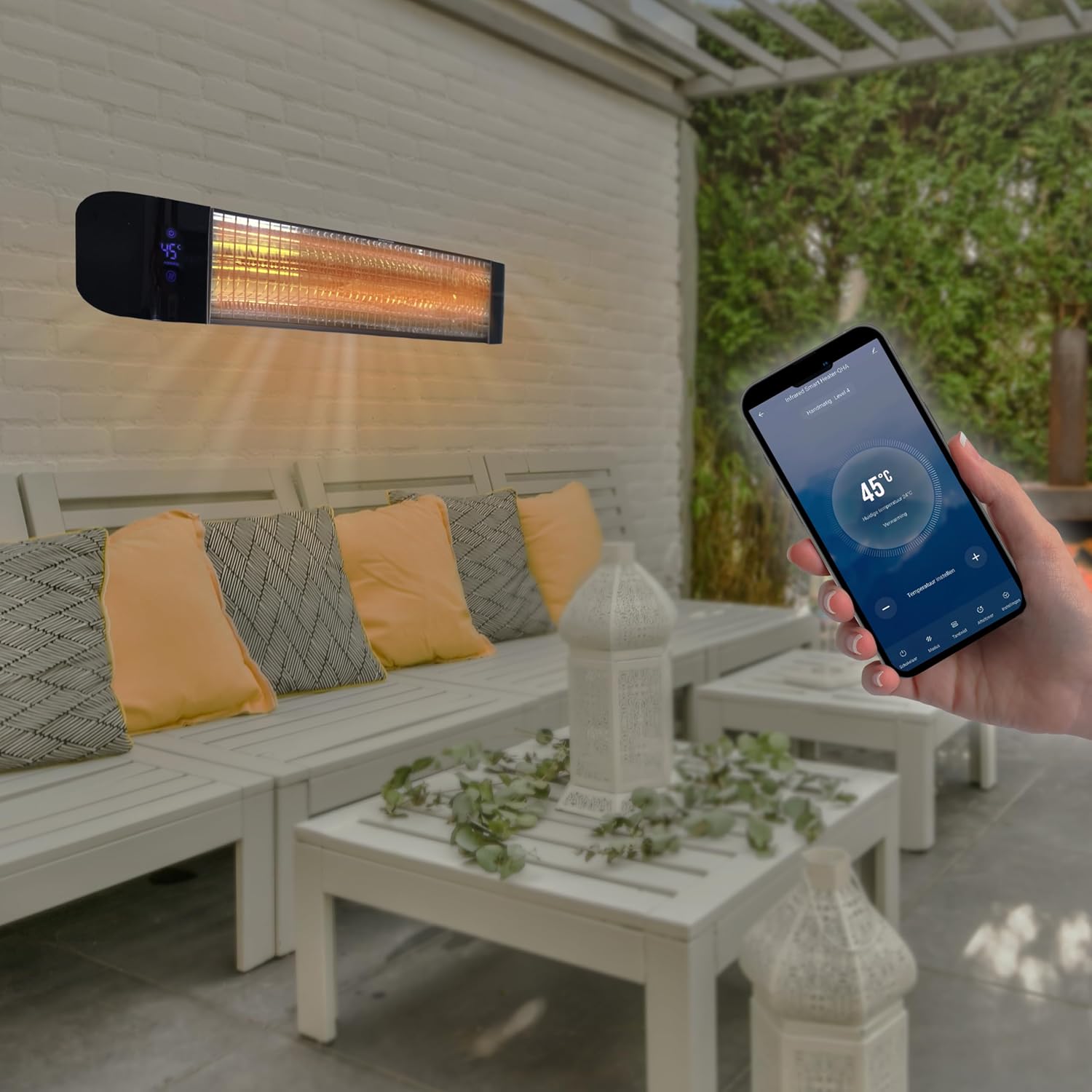
Image: The Silvergear patio heater is mounted on a wall, emitting a warm glow. In the foreground, a hand holds a smartphone displaying the heater's control app, showing a temperature of '45°C' and various control options.
7. Maintenance
Regular maintenance ensures the longevity and efficient operation of your heater.
- Cleaning: Before cleaning, always unplug the heater and allow it to cool completely. Wipe the exterior with a soft, damp cloth. Do not use abrasive cleaners or solvents.
- Dust Removal: Periodically remove dust from the heating element and grille using a soft brush or vacuum cleaner with a brush attachment.
- Storage: If storing the heater for an extended period, ensure it is clean and dry. Store it in a cool, dry place, preferably in its original packaging.
8. Troubleshooting
If you encounter issues with your Silvergear® Smart Infrared Patio Heater, refer to the following common problems and solutions:
| Problem | Possible Cause | Solution |
|---|---|---|
| Heater does not turn on. | No power supply; Power button not pressed; Overheating protection activated. | Check power outlet and plug; Press the power button on the remote or app; Unplug, wait 10 minutes, then plug back in. |
| Heater not heating effectively. | Incorrect power level selected; Too large an area; Drafts. | Increase power level; Ensure heater is appropriately sized for the area; Reduce drafts. |
| Remote control not working. | Batteries are dead; Obstruction between remote and heater. | Replace batteries; Ensure clear line of sight to the heater's receiver. |
| App cannot connect to heater. | Wi-Fi/Bluetooth issue; Incorrect pairing process. | Check Wi-Fi/Bluetooth connection; Restart heater and app; Re-attempt pairing process as per app instructions. |
If the problem persists after trying these solutions, please contact customer support.
9. Specifications
| Specification | Detail |
|---|---|
| Brand | Silvergear |
| Model Number | 4539 |
| Heat Output | 2400 Watts |
| Mounting Type | Wall Mount |
| ASIN | B0DFHHBTL1 |
| Waterproof Rating | IP65 |
10. Warranty and Support
Your Silvergear® Smart Infrared Patio Heater is covered by a return policy of 30 days from the date of purchase. Please retain your proof of purchase for any warranty claims.
For technical support, troubleshooting assistance beyond this manual, or warranty inquiries, please contact the seller, KarstenInternational, or Silvergear customer service through the official channels provided at the time of purchase.


