
Introduction
This manual provides instructions for the safe and effective use of your Zerodis Digital Food Thermometer. This device is designed for accurate temperature measurement of various food items, liquids, and other substances in kitchen, BBQ, and general cooking environments. Please read these instructions thoroughly before first use and retain them for future reference.
Package Contents
- 1 x Zerodis Digital Food Thermometer
Note: Battery is not included and must be purchased separately.
Product Features
- Wide Application: Suitable for measuring temperatures of milk, baby shower water, food meat, tea, and cool beer.
- Durable Construction: Made of premium ABS body and stainless steel probe.
- User-Friendly Design: Features ON/OFF function, ℃/℉ button selection, Min/Max temperature change button, and Hold button.
- Fast and Accurate Readings: Provides quick and precise temperature measurements.
- Portable: Lightweight and compact for easy carrying and storage.
Setup
1. Battery Installation
The thermometer requires a battery for operation. Locate the battery compartment, typically on the back or side of the device. Insert the correct battery type, ensuring proper polarity (+/-). Close the battery compartment securely.
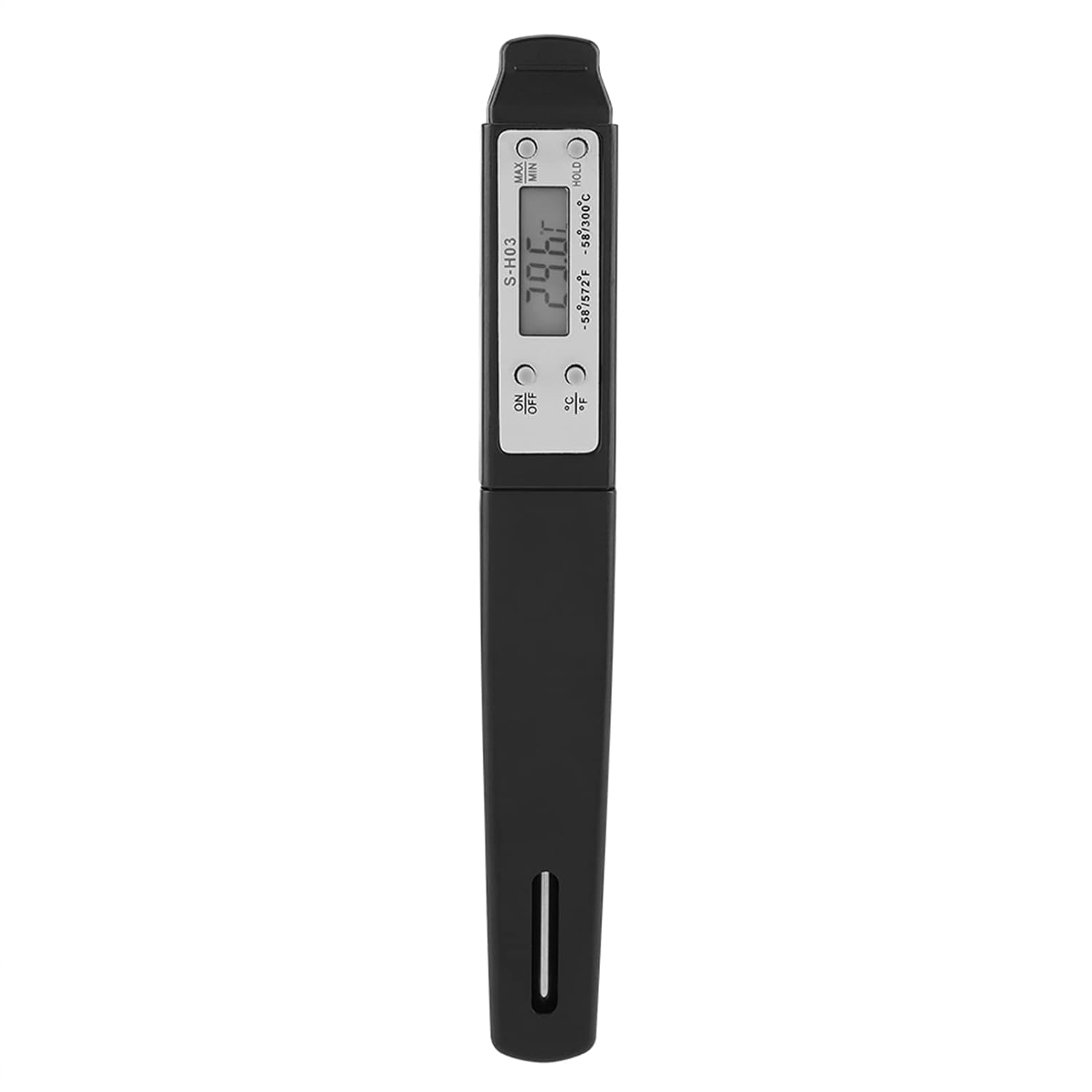
Image: Zerodis Digital Food Thermometer in black. This image shows the overall design of the thermometer, including the display and probe.
2. Initial Power On
Press the ON/OFF button to power on the thermometer. The display will illuminate and show the current temperature.
Operating Instructions
1. Temperature Measurement
- Ensure the thermometer is powered on.
- Carefully insert the stainless steel probe into the center of the food or liquid you wish to measure. Ensure the probe tip is fully submerged and not touching the bottom or sides of the container.
- Wait a few seconds for the temperature reading to stabilize on the display.
2. Changing Temperature Units (℃/℉)
Press the ℃/℉ button to switch between Celsius and Fahrenheit temperature units.
3. Hold Function
Press the HOLD button to freeze the current temperature reading on the display. Press it again to release and resume live temperature measurement.
4. Min/Max Temperature
Press the Min/Max button to view the minimum or maximum temperature recorded during the current measurement session. Press again to cycle through Min, Max, and current temperature.
5. Power Off
Press the ON/OFF button again to power off the thermometer when not in use to conserve battery life. The device may also have an auto-off feature after a period of inactivity.
Care and Maintenance
- Cleaning: After each use, wipe the stainless steel probe with a damp cloth and mild detergent. Rinse the probe with clean water. Do not immerse the entire thermometer body in water. The main body is not waterproof.
- Storage: Store the thermometer in a clean, dry place at room temperature. Keep the probe protected to prevent damage.
- Battery Replacement: Replace the battery when the display becomes dim or the thermometer fails to power on.
Troubleshooting
| Problem | Possible Cause | Solution |
|---|---|---|
| Thermometer does not power on. | No battery installed or battery is depleted. | Install a new battery or replace the existing one, ensuring correct polarity. |
| Inaccurate temperature readings. | Probe not inserted correctly; battery low; probe damaged. | Ensure probe is fully inserted into the center of the food. Replace battery. Inspect probe for damage. |
| Display is dim or flickering. | Low battery. | Replace the battery. |
Specifications
- Model Number: Zerodis53pyzia4es-01
- Material: ABS body, Stainless Steel probe
- Temperature Range: -50℃ to 300℃ (-58℉ to 572℉)
- Temperature Accuracy: ±1℃ (0℃ to 100℃), ±2℃ (other ranges)
- Temperature Resolution: 0.1℃
- Power Source: Battery (not included)
- Dimensions: Approximately 15 x 2 x 1.3 cm (5.9 x 0.8 x 0.5 inches)
- Item Weight: Approximately 33g (1.2 ounces)
Safety Information
- Keep the thermometer out of reach of children.
- The probe tip is sharp; handle with care to avoid injury.
- Do not expose the thermometer to extreme temperatures or direct flame, as this may damage the device.
- Do not immerse the main body of the thermometer in water or other liquids.
- Always clean the probe thoroughly before and after each use to prevent cross-contamination.
- Dispose of used batteries according to local regulations.
Warranty and Support
For warranty information or technical support, please refer to the retailer or contact Zerodis customer service through their official channels. Please have your model number (Zerodis53pyzia4es-01) available when seeking support.