
Introduction
Thank you for choosing the COREGENIX BY01 Planet TWS Earbuds. These earbuds are designed to provide a high-quality audio experience with features tailored for gaming and daily use. This manual will guide you through the setup, operation, and maintenance of your new earbuds.
What's in the Box
- COREGENIX BY01 Planet TWS Earbuds (Left and Right)
- Wireless Charging Case
- Charging Cable
- Ear Cushions
- User Manual
Product Overview
The COREGENIX BY01 Planet TWS Earbuds feature a sleek design and are housed in a compact charging case. Each earbud is equipped with touch controls for easy management of audio and calls.

Image: The COREGENIX BY01 Planet TWS Earbuds nestled within their charging case, showcasing the unique circular design.

Image: The COREGENIX BY01 Planet TWS Earbuds displayed alongside their open charging case, illustrating the individual earbud design.
Setup
1. Charging the Earbuds and Case
Before first use, fully charge the earbuds and the charging case. Connect the provided charging cable to the charging case and a USB power source. The indicator lights on the case will show the charging status. Once fully charged, the indicator lights will change or turn off.
The earbuds charge automatically when placed inside the charging case. Ensure the earbuds are correctly seated in their respective slots.
2. Pairing with a Device
- Open the charging case. The earbuds will automatically power on and enter pairing mode.
- On your smartphone or Bluetooth-enabled device, navigate to the Bluetooth settings.
- Search for available devices and select "BY01" from the list.
- Once connected, you will hear a confirmation tone, and the earbuds will be ready for use.
The earbuds feature Bluetooth 5.3 technology for a stable and fast connection. After initial pairing, they will automatically connect to the last paired device when removed from the case.
Operating Instructions
Touch Controls
The COREGENIX BY01 earbuds feature intelligent touch controls on each earbud. Specific functions may vary slightly, but common operations include:
- Play/Pause Music: Single tap on either earbud.
- Answer/End Call: Single tap on either earbud.
- Reject Call: Press and hold on either earbud.
- Next Track: Double tap on the right earbud.
- Previous Track: Double tap on the left earbud.
- Volume Control: Triple tap on the right earbud to increase volume, triple tap on the left earbud to decrease volume.
- Activate Voice Assistant: Press and hold for 2 seconds on either earbud (when not on a call).
- Gaming Mode/Music Mode Switching: Specific touch gesture (refer to quick start guide for exact gesture, typically a long press or specific tap sequence).

Image: A user demonstrating the touch control functionality on the COREGENIX BY01 earbuds while wearing them.
Gaming Mode
The earbuds feature an ultra-low latency gaming mode (60ms) for an optimized gaming experience. To activate or deactivate gaming mode, use the designated touch control gesture (refer to the quick start guide for specific instructions).
Making and Receiving Calls
The built-in microphone with ENC (Environmental Noise Cancellation) technology helps reduce background noise during calls, ensuring clearer communication.
- Answer/End Call: Single tap on either earbud.
- Reject Call: Press and hold on either earbud.
Maintenance
Water Resistance
The earbuds are IPX6 water-resistant, meaning they can withstand splashes of water and sweat. They are suitable for workouts and outdoor activities. However, they are not designed for submersion in water. Avoid exposing them to heavy rain or swimming.
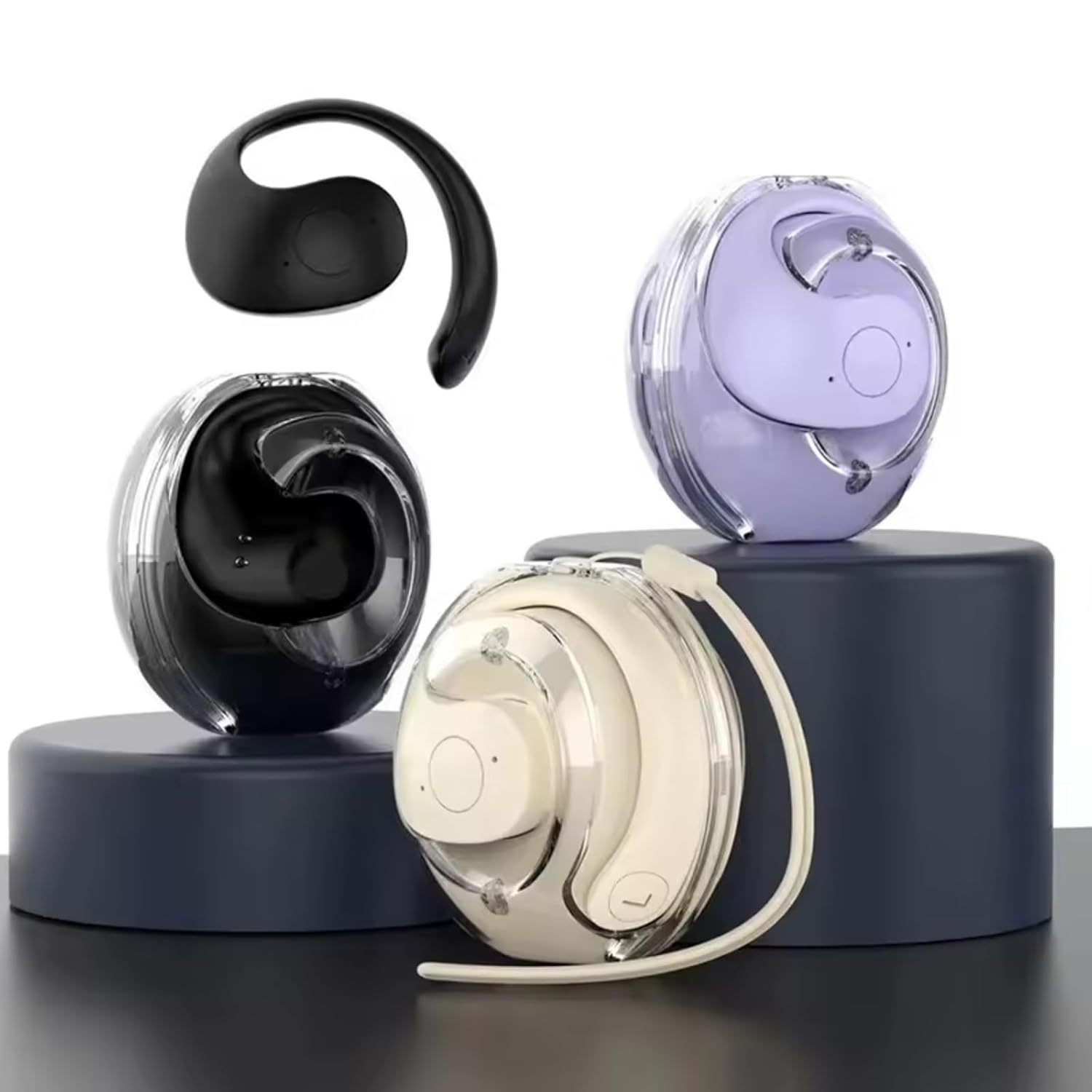
Image: The COREGENIX BY01 earbuds shown with water droplets, emphasizing their IPX6 water resistance for active use.
Cleaning
Regularly clean the earbuds and charging case with a soft, dry, lint-free cloth. Do not use abrasive cleaners or solvents. Ensure the charging contacts on both the earbuds and the case are clean and dry to maintain proper charging.
Storage
When not in use, store the earbuds in their charging case to protect them and keep them charged. Store in a cool, dry place away from extreme temperatures.
Troubleshooting
| Problem | Solution |
|---|---|
| Earbuds not pairing |
|
| No sound from one earbud |
|
| Earbuds not charging |
|
| Poor call quality |
|
Specifications
| Model Name | COREGENIX AUDIO EARBUD (BY01) |
| Connectivity Technology | Wireless (Bluetooth 5.3) |
| Bluetooth Range | Up to 12 Metres (Maximum Operating Distance: 15 Metres) |
| Battery Life (Earbuds) | Approximately 5 hours of listening time |
| Total Playtime with Charging Case | Up to 30 Hours (36 hours mentioned in image, using 30 from product description) |
| Standby Time | 100 Hours (with charging case) |
| Audio Driver Type | Dynamic Driver (13mm HD BASS Drivers) |
| Noise Control | Passive Sound Isolation, ENC Clarity (Microphone) |
| Water Resistance Level | IPX6 Sweat-Proof / Water Resistant |
| Control Method | Touch Control |
| Microphone | Built-In (MEMC Microphone Technology) |
| Latency | 60ms Ultra-low latency (Gaming Mode) |
| Material | Plastic |
| Item Weight | 100 Grams |
| Product Dimensions | 9 x 7 x 5 cm |
| Compatible Devices | Smartphones, Tablets, Bluetooth-enabled Devices (Android & iOS) |

Image: An infographic highlighting key features such as ultra-long battery life, call quality, Bluetooth 5.3, comfort, noise reduction, quick connect, and dustproof/waterproof design.
Warranty and Support
The COREGENIX BY01 Planet TWS Earbuds are manufactured by COREGENIX. For warranty information and customer support, please refer to the contact details provided with your purchase or visit the official COREGENIX website.
Manufacturer: COREGENIX
Country of Origin: China
Protection plans may be available for extended warranty coverage. Please check with your retailer for details.