
1. Introduction
This manual provides detailed instructions for the installation, operation, and maintenance of your Ejoyous Universal Car Central Locking Kit. This system is designed to convert manual door locks to an automatic keyless entry system, enhancing vehicle convenience and security. Please read this manual thoroughly before installation and use.

Image 1.1: Overview of the Ejoyous Universal Car Central Locking Kit components and its function.
2. Package Contents
Verify that all components listed below are present in your package:
- 4 x Motor (Actuators)
- 1 x Remote Host (Control Unit)
- 2 x Remote Control Fobs
- 1 x Control Line Bunch (Wiring Harness)
- 4 x Brackets
- 4 x Metal Rods
- 4 x Screw Fasteners
- 1 x Set of Other Install Parts (various screws and connectors)

Image 2.1: All included components of the central locking kit.

Image 2.2: The two remote control fobs included in the kit.
3. Product Features
- Universal Fit: Designed for most vehicles with 4-door installations, compatible with remote security lock/unlock outputs.
- Keyless Entry: Allows locking and unlocking of all doors via remote control with a simple button press. Includes a mute button function.
- 360-Degree Rotation Head: Features an outside rotation head for smooth operation and prevention of blocking, ensuring durability and water resistance.
- Security Upgrade: Transforms manual door locks into an automatic system for enhanced convenience and security.
- Heavy-Duty Motors: Includes four smooth-operating actuators (one master, three slaves) to convert manual locks to full power, ensuring reliability.
4. Specifications
| Brand | Ejoyous |
| Model Number | Ejoyous84n60y7gu2 |
| Lock Type | Keypad (Keyless Entry) |
| Material | Metal (Actuator components) |
| Recommended Use | Vehicle Security |
| Color | Black |
| Control Method | Remote |
| Operating Frequency (Remote) | 433.92MHz |
| Receiving Sensitivity | -108dBm |
| Working Temperature | -20°C ~ +70°C |
| Moving Distance (Actuator) | 18mm ± 1mm |
| Movement Force (Actuator) | 32N ± 4N |
| Endurance (Actuator) | 100,000 times (Up and Down) |

Image 4.1: Detailed dimensions of the door lock actuator.
5. Setup and Installation
Important: Due to the complexity of this system, professional installation by a qualified automotive electrician technician is strongly recommended. Incorrect installation can lead to damage to the product or your vehicle's electrical system.
5.1 General Installation Steps (Overview)
- Preparation: Before beginning, clearly understand the structure of the car door where the system will be installed. Ensure there is adequate space for the actuators and wiring.
- Mounting Actuators: Install the four actuators (motors) inside each car door. One actuator will serve as the master, and the other three as slaves. Use the provided brackets and metal rods to securely connect the actuators to the existing door lock mechanism.
- Wiring: Connect the wiring harness to each actuator and route the wires to the central remote host unit. Ensure all connections are secure and properly insulated.
- Control Unit Placement: Mount the remote host unit in a secure, dry location within the vehicle, away from direct sunlight or moisture.
- Power Connection: Connect the remote host unit to the vehicle's 12V power supply, following the wiring diagram provided with the product (not detailed here, refer to included diagram).
- Testing: After installation, test the system thoroughly using the remote control fobs to ensure all doors lock and unlock correctly.
5.2 Component Details

Image 5.1: A single door lock actuator with its multi-colored wiring for connection.
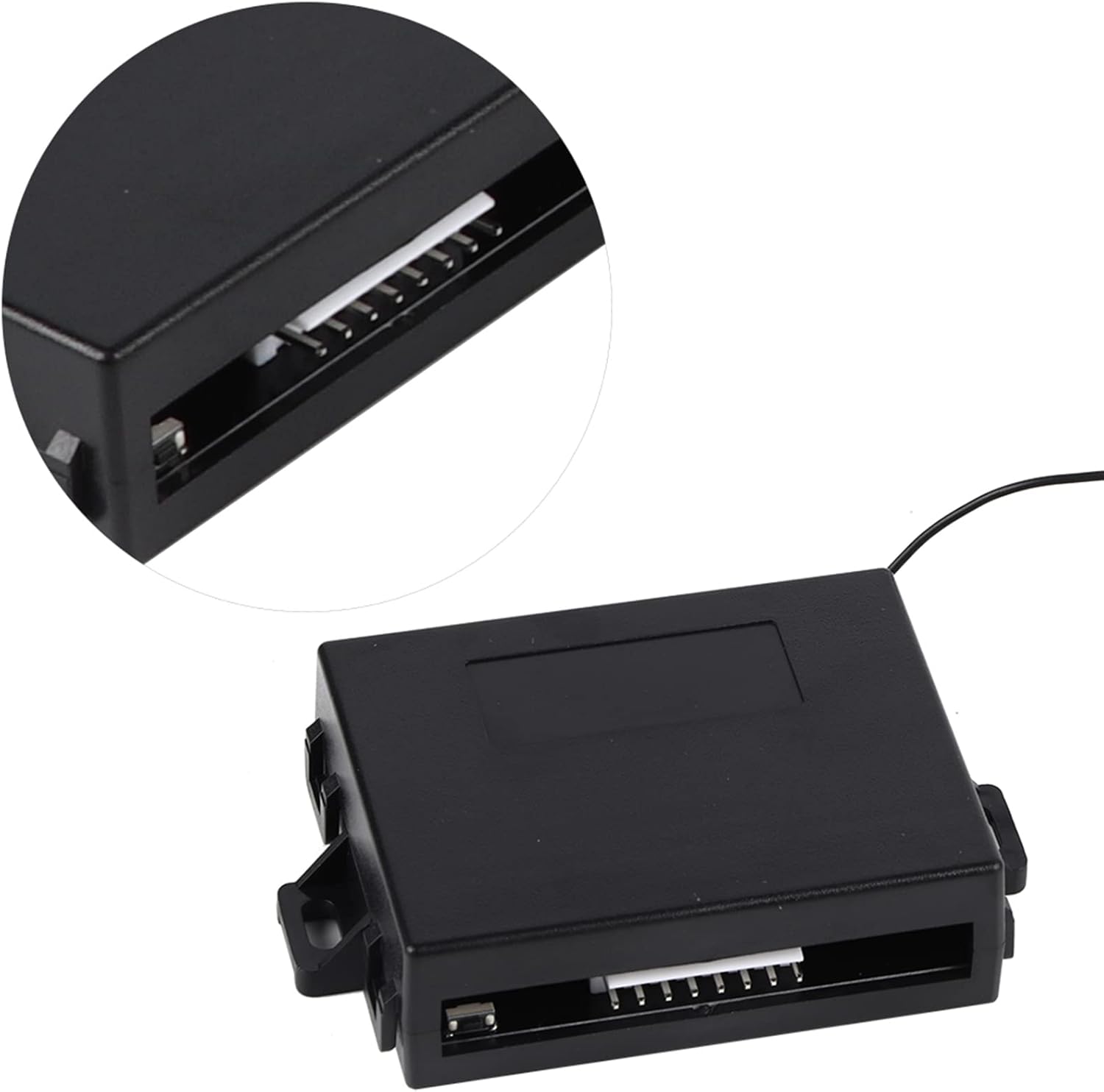
Image 5.2: The remote host control unit, where all wiring connects.
5.3 Installation Video Guide
For a visual guide on the installation process, please refer to the video below. This video demonstrates the components and their basic assembly.
Video 5.1: An overview of the Ejoyous Car Central Locking Kit components and their initial connection.
6. Operating Instructions
The Ejoyous Car Central Locking Kit provides convenient keyless entry using the included remote control fobs.
6.1 Using the Remote Control
- Lock Button: Press the lock button (usually depicted with a closed padlock icon) once to lock all vehicle doors.
- Unlock Button: Press the unlock button (usually depicted with an open padlock icon) once to unlock all vehicle doors.
- Mute Button: The remote control may feature a mute button (speaker with a cross icon) to silence the audible confirmation of lock/unlock actions.

Image 6.1: A hand demonstrating the use of the remote control fob.

Image 6.2: Illustrates the keyless entry function with a car and remote.
7. Maintenance
Proper maintenance ensures the longevity and reliable operation of your central locking kit.
- Remote Control Battery: If the remote controlling distance becomes shorter or the LED light on the remote becomes dim, it indicates a low battery. Replace the battery with a new one of the correct type (refer to the remote's internal markings for battery specifications).
- Environmental Protection: Do not expose the system's main unit (remote host) or remote controls to water, excessive moisture, or direct sunlight at high temperatures. This can cause damage to the electronic components.
- Actuator Inspection: Periodically check the door lock actuators for any signs of wear or obstruction. Ensure they move freely and are securely mounted.
8. Troubleshooting
If you encounter issues with your central locking kit, refer to the following common troubleshooting steps:
- Remote Not Working / Short Range:
- Check and replace the battery in the remote control fob.
- Ensure there are no obstructions between the remote and the vehicle.
- Verify the remote host unit is not obstructed or damaged.
- Doors Not Locking/Unlocking:
- Check all wiring connections to the actuators and the remote host unit for looseness or corrosion.
- Inspect the actuators for any mechanical binding or obstruction within the door mechanism.
- Ensure the vehicle's battery has sufficient charge.
- Intermittent Operation:
- This could indicate a loose connection or a faulty component. Re-check all wiring.
- Avoid placing the remote host unit in areas prone to extreme temperatures or moisture.
If problems persist after attempting these steps, it is recommended to consult a professional automotive electrician.
9. Warranty and Support
For warranty information or technical support regarding your Ejoyous Universal Car Central Locking Kit, please refer to the documentation provided at the time of purchase or contact Ejoyous customer service through their official channels. Keep your purchase receipt as proof of purchase for warranty claims.