
Kircuit Kircuit 12V AC/DC Adapter (Compatible with Lubex D-T003/DT003)
Kircuit 12V AC/DC Adapter User Manual
Model: Compatible with Lubex D-T003 / DT003
Introduction
This user manual provides essential information for the safe and effective use of your Kircuit 12V AC/DC Adapter. This adapter is specifically designed to provide power to devices requiring a 12V DC input, such as the Lubex D-T003 and DT003 Painless Sapphire Ice Cooling IPL Hair Removal Devices. Please read this manual thoroughly before using the product.
Safety Information
- Ensure the adapter's voltage and current ratings match your device's requirements.
- Do not expose the adapter to water, moisture, or extreme temperatures.
- Avoid dropping or subjecting the adapter to strong impacts.
- Do not disassemble or modify the adapter. Refer servicing to qualified personnel.
- Unplug the adapter from the power outlet when not in use for extended periods.
- Keep out of reach of children.
- This adapter is for indoor use only.
Package Contents
- 1 x Kircuit 12V AC/DC Adapter
Setup
Follow these steps to set up your Kircuit AC/DC Adapter:
Inspect the Adapter: Before use, visually inspect the adapter and its cable for any signs of damage. Do not use if damaged.

Image: The Kircuit 12V AC/DC Adapter showing the main unit and its coiled power cord with a barrel connector.
Verify Compatibility: Ensure your device requires a 12V DC input and has a compatible barrel connector. This adapter is specifically compatible with Lubex D-T003 and DT003 IPL Hair Removal Devices.

Image: Two Kircuit 12V AC/DC Adapters, one showing the front with specifications and the other showing the ribbed back, illustrating the compact design.
Connect to Device: Plug the barrel connector of the adapter into the power input port of your device (e.g., Lubex D-T003/DT003).
Connect to Power Outlet: Insert the adapter's prongs into a standard 100-240VAC 50/60Hz electrical wall outlet. The adapter is designed for worldwide input voltage compatibility.
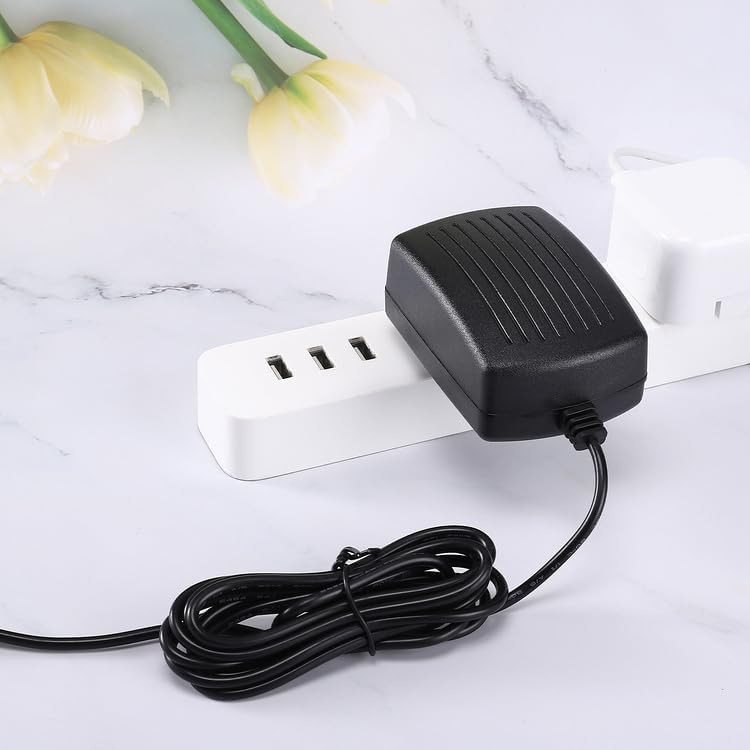
Image: The Kircuit 12V AC/DC Adapter plugged into a power strip, demonstrating its compact size and how it fits into an outlet.
Operating Instructions
Once connected, the Kircuit AC/DC Adapter will supply the necessary power to your compatible device. No further action is required on the adapter itself.
- The adapter provides a stable 12V DC output.
- It features Over Voltage Protection (OVP), Over Current Protection (OCP), and Short Circuit Protection (SCP) to safeguard your device.
- The cord length is approximately 6.5 feet, providing ample reach.

Image: The Kircuit 12V AC/DC Adapter with its power cord, explicitly showing the cord length of 6.5 feet.
Maintenance
- Cleaning: Disconnect the adapter from the power outlet and your device before cleaning. Wipe the adapter with a soft, dry cloth. Do not use liquid cleaners or aerosols.
- Storage: Store the adapter in a cool, dry place away from direct sunlight and extreme temperatures. Avoid tightly coiling the cable to prevent damage.
- Inspection: Periodically check the cable and connector for any signs of wear, fraying, or damage. Replace the adapter if any damage is observed.
Troubleshooting
| Problem | Possible Cause | Solution |
|---|---|---|
| Device not powering on. | Adapter not properly plugged in. Power outlet is not active. Device is not compatible. Adapter or device is faulty. | Ensure adapter is fully inserted into the wall outlet and device. Test the outlet with another device. Verify your device requires 12V DC and has a compatible barrel connector. Contact support if issues persist. |
| Adapter feels hot. | Normal operation under load. Overload or poor ventilation. | A slight warmth is normal. If excessively hot, disconnect immediately. Ensure adequate ventilation around the adapter. Do not cover. |
| Sparking when plugging in. | Normal inrush current. Faulty outlet or adapter. | Small sparks are common. If sparking is excessive or continuous, unplug immediately and check the outlet/adapter for damage. |
Specifications
| Feature | Detail |
|---|---|
| Brand | Kircuit |
| Model Compatibility | Lubex D-T003, Lubex DT003 (IPL Hair Removal Device) |
| Input Voltage | 100-240VAC, 50/60Hz |
| Output Voltage | 12V DC |
| Connector Type | Barrel Connector |
| Special Features | OVP (Over Voltage Protection), OCP (Over Current Protection), SCP (Short Circuit Protection) |
| Color | Black |
| Power Source | Corded Electric |
| Manufacturer | Shenzhen Waweis Technology Co., Ltd |
Warranty and Support
For warranty information or technical support, please refer to the seller's policy on the platform where the product was purchased or contact Kircuit customer service directly if contact information is provided with your purchase. Please have your product model and purchase details ready when contacting support.
Note: This adapter is a high-quality, non-OEM replacement power supply.
Ask a question about this manual
Ask about setup, troubleshooting, compatibility, parts, safety, or missing instructions. Manuals+ will review the question and use this page’s manual context to help answer it.