
ExBrite 11FXMC4832V10TX
ExBrite 48 x 32 Lighted Medicine Cabinet User Manual
Model: 11FXMC4832V10TX | Brand: ExBrite
1. Introduction
Thank you for choosing the ExBrite 48 x 32 Lighted Medicine Cabinet. This manual provides essential information for the safe installation, operation, and maintenance of your new medicine cabinet. Please read this manual thoroughly before installation and keep it for future reference.
This state-of-the-art medicine cabinet is designed to enhance your bathroom with its dual front and backlit LED illumination, integrated clock and temperature display, defogging function, and a convenient 10x magnification mirror. It offers flexible installation options for both surface and recessed mounting.
2. Safety Information
Please observe the following safety precautions to prevent injury or damage to the product:
- Always disconnect power before installation, maintenance, or cleaning.
- Installation should be performed by a qualified electrician in accordance with local electrical codes.
- Do not expose the cabinet to excessive moisture or direct water spray.
- Handle glass components with care to prevent breakage.
- Ensure the mounting surface is structurally sound and can support the weight of the cabinet.
- Keep children away from the installation area.
3. Package Contents
Verify that all components are present and undamaged before beginning installation:
- ExBrite Lighted Medicine Cabinet (Main Unit)
- Adjustable Glass Shelves (3 included)
- Mounting Hardware (screws, anchors, mounting bar)
- User Manual

Figure 3.1: Comprehensive packaging ensures excellent protection for the mirror cabinet, including foam corner guards and double styrofoam boards.
4. Specifications
| Feature | Description |
|---|---|
| Brand | ExBrite |
| Model Number | 11FXMC4832V10TX |
| Dimensions (W x H x D) | 48'' x 32'' x 5.25'' |
| Mounting Type | Surface or Recessed Mount |
| Lighting | Front and Backlit LED, 3 Color Temperatures (3000K-6400K), Dimmable (10%-100%) |
| Special Features | Clock & Temperature Display, Defog Function, 10x Magnifier Mirror, Night Light, Double Sockets, 2 USB Ports |
| Frame Material | Double-Layer Aluminum |
| Hinges | 170° Soft-Close Blum Hinges |
| Number of Shelves | 3 (Adjustable Glass) |
| Shelf Weight Limit | 11 Pounds per shelf |
| Item Weight | 104.8 pounds |
| LED Lifetime | 50,000 Hours |

Figure 4.1: Product dimensions and adjustable shelf feature.

Figure 4.2: Sturdy double-layer aluminum profile frame for enhanced durability.

Figure 4.3: SuperBright LED Strip details, highlighting UL certification and long lifespan.
5. Installation
The ExBrite medicine cabinet supports both surface and recessed mounting. Choose the method that best suits your bathroom design. Professional installation is recommended.
General Installation Steps:
- Prepare the Area: Ensure the power is off at the circuit breaker. Measure and mark the desired location for the cabinet on the wall.
- Mounting Bar Installation: Secure the mounting bar to the wall using appropriate screws and anchors. Ensure it is level and firmly attached.
- Electrical Connection: Connect the cabinet's electrical wiring (white, black, ground) to your household wiring. Ensure all connections are secure and insulated.
- Hang the Cabinet: Carefully lift the cabinet and engage it with the mounting bar. Ensure it is securely seated.
- Adjust Shelves: Place the adjustable glass shelves inside the cabinet at your preferred heights.
Mounting Options:
Surface Mounting: The cabinet is mounted directly onto the wall surface. This option is simpler and does not require wall modification.
Recessed Mounting: The cabinet is inserted into a cutout in the wall, providing a flush appearance. For recessed installation, a slight extension of about 1 inch from the wall is necessary to facilitate effortless access to the cabinet interior.

Figure 5.1: Visual comparison of surface mounting versus recessed mounting.

Figure 5.2: Detailed installation instructions for hanging walls.

Figure 5.3: The 170° soft-close Blum hinges ensure smooth and silent door operation.
6. Operation
Your ExBrite medicine cabinet features intuitive touch controls for various functions.

Figure 6.1: The ExBrite Lighted Medicine Cabinet in operation, displaying its illuminated features.

Figure 6.2: Overview of the touch control panel for various functions.
Lighting Control:
- Power On/Off: Short press the power button to turn the lights on or off.
- Brightness Adjustment: Long press the power button to seamlessly adjust brightness from 10% to 100%. The cabinet remembers your last brightness setting.
- Color Temperature Adjustment: Short press the color temperature button to cycle through 3000K (Warm), 4000K (Natural), and 6400K (White) light settings.
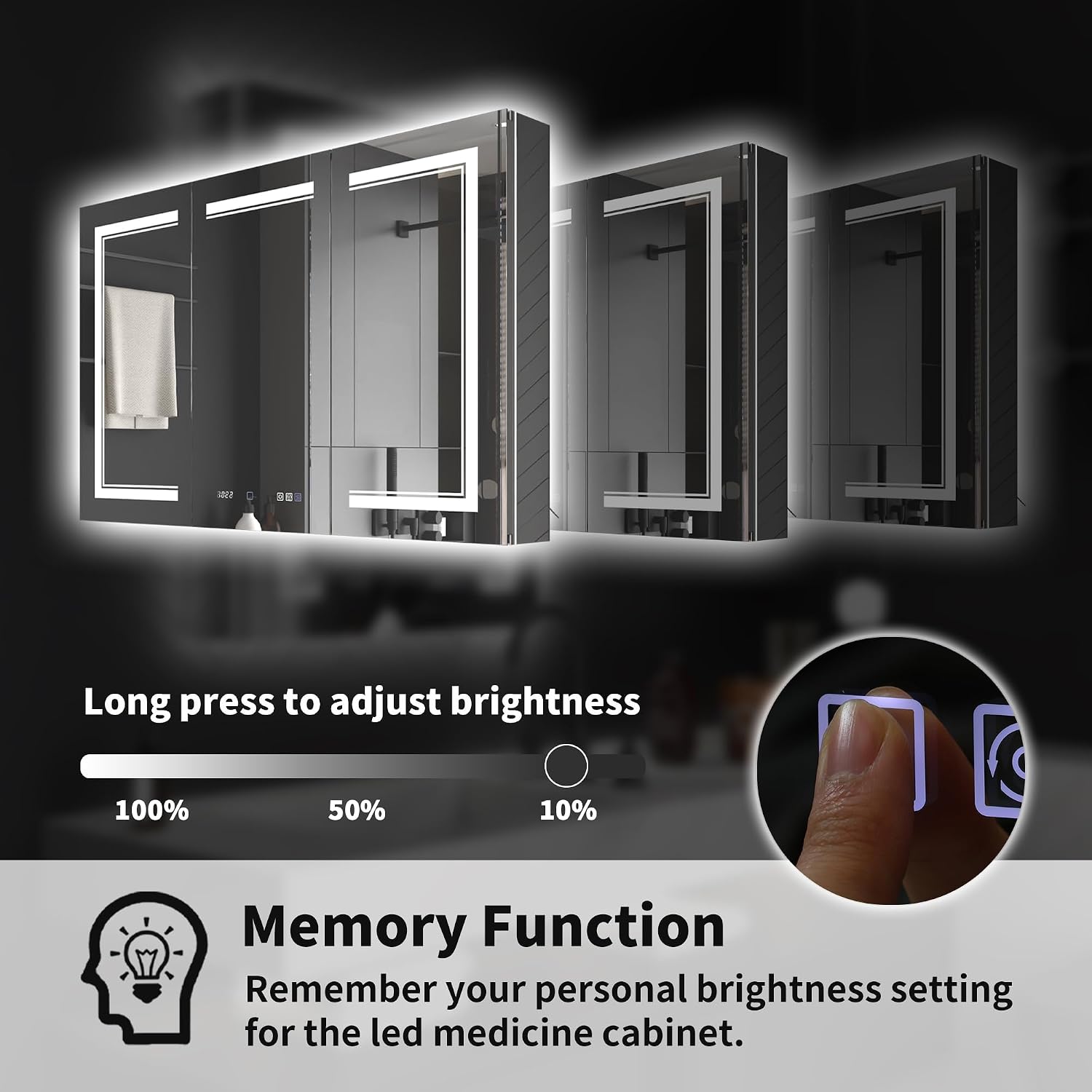
Figure 6.3: Brightness adjustment and memory function.
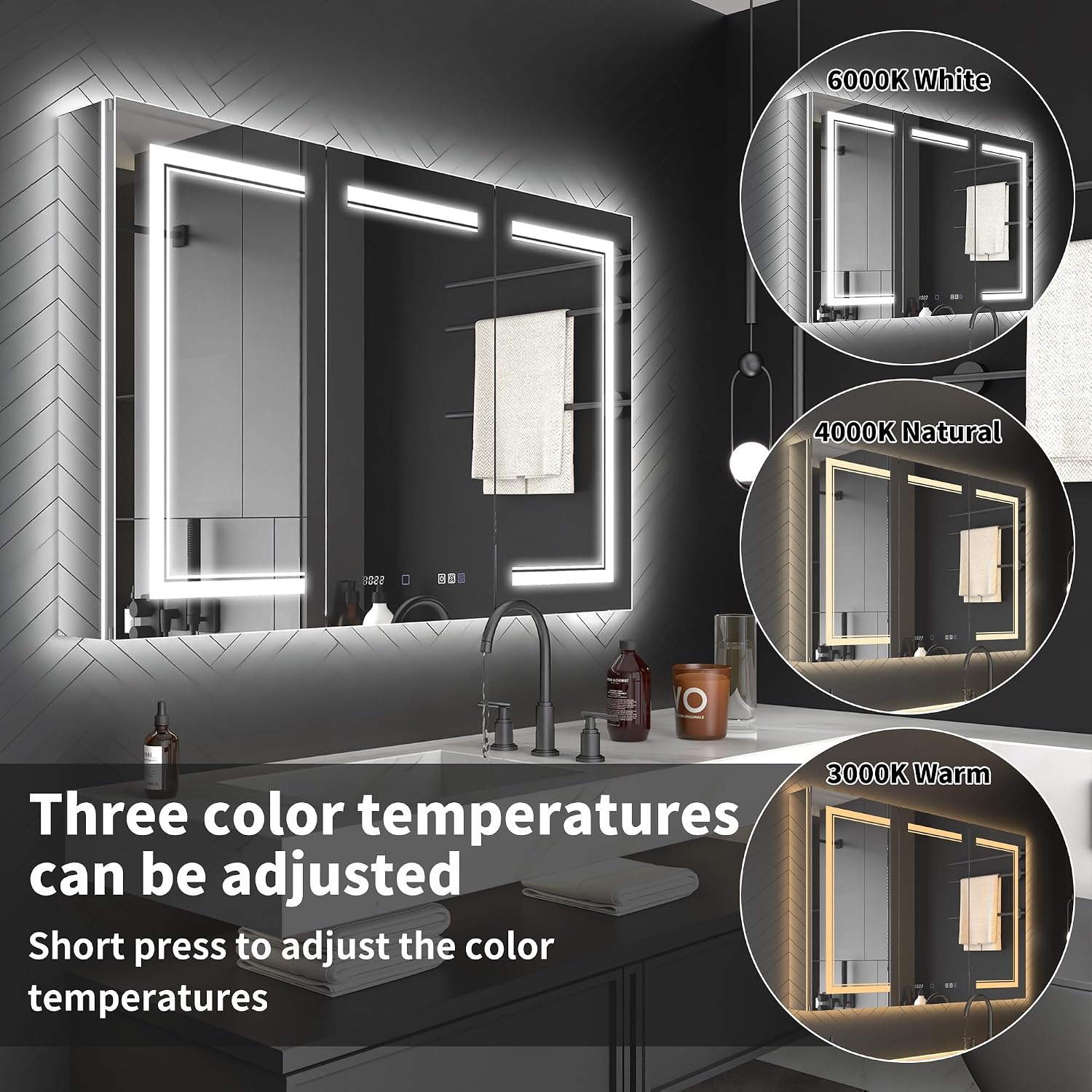
Figure 6.4: Three adjustable color temperatures for varied ambiance.

Figure 6.5: Activating the dimmer function and adjusting color temperatures.
Defog Function:
- Activate Defog: Short press the defog button to activate the anti-fog function. The defogger will automatically switch off after 1 hour.

Figure 6.6: One-touch activation of the anti-fog function.
Clock and Temperature Display:
- The clock and temperature display are integrated into the mirror surface.
- Setting the Clock: Hold the clock button for a few seconds to enter setting mode. Short press to adjust the hour, then short press again to switch to minutes. Short press to set minutes.
10x Magnifier Mirror:
- The cabinet includes a movable 10x magnification mirror for detailed grooming tasks.
- The magnifier can be moved up and down along its track to suit your needs.

Figure 6.7: The 10x magnification mirror can be adjusted vertically.

Figure 6.8: Demonstrating the movement range of the 10x magnifier.
Night Light:
- The cabinet features a light-sensitive night light that automatically turns on when ambient brightness decreases.
- A rocker switch is located on the cabinet for manual control of the night light.

Figure 6.9: Light-sensitive night light with rocker switch.
Charging Ports:
- The cabinet is equipped with double sockets and two USB ports inside for convenient charging of electronic devices such as razors, electric toothbrushes, hairdryers, and smartphones.

Figure 6.10: Interior view showing integrated power outlets and USB ports.

Figure 6.11: Ample storage space with adjustable glass shelves.
7. Maintenance
Proper care and maintenance will ensure the longevity and optimal performance of your ExBrite medicine cabinet.
- Cleaning the Mirror: Use a soft, damp cloth with a mild, non-abrasive glass cleaner. Do not spray cleaner directly onto the mirror; apply it to the cloth first.
- Cleaning the Cabinet Interior: Wipe down interior surfaces and shelves with a soft, damp cloth. Avoid harsh chemicals.
- Corrosion Resistance: The mirror is crafted from premium tempered glass and firmly bonded with silicone, offering exceptional corrosion resistance. Avoid prolonged exposure to highly acidic or alkaline substances.
- Hinge Care: The 170° soft-close Blum hinges are designed for durability. No special lubrication is typically required. If doors become misaligned, adjust the second screw on the hinge from the back.

Figure 7.1: The mirror's advanced construction ensures superior corrosion resistance.
8. Troubleshooting
Refer to the following table for common issues and their solutions:
| Problem | Possible Cause / Solution |
|---|---|
| Cabinet door won't close properly. | Check if hinges are correctly installed or if there's any obstruction. Adjust the second screw (from the back) on the hinges to achieve proper alignment. |
| Internal lighting or other electronic features not working. | Ensure the power plug is properly inserted and the power switch is turned on. If the clock, temperature display, or buttons aren't functioning, unplug the electrical connection between the door and the cabinet for one to two hours, then restart the mirror cabinet to see if it works. |
| Clock and temperature display lighting cannot be turned off. | No, the lighting for the clock and temperature display cannot be turned off as per design. |
| Rust or marks appear on the cabinet. | Clean with non-abrasive cleaners or alcohol. Ensure proper ventilation in the bathroom to minimize moisture buildup. |

Figure 8.1: Frequently Asked Questions and troubleshooting tips.
9. Warranty and Customer Support
ExBrite is committed to providing high-quality products and excellent customer service.
- Warranty: Free repair is available within 2 years of purchase.
- Damaged or Quality Issues: If your mirror cabinet is delivered in a broken condition or has quality issues, please contact us. You do not need to return the damaged item; simply provide pictures, and we will promptly arrange for a new mirror cabinet to be reissued from our warehouse.
- Customer Support: Our customer support team is available 24/7 to answer any questions and resolve any situation.
For assistance, please contact ExBrite Customer Support via the contact information provided on our official website or your purchase platform.

Figure 9.1: ExBrite customer support and warranty details.
Related documents11FXMC4832V10TX


Ask a question about this manual
Ask about setup, troubleshooting, compatibility, parts, safety, or missing instructions. Manuals+ will review the question and use this page’s manual context to help answer it.