
REL Acoustics T/9x
REL T/9x 10-Inch Powered Subwoofer
Instruction Manual
Model: T/9x | Brand: REL Acoustics
Introduction
The REL T/9x 10-Inch Powered Subwoofer is engineered to deliver deep, controlled bass and enhance the overall audio experience for both HiFi stereo systems and home theater setups. Featuring a sealed design with a Class A/B amplifier, this subwoofer is designed for seamless integration and optimal performance in various listening environments.
This manual provides essential information for the proper setup, operation, and maintenance of your REL T/9x subwoofer. Please read it thoroughly before use to ensure safe and effective operation.
Safety Information
Please observe the following safety precautions to prevent damage to the unit and ensure your personal safety:
- Power Source: Connect the subwoofer only to a power supply of the type specified on the rear panel.
- Ventilation: Ensure adequate ventilation. Do not block ventilation openings or place the unit on soft surfaces that may impede airflow.
- Water and Moisture: Do not expose the unit to rain or moisture. Do not place objects filled with liquids, such as vases, on the unit.
- Heat: Do not place the unit near heat sources such as radiators, heat registers, stoves, or other apparatus (including amplifiers) that produce heat.
- Cleaning: Clean only with a dry cloth. Avoid using liquid or aerosol cleaners.
- Servicing: Do not attempt to service this product yourself. Refer all servicing to qualified service personnel.
- Placement: This product contains chemicals known to the State of California to cause cancer and birth defects or other reproductive harm (Proposition 65 warning). Place the unit on a stable, level surface.
Setup
Unpacking and Placement
Carefully remove the REL T/9x subwoofer from its packaging. Inspect the unit for any signs of damage. The T/9x is designed for floor standing placement.

Figure 1: Front view of the REL T/9x Subwoofer in high gloss grey finish. This image shows the 10-inch front-firing driver and the sleek, sealed cabinet design.
Connections
The REL T/9x offers versatile connection methods to integrate seamlessly into your audio system. The rear panel provides various input options.
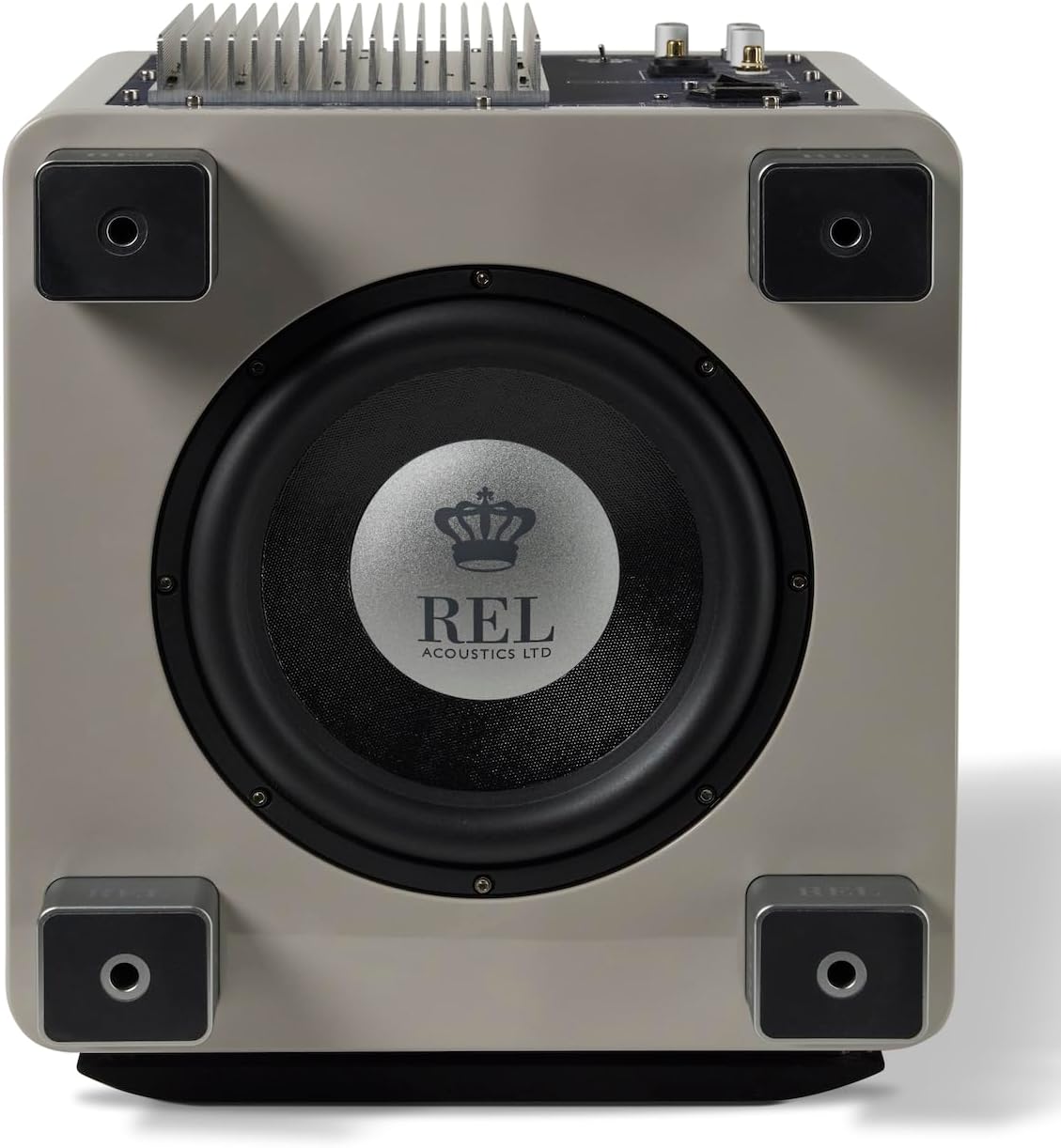
Figure 2: Rear panel of the REL T/9x Subwoofer, displaying the various input terminals and controls. This includes High/Low Level inputs, Crossover, and Phase controls.
- High-Level Connection (Recommended for Music):
- Use the included high-level speaker wire.
- Connect the bare wire ends to the corresponding speaker terminals on your amplifier (Left, Right, and Ground).
- Connect the Speakon connector to the "HIGH LEVEL INPUT" on the subwoofer's rear panel.
- This connection method ensures the subwoofer receives the same sonic signature as your main speakers, leading to better integration.
- Low-Level Connection (Recommended for Home Theater LFE):
- Use a single RCA cable (not included).
- Connect one end of the RCA cable to the LFE output of your AV receiver or processor.
- Connect the other end to the "LOW .1/LFE INPUT" on the subwoofer's rear panel.
- For stereo low-level connection, use two RCA cables (not included) to connect to the "LOW LEVEL INPUT" (left and right) from your pre-amplifier or source.
- Power Connection:
- Connect the power cord to the AC inlet on the rear panel of the subwoofer.
- Plug the other end into a suitable wall outlet.
Operating the REL T/9x
Initial Power On
After making all connections, switch the power toggle on the rear panel to the "ON" position. The power indicator light will illuminate.
Adjusting Settings
The REL T/9x features controls on the rear panel for fine-tuning its performance to your listening environment and preferences:
- HI/LOW LEVEL (Volume): This knob controls the overall output volume of the subwoofer. Start with a low setting and gradually increase until the bass blends seamlessly with your main speakers.
- CROSSOVER: This knob adjusts the upper frequency limit of the subwoofer. Adjust this to blend the subwoofer's output with the low-frequency roll-off of your main speakers. Common settings range from 30Hz to 120Hz.
- PHASE (0/180): This switch adjusts the phase of the subwoofer's output relative to your main speakers. Experiment with both 0 and 180 degrees to find the setting that produces the most impactful and coherent bass. The correct phase setting will result in the loudest and clearest bass response at your listening position.
- .1/LFE LEVEL: This control is specifically for the LFE input, allowing independent volume adjustment for dedicated home theater bass effects.
For optimal performance, it is recommended to adjust these settings while listening to familiar music or movie scenes to achieve a balanced and integrated sound.
Maintenance
To ensure the longevity and optimal performance of your REL T/9x subwoofer, follow these simple maintenance guidelines:
- Cleaning: Regularly wipe the cabinet with a soft, dry, lint-free cloth. Avoid using abrasive cleaners, solvents, or chemical sprays, as these can damage the finish.
- Dust: Keep the driver and passive radiator free from dust accumulation. A soft brush or a vacuum cleaner with a brush attachment can be used carefully.
- Ventilation: Periodically check that the ventilation fins on the rear panel are clear of dust and obstructions to prevent overheating.
- Cables: Ensure all cables are securely connected and free from kinks or damage.
Troubleshooting
If you encounter issues with your REL T/9x subwoofer, refer to the following common troubleshooting steps:
| Problem | Possible Cause | Solution |
|---|---|---|
| No Sound |
|
|
| Weak or Muffled Bass |
|
|
| Distorted Sound |
|
|
If the problem persists after attempting these solutions, please contact REL Acoustics customer support.
Specifications
| Feature | Detail |
|---|---|
| Model Name | T/9x |
| Speaker Type | Subwoofer |
| Woofer Diameter | 10 Inches (Front-firing driver) |
| Passive Radiator | 10 Inches (Down-firing) |
| Amplifier Type | Class A/B |
| Speaker Maximum Output Power | 300 Watts |
| Frequency Response | Down to 27Hz at -6dB |
| Connectivity Technology | RCA, Speakon (High-Level) |
| Product Dimensions (D x W x H) | 15.5"D x 14.5"W x 13.4"H |
| Item Weight | 41.3 Pounds |
| Color | Gray (High Gloss) |
| Included Components | RCA cable |
Warranty and Support
Warranty Information
The REL T/9x Subwoofer comes with a Limited Warranty. For specific terms and conditions, please refer to the warranty card included with your product or visit the official REL Acoustics website.
Customer Support
For technical assistance, troubleshooting beyond this manual, or warranty claims, please contact REL Acoustics customer support. You can find contact information on the official REL Acoustics website or through your authorized dealer.
Online Resources: www.rel.net
Related documentsT/9x


Ask a question about this manual
Ask about setup, troubleshooting, compatibility, parts, safety, or missing instructions. Manuals+ will review the question and use this page’s manual context to help answer it.