
1. Introduction
Thank you for choosing the Milex Mist Breeze Fan MMF002. This product combines the functionality of a fan with a humidifier to provide a refreshing and comfortable environment. Please read this manual carefully before operating the appliance to ensure safe and efficient use. Keep this manual for future reference.
2. Important Safety Instructions
When using electrical appliances, basic safety precautions should always be followed to reduce the risk of fire, electric shock, and injury to persons. These include:
- Read all instructions before using this appliance.
- Ensure the voltage indicated on the rating label matches your mains voltage.
- Do not immerse the appliance, plug, or cord in water or other liquids.
- Close supervision is necessary when any appliance is used by or near children.
- Unplug from the outlet when not in use, before assembling or disassembling parts, and before cleaning.
- Do not operate any appliance with a damaged cord or plug, or after the appliance malfunctions or has been damaged in any manner.
- Do not use outdoors. This appliance is for indoor use only.
- Do not let the cord hang over the edge of a table or counter, or touch hot surfaces.
- Do not place on or near a hot gas or electric burner, or in a heated oven.
- Always operate the appliance on a stable, flat surface.
- Do not insert fingers or any objects into the fan guard or mist outlet during operation.
- Ensure the water tank is securely in place before operating the mist function.
- Only use clean tap water in the water tank. Do not add essential oils or other chemicals directly into the water tank as this may damage the unit.
3. Package Contents
Carefully unpack your Milex Mist Breeze Fan and check that all items are present and in good condition. If any items are missing or damaged, please contact your retailer.
- 1 x Milex Mist Breeze Fan Unit (MMF002)
- 1 x Remote Control
- 1 x User Manual (this document)
4. Product Overview
Familiarize yourself with the components of your Milex Mist Breeze Fan.

Figure 4.1: Front view of the Milex Mist Breeze Fan. This image shows the fan head, control panel, main body, water tank, and base with rollers.

Figure 4.2: Side view of the Milex Mist Breeze Fan. This image highlights the overall profile and the position of the water tank at the base.
Control Panel
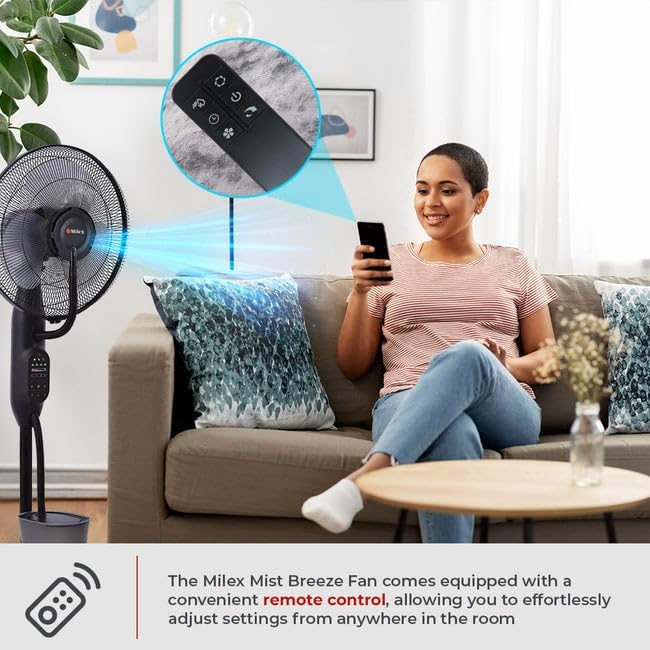
Figure 4.3: Detailed view of the control panel. This panel features buttons for power, speed, mode, oscillation, timer, and mist functions.
Remote Control
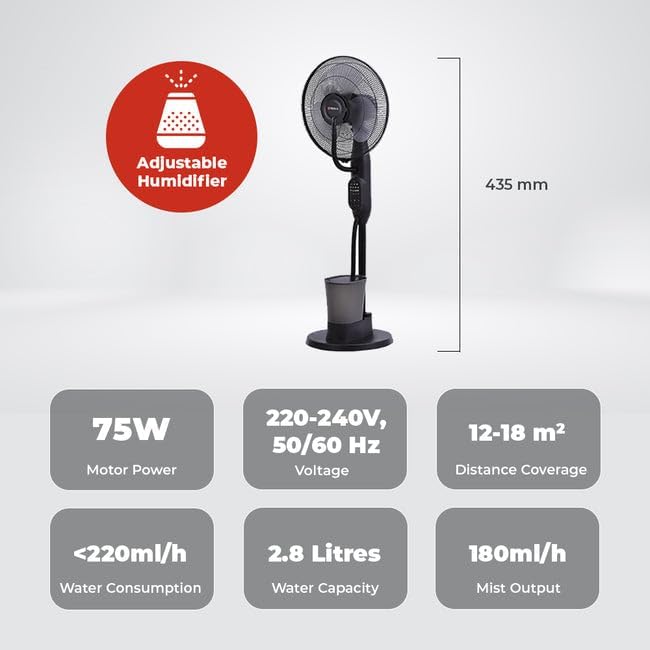
Figure 4.4: The remote control for the Milex Mist Breeze Fan. It allows for convenient adjustment of all fan settings from a distance.
5. Setup
Follow these steps to set up your Milex Mist Breeze Fan:
- Unpack: Remove all packaging materials and ensure all components are present.
- Positioning: Place the fan on a firm, level surface. The five rollers on the base allow for easy movement. Ensure there is adequate space around the fan for optimal air circulation and mist dispersion.
- Fill Water Tank:
- Carefully remove the water tank from the base.
- Unscrew the cap at the bottom of the tank.
- Fill the tank with clean, cool tap water. Do not exceed the maximum fill line. The water capacity is 2.8 Litres.
- Securely screw the cap back on.
- Place the filled water tank back onto the base, ensuring it is seated correctly.
- Connect Power: Plug the power cord into a standard 220-240V, 50/60 Hz electrical outlet.
6. Operation
Your Milex Mist Breeze Fan can be operated using the control panel on the unit or the included remote control.
6.1 Power On/Off
- Press the POWER button once to turn the fan on.
- Press the POWER button again to turn the fan off.
6.2 Speed Settings
The fan has three speed settings: Low, Medium, and High.

Figure 6.1: Visual representation of the three speed settings: Low, Medium, and High.
- Press the SPEED button repeatedly to cycle through the speeds: Low → Medium → High → Low.
6.3 Breeze Modes
Choose from three distinct breeze modes: Natural, Normal, and Sleep.
- Press the MODE button repeatedly to select your desired mode.
- Normal Mode: Provides a constant airflow at the selected speed.
- Natural Mode: Simulates natural wind by varying the fan speed intermittently.
- Sleep Mode: Operates at a lower, quieter speed, ideal for nighttime use.
6.4 Oscillation
The fan features a 70-degree oscillation function to distribute air and mist evenly.
- Press the OSC button once to activate oscillation. The fan head will move from side to side.
- Press the OSC button again to stop oscillation at the current position.
6.5 Timer Function
Set the fan to automatically turn off after a specified period.
- Press the TIMER button repeatedly to set the desired operating time, from 30 minutes up to 7 hours and 30 minutes, in 30-minute increments.
- The display will show the selected time. The fan will automatically turn off once the timer expires.
6.6 Mist Function (Adjustable Humidifier)
Activate the mist function to add humidity to the air.
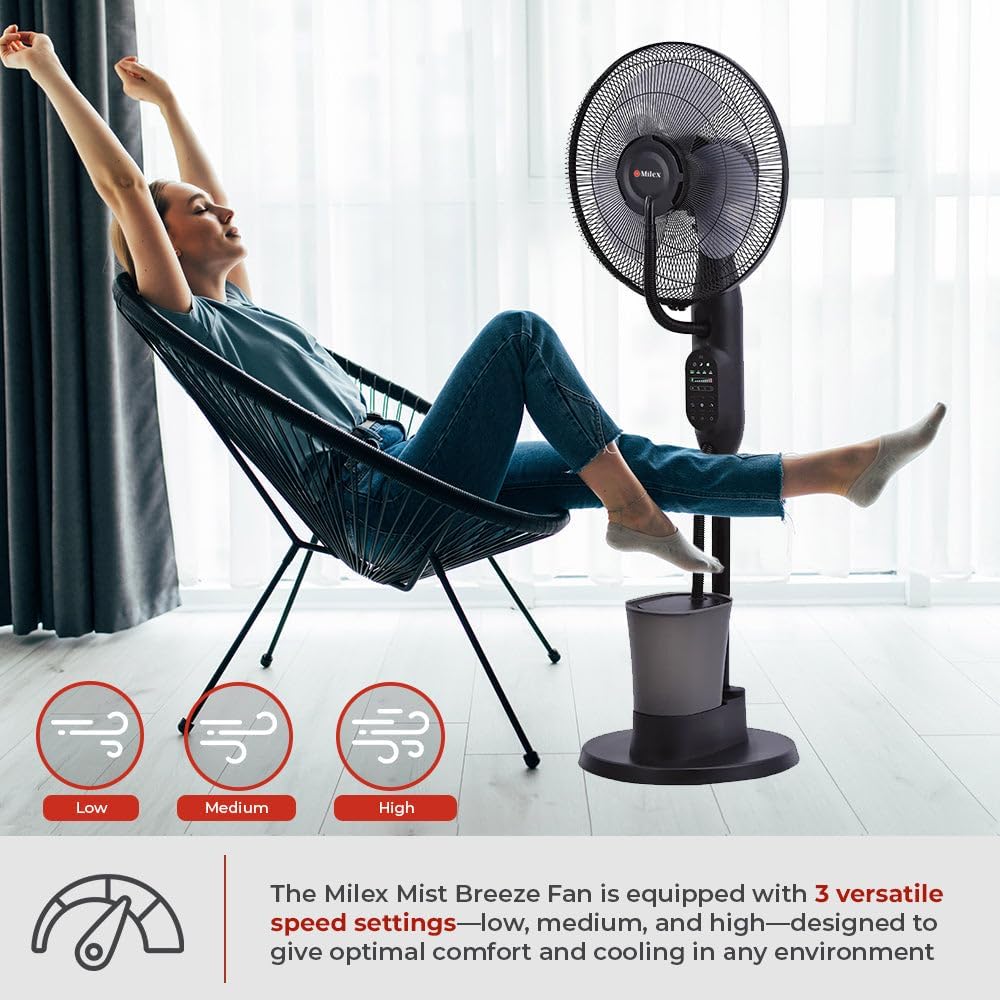
Figure 6.2: The Milex Mist Breeze Fan producing a fine mist for humidification.
- Ensure the water tank is filled before activating the mist function.
- Press the MIST button once to turn on the mist function.
- Press the MIST button again to turn off the mist function.
- The mist output is approximately 180ml/h.
7. Maintenance and Cleaning
Regular cleaning and maintenance will ensure the longevity and optimal performance of your Milex Mist Breeze Fan.
7.1 General Cleaning
- Always unplug the fan from the power outlet before cleaning.
- Use a soft, damp cloth to wipe the exterior surfaces of the fan. Do not use abrasive cleaners or solvents.
- For the fan blades, carefully remove the front grill (refer to assembly instructions if needed) and wipe the blades with a soft cloth. Ensure the blades are completely dry before reassembling.
7.2 Water Tank and Mist Nozzle Cleaning
- Empty any remaining water from the tank after each use, especially if the fan will not be used for an extended period.
- Rinse the water tank with clean water. For thorough cleaning, use a soft brush to remove any mineral deposits or residue.
- Wipe the mist nozzle gently with a soft cloth to prevent mineral buildup, which can affect mist output.
- Ensure all parts are dry before reassembling and storing.
8. Troubleshooting
If you encounter any issues with your Milex Mist Breeze Fan, please refer to the following troubleshooting guide:
| Problem | Possible Cause | Solution |
|---|---|---|
| Fan does not turn on. | No power supply. | Check if the power cord is securely plugged into a working outlet. |
| No mist is being produced. | Water tank is empty or incorrectly placed. | Fill the water tank with water and ensure it is correctly seated on the base. |
| Mist output is weak. | Mineral buildup on the mist nozzle. | Clean the mist nozzle as described in the Maintenance section. |
| Remote control not working. | Batteries are dead or incorrectly inserted. | Replace the batteries in the remote control. Ensure they are inserted with correct polarity. |
| Fan is noisy. | Fan blades or grill are dirty or loose. | Clean the fan blades and ensure the front grill is securely attached. |
If the problem persists after attempting these solutions, please contact customer support.
9. Specifications
Technical specifications for the Milex Mist Breeze Fan MMF002:
- Model: MMF002
- Voltage: 220-240V, 50/60 Hz
- Power: 75W
- Mist Output: 180ml/h
- Water Capacity: 2.8 Litres
- Water Consumption: <220ml/h
- Distance Coverage: 12-18 m²
- Oscillation: 70 degrees
- Speed Settings: Low, Medium, High
- Breeze Modes: Natural, Normal, Sleep
- Timer: 30 minutes to 7 hours 30 minutes
- Dimensions (D x W x H): 60D x 30W x 46H centimetres (approximate)
- Color: Black
Figure 9.1: Side view illustrating the approximate dimensions of the Milex Mist Breeze Fan.
10. Warranty and Support
For warranty information or technical support, please refer to the warranty card included with your purchase or contact your retailer. Keep your proof of purchase for any warranty claims.
