
1. Introduction
The DBEIXIWEI GM328 is a versatile multi-function tester designed for electronic enthusiasts and professionals. It integrates a transistor tester, frequency tester, LCR meter, PWM square wave generator, and voltmeter into a single compact device. Featuring a digital LCD display, it provides clear readings and graphical representations of measured data. This manual provides detailed instructions for the proper setup, operation, and maintenance of your GM328 tester.
2. Product Overview
The GM328 tester is provided as an assembled kit, meaning the main components are pre-assembled, but users may need to connect power or perform minor setup. Its design prioritizes ease of use with a rotary switch control for mode selection and a single button for initiating measurements.

Figure 1: Front view of the DBEIXIWEI GM328 Transistor Tester, showing the LCD screen, ZIF socket, and rotary encoder.
3. Setup
3.1 Power Supply
The GM328 tester can be powered by two methods:
- 9V Battery: Insert a standard 9V battery (not included) into the designated battery connector.
- DC Power: Connect an external DC power supply with a voltage range of 6.8V to 12V to the DC input jack. Ensure correct polarity.
The device features automatic shutdown to conserve power, with a shutdown current of approximately 20nA.
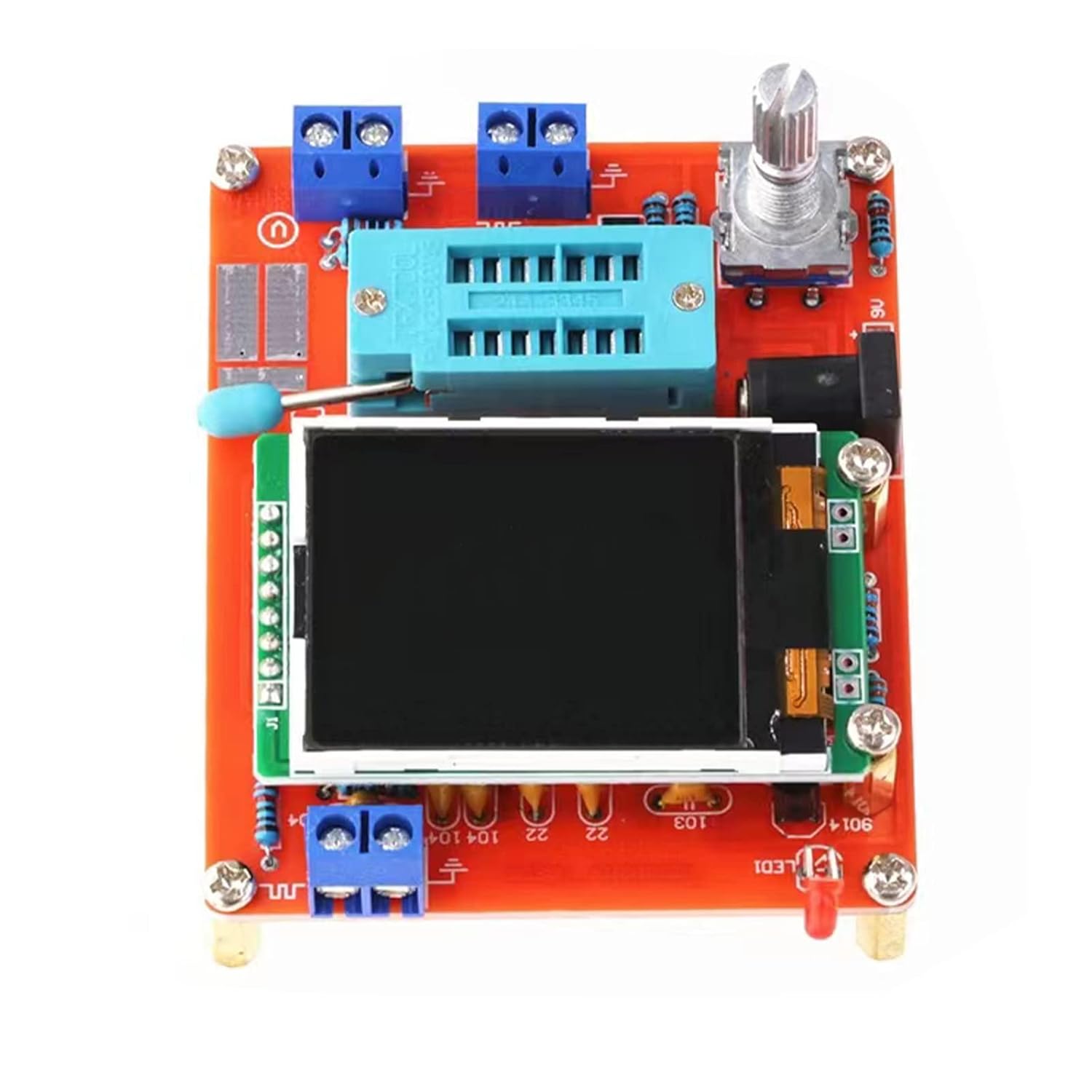
Figure 2: Top-down view of the GM328 tester, highlighting the 9V battery connector and DC power input jack.
3.2 Initial Power-On
Once powered, the device will display a startup screen. Use the rotary switch to navigate through the main menu options.
4. Operating Instructions
The GM328 tester is operated primarily through its rotary switch. Rotate to select functions and press to confirm or initiate a measurement.
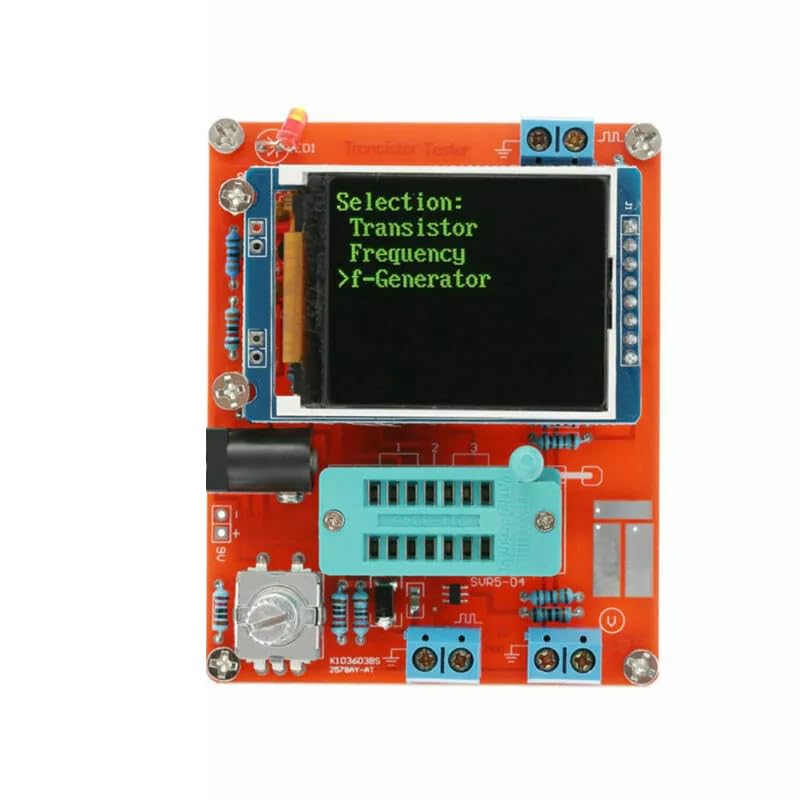
Figure 3: The LCD screen displaying the main menu, allowing selection between Transistor, Frequency, and f-Generator modes.
4.1 Transistor Testing
This mode automatically detects and identifies various semiconductor components.
- Insert the component (NPN/PNP transistor, FET, diode, dual diode, thyristor, SCR) into the ZIF (Zero Insertion Force) socket.
- Press the rotary switch to initiate the test.
- The display will show the component type, pinout, and relevant parameters such as common-emitter current amplification factor (hFE), base-emitter threshold voltage (Ube), and collector-emitter leakage current (Ic) for transistors.
4.2 Resistor Measurement
The device supports the measurement of up to two resistors simultaneously.
- Connect the resistors to the appropriate test points.
- The tester will display the resistance value with a maximum resolution of 0.01Ω, capable of measuring up to 50MΩ. It will also indicate the positive and negative terminals and on-state voltage if applicable.
4.3 Capacitance Measurement
Measure capacitance values within the specified range.
- Connect the capacitor to the test terminals.
- The device measures capacitance from 25pF to 100mF with a resolution of 1pF.
4.4 Inductance Measurement
For resistors below 2100Ω, the device can also measure inductance.
- Connect the inductor to the test terminals.
- The measuring range is from 0.01mH to 20H.
4.5 FET Gate Threshold Voltage and Capacitance
Specifically designed for Field-Effect Transistors (FETs).
- Insert the FET into the ZIF socket.
- The tester will measure and display the gate threshold voltage and gate capacitance.
4.6 Signal Generator and Frequency Meter
The GM328 can function as a signal generator and frequency meter.
- Frequency Meter: Measures frequencies from 1Hz to 2MHz.
- PWM Generator: Generates Pulse Width Modulation (PWM) signals with a duty cycle adjustable from 1% to 99%.
5. Maintenance
5.1 Cleaning
To maintain optimal performance, keep the device clean. Use a soft, dry cloth to wipe the exterior. Avoid using abrasive cleaners or solvents, which can damage the plastic and screen.
5.2 Battery Replacement
If using a 9V battery, replace it when the display indicates low power or when the device fails to power on. Ensure the device is off before replacing the battery.
5.3 Storage
Store the GM328 tester in a cool, dry place away from direct sunlight and extreme temperatures. If storing for extended periods, remove the 9V battery to prevent leakage.
6. Troubleshooting
If you encounter issues with your GM328 tester, refer to the following common problems and solutions:
- Device does not power on: Check the 9V battery for charge or ensure the DC power supply is correctly connected and providing 6.8-12V.
- Incorrect or erratic readings: Ensure components are properly inserted into the ZIF socket or connected to the test points. Verify that the component is within the tester's measurement range.
- Display issues: If the screen is blank or shows garbled text, try restarting the device. Ensure the display connection is secure if you have performed any DIY modifications.
For persistent issues, contact customer support.
7. Specifications
| Feature | Specification |
|---|---|
| Display | 160*128 LCD |
| Power Supply | 1 x 9V Battery (not included); DC 6.8-12V |
| Current Consumption | Approx. 30mA |
| Resistance Measurement Max. | 50MΩ |
| Resistance Resolution | 0.01Ω |
| Capacitance Measurement | 25pF ~ 100mF |
| Capacitance Resolution | 1pF |
| Inductance Measurement | 0.01mH ~ 20H (for R < 2100Ω) |
| DC Voltage Measurement | Up to 50V |
| Frequency Range (Generator/Meter) | 1Hz ~ 2MHz |
| PWM Duty Cycle | 1% ~ 99% |
| Screen Size | Approx. 3.7 x 3 cm (1.45 x 1.18 in) |
| PCB Size | Approx. 7.8 x 6.2 cm (3.1 x 2.44 in) |
| Manufacturer | DBEIXIWEI |
| ASIN | B0DFCYBGGZ |
8. Warranty and Support
For warranty information or technical support, please refer to the documentation provided with your purchase or contact the seller directly. Keep your purchase receipt as proof of purchase.
Manufacturer: DBEIXIWEI