
1. Introduction
This manual provides detailed instructions for the installation and operation of your Zohisin Bluemusic Bluetooth Audio Adapter. This device allows you to stream music, receive navigation announcements, and manage phone calls wirelessly through your compatible car stereo system. Please read this manual thoroughly before installation and use to ensure proper functionality and safety.
2. Product Overview and Package Contents
The Zohisin Bluemusic Bluetooth Audio Adapter is designed to integrate seamlessly with specific car stereo models, providing modern Bluetooth connectivity. The package includes all necessary components for installation.

Image 2.1: All components of the Zohisin Bluemusic Bluetooth Audio Adapter kit, including the main adapter unit, wiring harness, microphone, and radio removal tools.
Package List:
- 1 x Zohisin Bluemusic Bluetooth Audio Adapter
- 1 x 20-Pin Cable (Wiring Harness)
- 2 x Radio Removal Tools (Wrench)
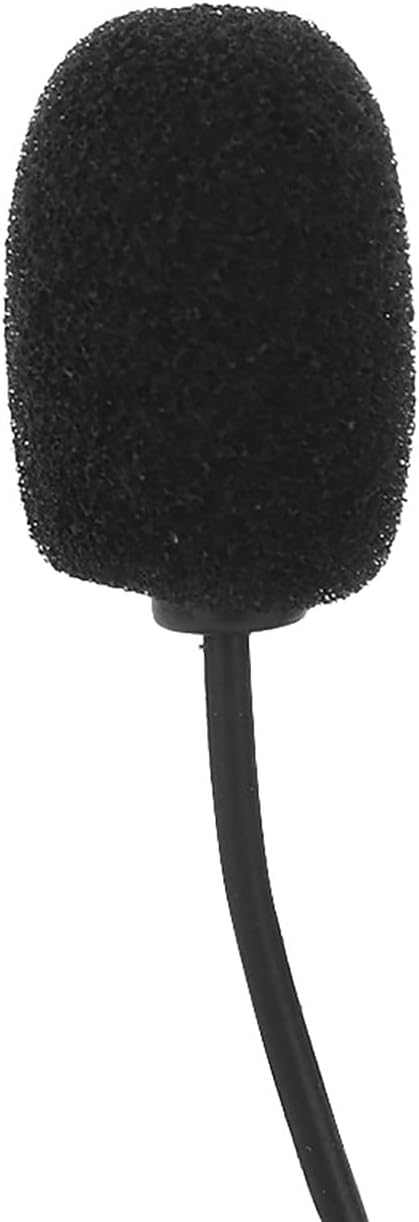
Image 2.2: Close-up view of the included microphone, designed for clear hands-free communication.
3. Specifications
- Item Type: Audio Adapter
- Material: Acrylonitrile Butadiene Styrene (ABS)
- Connectivity Technology: Bluetooth
- Wireless Communication Standard: Bluetooth 5.0 (for low power consumption)
- Functions: Music transmission, navigation announcements, YouTube audio, phone calls
- Control: Button control on radio / steering wheel
- Microphone Cable Length: 2.5 meters (approx. 8.2 feet)
- Dimensions (Adapter Unit): Approximately 15.0 x 1.0 x 3.0 units (specific units not provided, refer to product for exact measurements)
- Weight: Approximately 2.57 ounces
4. Compatibility
This Bluetooth audio adapter is compatible with various car models and radio systems. Please verify your vehicle's make, model, and year against the list below to ensure compatibility.

Image 4.1: Visual representation of several compatible car stereo head units, including Concert, Symphony, and Navigation Plus models.
Compatible Vehicle Models:
- Fits for 2001-2006 (Specific model not provided, please refer to product listing for details)
- Fits for 8L 8P 1998-2006
- Fits for B5 B6 B7 1998-2006
- Fits for 4B C4 S6 2001-2004
- Fits for ALLRoad 2000-2005
- Fits for S8 D2 1999-2003
- Fits for 8N 1998-2006
Note: The adapter is designed to be recognized as a CD changer by the radio, eliminating the need for coding.
5. Setup and Installation
Installation of the Zohisin Bluemusic Bluetooth Audio Adapter is designed to be straightforward. No additional power wiring is necessary, as the adapter draws power directly from the radio connection.
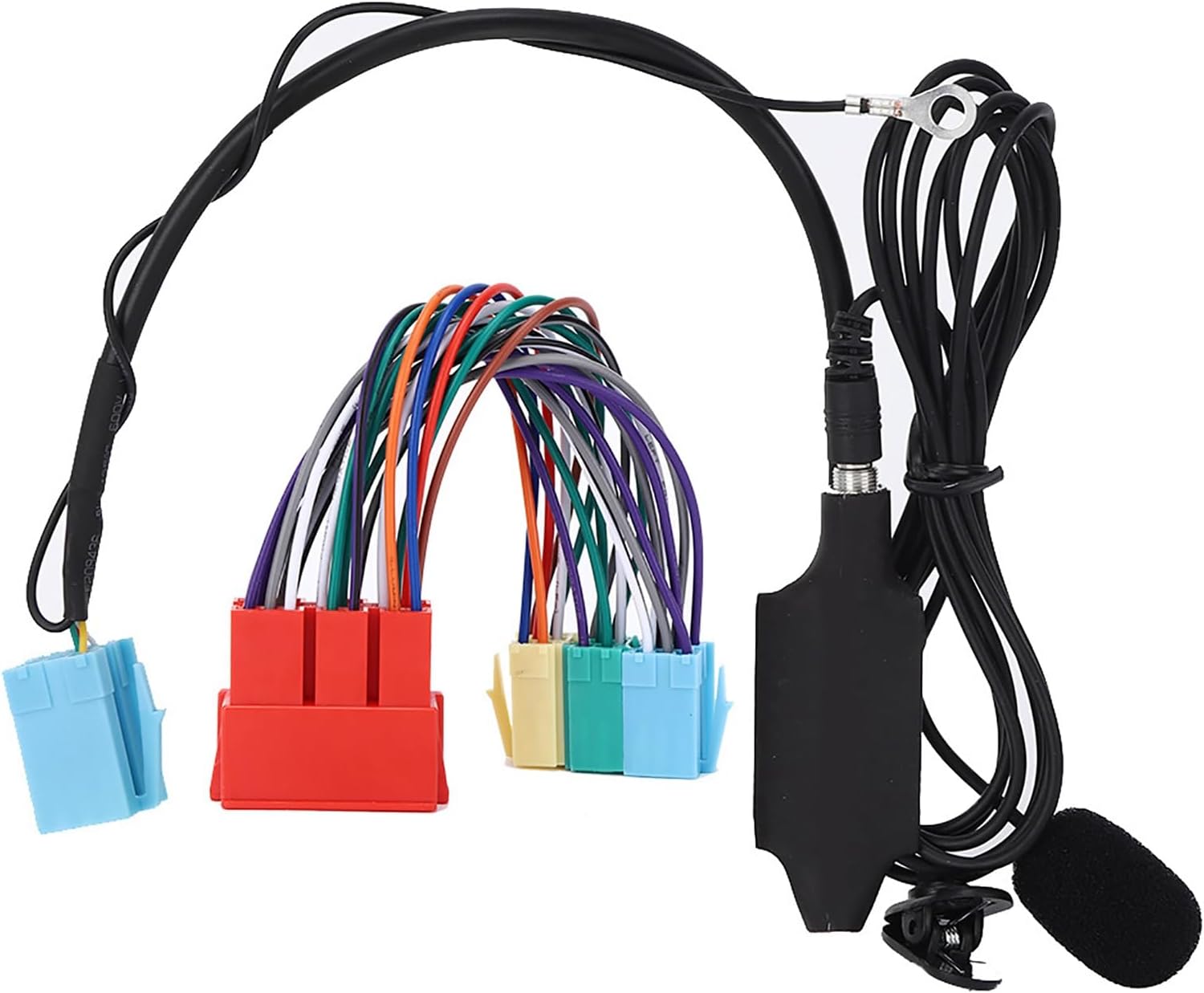
Image 5.1: The Zohisin Bluetooth adapter unit connected to its wiring harness, ready for installation.
Installation Steps:
- Access the Radio: Use the provided radio removal tools (wrenches) to carefully extract your car's stereo unit from the dashboard. Refer to your vehicle's specific manual for detailed instructions on radio removal if needed.
- Connect the Adapter: Locate the CD changer port on the back of your car radio. Connect the 20-pin cable (wiring harness) from the Zohisin Bluetooth Audio Adapter to this port. The adapter is designed to be invisibly connected behind the radio.
- Microphone Placement: The included microphone has a 2.5-meter cable, allowing for optimal placement. Route the microphone cable discreetly to a suitable location, such as near the rearview mirror or on the A-pillar, ensuring it is positioned for clear voice pickup.
- Secure the Adapter: Once connected, ensure the adapter unit and excess cabling are neatly tucked away behind the radio, preventing any interference with the reinstallation of the stereo.
- Reinstall the Radio: Carefully slide the car stereo back into its dashboard slot until it clicks into place.
Important: The radio will automatically recognize the adapter as a CD changer, and no additional coding is required.
6. Operating Instructions
Once installed, the Zohisin Bluemusic Bluetooth Audio Adapter provides seamless audio streaming and hands-free calling functionality.
Bluetooth Music Playback:
- Select CD Changer Mode: On your car radio, select the "CD Changer" or "AUX" input mode. The adapter will be recognized as the CD changer.
- Pair Your Device: On your mobile device (smartphone, tablet, etc.), enable Bluetooth and search for available devices. Select the Zohisin adapter (usually named "Bluemusic" or similar) from the list to pair.
- Start Playback: Once paired, playback from your device will start automatically when the CD changer mode is selected on the radio.
- Control Playback: You can control music playback (play, pause, skip tracks) using the buttons on your car radio or steering wheel controls, if supported by your vehicle.
- Automatic Pause: Playback will automatically pause when you switch to another radio function (e.g., FM/AM radio).
Speakerphone Functionality:
- Answering Calls: When a call comes in, you can answer it using the "forward" or "back" button on your radio or steering wheel controls. If you are in radio mode, the CD changer input must be manually selected, and the call will be automatically accepted.
- Ending Calls: To end a call, use the "forward" or "back" button on your radio or steering wheel controls.
- Call Audio: Call audio will be routed through your car's speakers, and your voice will be picked up by the installed microphone.
7. Troubleshooting
If you encounter issues with your Zohisin Bluemusic Bluetooth Audio Adapter, please refer to the following troubleshooting steps:
- No Power/No Recognition:
- Ensure the 20-pin cable is securely connected to the CD changer port on the back of the radio.
- Verify that your car radio is compatible with the adapter and has a functional CD changer input.
- Check your car's fuse box for any blown fuses related to the stereo system.
- Cannot Pair Bluetooth Device:
- Make sure Bluetooth is enabled on your mobile device.
- Ensure the car radio is set to the "CD Changer" or "AUX" input mode.
- Try restarting both your mobile device and the car stereo (by turning the car off and on, or disconnecting the car battery for a few minutes if safe to do so).
- Delete any previous Bluetooth pairings on your mobile device and attempt to pair again.
- No Audio Output:
- Confirm that your mobile device's volume is turned up.
- Ensure the car stereo's volume is turned up and not muted.
- Verify that the car radio is in "CD Changer" or "AUX" mode.
- Check all cable connections for looseness.
- Poor Call Quality/Microphone Not Working:
- Ensure the microphone is securely plugged into the adapter unit.
- Check the microphone's placement; it should be clear of obstructions and positioned towards the driver/passenger.
- Test the microphone in a quiet environment to rule out excessive background noise.
8. Maintenance
The Zohisin Bluemusic Bluetooth Audio Adapter requires minimal maintenance to ensure long-lasting performance.
- Cleaning: Use a soft, dry cloth to wipe down the adapter unit and microphone if they become dusty. Avoid using liquid cleaners or abrasive materials.
- Cable Management: Ensure all cables are securely routed and not pinched or exposed to excessive tension, which could lead to damage.
- Environmental Conditions: Avoid exposing the adapter to extreme temperatures, direct sunlight for prolonged periods, or excessive moisture.
9. Warranty and Support
Information regarding the specific warranty period and support contact details for the Zohisin Bluemusic Bluetooth Audio Adapter is not provided in this manual. Please refer to your purchase documentation, the product packaging, or contact the retailer or manufacturer directly for warranty claims and technical support.
For further assistance, you may visit the Zohisin store on Amazon: Zohisin Store