
CARPURIDE W502PRO
Carpuride W502PRO Motorcycle CarPlay & Android Auto GPS User Manual
Model: W502PRO
1. Product Overview
The Carpuride W502PRO is a 5-inch waterproof GPS device designed for motorcycles, offering seamless integration with CarPlay and Android Auto. It features dual Bluetooth connectivity, music sharing, intercom functionality, and environmental sensors like a light sensor, compass, and barometer. Its robust design ensures performance in various riding conditions.

Image: Carpuride W502PRO device with its mounting bracket, showcasing compatibility with CarPlay and Android Auto, and a motorcycle.
Key Features:
- 5-inch LCD Display: Clear and bright screen for optimal visibility.
- CarPlay & Android Auto: Wireless connectivity for navigation, music, and calls.
- Dual Bluetooth: Connect multiple devices simultaneously, such as helmets and phones.
- Music Sharing & Intercom: Share audio and communicate with another rider.
- Integrated Sensors: Light sensor for automatic brightness adjustment, compass, and barometer.
- IP67 Waterproof: Designed to withstand various weather conditions.
- Capacitive Touch Screen: Responsive and easy to use.

Image: Overview of Carpuride W502PRO features including CarPlay, Android Auto, Dual-Bluetooth, Intercom, Light-sensing, Compass, IP67 Waterproof, Capacitive touch, TF/SD Card, 5G Chip, and Barometer.
2. Setup and Installation
Package Contents:
Before installation, ensure all components are present in the package:
- Carpuride W502PRO Device
- U-shaped Support Rod
- Square Bracket
- Power Cable
- USB Cable
- User Manual
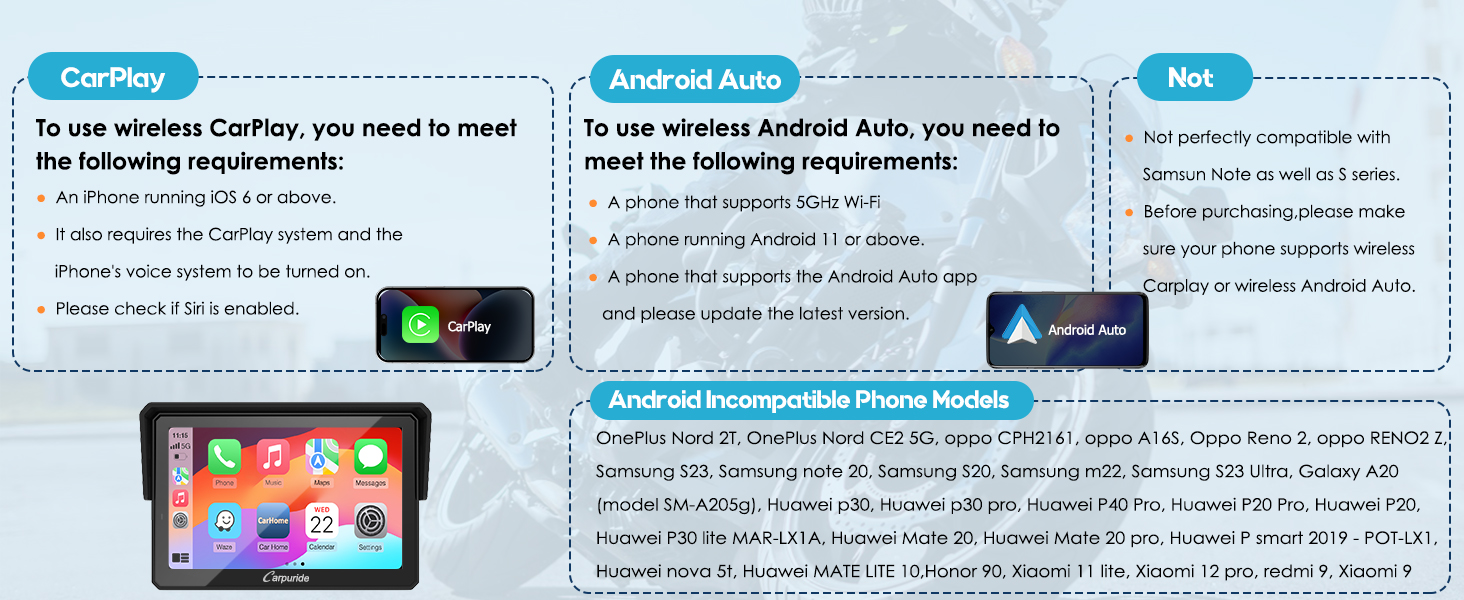
Image: Dimensions of the W502PRO device and a visual packing list of all included accessories.
Mounting Options:
The W502PRO offers two primary mounting methods: U-shaped Support Rod and Square Bracket. Choose the method best suited for your motorcycle's handlebar.
U-shaped Extension Rod Bracket Installation:
- Attach the mount to the handlebar using a Phillips screwdriver.
- Clamp the connecting rod to the mount, adjusting for desired angle.
- Insert the device and adjust its position. Tighten the adjustment ring to secure.
- Installation is complete.

Image: Step-by-step guide for installing the device using the U-shaped Extension Rod Bracket.
Square Bracket Installation:
- Use the silicone pad (stackable up to 12mm or 18mm) if needed. Choose the installation method based on your motorcycle handlebar size.
- Align the screws and nuts of the bracket and tighten them to secure it to the motorcycle handlebar.
- Align the grooves at the connection point of the motorcycle screen bracket and slot them in. Then tighten them with screws.
- Installation is complete.

Image: Step-by-step guide for installing the device using the Square Bracket.
Power Connection:
The device can be powered via a USB boost cable or directly from the motorcycle battery.
Using USB Boost Cable:
- If the USB port on the motorcycle outputs voltage and current less than 5V, 2.5A, it is not recommended to use the Carpuride moto to connect the USB boost line, as insufficient voltage or current may cause the CarPlay screen on the motorcycle to shut down.
- If the USB port on the motorcycle outputs a current of 5V, 2.5A or higher, you can use the USB boost line.
- When using the motorcycle power line to supply power from the battery, make sure the output voltage and current are at 12V, 1A.
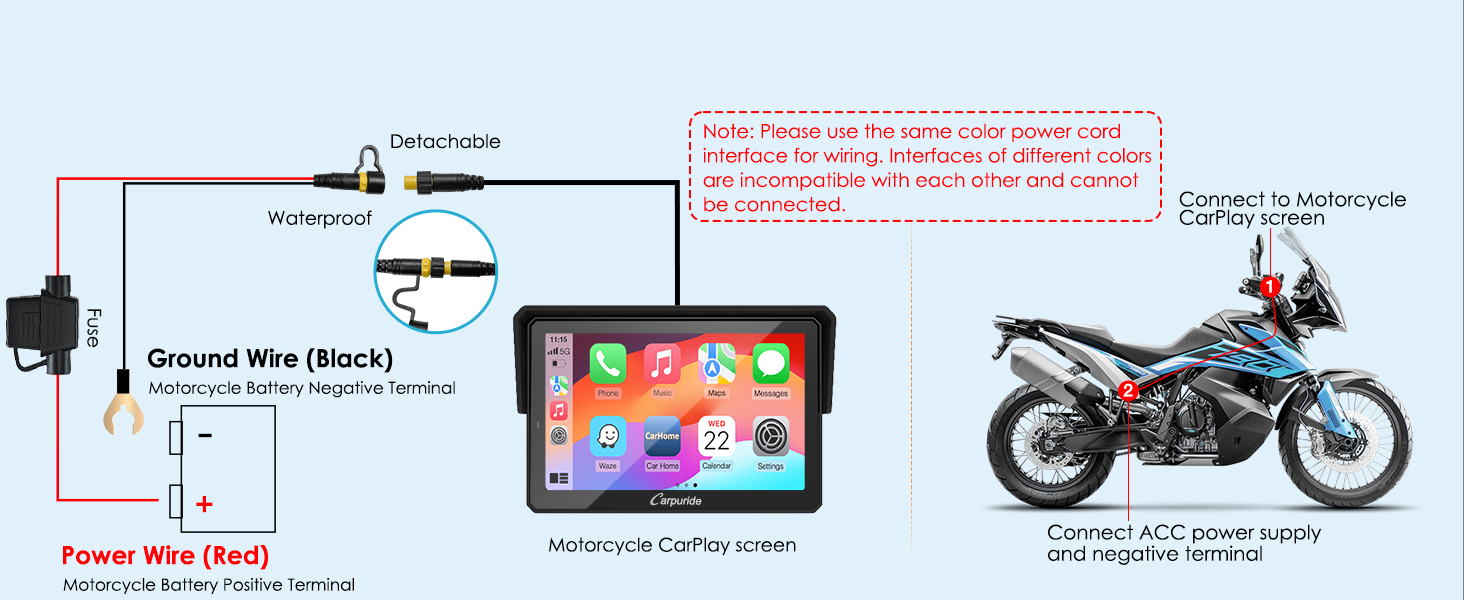
Image: Instructions and diagram for connecting the device using the USB Boost Cable.
Direct Battery Connection:
Connect the red power wire to the motorcycle battery positive terminal and the black ground wire to the negative terminal. Ensure the waterproof connectors are securely fastened.
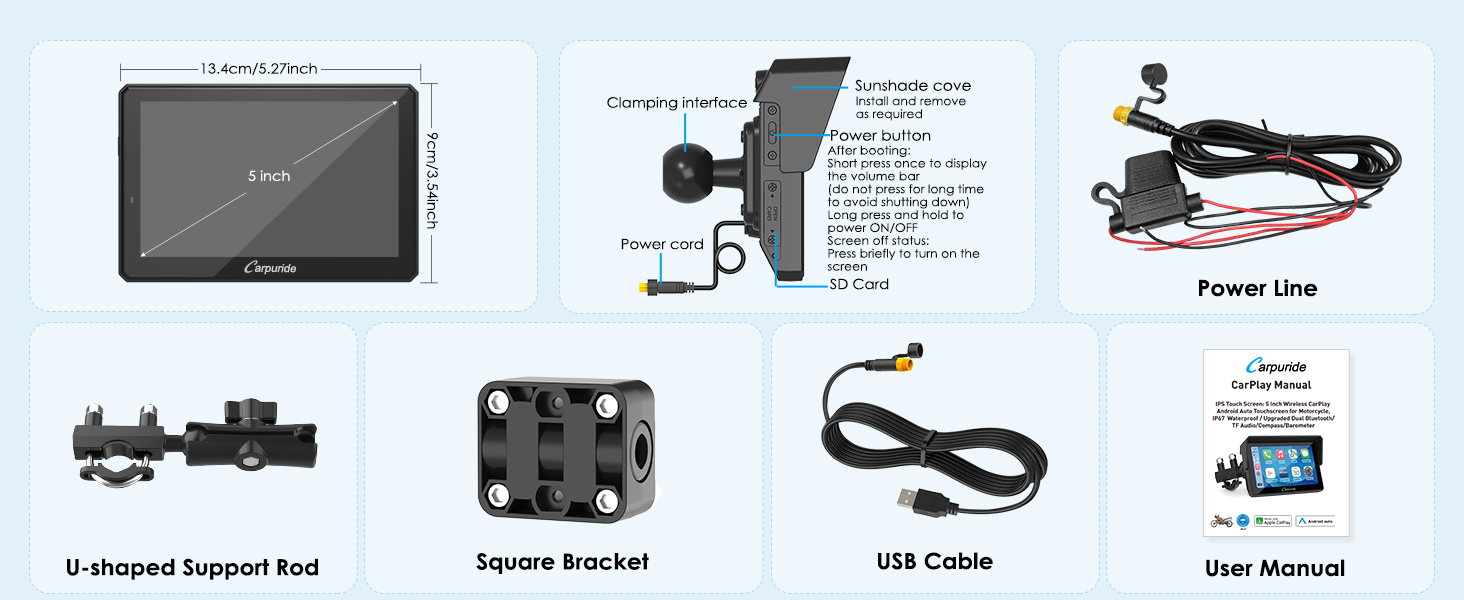
Image: Wiring diagram for direct connection to the motorcycle battery.
3. Operating Instructions
Connecting Helmet and Headset (Bluetooth Trans):
The W502PRO supports both single and dual Bluetooth connections for helmets and headsets.
Single-Connection Mode:
- Ensure your helmet or earphone is turned on and in an active state to be discovered by the Carpuride screen for pairing.
- Do not connect your mobile phone to the Bluetooth helmet or earphone, as this may interfere with the pairing process.

Image: Single Bluetooth connection setup for helmet and headset.
Dual-Connection Mode:
Through the Bluetooth transmission function of the Carpuride screen, audio from CarPlay or Android Auto on the TF card is transmitted to Bluetooth 1 and Bluetooth 2.

Image: Dual Bluetooth connection setup for two helmets/headsets.
iPlay/Auto (Bluetooth Audio):
Connect your phone to the Bluetooth Headset or Helmet, and use CarPlay or Android Auto to play audio through the Bluetooth Headset or Helmet.
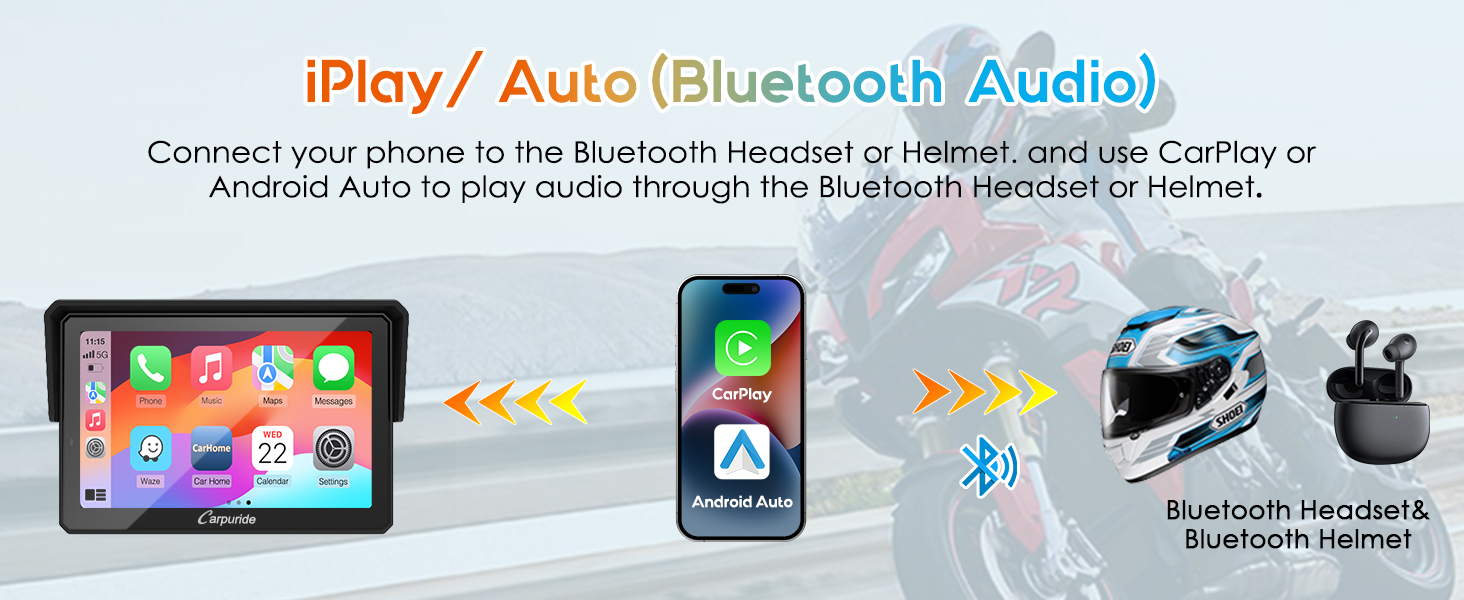
Image: Bluetooth audio routing from phone via Carpuride to helmet/headset.
Music Sharing & Intercom Mode:
Connect two Bluetooth helmet headsets to your device simultaneously to share music or use the intercom feature. The maximum distance for intercom is 10 meters.
Note: Intercom mode and BT trans mode cannot be used at the same time. Only one of them can be used at a time.
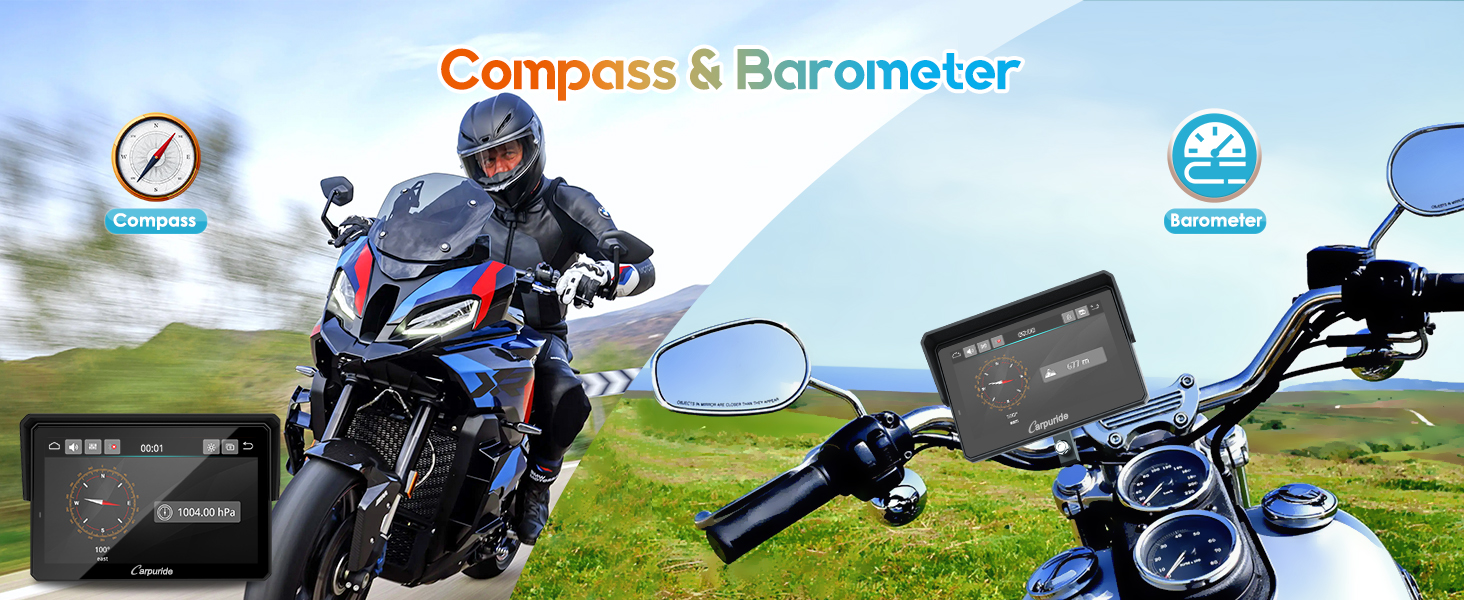
Image: Illustration of music sharing and intercom functionality between two riders.
Environmental Sensors:
The W502PRO integrates a light sensor, compass, and barometer to enhance your riding experience.
- Light Sensor: Automatically adjusts screen brightness for optimal visibility in varying light conditions (daytime/night).
- Compass: Provides directional information.
- Barometer: Displays atmospheric pressure readings.

Image: Demonstration of the light sensor adjusting screen brightness.

Image: Display of compass and barometer functions on the device.
GPS Navigation & Voice Control:
Utilize voice commands (Siri or Google Voice) for hands-free navigation and control. The device supports various navigation applications.
- Voice Commands: Initiate navigation, play music, or make calls using voice.
- Navigation: Access Apple Maps, Waze, Google Maps, HERE maps, and Sygic.
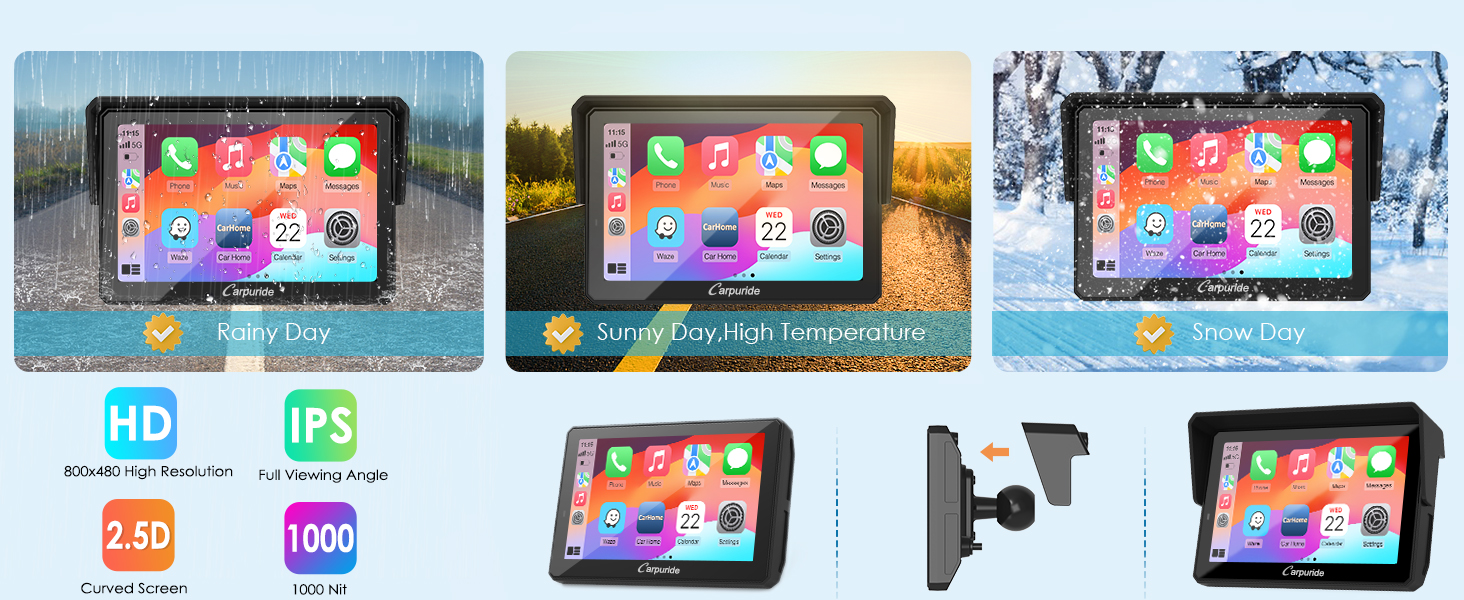
Image: GPS navigation and voice control features in action.
Media Playback (TF Card):
The device supports up to a 64GB TF card for local playback of music and videos, allowing you to enjoy your favorite media during your journey.
Note: A 64GTF card does not support software upgrades. It only supports storing music and videos for local playback. If you want to update software, please use a small capacity 32, 16, 8, or 4GB card.
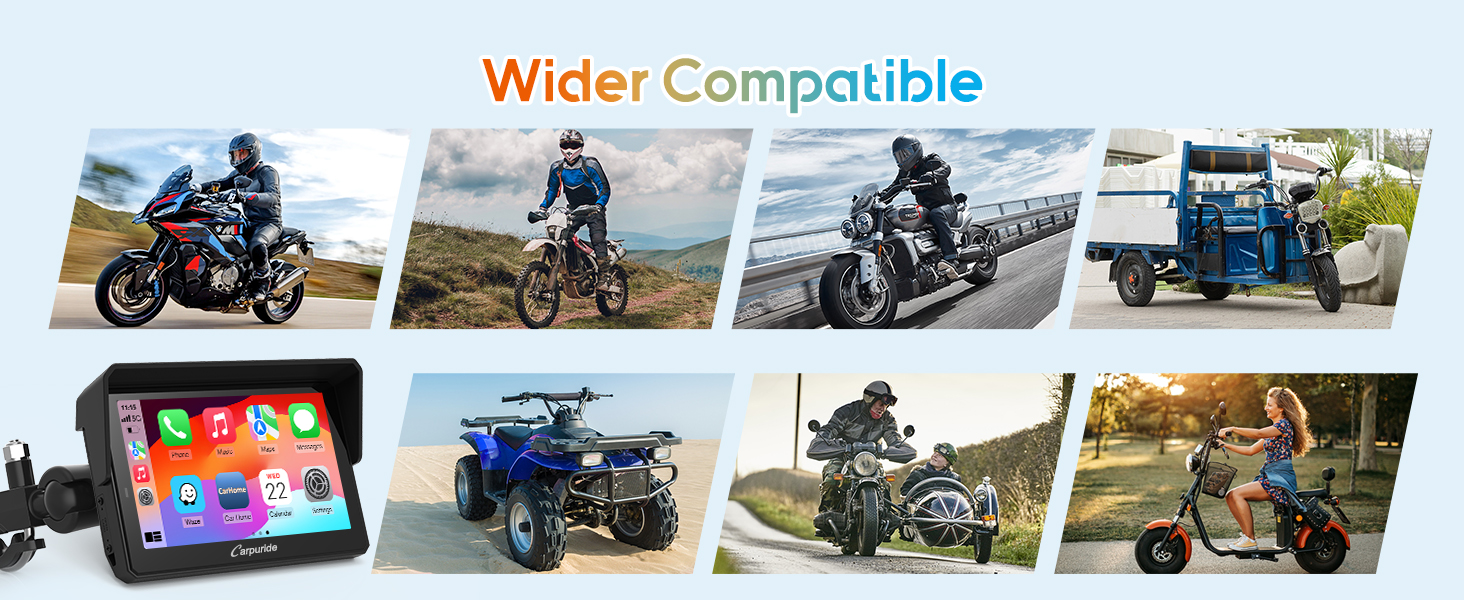
Image: Device displaying video playback from a TF card.
4. Maintenance
To ensure the longevity and optimal performance of your Carpuride W502PRO, follow these maintenance guidelines:
- Cleaning: Use a soft, damp cloth to clean the screen and exterior. Avoid abrasive cleaners or solvents.
- Waterproof Care: Although IP67 waterproof, ensure all ports and covers are securely closed before exposure to water. Do not submerge the device.
- Temperature: Operate the device within its specified temperature range (-4°F to 158°F / -20°C to 70°C). Avoid prolonged exposure to extreme heat or cold.
- Storage: When not in use for extended periods, store the device in a cool, dry place away from direct sunlight.

Image: The device's ability to withstand various riding environments, including rain, high temperatures, and snow.
5. Troubleshooting
This section addresses common issues you might encounter with your Carpuride W502PRO.
| Problem | Possible Cause | Solution |
|---|---|---|
| Device does not turn on or shuts off immediately. | Insufficient power supply (e.g., USB port output too low), faulty power cable, or internal defect. | Ensure USB port provides 5V/2.5A or higher. If using direct battery connection, verify 12V/1A output. Check power cable connections. If issue persists, contact customer support. |
| Cannot connect to CarPlay/Android Auto wirelessly. | Phone compatibility issues, incorrect settings, or interference. | Ensure your iPhone runs iOS 6+ (CarPlay) or Android phone runs Android 11+ with 5GHz Wi-Fi (Android Auto). Verify Siri is enabled for iPhone. Avoid connecting phone directly to Bluetooth helmet during pairing. Refer to phone compatibility list below. |
| Bluetooth headset/helmet not pairing. | Headset not in pairing mode, interference, or already connected to another device. | Ensure headset is in active pairing mode. Disconnect headset from other devices. Try restarting both the W502PRO and the headset. |
| Intercom or Music Sharing not working. | Incorrect mode selected, or distance too far. | Ensure only one mode (Intercom or BT Trans) is active at a time. Verify riders are within 10 meters. |
| Software update issues. | Using a 64GB TF card for updates. | For software updates, use a TF card with a smaller capacity (4GB, 8GB, 16GB, or 32GB). 64GB cards are only for media storage. |
Phone Compatibility:
Ensure your smartphone meets the following requirements for wireless CarPlay or Android Auto:
For Wireless CarPlay:
- An iPhone running iOS 6 or above.
- Requires the CarPlay system and iPhone's voice system to be turned on.
- Please check if Siri is enabled.
For Wireless Android Auto:
- A phone that supports 5GHz Wi-Fi.
- A phone running Android 11 or above.
- A phone that supports the Android Auto app and has the latest version.
Incompatible Phone Models (Known Issues):
- Not perfectly compatible with Samsung Note as well as S series.
- OnePlus Nord 2T, OnePlus Nord CE2 5G, oppo CPH2161, oppo A16S, Oppo Reno 2, oppo RENO2 Z, Samsung S23, Samsung note 20, Samsung S20, Samsung m22, Samsung S23 Ultra, Galaxy A20 (model SM-A205g), Huawei p30, Huawei p30 pro, Huawei P40 Pro, Huawei P20 Pro, Huawei P20, Huawei P30 lite MAR-LX1A, Huawei Mate 20, Huawei Mate 20 pro, Huawei P smart 2019 - POT-LX1, Huawei nova 5t, Huawei MATE LITE 10, Honor 90, Xiaomi 11 lite, Xiaomi 12 pro, redmi 9, Xiaomi 9.
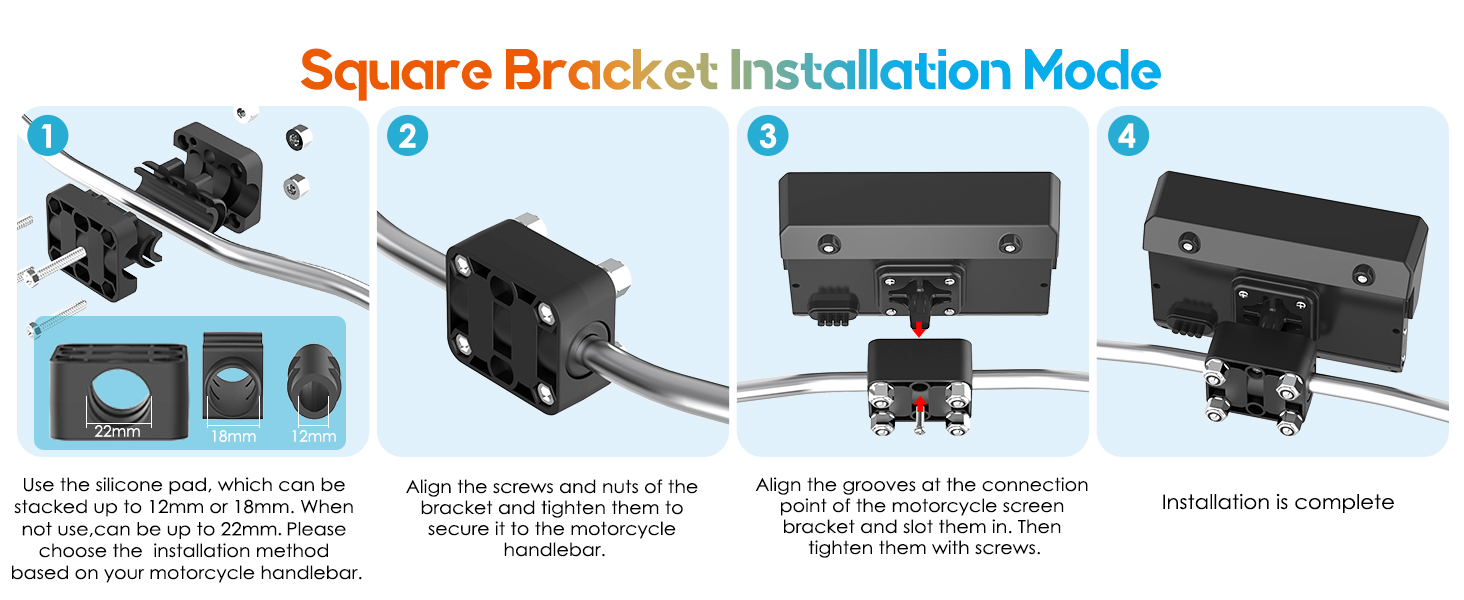
Image: Detailed compatibility requirements and known incompatible phone models.
6. Specifications
| Feature | Detail |
|---|---|
| Brand | CARPURIDE |
| Model Name | W502PRO |
| Screen Size | 5 Inches |
| Display Type | LCD |
| Resolution | 800 x 600 |
| Operating System | Linux-based system |
| Dimensions (L x W x H) | 13.42 x 2.75 x 8.89 cm (5.27 x 1.08 x 3.5 inches) |
| Weight | 790 grams |
| Waterproof Rating | IP67 |
| Vehicle Service Type | Motorcycle |
| Mounting Type | Handlebar Mount |
7. Warranty and Support
For warranty information and technical support, please refer to the official Carpuride website or contact their customer service directly. Keep your purchase receipt as proof of purchase for any warranty claims.
For further assistance, you may visit the CARPURIDE Store on Amazon.
Ask a question about this manual
Ask about setup, troubleshooting, compatibility, parts, safety, or missing instructions. Manuals+ will review the question and use this page’s manual context to help answer it.