
HH 955465
LED Handheld Bottle Service Display Sign
Model: HH 955465
Introduction
This user manual provides detailed instructions for the safe and effective operation of your LED Handheld Bottle Service Display Sign. Designed for dynamic visual displays, this sign is ideal for various settings including nightclubs, bars, and private events. Please read this manual thoroughly before initial use and retain it for future reference.

The LED Handheld Bottle Service Display Sign in its illuminated state, displaying a 'VIP' message.
Safety Information
To ensure safe operation and prevent damage, please observe the following precautions:
- Do not expose the device to water or excessive moisture. The acrylic material is waterproof, but internal components are not.
- Avoid dropping or subjecting the device to strong impacts.
- Use only the provided charging cable and adapter.
- Keep out of reach of children.
- Ensure the sign is held flat during use to prevent letter cards from falling out. If vigorous swinging is anticipated, secure the letter card entrances with adhesive tape.
- Do not attempt to disassemble or repair the device yourself. Contact qualified personnel for service.
Package Contents
Verify that all items are present in the package:
- LED Handheld Bottle Service Display Sign (Style B)
- Charging Cable
- 4 Sets of Letter Cards (A-Z)
- 1 Set of Number Cards (0-9)
- Remote Control (with plastic paddle for battery activation)

The LED sign's dimensions and the included sets of letter and number cards.
Setup
-
Initial Charge: Before first use, fully charge the sign for approximately 6 hours.

Connect the charging cable to the sign's port.
- Remote Control Activation: Remove the plastic paddle from the remote control's battery compartment to activate it.
-
Power On: Locate the power switch on the side of the sign and turn it ON.

The power switch is located on the side of the unit.
Operating Instructions
Inserting and Changing Letters/Numbers
- Select the desired letter or number cards from the provided sets.
- Carefully slide the cards into the designated slots on the front of the display sign.
- Arrange the cards to form your desired message.
-
Important Tip: The handheld light board generally needs to be held flat. If you need to shake it left and right with a large swing, the letter cards may fall from the entrances on both sides. To prevent this, it is recommended to tape the entrances on both sides with adhesive tape in advance before the event.

Illustration of letter insertion and the tip for securing letters with tape.
Changing Light Colors and Modes
Use the provided remote control to adjust the lighting effects:
- Press the color buttons on the remote to switch between various static colors (e.g., red, green, blue, yellow, purple, cyan, white).
- Utilize the mode buttons to activate dynamic lighting effects such as flashing, fading, or smooth transitions.

The LED sign displaying various color options.
Demonstration of changing letters and light colors on the display sign.
Customization and Usage Scenarios
The sign offers versatility for various events and promotions:
- The front of the product can be combined with the provided four sets of letters and one set of number cards to create custom messages.
- The back of the product features a whiteboard surface. You can use a suitable pen (not included) to write your own words or designs for display.

The sign's dual functionality: changeable letters on the front and a whiteboard on the back.
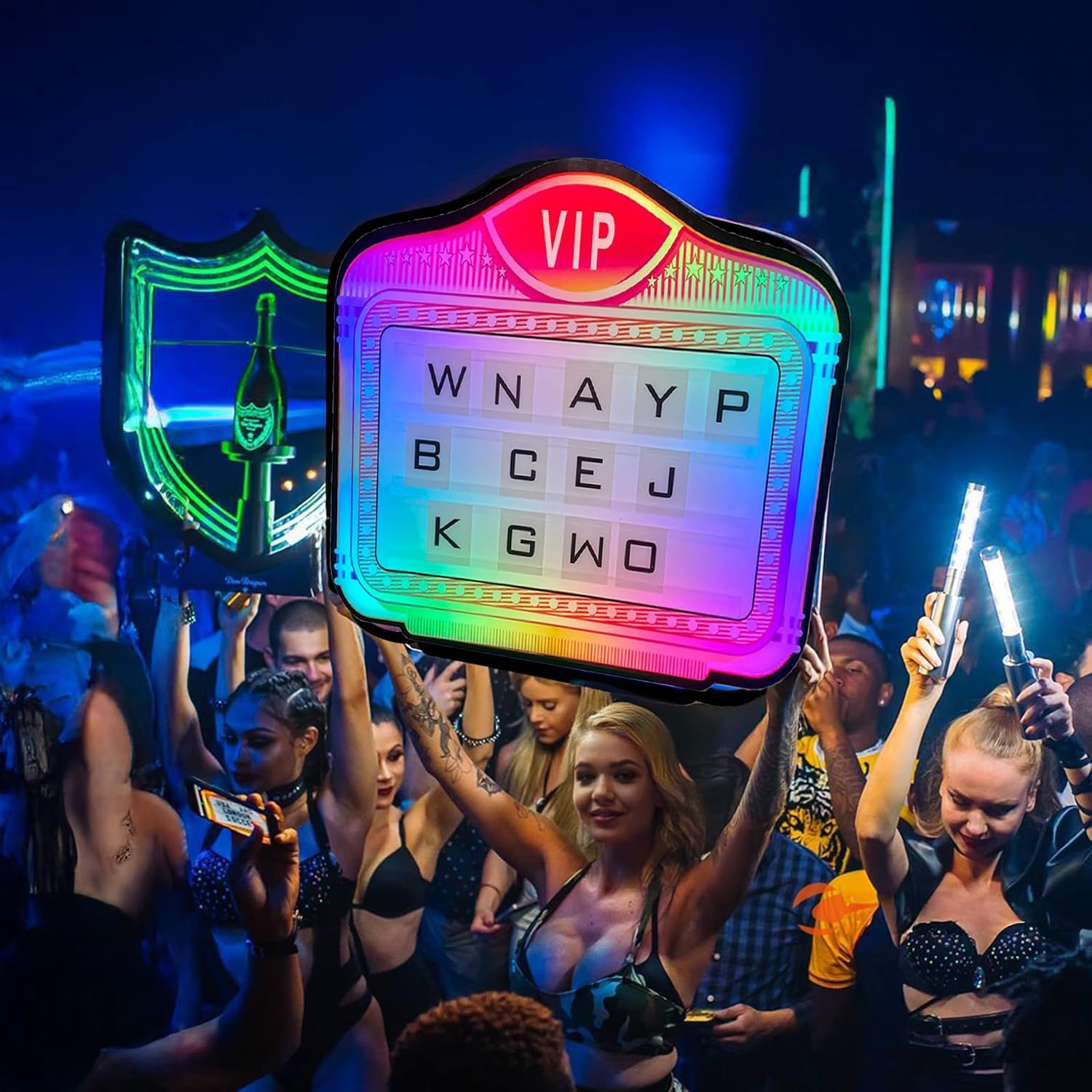
The LED sign in use at a nightclub, highlighting its handheld design.
Maintenance
- Clean the acrylic surface with a soft, damp cloth. Avoid abrasive cleaners or solvents.
- Ensure the device is turned off and unplugged before cleaning.
- Store the sign in a dry, cool place away from direct sunlight when not in use.
Troubleshooting
| Problem | Possible Cause | Solution |
|---|---|---|
| Sign does not turn on. | Battery is depleted or not charged. | Charge the sign for 6 hours. If it still doesn't turn on, ensure the power switch is in the ON position. |
| Remote control not working. | Plastic paddle not removed from battery compartment. | Remove the plastic paddle from the remote's battery compartment. |
| Letter cards fall out during use. | Vigorous movement or sign not held flat. | Ensure the sign is held flat. For dynamic use, secure the letter card entrances with adhesive tape. |
| Lights are dim or flickering. | Low battery. | Recharge the sign. |
Specifications
- Model: HH 955465
- Dimensions: 28 x 23.5 x 0.4 inches
- Weight: 13.2 pounds
- Material: Plastic, Acrylic (Shade)
- Light Source Type: LED
- Power Source: Corded Electric (Rechargeable Battery Included)
- Battery: 1 Lithium Ion battery (included)
- Charge Time: Approximately 6 hours
- Operating Time: Approximately 3-4 hours on a full charge
- Mounting Type: Handheld
- Bulb Features: Color changing, customizable lighting effects
Warranty and Support
This product comes with a standard manufacturer's warranty. For specific warranty details, please refer to the product packaging or contact the seller directly. If you encounter any issues not covered in this manual, please reach out to customer support for assistance.
For further inquiries or support, please visit the official product page or contact the manufacturer's customer service.
Ask a question about this manual
Ask about setup, troubleshooting, compatibility, parts, safety, or missing instructions. Manuals+ will review the question and use this page’s manual context to help answer it.