
ANSTEN HE-029
ANSTEN HE-029 Sleep Headphones User Manual
Model: HE-029
1. Introduction
Thank you for choosing the ANSTEN HE-029 Sleep Headphones. These innovative 2-in-1 headphones are designed to enhance your sleep quality with soothing sounds in sleep mode, and function as a high-resolution Bluetooth headset for daily use. Featuring a comfortable design ideal for side sleepers, long-lasting battery life, and intuitive touch controls, the ANSTEN HE-029 provides a seamless audio experience for relaxation and everyday listening.
2. Package Contents
Please check the package contents carefully. If any items are missing or damaged, please contact customer support.
- 1 x ANSTEN HE-029 Sleep Headphones (Pair)
- 1 x Charging Case
- 1 x USB-C Charging Cable
- 1 x User Manual
- Additional Silicone Eartips (various sizes)
3. Product Overview
Familiarize yourself with the components and features of your ANSTEN HE-029 Sleep Headphones.

Figure 3.1: ANSTEN HE-029 Sleep Headphones in their charging case, with one earbud shown outside the case to highlight its compact design and touch surface.
3.1 Key Features
- 2-in-1 Functionality: Designed for both sleep assistance and general audio listening.
- Comfortable for Side Sleepers: Soft silicone eartips ensure pressure-free comfort and a secure fit throughout the night.
- Extended Battery Life: Up to 6 hours of playback on a single charge, and up to 48 hours with the charging case.
- Bluetooth 5.4: Provides a fast, stable, and high-quality wireless connection.
- IPX6 Water Resistance: Resistant to sweat, rain, and moisture, suitable for various activities.
- Intuitive Touch Controls: Easy single-hand operation for music, calls, and sleep mode.
- Lightweight Design: Each earbud weighs only 3g for maximum comfort.
3.2 Noise Isolation and Sleep Mode

Figure 3.2: The headphones provide effective noise isolation, creating a comfortable environment for sleep by dampening ambient sounds.

Figure 3.3: The dedicated Sleep Mode helps block out noise and can automatically turn off music after 1 hour of playback, preventing battery drain while you sleep.
3.3 Ergonomic Design and Internal Structure

Figure 3.4: Each earbud weighs only 3 grams, making them exceptionally lightweight and comfortable for extended wear, especially during sleep.

Figure 3.5: Internal components include a Bluetooth 5.4 module for fast connections, double liquid silicone for enhanced physical noise reduction, and an adaptive design that fits all ear shapes. The touchpad allows for easy control.

Figure 3.6: The low-profile design ensures no pressure or discomfort when sleeping on your side, making them ideal for all sleeping positions.

Figure 3.7: Summary of features designed for comfortable sleep, including silicone material for no pressure, soft wearing feeling, HiFi sound quality, 3g weight for senseless wearing, and deep sleep through noise isolation.
4. Setup
4.1 Charging the Headphones and Case
Before first use, fully charge the headphones and the charging case.
- Place the earbuds into the charging case, ensuring they are correctly seated.
- Connect the USB-C charging cable to the charging port on the case and the other end to a USB power adapter (not included) or a computer's USB port.
- The indicator lights on the case will show the charging status. Once fully charged, the lights will indicate completion or turn off.
- A full charge provides approximately 6 hours of earbud use and up to 48 hours total with the charging case.
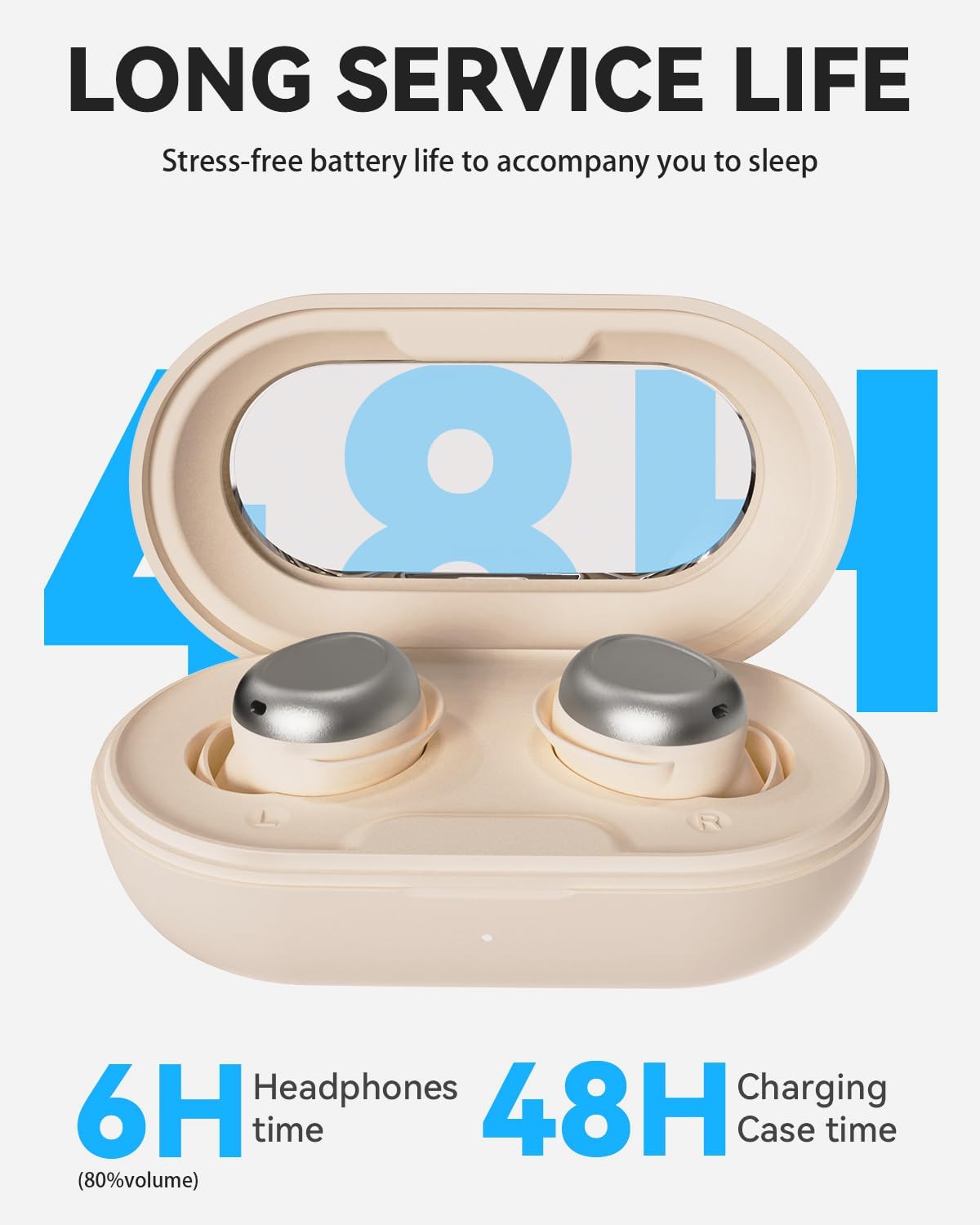
Figure 4.1: The headphones offer 6 hours of continuous playback, extended to 48 hours with the portable charging case.
4.2 Pairing with a Bluetooth Device
The ANSTEN HE-029 uses Bluetooth 5.4 for quick and stable connections.
- Open the charging case. The earbuds will automatically enter pairing mode.
- On your device (smartphone, tablet, laptop), go to Bluetooth settings and turn Bluetooth on.
- Search for available devices. Select "HE-029" from the list.
- Once connected, you will hear a confirmation tone, and the earbuds will be ready for use.
- The earbuds will automatically reconnect to the last paired device when taken out of the case, if Bluetooth is enabled on the device.
5. Operating Instructions
The ANSTEN HE-029 features intuitive touch controls on each earbud.

Figure 5.1: Overview of touch controls for various functions including playback, sleep mode, voice assistant, and call management.
5.1 Music Playback
- Play/Pause: Tap either earbud once.
- Next Song: Triple-tap the right earbud.
- Previous Song: Triple-tap the left earbud.
- Volume Up: Double-tap the right earbud.
- Volume Down: Double-tap the left earbud.
5.2 Call Management
- Answer/End Call: Tap either earbud once.
- Reject Call: Press and hold either earbud for 1.5 seconds.
5.3 Sleep Mode
The Sleep Mode is designed to help you fall asleep by automatically turning off music after 1 hour.
- Activate Sleep Mode: Tap either earbud four times. You will hear a confirmation tone.
- Deactivate Sleep Mode: Tap either earbud four times again.
5.4 Voice Assistant
- Activate Voice Assistant: Press and hold either earbud for 2 seconds.
6. Maintenance
Proper maintenance ensures the longevity and optimal performance of your ANSTEN HE-029 Sleep Headphones.
6.1 Cleaning
- Regularly clean the earbuds, especially the eartips and charging contacts, with a soft, dry, lint-free cloth.
- If necessary, use a cotton swab lightly dampened with rubbing alcohol to clean hard-to-reach areas.
- Do not use abrasive cleaners or immerse the earbuds or charging case in water.
- Ensure the earbuds and charging case are completely dry before placing them back in the case or charging.
6.2 Storage
- When not in use, store the headphones in their charging case to protect them from dust and damage.
- Store in a cool, dry place away from direct sunlight and extreme temperatures.
7. Troubleshooting
If you encounter any issues with your ANSTEN HE-029 Sleep Headphones, please refer to the following common problems and solutions.
| Problem | Possible Cause | Solution |
|---|---|---|
| Headphones do not turn on. | Low battery. | Place earbuds in the charging case and charge fully. |
| Cannot pair with device. | Bluetooth is off on device; earbuds not in pairing mode; device too far. | Ensure Bluetooth is on. Open case to enter pairing mode. Keep device within 10 meters. Try forgetting "HE-029" on your device and re-pairing. |
| No sound or sound cutting out. | Earbuds not properly connected; low battery; interference. | Ensure earbuds are connected. Charge earbuds. Move away from sources of interference (e.g., Wi-Fi routers). |
| Touch controls not responding. | Earbuds are dirty; temporary software glitch. | Clean the touch surface. Place earbuds back in the case, close, then reopen to reset. |
| Sleep Mode does not activate/deactivate. | Incorrect number of taps. | Ensure you are tapping four times quickly and clearly. |
8. Specifications
Detailed technical specifications for the ANSTEN HE-029 Sleep Headphones.
| Feature | Detail |
|---|---|
| Brand | ANSTEN |
| Model | HE-029 |
| Connectivity Technology | Wireless (Bluetooth 5.4) |
| Ear Placement | In-Ear |
| Form Factor | True Wireless |
| Noise Control | Passive Noise Isolation (Physical Noise Reduction) |
| Battery Life (Headphones) | Up to 6 hours (at 80% volume) |
| Total Battery Life (with Charging Case) | Up to 48 hours |
| Water Resistance Level | IPX6 (Sweatproof, Rainproof) |
| Weight (per earbud) | Approximately 3g |
| Material | Acrylonitrile Butadiene Styrene (ABS), Silicone |
| Compatible Devices | Smartphones, Laptops, Tablets, other Bluetooth devices |
| Special Features | Built-in Voice Assistant, Sleep Mode Auto-off |
9. Warranty & Support
ANSTEN products are manufactured to the highest quality standards. For detailed warranty information and customer support, please refer to the warranty card included in your package or visit the official ANSTEN website.
If you experience any issues or have questions regarding your ANSTEN HE-029 Sleep Headphones, please do not hesitate to contact our customer support team. We are committed to providing excellent service and ensuring your satisfaction.
Contact Information: Please refer to the contact details provided on the ANSTEN official website or your purchase documentation.
Ask a question about this manual
Ask about setup, troubleshooting, compatibility, parts, safety, or missing instructions. Manuals+ will review the question and use this page’s manual context to help answer it.