
1. Safety Information
Please read this manual carefully before installation and operation. Failure to follow these instructions may result in improper operation, property damage, or personal injury. This detector is designed to alert you to the presence of carbon monoxide (CO) and various flammable gases, but it is not a substitute for proper ventilation and maintenance of fuel-burning appliances.
Important: Do not apply gas or carbon monoxide smoke to test the detector during its warm-up process, as the sensor will not function correctly during this initial period.
In case of an alarm, immediately move to fresh air, call emergency services, and do not re-enter the premises until it has been deemed safe by professionals.
2. Product Overview
The Leakbee YC302 Pro+ is a versatile 4-in-1 combination detector designed to monitor carbon monoxide (CO), natural gas (methane), propane (LPG), and also displays ambient temperature and humidity. Its compact, plug-in design makes it suitable for various environments.
Key Features:
- Easy Installation: Simply plug into a standard AC 110V~230V outlet.
- Wide Application: Ideal for kitchens, campers, RVs, stoves, furnaces, water heaters, washing machine areas, homes, apartments, restaurants, and hotels.
- Visual & Audible Alarm: Features a digital LED display for gas levels and an 85-decibel warning sound.
- User-Friendly Functions: Includes a Test/Hush button for easy testing and silencing of false alarms. The LCD backlight can be toggled on/off.
- 4-in-1 Monitoring: Detects CO, natural gas (methane), propane (LPG), and displays temperature and humidity.
Product Components:

Figure 1: Front and side view of the Leakbee YC302 Pro+ detector with key components labeled, including the test area, temperature display, gas and CO concentration, humidity, test/mute button, and air vents. Dimensions are also indicated.

Figure 2: The Leakbee YC302 Pro+ detector showcasing its 4-in-1 LCD display, temperature and humidity monitoring, 0-10% LEL accuracy for gas, 0-1000 PPM CO range, audible and visual alarm, and test/mute button.
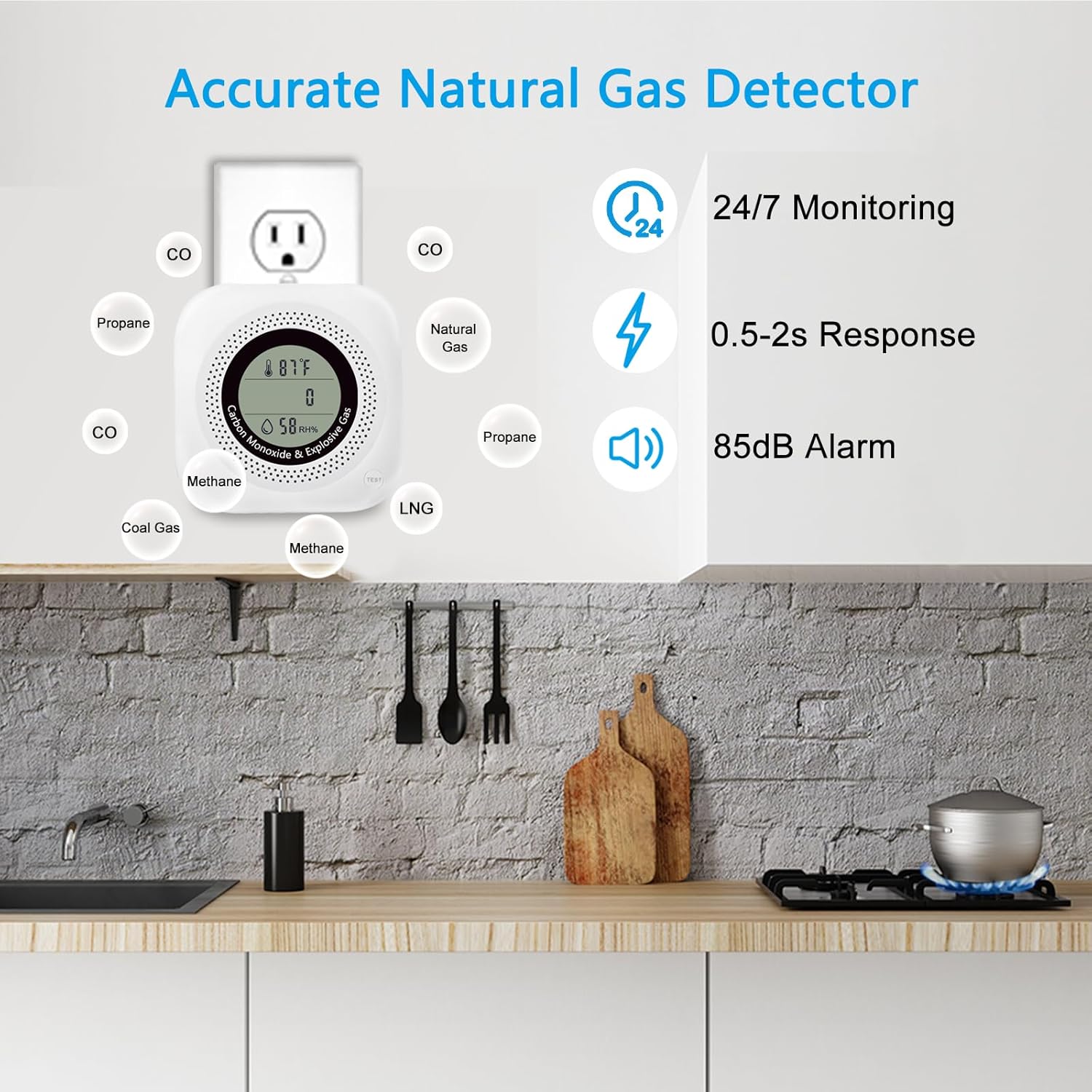
Figure 3: The Leakbee YC302 Pro+ detector installed in a kitchen, illustrating its function as an accurate natural gas detector with 24/7 monitoring, 0.5-2 second response time, and an 85dB alarm. It detects CO, Propane, Methane, Natural Gas, and Coal Gas.
3. Setup and Installation
Unpacking:
Carefully remove the detector from its packaging. Before first use, remove any protective film from the screen.
Placement:
Choose a location where the detector can effectively monitor for both CO and flammable gases. Consider the following:
- For natural gas (lighter than air), install the detector higher up, near the ceiling, but at least 6 inches from the ceiling and any corners.
- For propane/LPG (heavier than air), install the detector lower, near the floor, but at least 6 inches from the floor and any corners.
- For carbon monoxide (mixes with air), install at a medium height, typically at eye level.
- Avoid placing near windows, doors, or ventilation openings where drafts could affect readings.
- Avoid placing near cooking appliances or in areas with high humidity (e.g., directly above a sink or shower) to prevent false alarms.

Figure 4: Examples of suitable installation locations for the Leakbee YC302 Pro+ detector, including kitchen, bedroom, living room, and garages, highlighting its wide range of applications.
Powering On:
Plug the detector directly into a standard AC 110V~230V electrical outlet. The device will begin its warm-up sequence. During this time, the display may show fluctuating readings or a countdown. The detector requires approximately 30 minutes after powering on to provide accurate temperature and humidity readings due to heat generated by the sensor during startup.
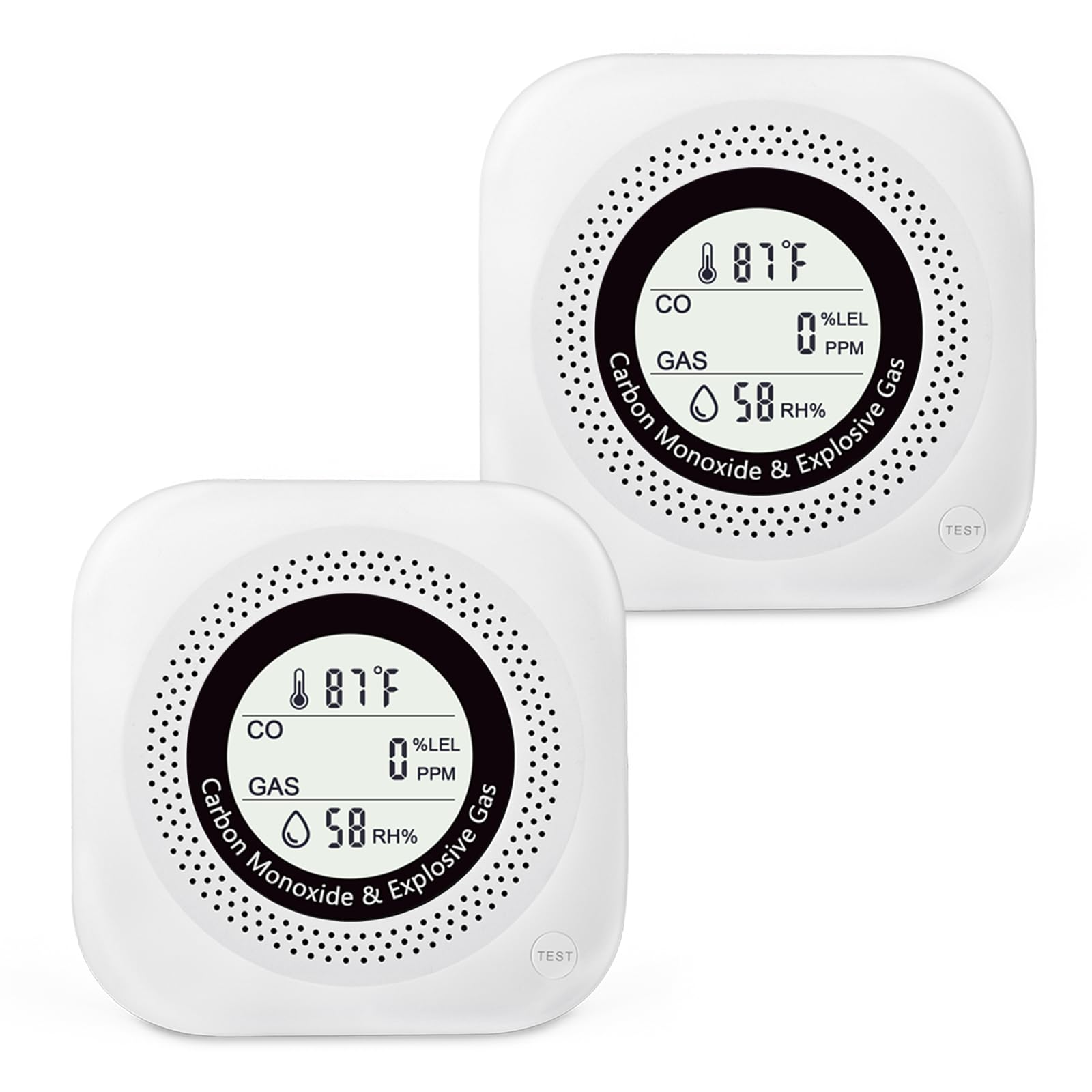
Figure 5: The Leakbee YC302 Pro+ detector plugged into a standard wall outlet, demonstrating its simple plug-and-play installation. The design allows for the use of the second outlet.
4. Operating Instructions
Display Information:
Once powered on and the warm-up period is complete, the digital LED display will show the following information:
- Temperature: Displays the ambient temperature in Fahrenheit.
- Humidity: Shows the relative humidity percentage.
- Gas Concentration: Indicates the level of flammable gas in %LEL (Lower Explosive Limit).
- CO Concentration: Shows the level of carbon monoxide in PPM (Parts Per Million).
Test/Hush Button:
The 'TEST' button on the device serves two primary functions:
- Testing: Press and hold the button briefly to initiate a self-test. The alarm will sound, and the display will cycle through its functions to confirm proper operation.
- Silencing Alarms: In the event of a false alarm, pressing the button will temporarily silence the audible alert.
LCD Backlight Control:
The LCD backlight is off by default after the warm-up period to prevent disturbance in dark environments. To activate continuous backlighting, double-press the Test/Mute button. Double-press again to turn it off. This cycle can be repeated as needed.
Alarm Conditions:
The detector will trigger a visual and audible alarm if unsafe levels of carbon monoxide or flammable gases are detected. The digital LED display will show the detected concentration level.
5. Maintenance
Regular Testing:
It is recommended to test the detector weekly by pressing the 'TEST' button. This ensures the alarm and display functions are working correctly.
Cleaning:
Dust and debris can accumulate on the detector, potentially affecting its performance. Gently wipe the exterior of the detector with a soft, damp cloth. Do not use harsh chemicals, abrasive cleaners, or spray directly into the device. Ensure the air vents are clear of obstructions.
Sensor Lifespan:
Gas sensors have a limited lifespan. While this product does not specify an end-of-life indicator, it is generally recommended to replace gas detectors every 5-7 years to ensure optimal performance.
6. Troubleshooting
If you experience issues with your Leakbee YC302 Pro+ detector, refer to the following common troubleshooting steps:
| Problem | Possible Cause | Solution |
|---|---|---|
| Detector keeps shutting off / unreliable operation | Loose connection; power fluctuation; internal fault. | Ensure the detector is firmly plugged into a working outlet. Try a different outlet. If the issue persists, contact customer support. |
| No display after plugging in | No power; faulty unit. | Check if the outlet has power. Try a different outlet. If still no display, the unit may be faulty; contact support. |
| Alarm sounds without apparent gas leak | False alarm due to cooking fumes, aerosols, or high humidity; sensor contamination. | Ventilate the area. Press the Test/Hush button to silence. Relocate the detector if it's too close to sources of fumes or steam. Clean the detector. |
| Alarm does not sound during test | Faulty alarm component; unit not powered. | Ensure the unit is powered. If the test button is pressed and no alarm sounds, the unit may be faulty; contact support. |
What to do if the alarm sounds:
- Immediately move to fresh air outdoors or open all doors and windows to ventilate the area.
- Do not re-enter the premises until the alarm has stopped and the area has been thoroughly ventilated.
- If the alarm persists or you suspect a gas leak, contact your gas supplier or emergency services immediately.
- Do not use any electrical appliances or light matches if you suspect a gas leak.
7. Specifications
| Feature | Detail |
|---|---|
| Brand | Leakbee |
| Model Number | YC302 Pro+ |
| Power Source | AC 110V~230V |
| Product Dimensions | 1.57"D x 3.73"W x 3.73"H |
| Alarm Type | Visual & Audible Alarm (85dB) |
| Detected Gases | Carbon Monoxide (CO), Methane, Propane (LPG), Natural Gas, Coal Gas |
| Additional Sensors | Temperature, Humidity |
| Item Weight | 15.2 ounces |
| UPC | 762736661039 |
| Manufacturer | Shenzhen Yeezou Technology Co., Ltd |
8. Warranty and Support
Warranty Information:
Specific warranty details for the Leakbee YC302 Pro+ detector are not provided in the product information. Please refer to the product packaging or contact the manufacturer directly for warranty terms and conditions.
Customer Support:
For technical assistance, troubleshooting, or any questions regarding your Leakbee YC302 Pro+ detector, please contact the manufacturer:
Manufacturer: Shenzhen Yeezou Technology Co., Ltd
Brand: Leakbee
Please have your model number (YC302 Pro+) and purchase information ready when contacting support.