
1. Introduction
The PPOZYLPC S-120-12 is a high-efficiency switching power supply designed to convert AC input voltage to a stable 12V DC output. This unit provides a maximum current of 10A and a total power output of 120W, making it suitable for various applications such as LED lighting, CCTV systems, industrial control, and other electronic devices requiring a reliable 12V DC power source.
This manual provides essential information for the safe and proper installation, operation, and maintenance of your S-120-12 power supply. Please read it thoroughly before use and retain it for future reference.
2. Important Safety Instructions
WARNING: Risk of electric shock. Installation and servicing should only be performed by qualified personnel. Failure to follow these instructions may result in injury or death.
- Always disconnect the AC input power before performing any installation, wiring, or maintenance.
- Ensure proper grounding. The ground terminal (FG) must be connected to earth ground to prevent electric shock.
- This power supply is designed for indoor use only. Do not expose it to rain, moisture, or high humidity.
- Ensure adequate ventilation. Do not block the ventilation holes on the casing. Maintain sufficient clearance around the unit for proper airflow.
- Do not operate the unit beyond its specified maximum load (120W, 10A). Overloading can cause damage or fire.
- Verify the input voltage switch (if present) is set correctly for your local AC supply (110V or 220V) before connecting power.
- Use appropriate wire gauges for input and output connections to handle the current safely.
- Keep children away from the power supply during operation.
3. Product Overview
The PPOZYLPC S-120-12 power supply features a robust metal enclosure with ventilation for heat dissipation. It includes clearly labeled screw terminals for both AC input and DC output connections.
3.1 Components
- AC Input Terminals: L (Live), N (Neutral), FG (Frame Ground).
- DC Output Terminals: +V (Positive 12V DC), -V (Negative/Common).
- Voltage Adjustment Potentiometer: A small screw-type potentiometer (usually labeled 'ADJ' or 'V.ADJ') for fine-tuning the output voltage.
- LED Indicator: Illuminates when the unit is powered on and operating.
- Ventilation Holes: Perforated casing for cooling.
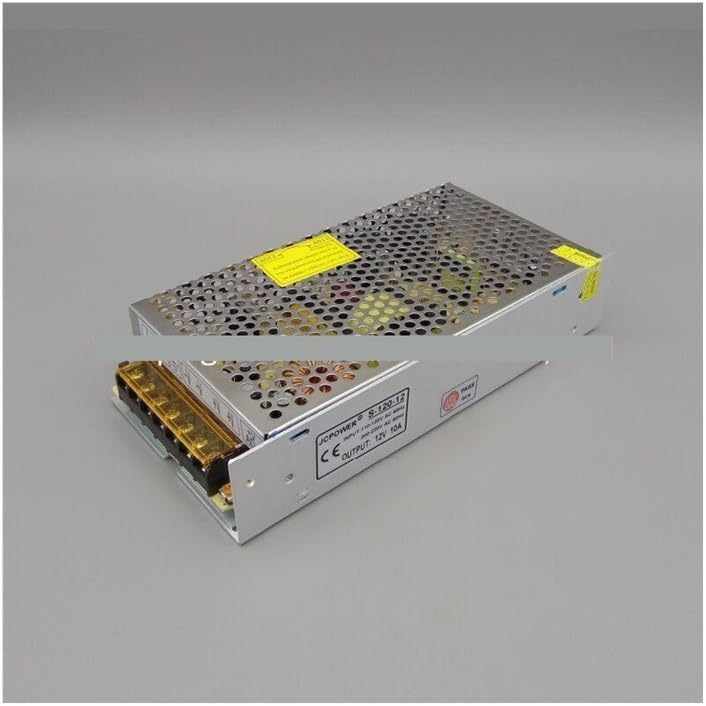
Figure 1: Front view of the S-120-12 power supply, showing AC input and DC output terminal blocks.

Figure 2: Rear view of the S-120-12 power supply, highlighting the AC input terminals (L, N, FG).
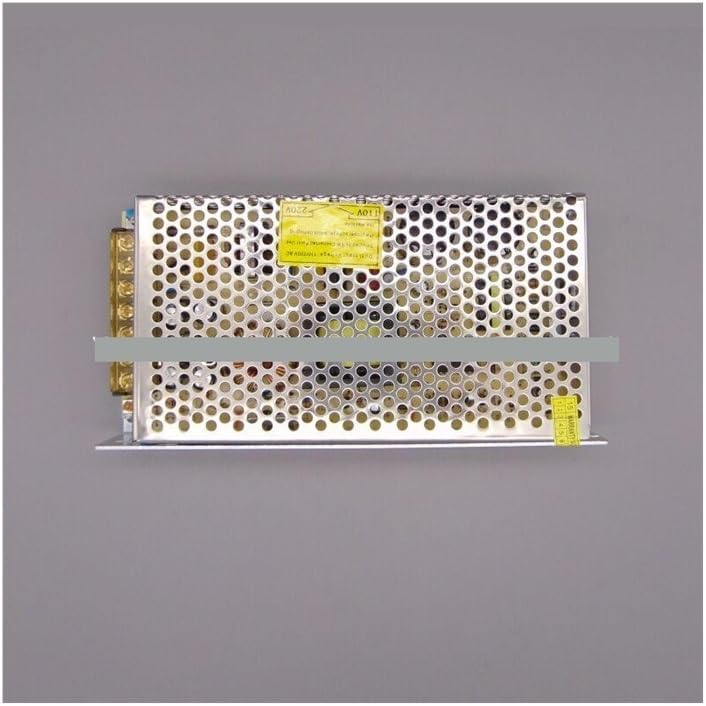
Figure 3: Top view of the S-120-12 power supply, illustrating the perforated casing for ventilation.
4. Setup and Installation
Before installation, ensure the power supply is disconnected from any AC source. Mount the unit in a well-ventilated area, away from flammable materials and excessive heat or moisture.
4.1 Wiring Connections
- AC Input Wiring:
- Connect the Live (L) wire from your AC mains to the 'L' terminal.
- Connect the Neutral (N) wire from your AC mains to the 'N' terminal.
- Connect the Earth Ground (FG) wire to the 'FG' terminal. Ensure this connection is secure and properly grounded.
- DC Output Wiring:
- Connect the positive (+) terminal of your load device to the '+V' terminal of the power supply.
- Connect the negative (-) terminal of your load device to the '-V' terminal of the power supply.
- Ensure correct polarity to avoid damage to your devices.
- Secure Connections: Tighten all screw terminals firmly to prevent loose connections, which can cause overheating or intermittent operation.
- Input Voltage Selection (if applicable): Some models may have a switch to select between 110V and 220V input. Ensure this switch is set to match your local AC voltage before applying power.
5. Operating Instructions
5.1 Powering On
After all connections are securely made and verified, apply AC power to the unit. The LED indicator on the power supply should illuminate, indicating that the unit is receiving power and operating.
5.2 Voltage Adjustment
The S-120-12 power supply typically has a small potentiometer (often labeled 'ADJ' or 'V.ADJ') that allows for minor adjustments to the output voltage. Using a small screwdriver, you can carefully turn this potentiometer clockwise to slightly increase the output voltage or counter-clockwise to slightly decrease it. Always use a multimeter to verify the output voltage during adjustment to ensure it meets your application's requirements and does not exceed safe limits for your connected devices.
6. Maintenance
The PPOZYLPC S-120-12 power supply is designed for reliable operation with minimal maintenance.
6.1 Cleaning
Periodically, disconnect the power supply from the AC mains and gently clean the exterior casing with a dry, soft cloth. Do not use liquid cleaners or solvents, as these can damage the unit or pose an electrical hazard. Ensure the ventilation holes remain free of dust and debris to maintain proper airflow.
6.2 Ventilation
Regularly check that the power supply's ventilation holes are not obstructed. Proper airflow is crucial for dissipating heat and ensuring the longevity and stable operation of the unit.
7. Troubleshooting
If you encounter issues with your S-120-12 power supply, refer to the following common troubleshooting steps:
- No Output Voltage / LED Indicator Off:
- Check if the AC input power is connected and active.
- Verify all AC input wiring (L, N, FG) is secure and correct.
- Ensure the input voltage selector switch (if present) is set to the correct voltage.
- Check for blown fuses in your AC circuit.
- Incorrect Output Voltage:
- Use a multimeter to measure the output voltage.
- Adjust the 'ADJ' potentiometer carefully to set the desired 12V output.
- Ensure the load connected is within the specified power (120W) and current (10A) limits.
- Overheating:
- Ensure adequate ventilation around the power supply. Clear any obstructions from the ventilation holes.
- Reduce the load connected to the power supply if it exceeds 120W or 10A.
- Verify ambient temperature is within the operating range.
- Intermittent Operation:
- Check all wiring connections for looseness.
- Ensure the load is stable and not causing short circuits or excessive current draw.
If the problem persists after following these steps, discontinue use and contact qualified service personnel or the manufacturer for assistance.
8. Specifications
| Feature | Specification |
|---|---|
| Model Number | S-120-12 |
| Brand | PPOZYLPC |
| Output Voltage | 12V DC |
| Output Current | 10A |
| Output Power | 120W |
| Input Voltage | 110V / 220V AC (selectable or auto-sensing) |
| Output Type | Single |
| Package Dimensions | 1.18 x 0.79 x 0.39 inches |
| Item Weight | 1.06 ounces (approx. 30 grams) |
9. Warranty and Support
For warranty information or technical support, please refer to the product packaging or contact the retailer or manufacturer directly. Keep your purchase receipt as proof of purchase.