
1. Introduction
The YEREADW KWS-2303C is a versatile USB C Tester Power Meter designed for monitoring and testing the performance of USB-C charging devices and cables. It provides real-time measurements of voltage, current, power, capacity, and energy, supporting various fast charging protocols.
Key Features:
- Accurate Measurement: Provides measurement accuracy of ± (1%+5) for precise detection of charging devices.
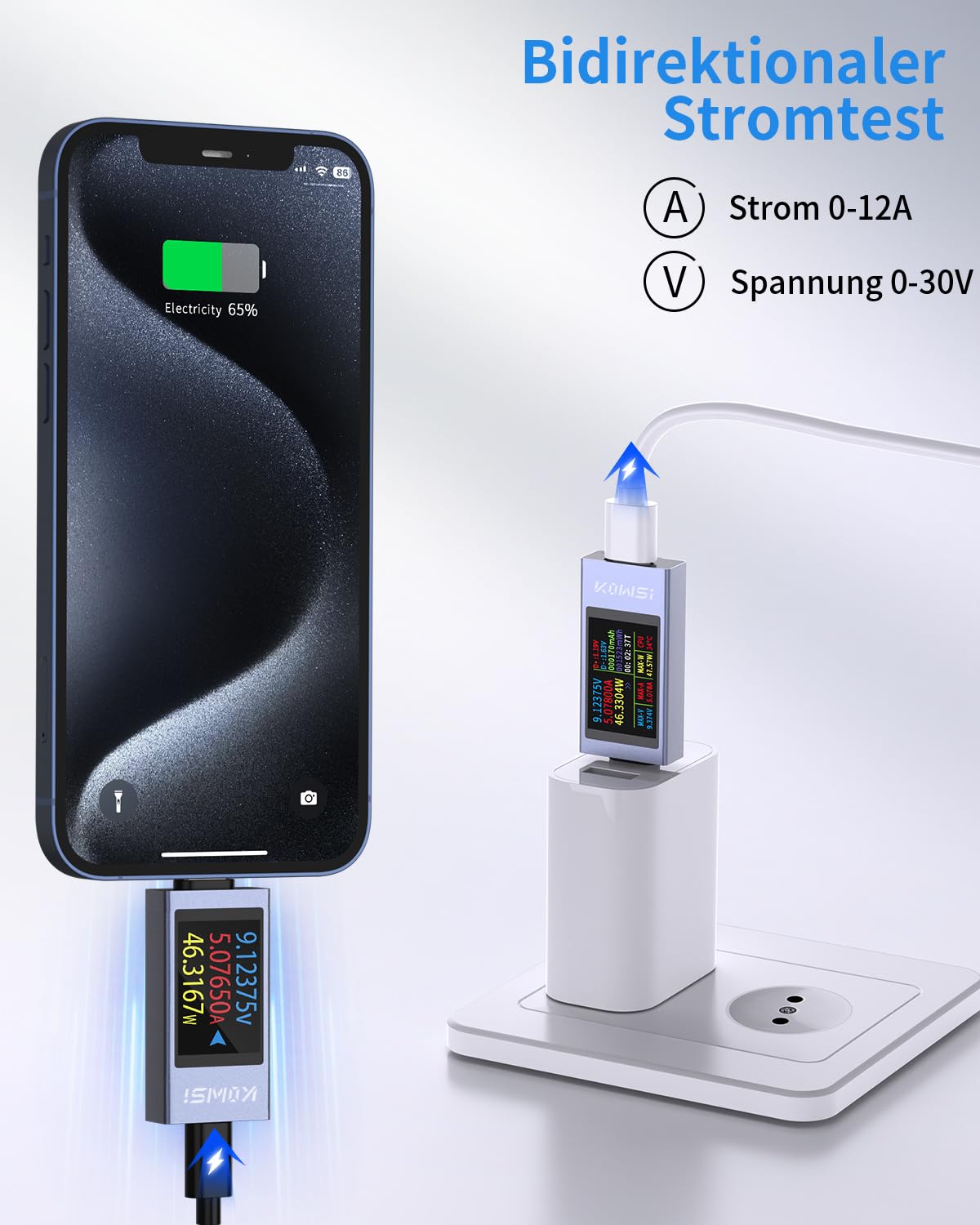
- Wide Compatibility: Supports current measurements from 0-12A and voltage measurements from 4V-30V, compatible with various USB-C digital devices.
- Fast Charging Protocol Detection: Supports PD2.0/3.0, QC2.0/3.0, FCP, SCP, AFC, PE, DASH VOOC, and Super VOOC protocols.
- Upgraded Curve Function: Records real-time voltage and current, with adjustable time settings (5mins/15mins/60mins/2hrs) for monitoring.
- ISP Color Display: Features a 1.06-inch high-definition color display showing voltage, current, power, capacity, energy, time, maximum values, current direction, and CPU temperature.


2. Setup
To begin using your YEREADW KWS-2303C USB C Tester, follow these connection instructions:
- Connect the male USB-C port of the tester to the power source (e.g., wall charger, power bank, computer USB-C port).
- Connect your device (e.g., smartphone, tablet, laptop) to the female USB-C port of the tester using a compatible USB-C cable.
- Ensure both the input (power source) and output (device) ports are connected for the tester's screen to activate and display readings. This is a limitation due to the Power Delivery (PD) protocol.


3. Operating Instructions
Button Functions:
- Single Click: Changes the displayed interface.
- Double Click: Rotates the displayed content on the screen.
- Press and Hold (3 seconds): Clears accumulated capacity (mAh), energy (Wh), and timing data.
Display Interfaces:
The tester offers multiple display interfaces to present various data points. A single click of the button cycles through these interfaces. The 1.06-inch ISP color display shows real-time voltage, current, power, capacity, energy, time, maximum voltage, maximum current, maximum power, current direction, and CPU temperature.

Curve Function:
The upgraded curve function allows for real-time monitoring and recording of voltage and current changes over time. To access and configure this function, long-press the button to set the curve page time (5 minutes, 15 minutes, 60 minutes, or 2 hours). The voltage and current scales on the graph automatically adjust for optimal display.

Fast Charging Protocol Detection:
The tester automatically detects and displays information related to various fast charging protocols, including PD2.0/3.0, QC2.0/3.0, FCP, SCP, AFC, PE, DASH VOOC, and Super VOOC. This feature helps verify if your charger and device are communicating effectively for fast charging.

4. Maintenance
- Cleaning: Use a soft, dry cloth to clean the device. Avoid using liquid cleaners or solvents, as they may damage the display or internal components.
- Storage: Store the USB C Tester in a cool, dry place, away from direct sunlight and extreme temperatures. When not in use, it is recommended to store it in its included storage case to prevent physical damage.
- Handling: Handle the device with care to avoid dropping it or subjecting it to strong impacts, which could affect its accuracy and functionality.
5. Troubleshooting
- Screen Not Lighting Up: Ensure both the input (power source) and output (device) USB-C ports are securely connected. Due to PD protocol limitations, the screen will only activate when both connections are established.
- Inaccurate Readings: Verify that the USB-C cables used are in good condition and are compatible with the power levels being tested. Ensure the connections are firm. If issues persist, try testing with different cables or power sources.
- Display Not Rotating: Double-click the button firmly and quickly. If it still doesn't rotate, try a single click first to change the interface, then double-click.
- Data Not Clearing: Press and hold the button for approximately 3 seconds until the capacity, energy, and timing data resets.
6. Specifications
| Feature | Specification |
|---|---|
| Model | KWS-2303C |
| Voltage Measurement Range | 4-30V |
| Current Measurement Range | 0-12A |
| Power Measurement Range | 0-360W |
| Capacity Measurement Range | 0-99999mAh |
| Energy Measurement Range | 0-99999Wh |
| Measurement Accuracy | ± (1%+5) |
| Supported Fast Charging Protocols | PD2.0/3.0, QC2.0/3.0, FCP, SCP, AFC, PE, DASH VOOC, Super VOOC |
| Display Type | 1.06-inch ISP Color High-Definition Display |
| Color | Silver-Grey |
| Item Weight | 39 g |
| Package Dimensions | 9.4 x 8.3 x 1.4 cm |
| Included Components | USB C Tester, User Manual, Storage Case |
| Certifications | CE, RoHS |
7. Warranty and Support
Warranty Information:
The YEREADW KWS-2303C USB C Tester Power Meter typically comes with an 18-month manufacturer's warranty from the date of purchase. This warranty covers defects in materials and workmanship under normal use. Please retain your proof of purchase for warranty claims.
Customer Support:
For technical assistance, warranty claims, or any questions regarding your YEREADW KWS-2303C, please contact YEREADW customer support through the retailer where the product was purchased or refer to the contact information provided in the product packaging.