
1. Introduction
The YEREADW KWS-2302C USB C Meter is a versatile electrical testing device designed to accurately measure voltage, current, power, capacity, and other parameters for USB-C compatible devices. This manual provides detailed instructions for its setup, operation, and maintenance to ensure optimal performance and longevity.
2. Product Overview
Key Features
- Improved Measurement Accuracy: Provides precise measurements with an accuracy of ± (1%+5) for reliable data on charging devices like chargers, mobile phones, tablets, and power banks.
- Wide Applicability: Equipped with a high-current 12A terminal for enhanced stability. Measures current from 0-12A and voltage from 4V-30V, suitable for numerous 3C digital devices.
- Detection of Various Fast Charging Protocols: Supports PD2.0/3.0, QC2.0/3.0, FCP, SCP, AFC, PE, DASH VOOC, and Super VOOC fast charging protocols.
- Enhanced Curve Function: Records real-time voltage and current. Users can adjust curve page duration (5mins/15mins/60mins/2hrs) and scales automatically adjust.
- ISP Color Display Interface: Features a 1.06-inch high-definition ISP color screen displaying voltage, current, power, capacity, energy, time, maximum values, current direction, and CPU temperature.
Display and Internal Components
The KWS-2302C features a clear ISP color display and an integrated high-precision chip for accurate data processing.

Image: The YEREADW KWS-2302C USB C Meter highlighting its smart chip and TFT color display, showing various measurement parameters.

Image: An internal view of the YEREADW USB C Meter, illustrating its integrated high-precision chip responsible for accurate electrical data measurement.
3. Setup and Connection
To use the YEREADW KWS-2302C, connect it inline between your power source (charger, power bank) and the device you wish to test (phone, laptop). Ensure both the input and output ports are securely connected for the tester to function correctly.
Important Connection Note
Due to PD (Power Delivery) protocol limitations, the USB-C tester's screen will only illuminate and display data if both the output (to the device) and input (from the charger) ports are connected. Connecting only one side will not activate the display.

Image: Visual guide demonstrating correct (both input and output connected) and incorrect (only one side connected) ways to connect the USB C meter, illustrating why the screen might not light up.

Image: A YEREADW USB C Meter correctly connected between a smartphone and a wall charger, showing the device in active use.
4. Operating Instructions
Basic Measurement Display
Once connected, the meter will automatically display real-time voltage, current, and power. The ISP color screen provides a clear and detailed view of these parameters.
Switching and Rotating Display
- Switching Interfaces: Press the button once to cycle through different display interfaces, showing various combinations of data such as capacity, energy, time, and CPU temperature.
- Rotating Content: Double-click the button to rotate the displayed content 180 degrees, useful for different viewing angles.
Recording Maximum Values
The tester can record and display maximum voltage, current, and power values during a charging session, providing insight into peak performance.

Image: The YEREADW USB C Meter connected to a laptop, showing its display with recorded maximum values for wattage (Max-W), amperage (Max-A), and voltage (Max-V).

Image: A detailed view of the USB C Meter's digital display design, showcasing its ability to visually present charging status, including voltage, current, power, and CPU temperature.
5. Advanced Functions
Enhanced Curve Function
To access the curve function, long-press the button. You can then adjust the duration for real-time voltage and current monitoring (5mins/15mins/60mins/2hrs). The graph scales automatically adjust for optimal viewing.
Bidirectional Current Test
The tester supports bidirectional current testing, allowing you to monitor power flow in both directions, which is useful for devices that can act as both power sources and sinks.

Image: The YEREADW USB C Meter demonstrating its bidirectional current test capability, connected between a charger and two smartphones, showing power flow monitoring.
External Battery Capacity Test
To test the capacity of an external battery (power bank):
- Ensure the external battery is fully discharged before the test.
- Connect the USB tester to the external battery.
- Long-press the button to reset the capacity and energy readings.
- Connect a device to the tester and charge the external battery until it reaches 100%.
- Read the data displayed after a complete charge.
Formula for External Battery Capacity (mAh): Wh / 3.75V x 1000 x 90%
(Note: 3.75V is the default battery voltage)

Image: A visual guide detailing the steps to test the capacity of an external battery (power bank) using the YEREADW USB C Meter, including the calculation formula.
6. Compatibility
The YEREADW KWS-2302C USB C Meter is designed for wide compatibility with various USB-C devices and charging protocols.
Supported Devices
This tester is compatible with a broad range of USB-C enabled devices, including:
- Laptops (e.g., MacBook Pro, Dell XPS, Surface Book)
- Tablets (e.g., iPad Pro/Air)
- Smartphones (e.g., Samsung Galaxy, AQUOS, Google Pixel, OPPO, Xiaomi)
- Power Banks
- Gaming Consoles/Gamepads

Image: An illustration showcasing the wide compatibility of the YEREADW USB C Meter with various devices, including laptops, iPads, phones, and gamepads.

Image: The YEREADW USB C Meter connected to a laptop charger, demonstrating its use in monitoring charging parameters for high-power devices.
360W PD Compatibility
The tester supports power delivery up to 360W, making it suitable for high-power charging applications, including modern laptops and fast-charging power banks.
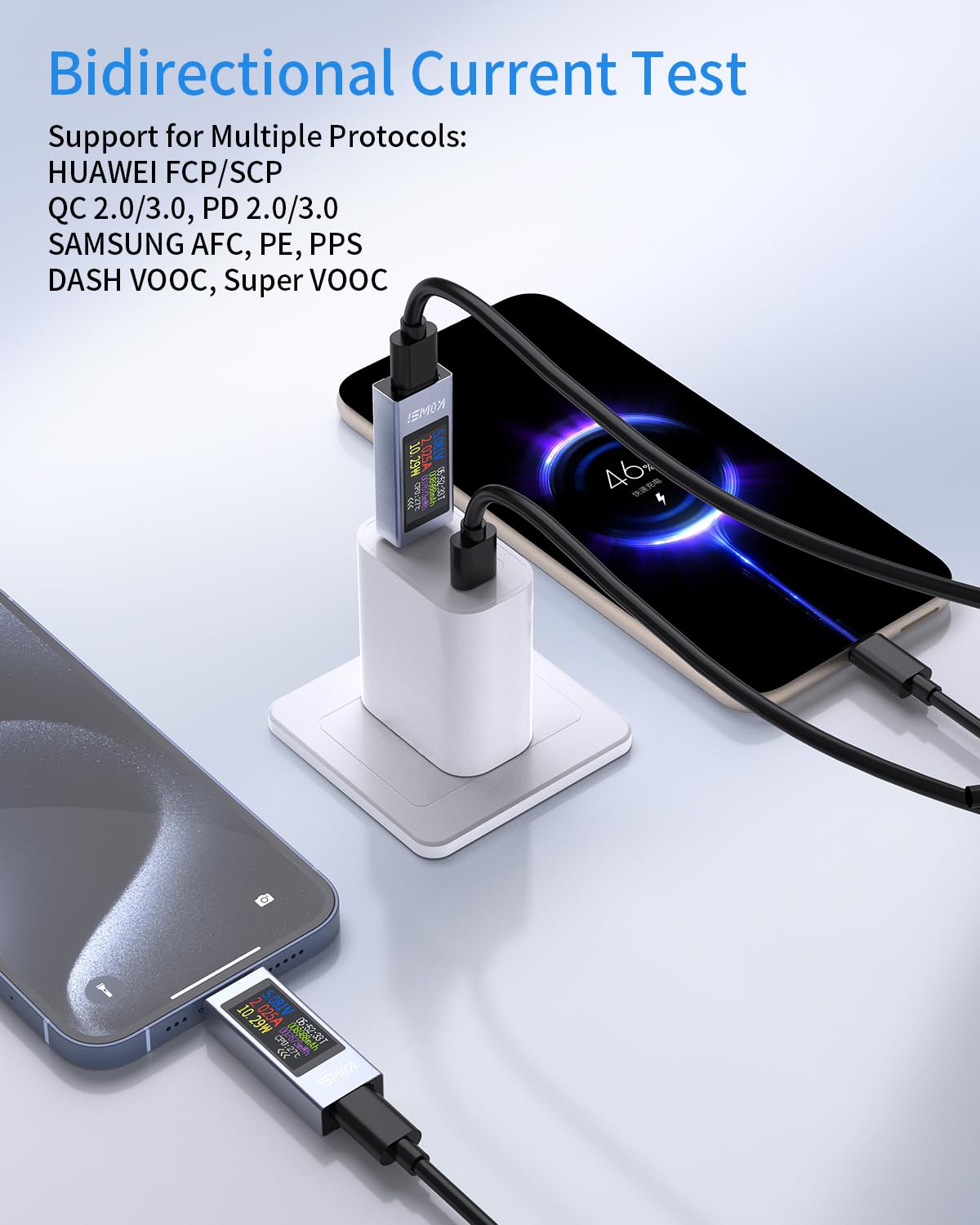
Image: The YEREADW USB C Meter connected to a laptop and power bank, illustrating its compatibility with 360W Power Delivery (PD) and support for currents up to 30V/12A.
7. Specifications
Technical specifications for the YEREADW KWS-2302C USB C Meter:
| Feature | Specification |
|---|---|
| Brand | YEREADW |
| Model Number | KWS-2302C |
| Measurement Voltage Range | 4V-30V |
| Measurement Current Range | 0-12A |
| Accuracy | ± (1%+5) |
| Display | 1.06-inch ISP Color Screen |
| Supported Protocols | PD2.0/3.0, QC2.0/3.0, FCP, SCP, AFC, PE, DASH VOOC, Super VOOC |
| Power Source | Electric Cable |
| Color | Grey |
| Compliant Specifications | CE, EN 61010-1 |
| Package Dimensions | 8.2 x 7.3 x 1.9 cm |
| Weight | 30 grams |
| Country of Origin | China |

Image: A diagram illustrating the physical dimensions of the YEREADW KWS-2302C USB C Meter, showing its length, width, and thickness.
8. Troubleshooting
- Display Not Lighting Up: Ensure both the input (from charger) and output (to device) ports are securely connected. The meter requires a complete circuit to activate its display due to PD protocol requirements.
- Inaccurate Readings: Verify that the connections are stable and free from debris. Ensure the power source and device are functioning correctly. If issues persist, try using different cables or power sources.
- Not Working with Certain Chargers/Devices: While widely compatible, some specific charger/device combinations might have unique protocols or power negotiation methods that could interfere with the meter's operation. Ensure your devices support standard USB-C PD or QC protocols.
- Resetting Data: To clear accumulated capacity and energy data, long-press the button.
9. Maintenance
- Cleaning: Use a soft, dry cloth to clean the device. Avoid using liquids or abrasive cleaners.
- Storage: Store the meter in a cool, dry place away from direct sunlight and extreme temperatures.
- Handling: Handle the device with care to prevent physical damage. Avoid dropping or subjecting it to strong impacts.
10. Warranty and Support
YEREADW is committed to providing high-quality products and customer satisfaction.
- Warranty: The YEREADW KWS-2302C USB C Meter comes with an 18-month warranty from the date of purchase.
- Returns: Enjoy a 30-day no-reason return policy.
- Customer Support: 24-hour customer support is available for any inquiries or assistance.

Image: An illustration summarizing YEREADW's commitment to customer satisfaction, including an 18-month warranty, 30-day no-reason return policy, and 24-hour customer support.