
1. Introduction
This manual provides detailed instructions for the assembly, operation, and maintenance of your YELLOW JACKET ASM-55 Metal Detector. Please read this manual thoroughly before using the device to ensure proper function and to maximize your detection experience. This metal detector is designed for both professional and recreational use, offering high accuracy and multiple detection modes.
2. Product Overview
2.1 Components
The YELLOW JACKET ASM-55 Metal Detector package includes the following main components:
- Main Control Unit with LCD Display
- Adjustable Stem (20 to 48 inches)
- 11-inch Waterproof Search Coil
- Armrest with Strap
- Over-Ear Headset
- Portable Carry Bag
- Practical Edge Shovel
- Two 9V Batteries

Figure 2.1: Overview of the YELLOW JACKET ASM-55 Metal Detector and its included accessories.
2.2 Key Features
- High Accuracy Detection: Equipped with an upgraded DSP chip for enhanced detection stability and accuracy.
- 5 Search Modes: All Metal, Disc, Memory, Jewelry, and Pinpointer modes for versatile target identification.
- Large LCD Display: Clear, backlit display for easy target identification, depth indication, and mode selection, even in low light.
- Adjustable Length: Stem adjusts from 20 to 48 inches to accommodate various user heights and preferences.
- Waterproof Search Coil: The 11-inch search coil is IP65 rated, allowing for detection in shallow water.
- Ergonomic Design: Lightweight construction with comfortable silicone keys and elbow support for extended use.
- Built-in Memory: Retains ON/OFF settings, eliminating the need to reset the detector after each power cycle.

Figure 2.2: Comprehensive functionality of the ASM-55 Metal Detector.
3. Setup and Assembly
Follow these steps to assemble your YELLOW JACKET ASM-55 Metal Detector:
- Attach the Search Coil: Connect the 11-inch search coil to the lower stem using the provided bolt and nut. Ensure it is securely fastened but allows for slight angle adjustment.
- Connect the Stems: Insert the lower stem into the middle stem, and then connect the middle stem to the upper stem (which has the control unit and armrest). Adjust the length to your preference by twisting and locking the adjustable sections. The length can be adjusted from 20 to 48 inches.
- Mount the Control Unit: The control unit is pre-attached to the upper stem. Ensure it is oriented correctly for easy viewing and access to controls.
- Connect the Coil Cable: Carefully wrap the search coil cable around the stem, leaving enough slack for coil movement. Plug the cable connector into the port on the control unit. Ensure the connection is firm.
- Install Batteries: Open the battery compartment on the control unit. Insert two 9V batteries, observing the correct polarity. Close the compartment securely.
- Adjust Armrest and Strap: Position the armrest for comfort and secure your forearm with the strap to reduce fatigue during use.

Figure 3.1: Assembly diagram of the metal detector.
4. Operating Instructions
4.1 Power On/Off
Press the POWER button (usually marked with a power symbol) to turn the detector on or off. The device retains its last settings due to the built-in memory function.
4.2 LCD Display Overview
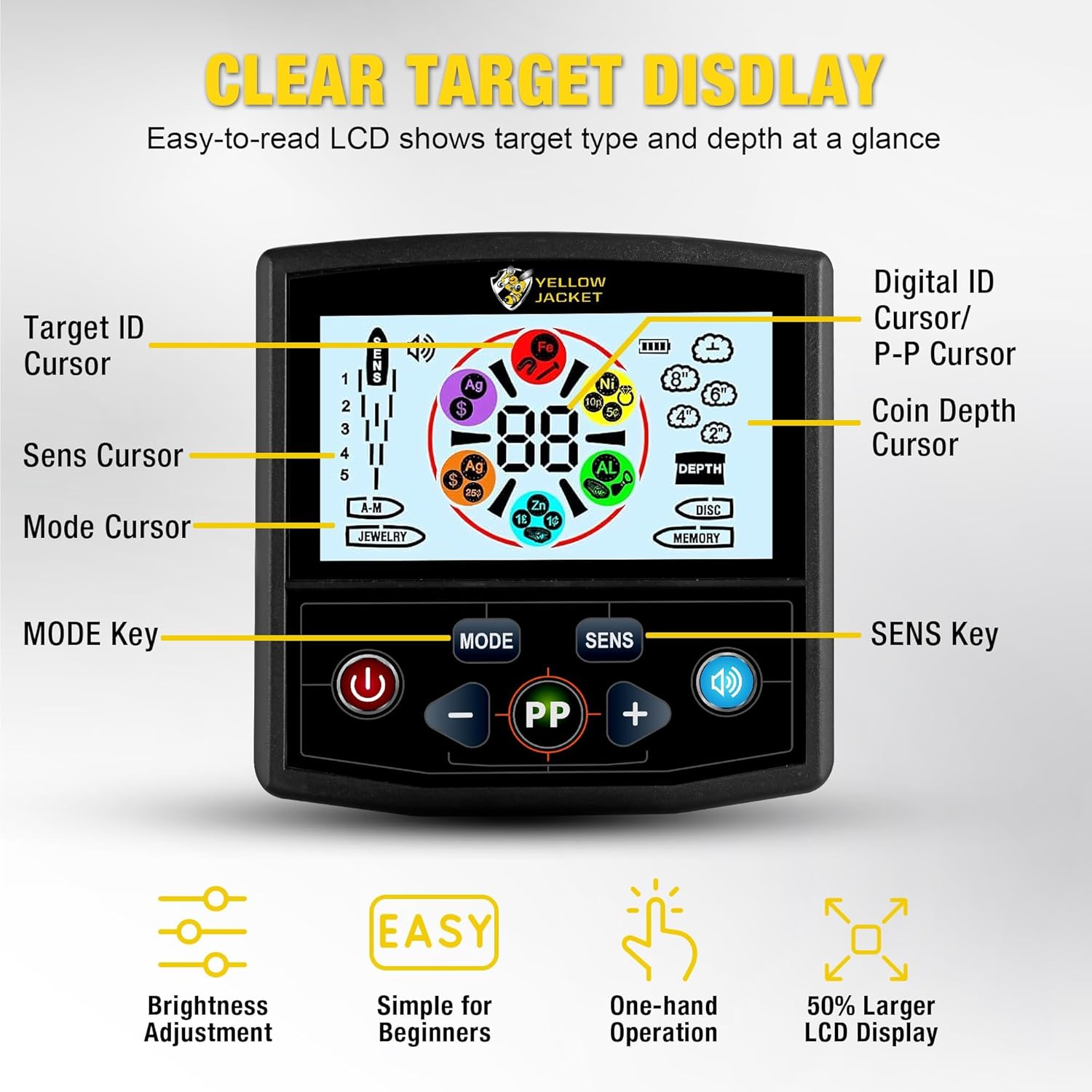
Figure 4.1: Detailed view of the LCD display and control buttons.
The LCD display provides visual information about detected targets, current settings, and battery status. Key indicators include:
- Target ID Cursor: Indicates the probable type of metal detected.
- Digital ID / P-P Cursor: Provides a numerical value for target identification.
- Coin Depth Cursor: Estimates the depth of the detected object.
- Sens Cursor: Shows the current sensitivity level.
- Mode Cursor: Displays the active detection mode.
4.3 Detection Modes
The ASM-55 offers five distinct detection modes. Press the MODE button to cycle through them:
- All Metal Mode (A-M): Detects all types of metal. This mode is ideal for general searching when you do not want to discriminate against any metal type.
- Discrimination Mode (DISC): Allows you to eliminate unwanted metal types (e.g., iron) from detection. Use the '+' and '-' buttons to adjust the discrimination level.
- Memory Mode: This mode allows the detector to remember a specific target type and only search for that type of metal.
- Jewelry Mode: Optimized for finding jewelry, typically filtering out iron and other common trash metals.
- Pinpointer Mode (PP): Used to precisely locate the exact position of a detected target. Press and hold the PP button to activate.
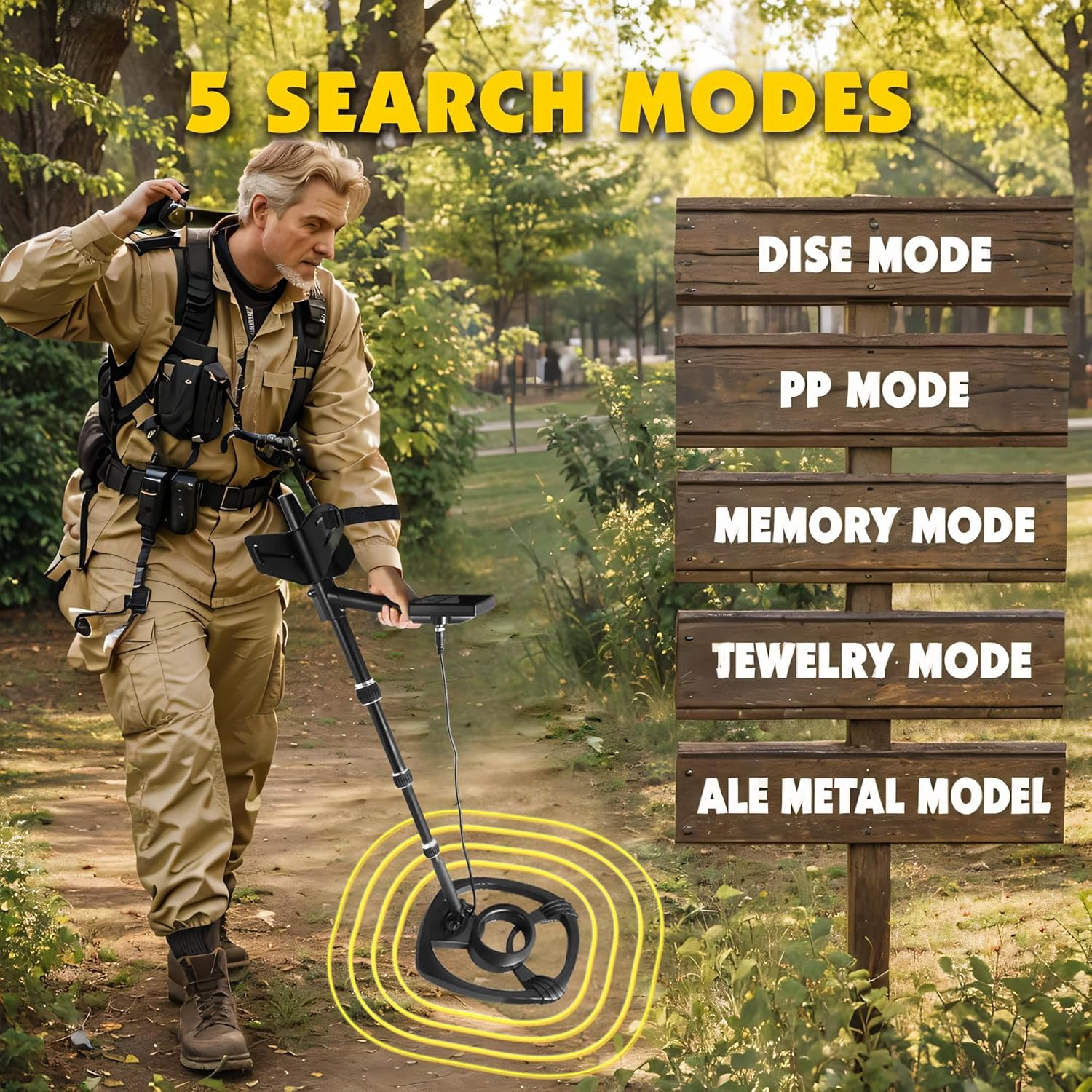
Figure 4.2: The five search modes available on the ASM-55 Metal Detector.
4.4 Sensitivity Adjustment
Press the SENS button to adjust the detector's sensitivity. Higher sensitivity increases detection depth but may also increase false signals in mineralized ground or areas with electromagnetic interference. Adjust sensitivity using the '+' and '-' buttons.
4.5 Volume Control
The detector features three volume levels. Use the speaker button to cycle through the volume settings to suit your environment and preference. Headphones are included for private listening.
4.6 Target Indication and Depth

Figure 4.3: The 11-inch waterproof search coil and adjustable stem.
When a target is detected, the LCD will display a Target ID Cursor and a Digital ID value, indicating the probable type of metal. The Coin Depth Cursor will provide an estimated depth. The 11-inch search coil allows for detection up to 12 inches deep for a quarter-sized coin.

Figure 4.4: Detection depth capability of the ASM-55.
5. Maintenance
- Cleaning: After each use, wipe down the detector with a damp cloth. Avoid using abrasive cleaners or solvents. The search coil can be rinsed with fresh water due to its waterproof design.
- Storage: Store the detector in a cool, dry place when not in use. If storing for an extended period, remove the batteries to prevent leakage.
- Battery Replacement: Replace batteries when the low battery indicator appears on the LCD. Always use fresh 9V batteries.
- Cable Care: Avoid sharp bends or kinks in the search coil cable to prevent internal damage.
6. Troubleshooting
| Problem | Possible Cause | Solution |
|---|---|---|
| No power | Dead batteries; Incorrect battery installation | Replace batteries; Ensure correct polarity |
| Constant false signals | High sensitivity; Electromagnetic interference; Mineralized ground | Reduce sensitivity; Move away from power lines/electronics; Use DISC mode |
| No detection | Search coil not connected; Incorrect mode; Low sensitivity | Check coil cable connection; Switch to ALL METAL mode; Increase sensitivity |
| Inaccurate target ID | Target too deep; Multiple targets; Interference | Sweep slower; Use Pinpointer mode for precise location; Adjust sensitivity |
7. Specifications
- Brand: YELLOW JACKET
- Model: ASM-55
- Color: Yellow
- Material: Plastic
- Power Source: Battery Powered (2 x 9V batteries, not included for initial purchase but often bundled)
- Item Weight: 2.9 Kilograms (6.38 pounds)
- Product Dimensions: 11"L x 6"W x 17"H (packaged)
- Adjustable Length: Yes, from 20 inches to 48 inches
- International Protection Rating: IP65 (for search coil)
- Detection Modes: 5 (All Metal, Disc, Memory, Jewelry, Pinpointer)
- Search Coil Size: 11 inches
- Max Detection Depth: Approximately 12 inches for a quarter-sized coin
8. Warranty and Support
For warranty information and customer support, please refer to the contact details provided with your purchase or visit the official YELLOW JACKET website. Keep your proof of purchase for any warranty claims.