
1. Introduction
The Frewico Wearable Bluetooth Speaker is designed for hands-free audio and communication, ideal for various activities including outdoor sports and work environments. Its robust design features IP67 waterproofing, a built-in LED light, and a magnetic clip for versatile attachment. This manual provides essential information for setting up, operating, maintaining, and troubleshooting your speaker.
2. What's in the Box
- Frewico Wearable Bluetooth Speaker
- Power Cable
- Instruction Manual
- Carrying Pouch
- Magnetic Discs (2)
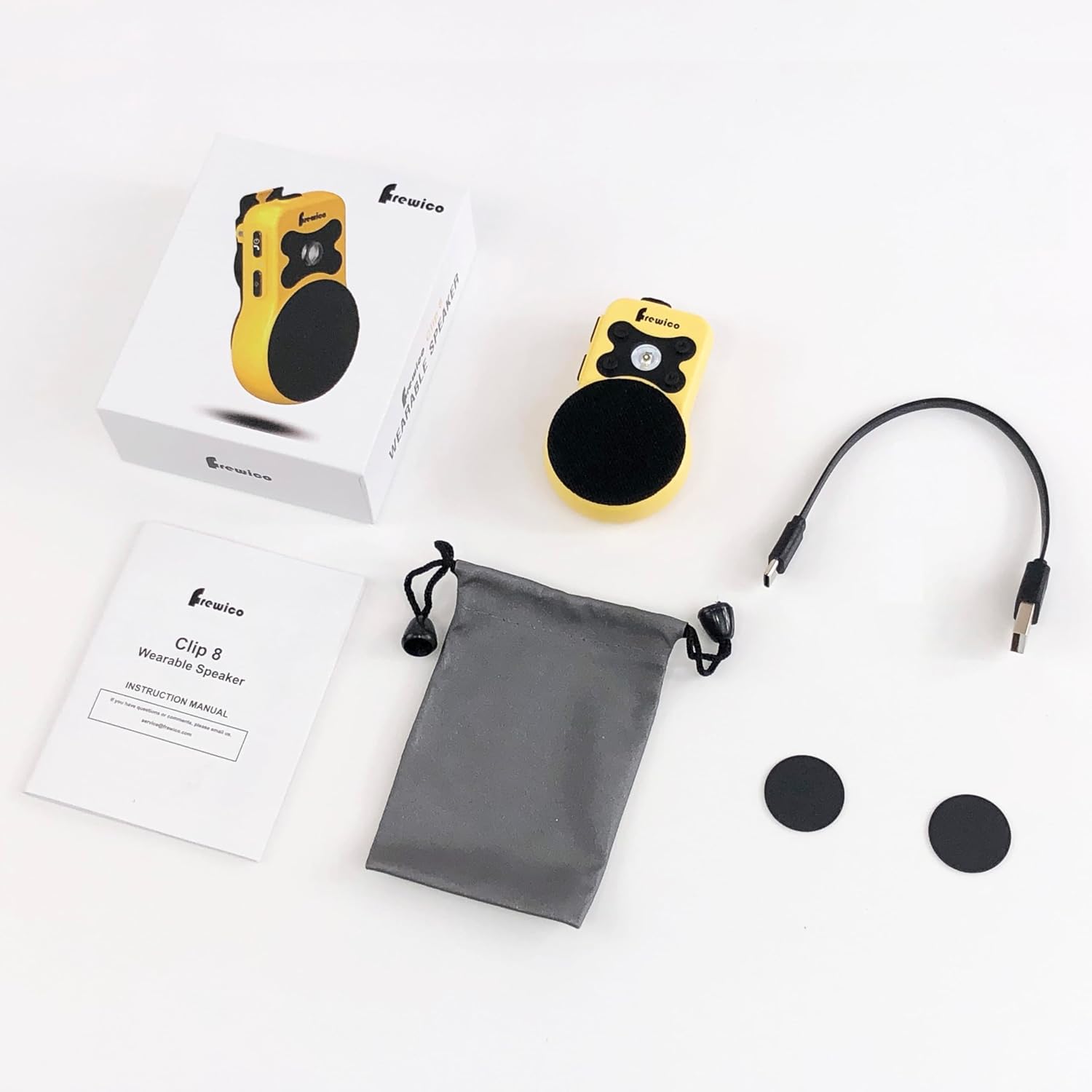
Figure 2.1: Package Contents
3. Product Features
- Wearable & Hands-Free: Lightweight (2.88oz) with an ergonomic clip for easy attachment to clothing or gear.
- IP67 Rugged Protection: Fully waterproof and dustproof, designed to withstand harsh environments like construction sites and outdoor work.
- Built-in LED Light: Features multiple modes including low light, strong light, warning, and SOS, useful for illuminating dark areas or signaling.
- ENC Built-in Microphone: Enhances call clarity by cutting noise and echo, enabling hands-free communication.
- Strong Magnetic Attachment: External high-strength magnet allows versatile placement on metal surfaces. Remove the magnetic clip for 100% magnetic force.
- Big Sound: 3W Powerhouse HD Speaker delivers clear audio.
- Long Battery Life: Up to 18 hours of playtime on a single charge.
- Glove-Friendly Buttons: Designed for easy operation even when wearing gloves.

Figure 3.1: Frewico Wearable Bluetooth Speaker
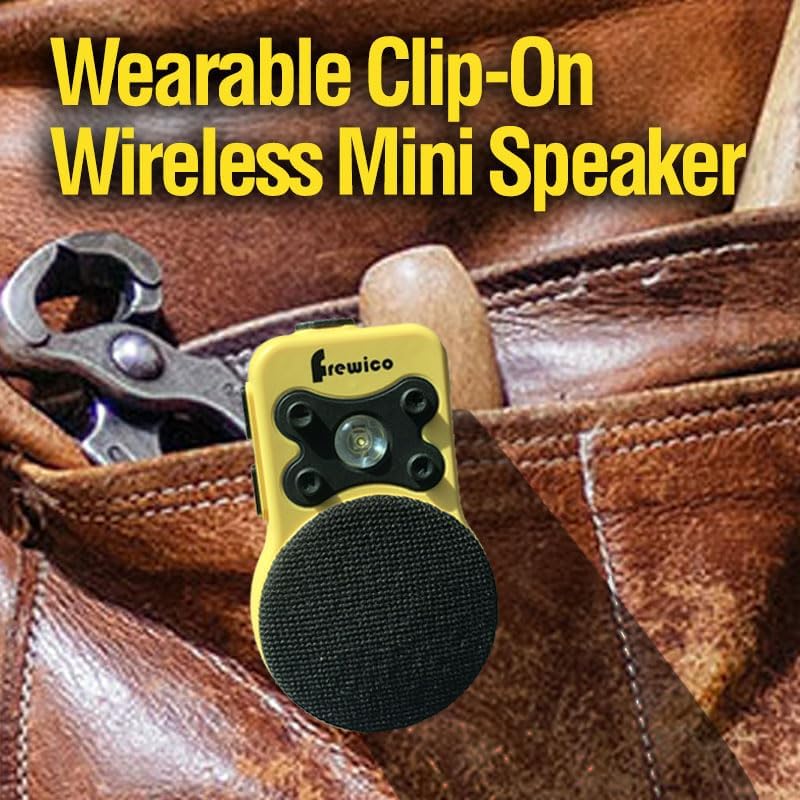
Figure 3.2: Wearable Clip-On Design

Figure 3.3: IP67 Waterproof Protection

Figure 3.4: Built-in LED Flashlight

Figure 3.5: Powerful Audio Output

Figure 3.6: Strong Magnetic Attachment

Figure 3.7: Durable Clip Design

Figure 3.8: ENC Built-in Mic for Clearer Calls
4. Setup
4.1 Charging the Speaker
Before first use, fully charge the speaker using the provided power cable. Connect the cable to the speaker's charging port and a compatible USB power source. A full charge takes approximately 2 hours.
4.2 Powering On/Off
To power on the speaker, press and hold the Power/Answer button until you hear an audible prompt. To power off, press and hold the same button until the speaker indicates it is powering down.
4.3 Bluetooth Pairing
- Ensure the speaker is powered on and in pairing mode (indicated by a flashing LED).
- On your smartphone or tablet, navigate to the Bluetooth settings.
- Select 'Frewico C8' (or similar name) from the list of available devices.
- Once connected, the speaker will provide an audible confirmation, and the LED indicator will change.
Video 4.1: Unboxing and Basic Operation of the Frewico Wearable Bluetooth Speaker. This video demonstrates the physical components, how to power on/off, and basic button functions.
5. Operating Instructions
5.1 Button Functions
- Power/Answer Button: Press and hold to power on/off. Short press to answer/end calls.
- Volume Up (+): Short press to increase volume.
- Volume Down (-): Short press to decrease volume.
- Next Song: Long press Volume Up (+) to skip to the next track.
- Previous Song: Long press Volume Down (-) to go to the previous track.
- LED Button: Short press to cycle through LED light modes (Low, Strong, Warning, SOS).
5.2 Making/Receiving Calls
When connected to your smartphone, the built-in ENC microphone allows for clear, hands-free calls. Use the Power/Answer button to manage calls.
6. Maintenance
To ensure the longevity and optimal performance of your Frewico Wearable Bluetooth Speaker, follow these maintenance guidelines:
- Cleaning: Wipe the speaker with a soft, damp cloth. Do not use harsh chemicals or abrasive cleaners.
- Water Exposure: While IP67 rated, avoid prolonged submersion or exposure to high-pressure water jets. Ensure the charging port cover is securely closed when near water.
- Storage: Store the speaker in a cool, dry place away from direct sunlight and extreme temperatures.
- Battery Care: For extended storage, charge the battery to about 50% every few months to prevent deep discharge.
7. Troubleshooting
If you encounter issues with your Frewico Wearable Bluetooth Speaker, refer to the following common problems and solutions:
| Problem | Possible Cause | Solution |
|---|---|---|
| Speaker does not power on. | Low battery. | Charge the speaker for at least 30 minutes. |
| Cannot pair with device. | Bluetooth not enabled on device; speaker not in pairing mode; too far from device. | Ensure Bluetooth is on. Power cycle speaker to enter pairing mode. Move device closer (within 66 feet). |
| No sound or low volume. | Volume too low on speaker or connected device; speaker not connected. | Increase volume on both speaker and device. Re-establish Bluetooth connection. |
| LED light not working. | Speaker is off; LED mode not activated. | Ensure speaker is powered on. Press the LED button to activate light modes. |
8. Specifications
| Feature | Detail |
|---|---|
| Input Voltage | 5 Volts |
| Material | Plastic |
| Speaker Type | Outdoor |
| Special Feature | Waterproof Dustproof, Built-In LED Light, Built In Microphone ENC, Bass Boost Stereo Pairing, Snap Clip |
| Recommended Uses For Product | For Music Players |
| Compatible Devices | Tablet, Smartphone |
| Subwoofer Diameter | 28 Millimeters |
| Unit Count | 1.0 Count |
| Color | Yellow |
| Battery Life | 18 Hours |
| Included Components | Power Cable |
| Product Dimensions | 0.8"D x 1.97"W x 3.23"H |
| Item Weight | 0.18 Pounds (2.88 ounces) |
| Is Waterproof | True IPX7 |
| Battery Capacity | 700 Milliamp Hours |
| Charging Time | 2 Hours |
| Maximum Range | 100 Feet |
| Number of Items | 1 |
| Control Method | Touch, Voice |
| Wireless Communication Technology | Bluetooth |
| Tweeter Diameter | 36 Millimeters |
| Water Resistance Level | Waterproof |
| Customer Package Type | Cardboard Box |
| Number of Batteries | 1 Lithium Polymer batteries required. (included) |
| Bluetooth Range | 66 Feet |
| Number of Microphones | 1 |
| Subwoofer Connectivity Technology | Wireless |
| Indoor/Outdoor Usage | Outdoor |
| Manufacturer | Vipada |
| ASIN | B0DF99QXY2 |
| Item model number | C8-Yellow |
| Date First Available | September 9, 2024 |
| Speaker Maximum Output Power | 3 Watts |
| Frequency Response | 100 Hz |
| Connectivity Technology | Bluetooth 5.4V |
| Audio Output Mode | Mono |
9. Warranty and Support
Frewico products come with a standard manufacturer's warranty. For detailed warranty information, product support, or service inquiries, please refer to the contact information provided on the product packaging or visit the official Frewico website. Please retain your proof of purchase for warranty claims.