
Lowrance 000-16232-001
Lowrance Eagle Eye 9" Fishfinder User Manual
Model: 000-16232-001
1. Introduction
The Lowrance Eagle Eye 9" Fishfinder is an advanced marine electronics device designed to enhance your fishing experience. It integrates multiple sonar technologies and detailed mapping capabilities to provide a comprehensive view of the underwater environment. This manual provides essential information for the proper installation, operation, and maintenance of your new fishfinder.
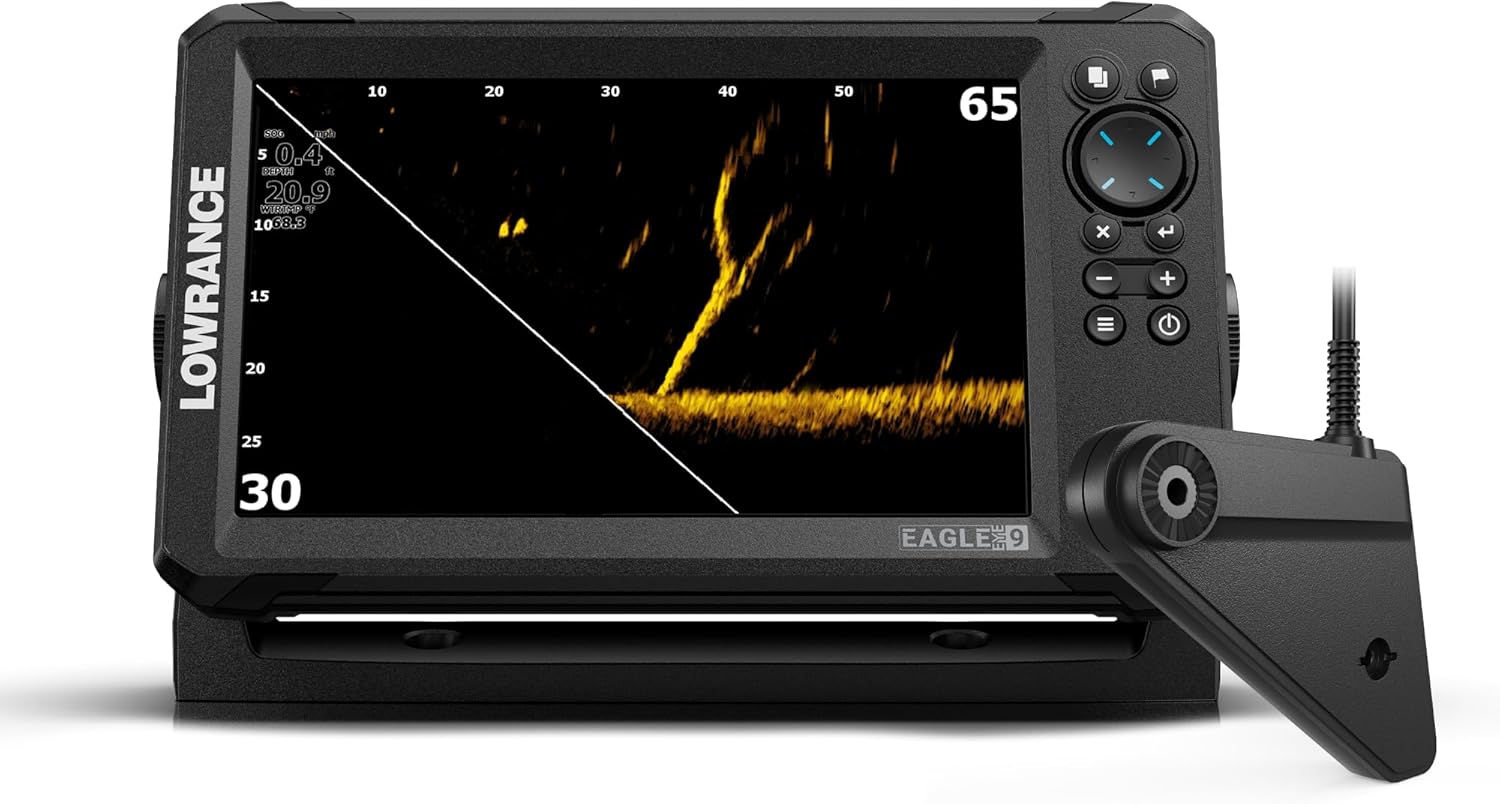
Figure 1: Lowrance Eagle Eye 9" Fishfinder main unit with transducer.
2. Key Features
- Integrated Sonar Views: Offers four distinct sonar views from a single transducer without requiring an additional module: Live Forward, Live Down, CHIRP Sonar, and DownScan Imaging with FishReveal.
- Autotuning Live Sonar: Features automatic tuning for live sonar, providing focused down and forward views for optimal performance.
- Advanced Charting: Includes detailed C-MAP charts with Genesis Live functionality for real-time mapping.
- IPS Screen: Equipped with an IPS screen for wide viewing angles and clear visibility, even when wearing polarized glasses.
- Easy Installation: Utilizes a new reliable twist-lock connector system for straightforward installation in various boat and kayak setups.
3. Setup and Installation
Before beginning installation, ensure all components are present: 9" Display, power cable, gimbal bracket, replacement twist locks, corner clips, and live transducer pack.
3.1 Mounting the Display Unit
The Eagle Eye 9" display supports both panel mount and bracket mount configurations. Choose a location that provides clear visibility from your operating position and is protected from excessive direct sunlight and spray.
- Attach the gimbal bracket to the display unit using the provided hardware.
- Secure the gimbal bracket to your chosen mounting surface (panel or dash) using appropriate fasteners. Ensure the mount is stable and can withstand marine conditions.
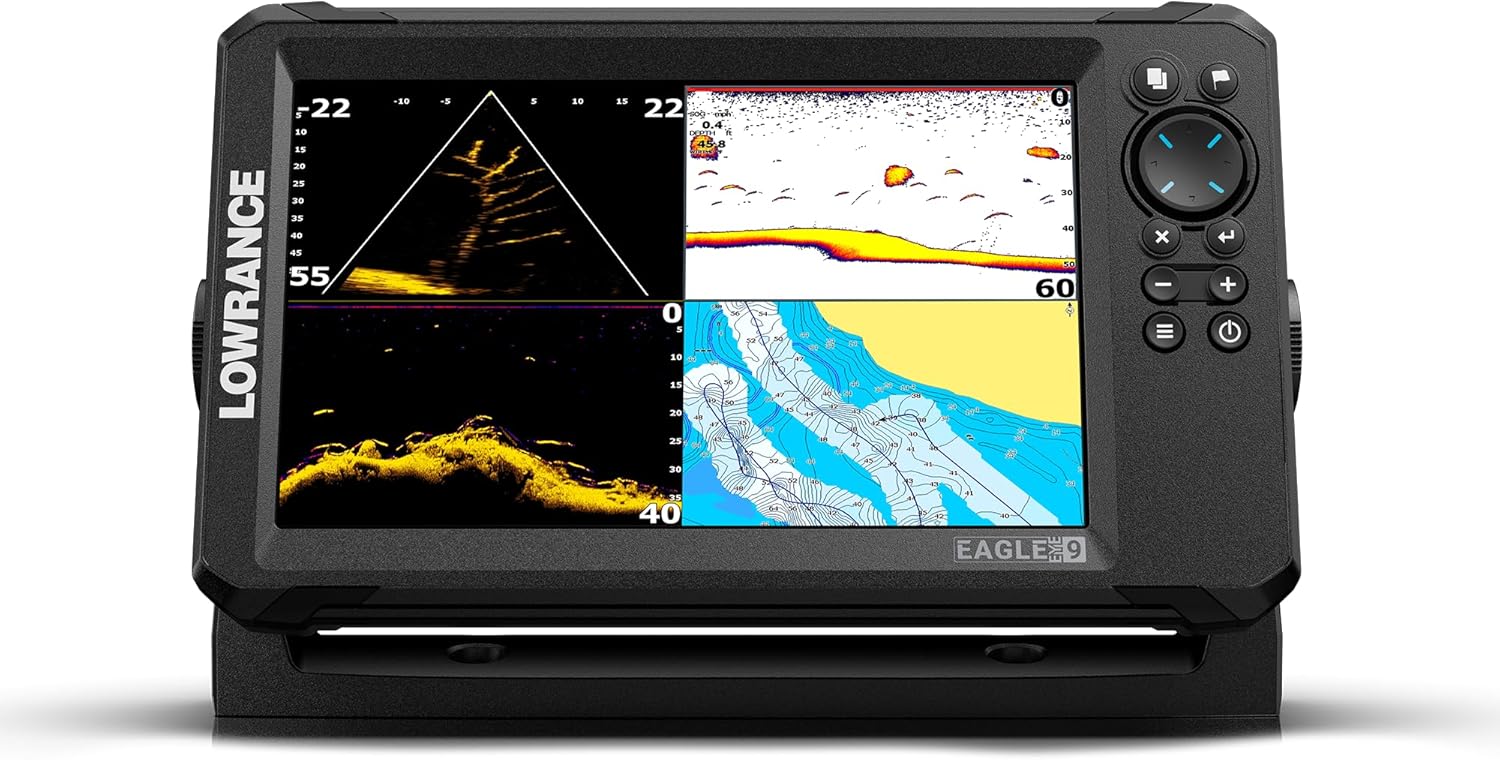
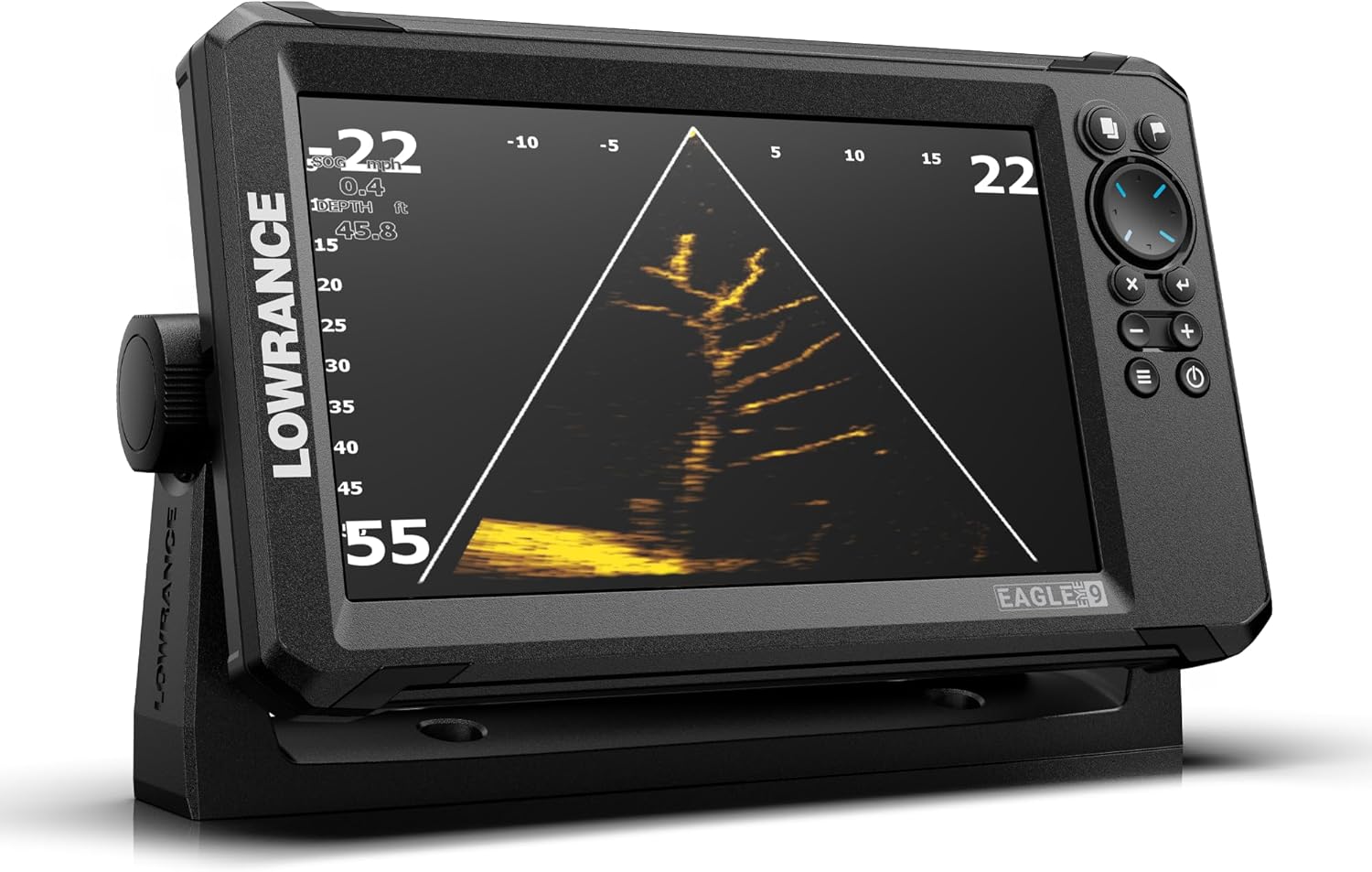
Figure 2: Front and side views of the display unit, illustrating mounting points.
3.2 Transducer Installation
The live transducer is crucial for all sonar functions. Install the transducer in a location that provides an unobstructed view of the water, typically on the transom or trolling motor. Use the twist-lock connectors for a secure and waterproof connection to the display unit.
Note: Proper transducer placement is critical for optimal sonar performance. Refer to the detailed transducer installation guide included with your product for specific instructions based on your boat type.
4. Operating Instructions
The Lowrance Eagle Eye 9" Fishfinder offers intuitive controls and multiple display modes to suit various fishing scenarios.
4.1 Powering On and Basic Navigation
Press and hold the power button to turn the unit on. Use the directional pad and menu buttons to navigate through the various sonar and chart screens. The IPS screen ensures clear visibility from different angles.
4.2 Sonar Views
The unit provides four primary sonar views from a single transducer:
- Live Forward: Displays a real-time view of the water in front of your boat, allowing you to see fish and structure as you approach them.

Figure 3: Live Forward sonar view, showing real-time underwater activity ahead of the boat.
- Live Down: Provides a real-time view of the water directly beneath your boat, ideal for vertical jigging and understanding bottom structure.
Video 1: Demonstration of Lowrance Eagle Eye Live Down Scan sonar view, showing real-time underwater details directly below the transducer.
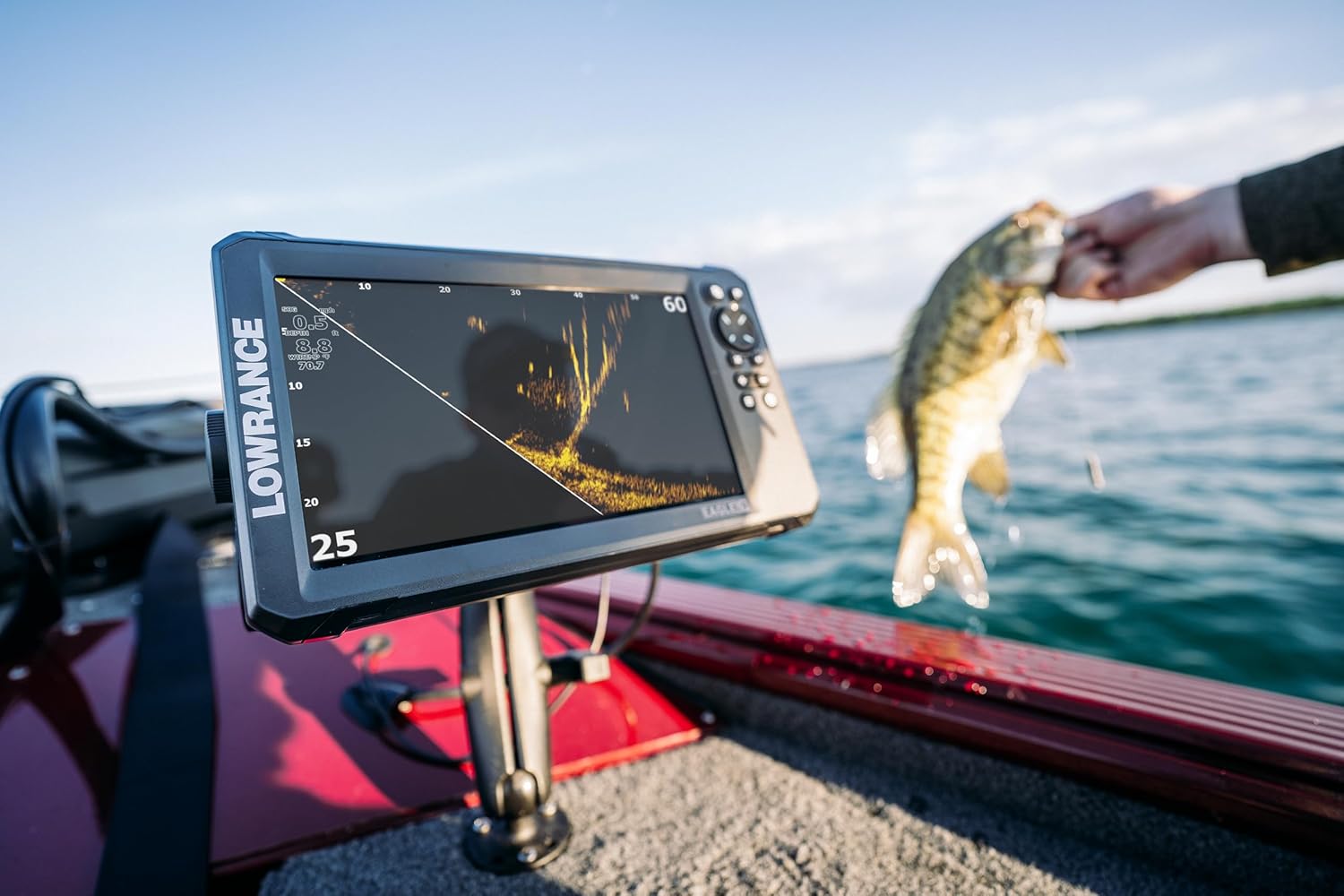
Figure 4: Live Down sonar view, providing a detailed look at the water column and bottom directly beneath the boat.
- CHIRP Sonar: Offers traditional sonar views with excellent target separation and clarity, ideal for identifying fish arches and general underwater contours.

Figure 5: CHIRP sonar view, displaying traditional fish arches and bottom structure with high clarity.
- DownScan Imaging with FishReveal: Provides photo-like images of structure and baitfish directly below your boat, with FishReveal overlaying traditional sonar fish arches onto the DownScan view for easier identification.
Video 2: Official launch video for Lowrance Eagle Eye Live Sonar, showcasing its various features including DownScan Imaging.

Figure 6: Split-screen view showing both sonar and C-MAP charting simultaneously.
4.3 C-MAP Charting with Genesis Live
Access detailed C-MAP charts to navigate and identify key fishing areas. The Genesis Live feature allows you to create custom, real-time contour maps of your fishing spots, providing unparalleled detail of bottom structure. To use Genesis Live, ensure you have a compatible memory card inserted and the feature enabled in the settings menu.
Figure 7: C-MAP chart view, displaying detailed navigational and topographical information.
5. Maintenance
Regular maintenance ensures the longevity and optimal performance of your Lowrance Eagle Eye 9" Fishfinder.
- Cleaning: Wipe the display screen and unit housing with a soft, damp cloth. Avoid abrasive cleaners or solvents that could damage the screen or plastic.
- Transducer Care: Periodically inspect the transducer for marine growth or damage. Clean the transducer face with fresh water after each use, especially in saltwater environments.
- Connections: Ensure all cable connections, especially the twist-lock connectors, are clean, dry, and securely fastened to prevent water ingress.
- Storage: When not in use for extended periods, store the unit in a dry, cool place, ideally removed from direct sunlight. Consider a screen cover to protect the IPS display.
6. Troubleshooting
This section addresses common issues you might encounter with your fishfinder.
| Problem | Possible Cause | Solution |
|---|---|---|
| No Power | Loose power connection, blown fuse, low battery voltage. | Check power cable connections, inspect fuse, verify battery charge. |
| No Sonar Display | Transducer not connected, transducer fouled or damaged, incorrect sonar settings. | Ensure transducer is securely connected, clean transducer face, reset sonar settings to default or adjust sensitivity. |
| Poor Sonar Image Quality | Air bubbles under transducer, electrical interference, incorrect sensitivity/range. | Check transducer placement for air bubbles, ensure power cables are routed away from other electronics, adjust sonar settings. |
| GPS/Mapping Issues | Poor GPS signal, outdated charts, memory card issues. | Ensure clear view of sky for GPS antenna, update C-MAP charts, check memory card for proper insertion and format. |
If you continue to experience issues, please contact Lowrance customer support.
7. Specifications
| Feature | Detail |
|---|---|
| Brand | Lowrance |
| Model Name | EAGLE EYE |
| Model Number | 000-16232-001 |
| Screen Size | 9 Inches |
| Display Type | LED (IPS) |
| Power Source | Battery Powered |
| Item Weight | 2 Pounds (approx. 0.91 kg) |
| Product Dimensions (LxWxH) | 11.3" x 3.54" x 6.39" (approx. 28.7cm x 8.99cm x 16.23cm) |
| Mounting Type | Panel Mount, Bracket Mount |
| Included Components | 9" Display, power cable, gimbal bracket, replacement twist locks, corner clips, live transducer pack |
| Material | Plastic |
| Color | Black |
8. Warranty and Support
8.1 Product Warranty
The Lowrance Eagle Eye 9" Fishfinder comes with a 1-year warranty from the date of purchase. This warranty covers defects in materials and workmanship under normal use. Please retain your proof of purchase for warranty claims.
8.2 Customer Support
For technical assistance, troubleshooting beyond this manual, or warranty inquiries, please contact Lowrance customer support. Visit the official Lowrance website for contact information and additional resources.
Manufacturer: Lowrance
For more information, visit: Lowrance Brand Store on Amazon
Related documents000-16232-001


Ask a question about this manual
Ask about setup, troubleshooting, compatibility, parts, safety, or missing instructions. Manuals+ will review the question and use this page’s manual context to help answer it.