
Introduction
Thank you for choosing the FOCHEW 200W GaN IV 6-Port USB C Charging Station. This powerful and compact charging hub is designed to efficiently charge up to six devices simultaneously, utilizing advanced GaN IV technology for faster and safer power delivery. This manual provides essential information for the proper setup, operation, and maintenance of your charging station.
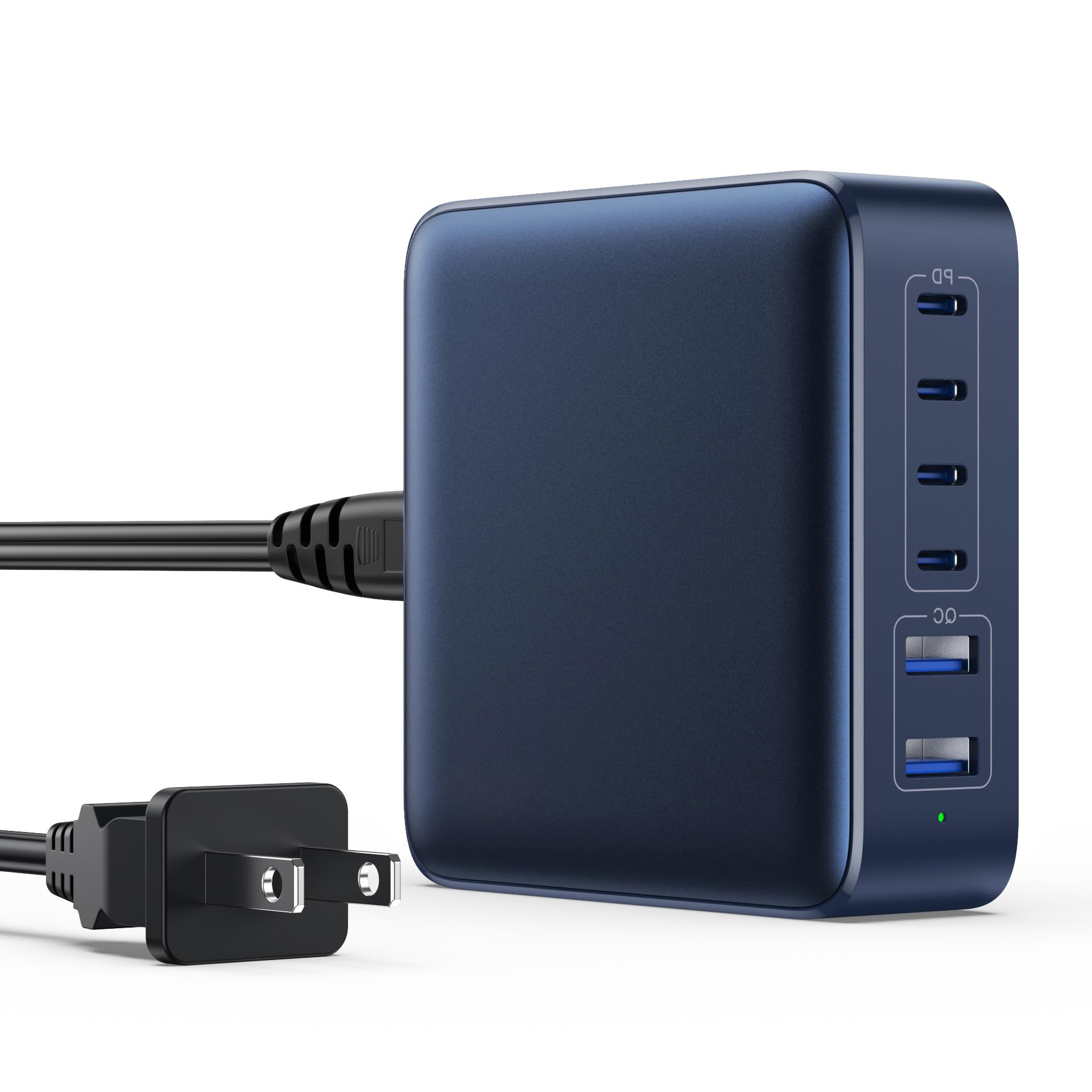
An overview of the FOCHEW 200W GaN IV 6-Port USB C Charging Station, showcasing its compact design.
What's in the Box
- 1 × USB C Charger Block (FOCHEW 200W GaN IV 6-Port USB C Charging Station)
- 1 × Power Cord (1.5M / 5Ft)
- 1 × Product Instruction (User Manual)
Product Features
- 6-in-1 Multi-Port Charging: Equipped with 4 USB-C ports and 2 USB-A ports, allowing simultaneous charging of up to 6 devices with a total output of 200W.
- Upgraded 65W Laptop Charging: The dedicated USB-C1 port delivers up to 65W, capable of fast charging laptops such as MacBook Pro/Air, Microsoft Surface, Dell XPS, and HP models.
- GaN IV Technology: Utilizes advanced Gallium Nitride (GaN) IV generation chip technology for higher energy efficiency, reduced size and weight, and improved heat dissipation, making the charger safer and more powerful.
- Compact and Portable Design: Ideal for home, office, and travel, its small footprint and detachable 5ft power cord offer convenience and reduce cable clutter.
- Multi-Protect Safety Systems: Features comprehensive safety protections including over-voltage, over-current, over-charge, over-temperature, static electricity, and short-circuit protection, ensuring device safety. UL, CE, and FCC certified.

This image illustrates the charger's compact and portable design, showing it connected to a laptop, tablet, smartphone, and smartwatch, along with a visual of its small dimensions for easy travel.

This image clearly demonstrates the charger's ability to power up to six devices simultaneously, featuring four USB-C ports and two USB-A ports, all connected to various electronic gadgets.
Setup Instructions
- Unpack the Charger: Carefully remove the charging station, power cord, and user manual from the packaging.
- Connect the Power Cord: Insert the detachable 5ft power cord into the AC input port on the back of the charging station.
- Plug into Power Outlet: Connect the other end of the power cord to a standard AC 100-240V wall outlet. The LED indicator on the charger will illuminate, signifying it is powered on and ready for use.
- Position the Charger: Place the charging station on a stable, flat surface, away from direct sunlight, heat sources, and liquids. The 5ft power cord allows for flexible placement on a desk, nightstand, or counter.
Operating Instructions
The FOCHEW 200W GaN IV 6-Port USB C Charging Station features intelligent power distribution to optimize charging speeds for connected devices.
- Connect Your Devices: Use appropriate USB-C to USB-C or USB-A to USB-C/Lightning/Micro USB cables (not included) to connect your devices to the available ports on the charging station.
- USB-C Ports (C1, C2, C3, C4):
- USB-C1 (65W Max): This port is optimized for high-power devices like laptops (e.g., MacBook Pro/Air, Dell XPS) and tablets, providing up to 65W for rapid charging.
- USB-C2, C3, C4 (25W Max Each): These ports are suitable for fast charging smartphones, smaller tablets, and other USB-C powered devices.
- USB-A Ports (A1, A2):
- USB-A1, A2 (30W Max Each): These ports support Quick Charge (QC) and are ideal for charging a wide range of USB-A compatible devices, including older smartphones, smartwatches, and accessories.
- Simultaneous Charging: The charger intelligently distributes the total 200W output across all connected devices. While individual port outputs are maximized, the total power will be shared. For optimal fast charging of a single high-power device (like a laptop), it is recommended to use the USB-C1 port with fewer other devices connected.

The image demonstrates the fast charging capability of the USB-C1 port, delivering 65W to a laptop, and also shows a smartphone charging simultaneously. Key features like GaN4 technology, PD 3.0 & QC 4.0, and 6 ports are highlighted.

A detailed diagram illustrating the power output of each port: USB-C1 (65W), USB-C2/C3/C4 (25W each), and USB-A1/A2 (30W each), totaling 200W. It also shows the input voltage range.
Compatibility
The FOCHEW 200W GaN IV 6-Port USB C Charging Station offers broad compatibility with a wide range of electronic devices:
- Laptops & Tablets: MacBook Air M2/M1, MacBook Pro 13"/14"/15"/16", DELL Latitude/XPS, ASUS ROG/Zenbook, HP Envy/x360, Chromebook, iPad Pro 12.9"/11"/10.5", iPad Air 4, iPad mini 6, Microsoft Surface.
- Smartphones: iPhone 16/15/14/13/12/11/XS/XR/X/8/7/6 series, iPhone SE2, Samsung Galaxy S24/S23/S22/S21/S20/S10/S9/S8 series, Note 20/10/9/8 series, A73/A72/A53/A52/A33/A32/A03, Google Pixel 6/5/4a/4/3a/3/2, LG V60/V50/G8/G7, Moto G series.
- Other Devices: AirPods Pro, Nintendo Switch, Steam Deck, Rog Ally, Apple Watch 6/SE/3, Bluetooth headphones, speakers, fitness trackers, smartwatches, Oculus, and other USB-C/USB-A electronic devices.

This visual guide displays the wide range of devices compatible with the charging station, including iPhone series, Samsung Galaxy, Google Pixel, MacBook Pro, Dell, Microsoft Surface, iPad, AirPods, Nintendo Switch, and smartwatches.
Safety Information
Your safety and the safety of your devices are paramount. The FOCHEW 200W GaN IV 6-Port USB C Charging Station is built with multiple protection systems and high-quality materials to ensure a secure charging experience.
- Smart Chip Technology: Integrated smart chips manage power delivery and protect against potential hazards.
- Multi-Protection System: Includes safeguards against:
- Over-Voltage Protection
- Over-Current Protection
- Over-Charge Protection
- Over-Temperature Protection
- Short-Circuit Protection
- Static Electricity Protection
- Certified Safety: The charger has passed UL safety certification and complies with CE and FCC standards.
- Durable Materials: Constructed from high-quality ABS and PC fireproof materials, with an aluminum alloy shell for enhanced durability and heat dissipation.
Always use the charger in a well-ventilated area and avoid covering it during operation. Do not expose the charger to water or extreme temperatures.

An illustration showcasing the internal GaN4 technology and the reliable multi-protection systems, including over-charge, short-circuit, over-temp protection, and UL, CE, FCC approvals.
Maintenance
- Cleaning: Disconnect the charger from the power outlet before cleaning. Use a soft, dry cloth to wipe the surface. Do not use liquid cleaners or aerosols.
- Storage: When not in use, store the charger in a cool, dry place, away from direct sunlight and moisture.
- Cable Care: Avoid bending or crimping the power cord and charging cables excessively. Always grasp the plug, not the cable, when disconnecting.
- Inspection: Periodically inspect the charger and cables for any signs of damage. If damage is found, discontinue use immediately.
Troubleshooting
If you encounter issues with your FOCHEW Charging Station, please refer to the following common solutions:
- Device Not Charging:
- Ensure the charging station is properly plugged into a live power outlet.
- Verify that the charging cable is securely connected to both the charger and your device.
- Try a different charging cable or port to rule out a faulty cable or port.
- Check if your device is compatible with the charger's output specifications.
- Slow Charging:
- Ensure you are using a high-quality cable that supports fast charging.
- For laptops, use the USB-C1 port (65W).
- If multiple devices are connected, the total 200W power is shared. Disconnecting other devices may increase charging speed for a single device.
- Some devices may limit charging speed when their battery is nearly full to protect battery health.
- Charger Overheating:
- It is normal for the charger to feel warm during operation, especially when charging multiple devices at high power.
- Ensure the charger is placed in a well-ventilated area and not covered.
- If the charger becomes excessively hot, disconnect it from the power outlet and all devices immediately. Contact customer support if the issue persists.
Specifications
| Model Number | HX-P16 |
| Brand | FOCHEW |
| Total Wattage | 200W |
| Input Voltage | AC 100-240V, 50/60Hz |
| Total USB Ports | 6 (4x USB-C, 2x USB-A) |
| USB-C1 Output | 65W Max |
| USB-C2/C3/C4 Output | 25W Max Each |
| USB-A1/A2 Output | 30W Max Each |
| Connector Type | USB Type A, USB Type C |
| Power Source | Corded Electric |
| Material | Aluminum Alloy, ABS, PC Fireproof Materials |
| Color | Dark Blue |
| Power Cord Length | 1.5M / 5Ft |
| Certifications | UL, CE, FCC |
Warranty and Support
FOCHEW is committed to providing high-quality products and excellent customer service.
- Warranty: This product comes with a 2-year maintenance warranty and a 1-year replacement warranty.
- Customer Support: If you have any questions, suggestions, or encounter any issues with your FOCHEW 200W GaN IV 6-Port USB C Charging Station, please do not hesitate to contact our customer service team. We are dedicated to providing satisfactory support.