
1. Introduction
Thank you for choosing the Katalic Automatic Cat Feeder APF01. This device is designed to provide scheduled meals for up to two cats, ensuring consistent feeding habits and convenience for pet owners. Please read this manual thoroughly before operating the feeder to ensure proper use and maintenance.
2. Product Overview and Features
The Katalic APF01 is an automatic pet feeder equipped with features to enhance your pet's feeding experience and simplify your routine.
- Dual Feeding System: Designed with a meal divider and two stainless steel bowls, allowing two cats to eat simultaneously without conflict.
- Anti-Jam Design: Engineered to prevent food blockages, ensuring consistent food dispensing.
- Easy-to-Clean Components: Removable parts facilitate thorough cleaning and hygiene.
- Anti-Grain Spoilage: Features designed to maintain food freshness.
- Large Capacity: Holds approximately 20 cups of dry pet food, reducing the frequency of refills.
- Stable and Anti-Fall Measures: Constructed for stability to prevent accidental tipping.
- Dual Power Options: Operates via AC power adapter or backup batteries (not included) for uninterrupted feeding during power outages.
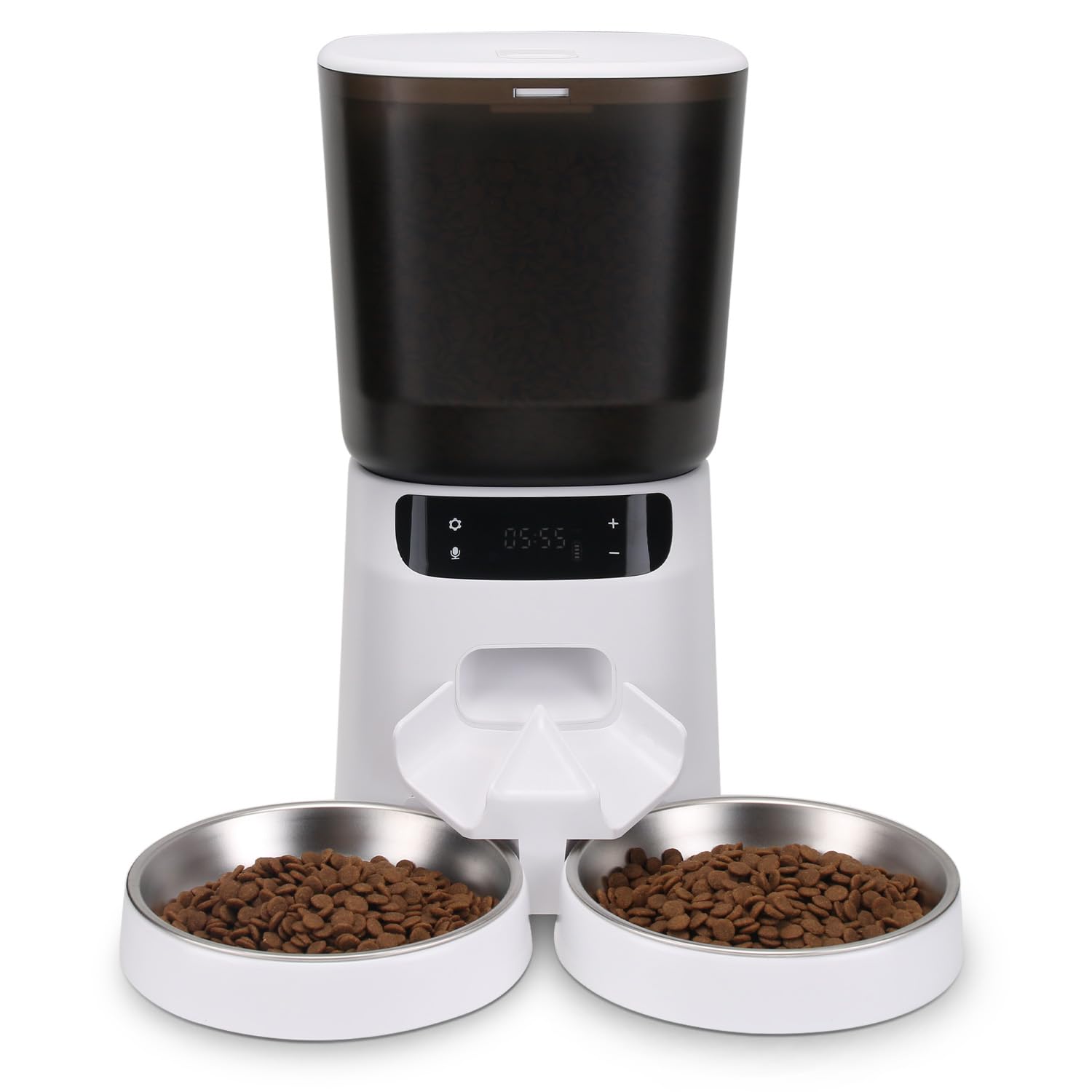
Figure 1: Katalic Automatic Cat Feeder APF01 showing key features and dimensions. The feeder has a 20-cup capacity, anti-jam design, and is easy to clean. Dimensions include a height of 12.6 inches, food container width of 6.7 inches, and bowl diameter of 6 inches with a height of 0.79 inches.
3. Package Contents
Please check the package contents upon unboxing:
- Katalic Automatic Cat Feeder Unit (APF01)
- Food Container with Lid
- Stainless Steel Food Bowls (x2)
- Meal Divider
- Power Adapter
- User Manual
4. Setup Instructions
- Unpack: Carefully remove all components from the packaging.
- Clean: Wash the food container, lid, stainless steel bowls, and meal divider with mild soap and water. Rinse thoroughly and dry completely before assembly.
- Assemble:
- Place the main feeder unit on a flat, stable surface.
- Insert the meal divider into its designated slot at the food outlet.
- Position the two stainless steel bowls beneath the food outlet, ensuring they are securely seated.
- Attach the food container to the main unit and secure the lid.
- Power Connection:
- Connect the power adapter to the feeder's power port and plug it into a wall outlet.
- For battery backup, insert 3 D-cell batteries (not included) into the battery compartment at the bottom of the unit. The LCD display may turn off when running on batteries to conserve power, but feeding schedules will remain active.
- Fill Food Container: Open the lid and pour dry pet food into the container. Ensure the food kibble size is appropriate for the dispenser mechanism (typically 5-15mm in diameter). Close the lid securely.
5. Operating Instructions
5.1 Setting the Clock
- Press and hold the "SET" button until the hour digit flashes.
- Use the "+" and "-" buttons to adjust the hour.
- Press "SET" again to move to the minute digit and adjust using "+" and "-".
- Press "SET" to confirm the time.
- Note: Some users have reported that the internal clock may lose time over several days. Regular checks and adjustments may be necessary.
5.2 Programming Feeding Schedules
The feeder allows for multiple feeding times per day, each with adjustable portion sizes.
- Press the "FEED" button to cycle through available meal settings (e.g., M1, M2, M3...).
- When a meal setting flashes, press "SET" to enter programming mode for that meal.
- Adjust the feeding time (hour and minute) using the "+" and "-" buttons, confirming each with "SET".
- Next, the portion size will flash. Use "+" and "-" to select the desired portion (P1-P6, or similar range).
- Press "SET" to confirm the portion size and save the meal setting.
- Repeat for additional meal times. To disable a meal, set its portion size to P0.
- Important Note on Portion Sizes: User feedback indicates that portion sizes (P1, P2, etc.) may dispense smaller amounts than expected. It is recommended to test and adjust the portion settings to match your cats' dietary needs. For example, P4 might be closer to 1/2 cup, and P6 might be required for a full serving for some cats.
5.3 Recording a Voice Message (If Applicable)
Some models allow for a short voice recording to call your pets at mealtime.
- Press and hold the "REC" button. The indicator light may illuminate.
- Speak clearly into the microphone for up to 10 seconds.
- Release the "REC" button to save the recording.
- Press the "PLAY" button to listen to your recording.
- The recorded message will play automatically at each scheduled feeding time.
6. Maintenance and Cleaning
Regular cleaning ensures hygiene and extends the life of your feeder.
- Disconnect Power: Always unplug the power adapter and remove batteries before cleaning.
- Disassemble: Remove the food container, lid, meal divider, and stainless steel bowls from the main unit.
- Wash Removable Parts: Wash the food container, lid, meal divider, and bowls with warm water and mild dish soap. Rinse thoroughly to remove all soap residue.
- Dry Completely: Ensure all washed parts are completely dry before reassembling to prevent mold or food spoilage.
- Clean Main Unit: Wipe the main feeder unit with a soft, damp cloth. Do not submerge the main unit in water or allow water to enter the electronic components.
- Reassemble: Once all parts are dry, reassemble the feeder.
- Frequency: It is recommended to clean the feeder at least once a month, or more frequently if using wet food (though this feeder is primarily for dry food) or if food residue builds up.
7. Troubleshooting
| Problem | Possible Cause | Solution |
|---|---|---|
| Feeder not dispensing food. |
|
|
| Portion sizes are too small/large. |
|
|
| Clock loses time. |
|
|
| Difficulty programming. |
|
|
8. Specifications
- Model Number: APF01
- Brand: Katalic
- Material: Stainless Steel (bowls), Plastic (main unit, container)
- Product Dimensions: 17.27 x 27.43 x 17.27 cm (6.8 x 10.8 x 6.8 inches)
- Target Species: Cat
- Power: AC Adapter (included), 3 x D-cell batteries (not included)
- Special Feature: Automatic, Dual Feeding
9. Warranty and Support
For warranty information or technical support, please refer to the contact details provided on the product packaging or the official Katalic website. Keep your purchase receipt as proof of purchase.