
1. Product Overview
The YMOO SafeFly Min+ is a versatile 2-in-1 Bluetooth 5.3 audio adapter designed to enhance your audio experience. It functions as both a Bluetooth transmitter (TX) and a Bluetooth receiver (RX), allowing you to wirelessly connect your audio devices. Featuring aptX Adaptive, Low Latency, and HD audio support, it ensures high-fidelity sound with minimal delay. Its compact design and OLED display make it ideal for use in various environments, including airplanes, gyms, cars, and home stereo systems.
This device supports connecting up to two Bluetooth headphones or speakers simultaneously in TX mode, or receiving audio from two Bluetooth sources in RX mode, providing flexible connectivity options.
2. Safety Warnings
- Do not expose the device to high temperatures.
- Do not dispose of the device in fire.
- Use only the specified USB-C cable for charging to prevent damage.
- Be aware of potential interference with other wireless devices.
- Keep out of reach of children.
3. Package Contents
Please check the package for the following items:
- YMOO SafeFly Min+ Bluetooth Transmitter and Receiver Unit
- USB-C Charging Cable
- 3.5mm Audio Cable
- 3.5mm Airplane Audio Adapter
- User Manual (this document)
4. Device Layout
Familiarize yourself with the various parts of your SafeFly Min+ device:

Figure 4.1: YMOO SafeFly Min+ Front View with Accessories
- OLED Display: Shows pairing status, playback information, volume, connected devices, and battery level.
- Control Buttons: Left (<), OK (Power/Play/Pause), Right (>) for navigation and control.
- TX/RX Switch: Slide to select Transmitter (TX) or Receiver (RX) mode.
- 3.5mm Audio Jack: For connecting to audio sources or output devices.
- USB-C Port: For charging the device.
5. Setup
5.1 Charging the Device
Before first use, fully charge your SafeFly Min+. Connect the provided USB-C charging cable to the device's USB-C port and the other end to a standard USB power adapter (not included) or a computer's USB port. The OLED display will indicate the charging status and battery level. A full charge provides up to 25 hours of continuous use.
5.2 Power On/Off
- To Power On: Press and hold the OK button for approximately 3 seconds until the OLED display lights up.
- To Power Off: Press and hold the OK button for approximately 3 seconds until the OLED display turns off.
5.3 Mode Selection (TX/RX)
The SafeFly Min+ can operate in two modes: Transmitter (TX) or Receiver (RX). Use the TX/RX switch on the side of the device to select the desired mode.
- TX (Transmitter) Mode: Used to send audio wirelessly from a non-Bluetooth device (e.g., TV, airplane entertainment system, gym equipment) to Bluetooth headphones or speakers.
- RX (Receiver) Mode: Used to receive audio wirelessly from a Bluetooth-enabled device (e.g., smartphone, tablet) and output it to a non-Bluetooth audio system (e.g., wired headphones, car stereo, home stereo).
6. Operating Instructions
6.1 Transmitter (TX) Mode
- Select TX Mode: Slide the TX/RX switch to the TX position. The OLED screen will display "TX" and "Searching...".
- Connect to Audio Source: Plug the 3.5mm audio cable into the SafeFly Min+ audio jack and the other end into the audio output jack of your non-Bluetooth device (e.g., TV, airplane seat, gym machine). For airplane dual-prong jacks, use the included airplane adapter.
- Pair with Bluetooth Headphones/Speakers:
- Put your Bluetooth headphones or speakers into pairing mode.
- The SafeFly Min+ will automatically search for nearby Bluetooth devices. Available devices will appear on the OLED screen.
- Use the < and > buttons to navigate through the list and press OK to select your device.
- Once connected, the screen will display the connected device name (e.g., "BT Headphone 1") and the audio codec (e.g., "APTX").
- Connect a Second Device (Optional): To connect a second pair of headphones/speakers, put the second device into pairing mode. The SafeFly Min+ will automatically search and connect. The screen will show "BT Headphone 2".
- Adjust Volume: Use the < and > buttons to adjust the volume level.

Figure 6.1: Quick Pairing Process in TX Mode
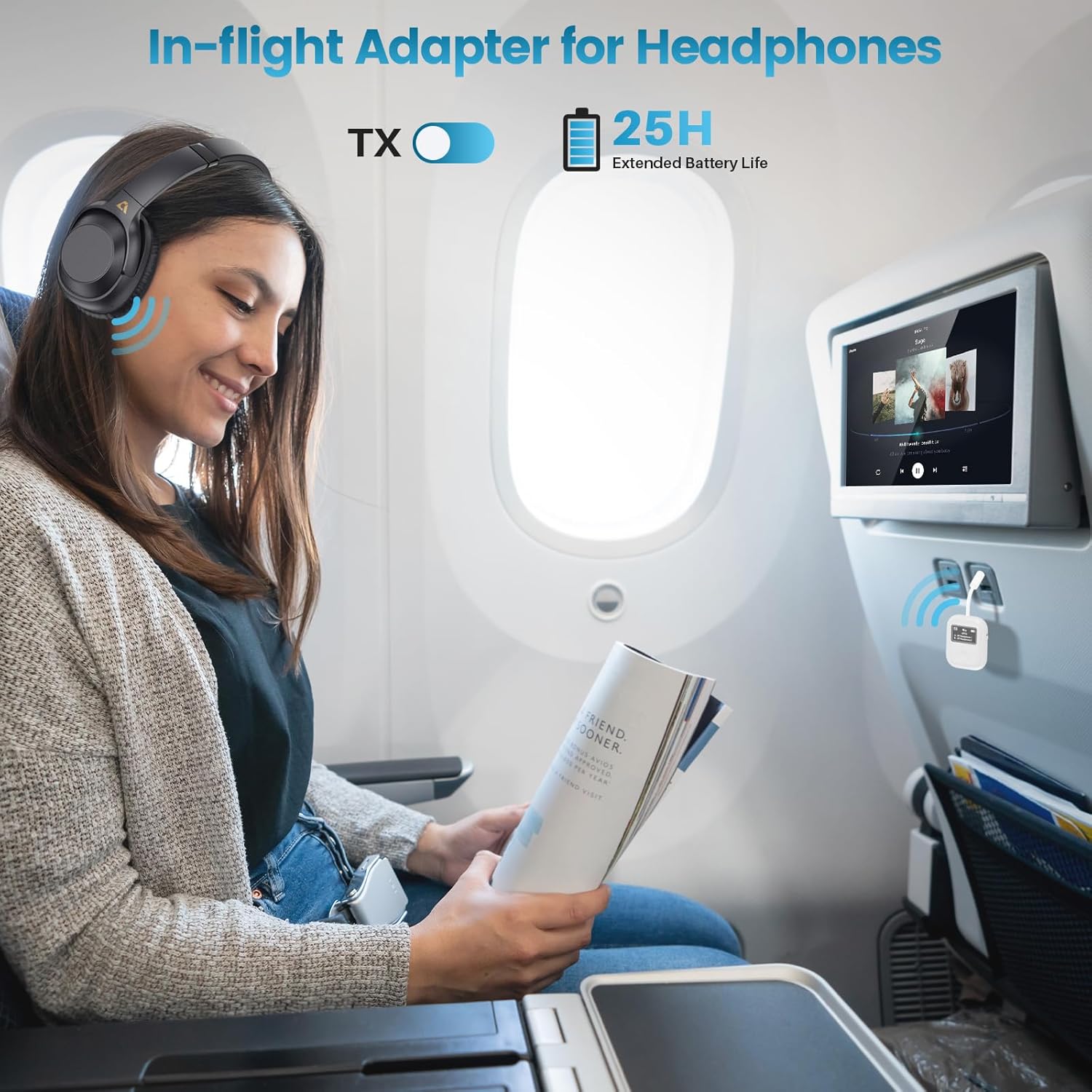
Figure 6.2: In-flight Usage Example

Figure 6.3: TX Mode for Fitness Equipment

Figure 6.4: Dual Headphone Connection in TX Mode
6.2 Receiver (RX) Mode
- Select RX Mode: Slide the TX/RX switch to the RX position. The OLED screen will display "RX" and "Searching...".
- Connect to Audio Output Device: Plug the 3.5mm audio cable into the SafeFly Min+ audio jack and the other end into the audio input jack of your non-Bluetooth audio system (e.g., car stereo AUX input, home stereo AUX input, wired headphones).
- Pair with Bluetooth Source:
- Enable Bluetooth on your smartphone, tablet, or other audio source and search for "SafeFly Min+" in the list of available devices.
- Select "SafeFly Min+" to pair.
- Once connected, the screen will display the connected device name (e.g., "1st Device") and the audio codec (e.g., "SBC").
- Connect a Second Device (Optional): To connect a second Bluetooth audio source, put the second device into pairing mode and connect. The screen will show "2nd Device".
- Adjust Volume: Use the < and > buttons to adjust the volume level.

Figure 6.5: RX Mode for Car Stereo

Figure 6.6: RX Mode for Home Stereo
6.3 OLED Display Information
The OLED display provides real-time information about the device's status:
- Mode Indicator: Displays "TX" or "RX" to show the current operating mode.
- Pairing Status: Shows "Searching..." when looking for devices, or "Connecting..." during the pairing process.
- Connected Devices: Lists the names of up to two connected Bluetooth devices (e.g., "BT Headphone 1", "1st Device").
- Audio Codec: Indicates the active audio codec (e.g., "APTX", "SBC").
- Volume Level: Displays the current volume setting.
- Battery Level: Shows the remaining battery charge.

Figure 6.7: High-Definition OLED Display
7. Maintenance
- Cleaning: Use a soft, dry cloth to clean the device. Do not use liquid cleaners or aerosols.
- Storage: Store the device in a cool, dry place away from direct sunlight and extreme temperatures.
- Battery Care: To prolong battery life, avoid fully discharging the device frequently. Charge it regularly, even if not in use for extended periods.
8. Troubleshooting
| Problem | Possible Cause | Solution |
|---|---|---|
| Device does not power on. | Low battery. | Charge the device fully using the provided USB-C cable. |
| Cannot pair with Bluetooth device. | Device not in pairing mode; too far apart; interference. | Ensure both devices are in pairing mode and within range (approx. 10 meters). Turn off other Bluetooth devices. Try resetting the SafeFly Min+. |
| No sound or low volume. | Volume too low; incorrect cable connection; wrong mode selected. | Adjust volume on both SafeFly Min+ and connected device. Ensure 3.5mm cable is fully inserted. Verify TX/RX mode is correct. |
| Intermittent connection or poor audio quality. | Obstacles between devices; too far from each other; interference. | Reduce distance between devices. Remove obstacles. Avoid areas with strong Wi-Fi or other wireless signals. |
| Device unresponsive. | Software glitch. | Perform a reset: While the device is on, press and hold the OK button and the > button simultaneously for about 5 seconds until the device restarts. |
9. Specifications
| Feature | Detail |
|---|---|
| Brand | YMOO |
| Model Name | SafeFly Min+ |
| Connectivity Technology | Bluetooth, AUX |
| Bluetooth Version | 5.3 |
| Special Features | 2-in-1 Transmitter/Receiver, aptX Adaptive/Low Latency/HD, Built-in Rechargeable Battery, OLED Display, Dual Device Connection |
| Compatible Devices | Airplanes, TVs, Fitness Equipment, Cars, Home Stereos, Phones, Headphones |
| Power Source | Battery Powered |
| Battery Type | 1 Lithium-polymer (included) |
| Battery Life | Up to 25 hours |
| Color | White |
10. Warranty and Support
YMOO products are designed and manufactured to the highest quality standards. For information regarding warranty coverage, please refer to the warranty card included with your purchase or visit the official YMOO website.
If you encounter any issues or have questions not covered in this manual, please contact YMOO customer support for assistance. Contact details can typically be found on the product packaging or the official YMOO website.