
BAKON 2024-BK602S
BAKON BK602S 2-in-1 Soldering Iron Hot Air Rework Station Instruction Manual
Model: 2024-BK602S
1. Introduction
The BAKON BK602S is a versatile 2-in-1 soldering and hot air rework station designed for electronic DIY, circuit work, and various repair tasks. This compact unit integrates both a welding station and a hot air rework station, offering precise temperature control, rapid heating, and intelligent features like auto-sleep to extend tool lifespan. It is an essential tool for professionals and hobbyists alike, providing comprehensive functionality for soldering, desoldering, and component rework.

Figure 1.1: Overview of the BAKON BK602S 2-in-1 Soldering Iron Hot Air Rework Station.
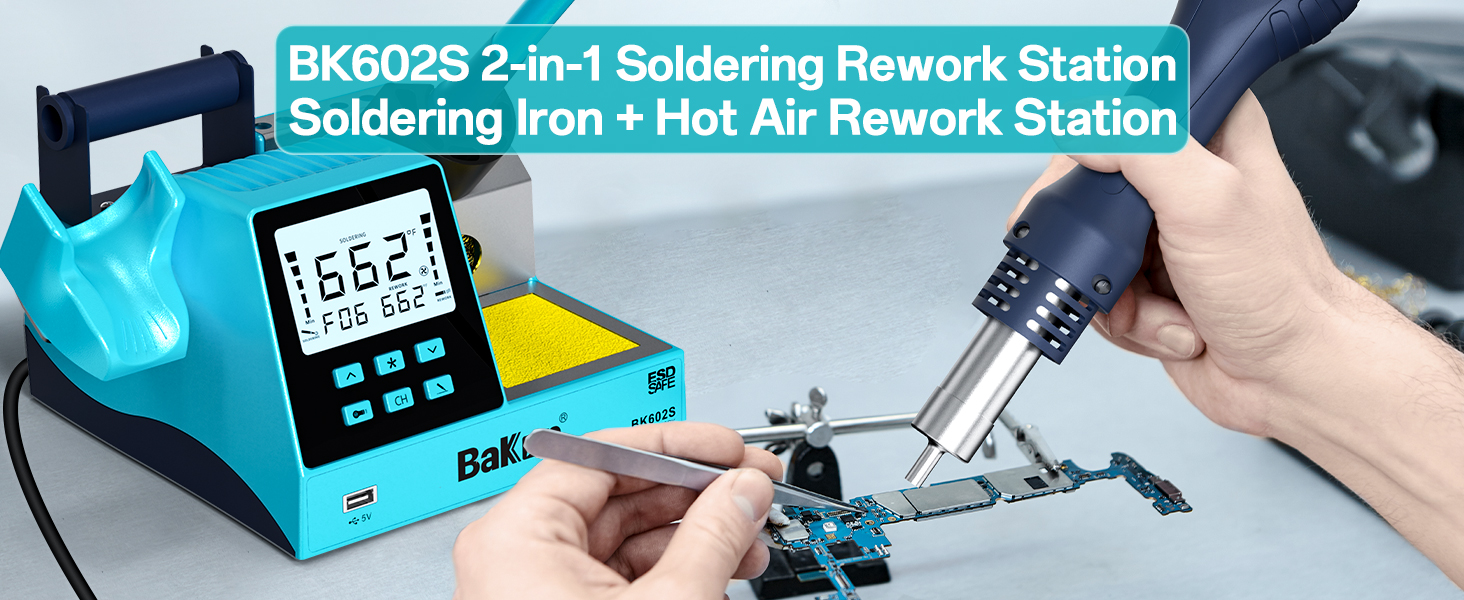
Figure 1.2: The BK602S features a combined soldering iron and hot air rework station.
2. Package Contents
Upon unboxing your BAKON BK602S, please ensure all the following items are present:
- 1 x BAKON BK602S Main Unit (Soldering & Hot Air Rework Station)
- 1 x Soldering Iron
- 1 x Hot Air Gun
- 1 x Solder Sucker
- 1 x Anti-static Tweezers
- 1 x 30G Solder Wire
- 1 x Flux
- 5 x Soldering Iron Tips (various types)
- 2 x Hot Air Nozzles (various sizes)
- 1 x Brass Cleaner
- 1 x Solder Sucking Tape (Desoldering Wick)
- 1 x Power Cable
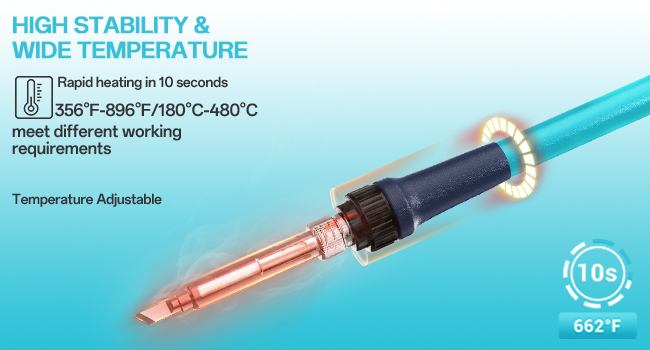
Figure 2.1: A selection of the included accessories for the BK602S.
3. Setup
Follow these steps to set up your BAKON BK602S rework station:
- Unpack Components: Carefully remove all items from the packaging.
- Assemble Hot Air Gun Holder: Attach the hot air gun holder to the main unit using the provided screws. This is typically the only assembly required.
- Connect Tools: Plug the soldering iron and hot air gun cables into their respective ports on the main unit.
- Prepare Cleaning Area: Place the brass cleaner in its designated slot and the cleaning sponge in the sponge tray. You may dampen the sponge slightly for effective tip cleaning.
- Install Solder Wire: If desired, mount the included solder wire onto the integrated wire holder for convenient dispensing during soldering.
- Power Connection: Connect the power cable to the main unit and then to a suitable AC 110V 50Hz power outlet.
- Power On: Locate the power switch on the back of the unit and flip it to the 'ON' position. The LCD display will illuminate, indicating the unit is ready for operation.

Figure 3.1: The compact design integrates various holders and cleaning tools for convenience.

Figure 3.2: Detailed view of the BK602S components and controls.
4. Operating Instructions
The BAKON BK602S features independent controls for the soldering iron and hot air gun, allowing for simultaneous or separate operation.

Figure 4.1: The dual functionality and intelligent features of the BK602S.

Figure 4.2: The large LCD screen provides clear visual feedback for operation.
4.1. Soldering Iron Operation
The 90W soldering iron features rapid heating and precise temperature control via a built-in PID program. It supports a temperature range of 356-896 °F (180-480 °C).
- Power On/Off: Use the dedicated power button for the soldering iron on the control panel.
- Temperature Adjustment: Use the up/down arrow buttons to set the desired temperature. The LCD will display the current and set temperatures.
- Auto-Sleep Function: The soldering iron automatically enters sleep mode (reducing temperature to 356°F) when placed in its holder for a user-defined period (60-600 seconds). This extends the lifespan of the soldering iron tip. It will automatically heat up when picked up.
- Tip Replacement: Ensure the iron is cool before replacing tips. Unscrew the retaining collar, remove the old tip, insert the new tip, and secure the collar.
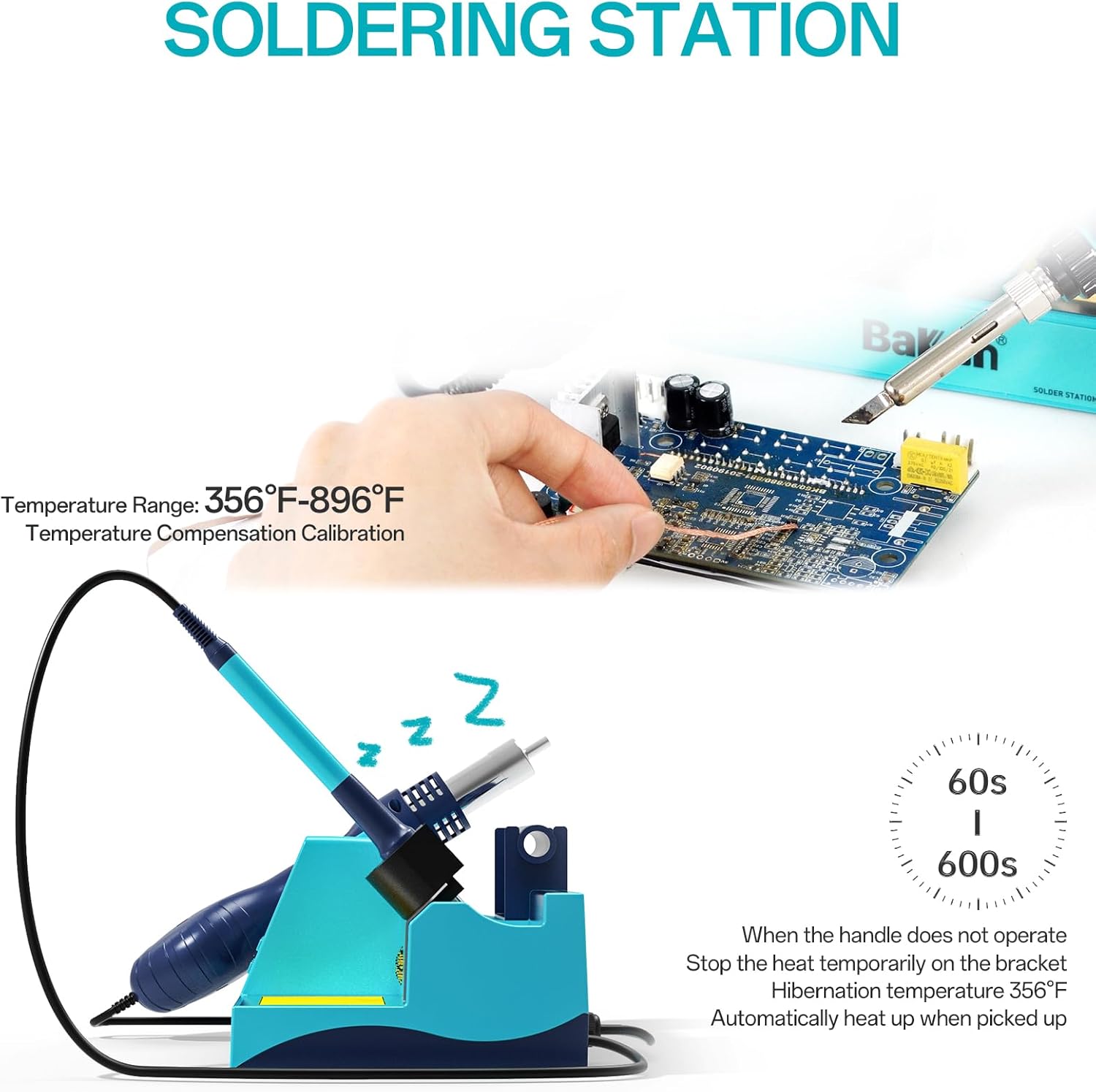
Figure 4.3: The soldering station offers a wide temperature range and an auto-sleep feature.
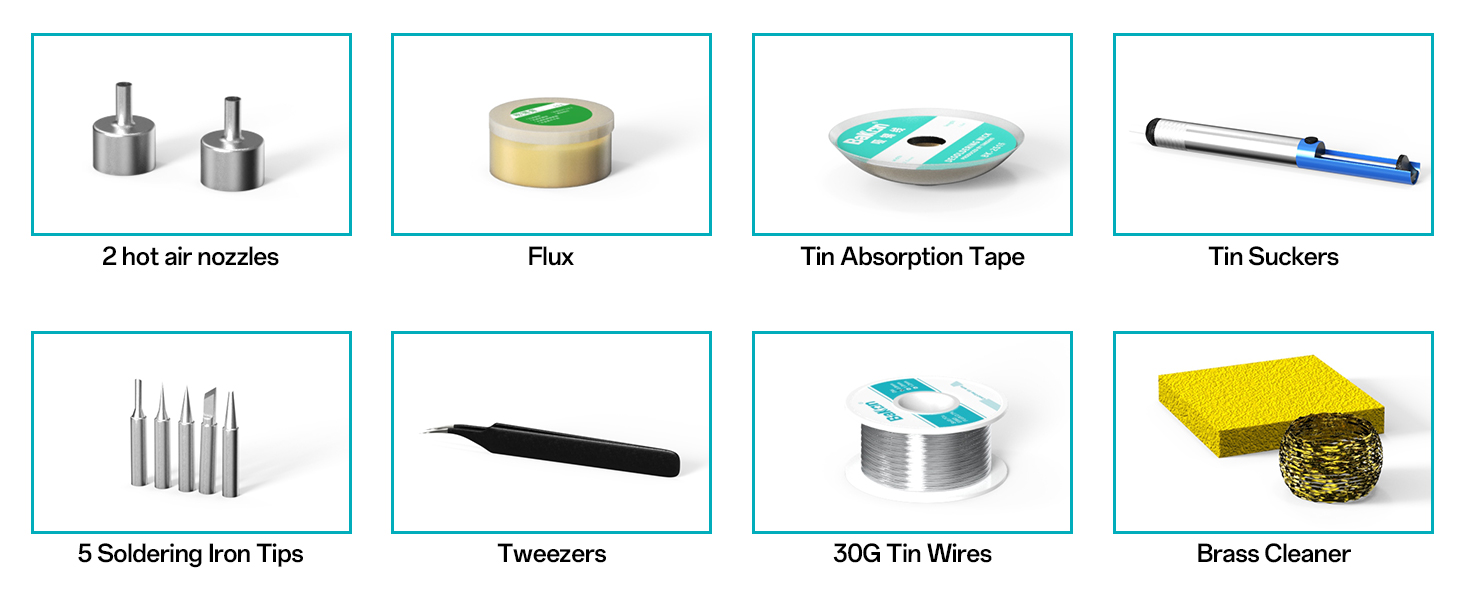
Figure 4.4: The soldering iron heats rapidly and maintains stable temperatures.
4.2. Hot Air Rework Station Operation
The 550W hot air gun provides quick heating and stable temperatures (212°F-932°F or 100-500°C) with adjustable airflow for various rework tasks.
- Power On/Off: Use the dedicated power button for the hot air gun on the control panel.
- Temperature Adjustment: Use the up/down arrow buttons to set the desired temperature.
- Airflow Adjustment: The air volume can be adjusted across 17 levels to suit different applications.
- Auto-Sleep Function: Similar to the soldering iron, the hot air gun enters sleep mode (cooling down) when placed in its holder for a set duration (1-60 seconds), preserving the heating element.
- Nozzle Replacement: Ensure the hot air gun is cool before changing nozzles.

Figure 4.5: The hot air station offers precise temperature and airflow control with auto-sleep.
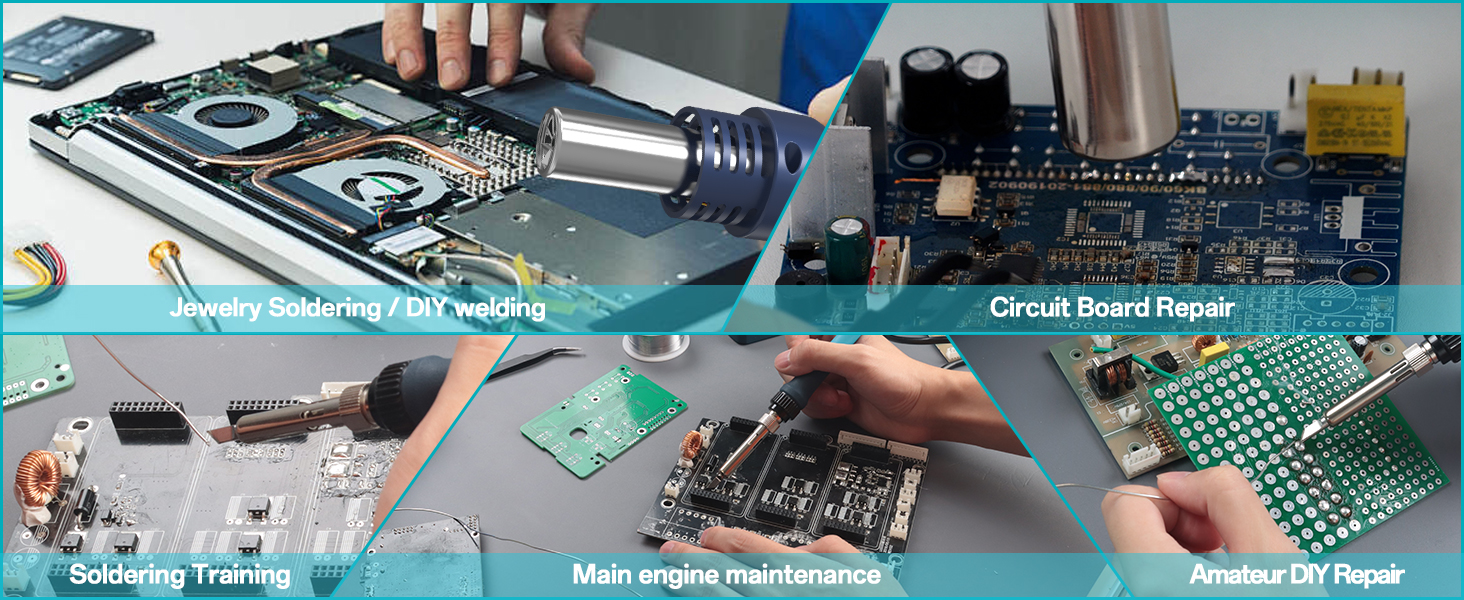
Figure 4.6: The hot air gun provides strong, adjustable airflow for various tasks.
4.3. General Usage Tips
- Shortcut Buttons: Use the 'CH' (Channel) buttons to quickly switch between preset temperature and airflow settings for both the soldering iron and hot air gun.
- USB Charging: The unit includes a 5V USB charging port for convenient charging of small electronic devices.
- Applications: The BK602S is suitable for a wide range of applications including craft soldering, circuit board dismantling, electronic circuit soldering, cell phone and computer repair, and general daily circuit repair.
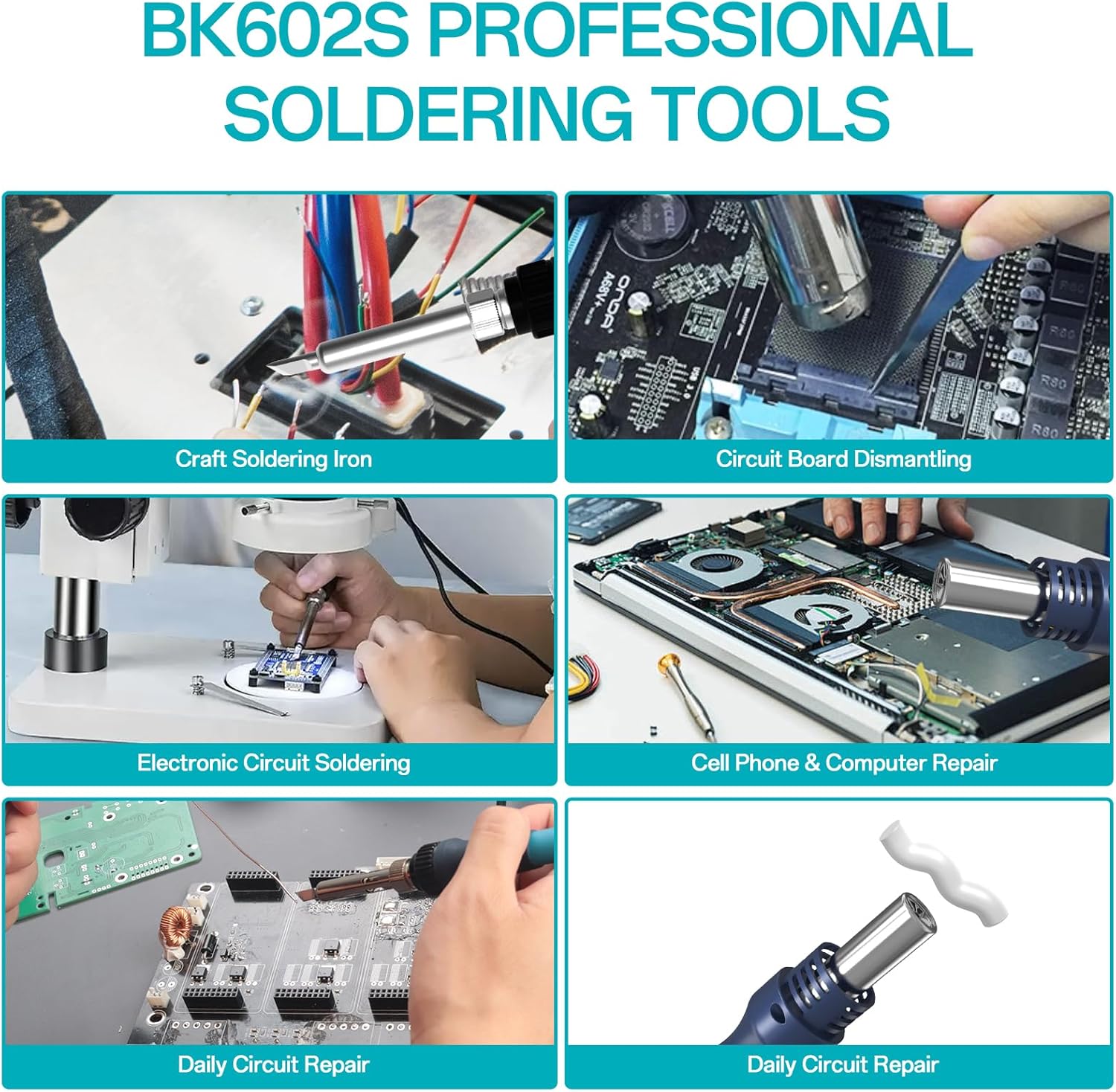
Figure 4.7: The BK602S is a versatile tool for various electronic repair and DIY projects.
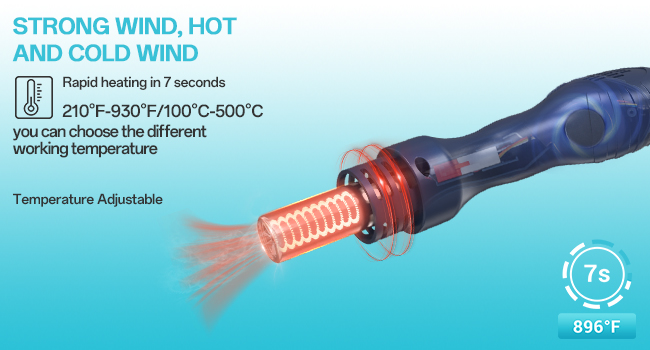
Figure 4.8: Diverse applications of the soldering and rework station.
4.4. Instructional Videos
Video 4.1: Demonstration of the BK602S Hot Air Rework Station in action, showing its quick heating and desoldering capabilities on a circuit board.
Video 4.2: Another demonstration of the BAKON 602S Hot Air Rework Station, highlighting its ease of use for electronic component removal.
5. Maintenance
Proper maintenance ensures the longevity and optimal performance of your BAKON BK602S.
- Soldering Tip Cleaning: Regularly clean the soldering iron tip using the brass cleaner or a damp sponge. This removes oxidation and old solder, ensuring efficient heat transfer.
- Unit Cleaning: Keep the main unit and tools free from dust and debris. Use a soft, dry cloth for cleaning. Avoid using abrasive cleaners or solvents.
- Storage: When not in use, ensure both the soldering iron and hot air gun are placed in their respective holders. Store the unit in a clean, dry environment.
6. Troubleshooting
Here are some common issues and their potential solutions:
- "H-E" Error on Display: This error typically indicates a heating element failure or a loose connection.
- Solution: Power off the unit and unplug it. Carefully inspect all cable connections for the soldering iron and hot air gun to ensure they are securely plugged in. If the issue persists, contact customer support.
- Poor Solder Joints: If solder is not flowing correctly or joints appear dull/cold.
- Solution: Ensure the soldering iron tip is clean and properly tinned. Verify the temperature setting is appropriate for the solder and components being used. Apply a small amount of flux to the joint area.
- Hot Air Gun Not Heating/Blowing:
- Solution: Check the power connection for the hot air gun. Ensure the temperature and airflow settings are not at their minimum. Verify the hot air gun is not in auto-sleep mode (lift it from the holder to reactivate).
7. Specifications
| Feature | Specification |
|---|---|
| Model Number | 2024-BK602S |
| Manufacturer | BAKON |
| Power Source | AC |
| Voltage | 110 Volts |
| Total Wattage | 640 watts (Max) |
| Soldering Iron Power | 90W |
| Soldering Iron Temperature Range | 356-896 °F (180-480 °C) |
| Hot Air Gun Power | 550W |
| Hot Air Gun Temperature Range | 212-932 °F (100-500 °C) |
| Temperature Stability | ±896 °F (±480 °C) |
| Number of Channels | 1 |
| Display Type | LCD |
| Item Weight | 3.66 pounds |
| Package Dimensions | 10.75 x 9.37 x 5.67 inches |
| Country of Origin | China |
| USB Output | 5V |
8. Warranty & Support
For information regarding product warranty, technical support, or service, please refer to the official BAKON website or contact their customer service directly. Specific warranty details are not provided in this manual.
Ask a question about this manual
Ask about setup, troubleshooting, compatibility, parts, safety, or missing instructions. Manuals+ will review the question and use this page’s manual context to help answer it.