
Hocosyme PH-C-800W
Hocosyme PH-C-800W 800W Infrared Radiant Panel Heater Instruction Manual
Model: PH-C-800W | Brand: Hocosyme
1. Introduction
Thank you for choosing the Hocosyme PH-C-800W Infrared Radiant Panel Heater. This manual provides essential information for the safe and efficient operation, installation, and maintenance of your new heater. Please read it thoroughly before use and keep it for future reference.
This infrared radiant panel heater features an 800W output, a smart touch thermostat, and rapid heating technology, reaching up to 120°C within 3 minutes. It utilizes energy-efficient graphene technology for effective heating of spaces up to 15-20 square meters, offering silent operation and maintaining indoor humidity levels.
2. Important Safety Instructions
Always follow basic safety precautions when using electrical appliances to reduce the risk of fire, electric shock, and injury.
- Read all instructions before using this heater.
- Do not use this heater outdoors.
- This heater is hot when in use. To avoid burns, do not let bare skin touch hot surfaces.
- Keep combustible materials, such as furniture, pillows, bedding, papers, clothes, and curtains at least 1 meter (3 feet) from the front of the heater and keep them away from the sides and rear.
- Extreme caution is necessary when any heater is used by or near children or invalids and whenever the heater is left operating and unattended.
- Do not operate any heater with a damaged cord or plug or after the heater malfunctions, has been dropped or damaged in any manner. Return heater to authorized service facility for examination, electrical or mechanical adjustment, or repair.
- Do not run cord under carpeting. Do not cover cord with throw rugs, runners, or similar coverings. Arrange cord away from traffic area and where it will not be tripped over.
- To disconnect heater, turn controls to off, then remove plug from outlet.
- Do not insert or allow foreign objects to enter any ventilation or exhaust opening as this may cause an electric shock or fire, or damage the heater.
- To prevent a possible fire, do not block air intakes or exhaust in any manner. Do not use on soft surfaces, like a bed, where openings may become blocked.
- A heater has hot and arcing or sparking parts inside. Do not use it in areas where gasoline, paint, or flammable vapors or liquids are used or stored.
- Use this heater only as described in this manual. Any other use not recommended by the manufacturer may cause fire, electric shock, or injury to persons.
- This product is TÜV certified and includes overheating protection for enhanced safety.

Image: Icons representing safety features and certifications, including TÜV certification and overheating protection.
3. Package Contents
Before installation, please check that all components are present and undamaged:
- Hocosyme PH-C-800W Infrared Radiant Panel Heater
- Smart Touch Thermostat (integrated or separate, depending on model)
- Mounting screws and wall plugs
- 1.8m safety cable
- Round aluminum alloy frame (pre-assembled)
- Insulated fireproof plaster back panel (pre-assembled)
- Instruction Manual
Note: Floor stand feet for infrared heaters are sold separately and are compatible with all Hocosyme infrared heaters.

Image: A diagram illustrating the heater's internal components, including the frame, heating element, and back panel, along with optional roller bracket support.
4. Installation
The Hocosyme PH-C-800W heater offers versatile installation options: wall-mounted, ceiling-mounted, or freestanding with optional floor stands.
4.1 Wall Mounting
- Choose a suitable location on a solid wall, ensuring at least 1 meter clearance from combustible materials.
- Mark the drilling points for the mounting brackets using the provided template or by holding the heater against the wall.
- Drill holes and insert wall plugs.
- Secure the mounting brackets to the wall with the provided screws.
- Carefully lift the heater and attach it to the wall brackets, ensuring it is securely fastened.
- Connect the safety cable if required by local regulations.
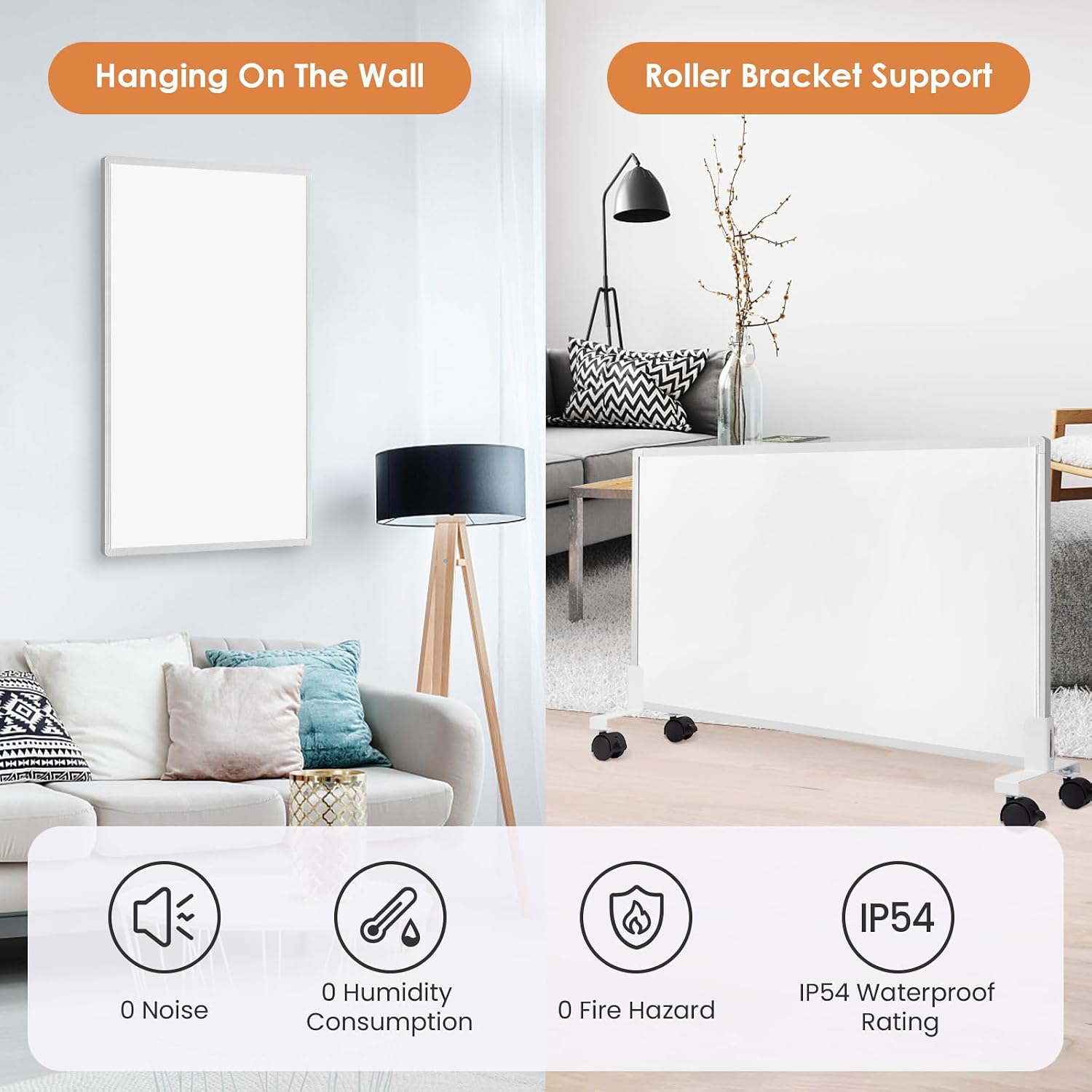
Image: A visual comparison showing the infrared heater mounted on a wall and placed on a roller bracket stand, highlighting different installation methods.
4.2 Ceiling Mounting
- Consult a qualified electrician for ceiling installation to ensure proper wiring and structural support.
- Identify a suitable location on the ceiling, away from light fixtures or other obstructions.
- Follow the same mounting procedure as for wall mounting, ensuring the ceiling structure can support the heater's weight.
- Ensure the heater is securely fixed and the safety cable is properly installed.

Image: An infrared heater discreetly mounted on a white ceiling, blending into the room's design.
4.3 Freestanding Installation (with optional floor stands)
- Attach the optional floor stand feet to the bottom of the heater according to the stand's instructions.
- Place the heater on a stable, level surface.
- Ensure the heater is not placed in a high-traffic area where it could be easily knocked over.
5. Operating Instructions
The Hocosyme PH-C-800W features a smart touch thermostat for easy control.
5.1 Smart Touch Thermostat
The integrated touch thermostat allows for precise temperature control and various operating modes. It also includes a child safety lock function.

Image: A close-up of the smart touch thermostat display, showing temperature settings, operation modes, and safety features.
- Power On/Off: Touch the power icon to turn the heater on or off.
- Temperature Adjustment: Use the '+' and '-' icons to increase or decrease the desired temperature.
- Timer Function: Set timed power-on or power-off using the timer icon.
- Operating Modes: Select from 3 available modes (e.g., Comfort, Eco, Anti-freeze) by touching the mode icon. Refer to the thermostat's specific display for mode indicators.
- Child Safety Lock: Activate the child safety lock to prevent accidental changes to settings. Consult the thermostat's specific instructions for activation/deactivation.

Image: A digital thermostat displaying current time, temperature, and humidity, illustrating precise environmental control.
5.2 Heating Technology
The heater uses advanced infrared technology, similar to the sun's beneficial radiation. It heats objects directly rather than the air, ensuring uniform warmth throughout the room without air circulation, noise, or reducing indoor humidity.
The graphene heating chips allow the panel to reach its maximum heating temperature of 120°C within 1-3 minutes, providing rapid and efficient warmth.

Image: A visual representation of infrared heat rays spreading evenly across a room from a wall-mounted panel heater, indicating rapid heating to 120°C in 3 seconds.

Image: An orange-hued image of a heating element, illustrating rapid heating to 120°C in 3 seconds and showing heat dispersion across the surface.
5.3 Recommended Usage Areas
This heater is suitable for indoor spaces of approximately 15-20 square meters. Its design allows for integration into various room types:
- Living Rooms
- Bedrooms
- Studies/Offices
- Bathrooms (ensure proper electrical installation and distance from water sources)

Image: A collage of different room settings including a living room, bedroom, study, and bathroom, demonstrating the versatility of the heater's placement.
6. Maintenance
The Hocosyme PH-C-800W infrared heater is designed for maintenance-free operation. However, regular cleaning is recommended to ensure optimal performance and longevity.
- Cleaning: Ensure the heater is unplugged and completely cool before cleaning. Wipe the surface with a soft, damp cloth. Do not use abrasive cleaners, solvents, or harsh chemicals, as these may damage the surface.
- Storage: If storing the heater for an extended period, ensure it is clean and dry. Store it in a cool, dry place, preferably in its original packaging to protect it from dust and damage.
- Inspection: Periodically check the power cord and plug for any signs of damage. If any damage is found, discontinue use and contact customer support.
7. Troubleshooting
If you encounter issues with your heater, please refer to the following common problems and solutions:
| Problem | Possible Cause | Solution |
|---|---|---|
| Heater does not turn on. |
|
|
| Heater is not heating effectively. |
|
|
| Unusual noises or smells. |
|
|
If the problem persists after trying these solutions, please contact Hocosyme customer support.
8. Specifications
| Feature | Detail |
|---|---|
| Model Number | PH-C-800W |
| Power Output | 800W |
| Maximum Temperature | 120°C (within 3 minutes) |
| Heating Technology | Infrared with Graphene chips |
| Control Type | Smart Touch Thermostat |
| Recommended Room Size | 15-20 square meters |
| Installation Options | Wall-mounted, Ceiling-mounted, Freestanding (with optional feet) |
| Special Features | Rapid heating, Energy-saving, Silent operation (0 noise), Maintains indoor humidity, Overheating protection, Child safety lock |
| Certifications | TÜV Certified |
| Dimensions (approx.) | 119.5 cm (Height) x 59.5 cm (Width) x 2.2 cm (Thickness) |
| Weight (approx.) | 7 kg |
| Power Cord Length | 1.8 m |

Image: A technical drawing of the infrared panel heater with precise measurements: 119.5 cm height, 59.5 cm width, and 2.2 cm thickness, weighing 7 kg.
9. Warranty and Support
9.1 Manufacturer's Warranty
The Hocosyme PH-C-800W Infrared Radiant Panel Heater comes with a 10-year manufacturer's warranty. This warranty covers defects in materials and workmanship under normal use.
Additionally, a 3-month return policy is offered for returns without questions asked, with a fast refund guaranteed within 24 hours. If the product breaks within one year of purchase, it will be directly replaced with a new one.
Please retain your proof of purchase for warranty claims.
9.2 Customer Support
For any questions, troubleshooting assistance, or warranty claims, please contact Hocosyme customer support through the retailer where you purchased the product or visit the official Hocosyme website for contact information.
Our professional support team is dedicated to providing the best service and ensuring customer satisfaction.
Ask a question about this manual
Ask about setup, troubleshooting, compatibility, parts, safety, or missing instructions. Manuals+ will review the question and use this page’s manual context to help answer it.