
Introduction
Thank you for purchasing the E GATE C222 24W Bluetooth Soundbar. This manual provides essential information for setting up, operating, and maintaining your device. Please read it thoroughly before use to ensure optimal performance and safety.

Image: The E GATE C222 Soundbar, showcasing its 24W output, Bluetooth connectivity, and ambient LED lighting.
Package Contents
Ensure all items are present in the box:
- E GATE C222 Soundbar
- Aux Cable
- Charging Cable (USB Type-C)
- User Manual
Video: An overview of the E GATE C222 Soundbar, including its specifications and what is included in the box.
Key Features
- 24W Audio Output: Equipped with dual 5.3 cm (12W) drivers for powerful sound.
- Dual Passive Bass Radiators: Enhances bass for a richer audio experience.
- True Wireless Stereo (TWS): Pair two C222 soundbars for a combined 48W output and stereo sound.
- Bluetooth 5.3 Connectivity: Stable and efficient wireless connection.
- Multiple Playback Modes: Supports Bluetooth, USB, AUX, TF Card, and FM Radio.
- Hands-Free Calling: Built-in microphone for convenient call management.
- Long Battery Life: Up to 24 hours of playback from a 3600mAh battery (at 50% volume).
- Ambient RGB Light: Dynamic LED strip with controllable colors to enhance your listening environment.
- Lightweight Design: Weighs approximately 750 grams for portability.

Image: Illustration showing the soundbar's internal structure with two drivers and dual bass radiators for enhanced audio.
Setup Guide
Initial Charging
- Connect the provided USB Type-C charging cable to the soundbar's charging port.
- Connect the other end of the cable to a compatible USB power adapter (not included) or a computer's USB port.
- Allow the soundbar to fully charge before first use. The LED indicator will change to show charging status.
Powering On/Off
- To power on, press and hold the Power button until the indicator light illuminates.
- To power off, press and hold the Power button again until the indicator light turns off.
Operating Instructions
Bluetooth Mode
- Power on the soundbar. It will automatically enter Bluetooth pairing mode, indicated by a flashing LED.
- On your device (smartphone, tablet, TV), enable Bluetooth and search for available devices.
- Select "E GATE C222" from the list. Once paired, the LED indicator will stop flashing and remain solid.
- You can now play audio wirelessly from your device.

Image: The soundbar demonstrating Bluetooth 5.3 connectivity with various devices and the option for TWS pairing.
True Wireless Stereo (TWS) Pairing
To achieve a wider stereo soundstage, you can pair two E GATE C222 soundbars:
- Ensure both C222 soundbars are powered on and in Bluetooth mode, but not yet connected to any device.
- On one of the soundbars, press and hold the TWS button (or a similar designated button, refer to physical controls).
- The soundbars will attempt to pair with each other. Once successful, you will hear an audible confirmation, and their LED indicators will sync.
- Now, connect your device to one of the paired soundbars via Bluetooth as described above. Audio will play through both soundbars in stereo.
FM Radio Mode
- Power on the soundbar.
- Press the Mode button repeatedly until you enter FM Radio mode.
- Press the Play/Pause button to auto-scan and save available FM stations.
- Use the Previous Track and Next Track buttons to navigate between saved stations.
AUX Input Mode
- Connect one end of the provided AUX cable to the soundbar's AUX port.
- Connect the other end to the audio output jack of your external device (e.g., TV, MP3 player).
- Press the Mode button repeatedly until you enter AUX mode.
- Audio will now play from your connected device.
USB/TF Card Mode
- Insert a USB drive or TF (MicroSD) card with audio files into the respective port on the soundbar.
- The soundbar will automatically switch to USB or TF Card mode and begin playing audio. If not, press the Mode button to select.
- Use the Play/Pause, Previous Track, and Next Track buttons to control playback.
Hands-Free Calling
When connected via Bluetooth to a smartphone:
- To answer an incoming call, press the Play/Pause button.
- To end a call, press the Play/Pause button again.
- To reject an incoming call, press and hold the Play/Pause button.

Image: The soundbar positioned next to a smartphone displaying an incoming call, illustrating its hands-free calling capability via the built-in microphone.
Ambient RGB Light Control
The soundbar features dynamic RGB LED lighting:
- Press the Light Mode button (or similar, refer to physical controls) to cycle through different light modes or turn the lights off.

Image: Three views of the E GATE C222 Soundbar, each showing a different ambient LED light color (purple, green, and multi-color), demonstrating the mood lighting feature.
Charging and Battery Information
The E GATE C222 Soundbar is equipped with a 3600mAh lithium-polymer battery, offering extended playback time.
- Charging Time: Approximately 3-4 hours for a full charge.
- Playback Time: Up to 24 hours at 50% volume. Actual battery life may vary based on volume level, audio content, and usage.
- Charging Indicator: Refer to the LED indicator for charging status. It typically glows red while charging and turns off or changes color when fully charged.
- Use only the provided charging cable or a certified USB Type-C cable.
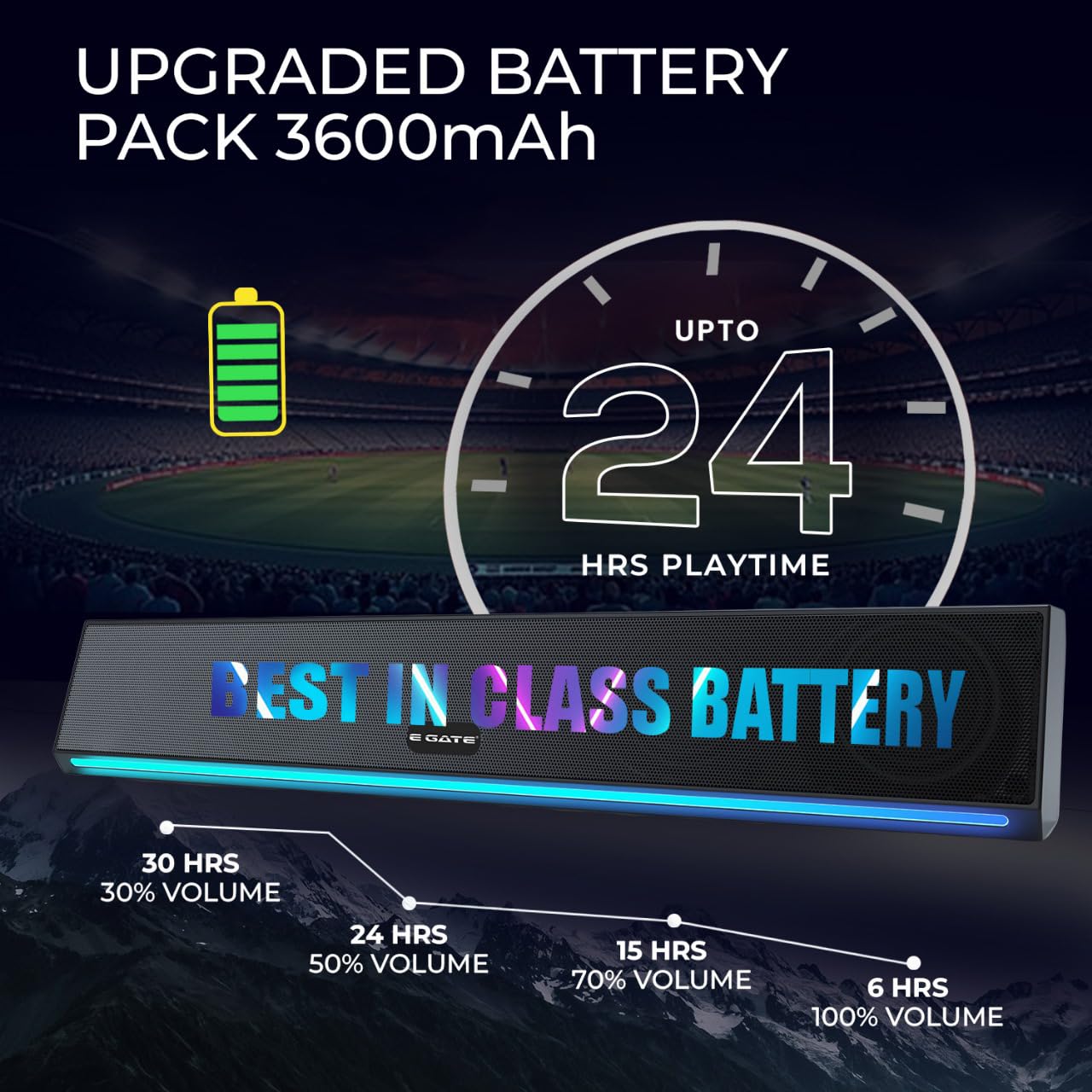
Image: The soundbar with an overlay graphic indicating its 3600mAh upgraded battery pack and up to 24 hours of playtime at 50% volume.
Troubleshooting
| Problem | Possible Solution |
|---|---|
| Soundbar does not power on. | Ensure the battery is charged. Connect the charging cable and try again. |
| Cannot pair via Bluetooth. |
|
| No sound from the soundbar. |
|
| Poor FM radio reception. | Reposition the soundbar to improve signal reception. Auto-scan for stations again. |
| TWS pairing fails. | Ensure both soundbars are powered on, in Bluetooth mode, and not connected to any other device before initiating TWS pairing. Keep them close to each other. |
Specifications
| Feature | Detail |
|---|---|
| Brand | E GATE |
| Model Name | C222 |
| Model Number | ABE006-2X |
| Speaker Maximum Output Power | 24 Watts |
| Audio Driver Size | 5.3 Centimetres (Dual Drivers) |
| Audio Output Mode | Mono (Stereo with TWS pairing) |
| Number of Audio Channels | 2 |
| Connectivity Technology | Bluetooth 5.3, USB, AUX, TF Card, FM |
| Power Source | Battery Powered |
| Battery Capacity | 3600 Milliamp Hours |
| Battery Average Life | Up to 24 Hours (at 50% volume) |
| Control Method | Touch Control |
| Speaker Size | 40 Centimetres (Length) |
| Item Dimensions (D x W x H) | 10D x 40W x 11H Centimeters |
| Item Weight | 750 Grams |
| Enclosure Material | Plastic or Metal |
| Is Waterproof | False |
| Country of Origin | India |
Maintenance
- Keep the soundbar away from water, moisture, and extreme temperatures.
- Clean the surface with a soft, dry cloth. Do not use abrasive cleaners or solvents.
- Avoid dropping the device or subjecting it to strong impacts.
- Store in a cool, dry place when not in use for extended periods.
Warranty and Support
The E GATE C222 Soundbar comes with a 1-year limited warranty from the date of purchase.
For warranty claims, technical support, or service inquiries, please contact Egate Infotel Pvt Ltd using the following information:
Manufacturer: Egate Infotel Pvt LtdAddress: 503, SG Alpha Tower-II, Sector-9 Vasundhara, Ghaziabad, Uttar Pradesh - 201012, India
Contact: Refer to your purchase documentation or the official E GATE website for current contact details.
Please retain your proof of purchase for warranty validation.


