
1. Introduction
Thank you for choosing the OCOOPA AI Magnetic Hand Warmers UT4 Young. This device is designed to provide portable and adjustable warmth for various outdoor activities and cold conditions. Please read this manual thoroughly before use to ensure safe and optimal performance.

Image: Two OCOOPA UT4 Young magnetic hand warmers with a floral design.
2. Product Features
- Ultra-Thin and Portable Design: Each hand warmer measures approximately 0.6 inches thick and is lightweight, designed to fit comfortably in gloves, pockets, or wallets.
- Magnetic 2-in-1 Functionality: The two hand warmers can be magnetically connected for combined use or separated for individual use.
- Instant Heat: Provides rapid heating, reaching desired temperatures within seconds.
- Three Adjustable Heat Levels: Offers customizable warmth with settings ranging from 100°F (38°C) to 126°F (52°C).
- Long-Lasting Warmth: Up to 8 hours of continuous heat on the lowest setting (per hand warmer). Combined battery capacity of 5000mAh (2500mAh per unit).
- UL Certified Safety: Independently tested and certified to meet high safety and quality standards.
- Water Resistant: IP54 rated for protection against splashes.
- TSA Carry-on Approved: Suitable for air travel.

Image: Demonstrating the slim and portable design of the hand warmer, fitting into a glove.
3. Package Contents
The OCOOPA AI Magnetic Hand Warmers UT4 Young package includes:
- 2 x OCOOPA UT4 Young Hand Warmers
- 1 x Velvet Pouch
- 2 x Silicone Lanyards
- 1 x USB-C Dual-Charge Cable
- 1 x User Manual (this document)
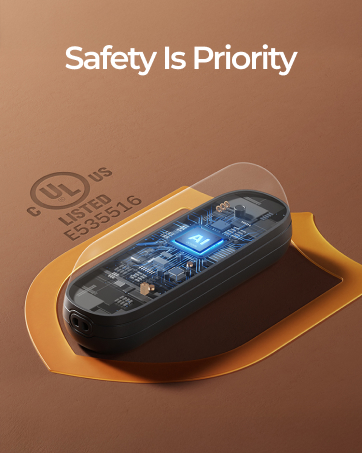
Image: Contents of the OCOOPA UT4 Young package.
4. Setup
4.1 Initial Charge
Before first use, fully charge both hand warmers. Connect the USB-C dual-charge cable to a power source (e.g., USB wall adapter, computer USB port) and plug both ends into the USB-C ports on the hand warmers. The charging indicator lights will illuminate during charging and turn off when fully charged. A full charge takes approximately 3 hours.

Image: Dual-charging the OCOOPA UT4 Young hand warmers.
4.2 Attaching Lanyards
To attach a silicone lanyard, thread the thin loop of the lanyard through the small hole located at the top of each hand warmer. Then, pass the larger end of the lanyard through the loop and pull to secure it. This allows for easy carrying and prevents accidental drops.
5. Operating Instructions
5.1 Power On/Off
- To power on, press and hold the power button (located on the back of each unit) for approximately 3 seconds. The red LED indicators will light up, showing the current heat level.
- To power off, press and hold the power button for approximately 3 seconds until the LED indicators turn off.
5.2 Adjusting Heat Levels
Once powered on, short press the power button to cycle through the three heat settings:
- Level 1 (Gentle): 100-108°F (38-42°C) - Indicated by one red LED. Provides approximately 7-8 hours of warmth.
- Level 2 (Cozy): 109-117°F (43-47°C) - Indicated by two red LEDs. Provides approximately 5-6 hours of warmth.
- Level 3 (Hot): 118-126°F (48-52°C) - Indicated by three red LEDs. Provides approximately 3-4 hours of warmth.

Image: Controls for power, heat levels, and battery check.
5.3 Checking Battery Level
Double-click the power button to display the battery level. Blue LED indicators will light up to show the remaining charge.
5.4 Magnetic Connection
The two hand warmers feature a magnetic design, allowing them to snap together for convenient storage or to be used as a single, larger warming unit. They can also be separated to warm both hands simultaneously.
Image: Demonstrating the magnetic 2-in-1 design.
6. Charging
Use the provided USB-C dual-charge cable to charge both hand warmers simultaneously. Connect the cable to a standard USB power adapter (not included) or a computer's USB port. The LED indicators will show charging status and turn off when fully charged. It is recommended to fully charge the devices every 3 months if not in regular use to maintain battery health.
7. Maintenance
- Keep the hand warmers clean by wiping them with a soft, dry cloth.
- Avoid exposing the devices to extreme temperatures or direct sunlight for prolonged periods.
- Store the hand warmers in the provided velvet pouch when not in use to protect them from scratches and dust.
- Do not attempt to disassemble or repair the device yourself. Contact customer support for assistance.
8. Troubleshooting
- Device not turning on: Ensure the device is fully charged. Press and hold the power button for 3 seconds.
- Device not heating: Check the heat level settings. Ensure the device is powered on and has sufficient battery charge.
- Short battery life: Battery life varies with heat setting. Higher settings consume more power. Ensure the device is fully charged before use.
- Charging issues: Use the original USB-C dual-charge cable. Ensure the power source is functioning correctly.
If you encounter persistent issues, please refer to the warranty and support section for contact information.
9. Specifications
| Feature | Detail |
|---|---|
| Model Name | UT4 Young |
| Brand | OCOOPA |
| Battery Capacity | 5000mAh (2500mAh per unit) |
| Battery Type | Lithium-Ion or Lithium-Polymer |
| Charging Time | Approximately 3 hours |
| Heat Settings | 3 Levels (100°F to 126°F / 38°C to 52°C) |
| Material | Aluminum |
| Water Resistance | IP54 |
| Dimensions (each unit) | 1.89 x 0.59 x 2.99 inches |
| Weight (each unit) | 0.13 Kilograms |
| Certifications | UL Certified (E535516), CE, RoHS, FCC |
| Carry-on Approval | TSA Carry-on Approved |
10. Warranty and Support
Your OCOOPA AI Magnetic Hand Warmers UT4 Young come with a 12-month warranty from the date of purchase. This warranty covers manufacturing defects and ensures the product meets its specified performance. For warranty claims, technical assistance, or any product-related inquiries, please contact OCOOPA customer service.
Customer Service: Available 24 hours a day. Please refer to the contact information provided on the OCOOPA official website or your purchase documentation.
For more information, visit the OCOOPA Store.
11. Important Safety Information
- Do not expose the device to fire or high temperatures.
- Avoid puncturing, dropping, or disassembling the device.
- Keep out of reach of children and pets.
- Do not use if the device appears damaged or swollen.
- Use only the provided charging cable or a certified equivalent.
- If the device becomes excessively hot or emits an unusual odor, discontinue use immediately.
12. Product Videos
Product Comparison: UT4 Young vs. UT4 Rare
Video: A comparison between the OCOOPA UT4 Young and UT4 Rare hand warmers, highlighting their features and differences in size, heat levels, and battery life. The UT4 Young is noted for its larger battery and slimmer profile.
Quick Overview and Usage Demonstration
Video: A user demonstrates how to turn on the OCOOPA UT4 Young hand warmer, adjust heat settings, and use the magnetic feature. It also shows how to attach the wrist strap and store the warmers in the velvet pouch.
Hand Warmer in Glove Demonstration
Video: A user demonstrates placing the OCOOPA UT4 Young hand warmer into a glove, highlighting its compact size and ease of use for keeping hands warm in cold weather.


