
1. Introduction
Thank you for choosing the EDYELL A1 Truly Wireless Bluetooth Earbuds. This manual provides essential information for setting up, operating, and maintaining your earbuds to ensure optimal performance and longevity. Please read this manual thoroughly before use.

Image 1.1: EDYELL A1 Earbuds and Charging Case
2. Package Contents
Verify that all items are present in your package:
- 1 Pair of EDYELL A1 Earbuds
- 1 Charging Case
- 1 Type-C Charging Cable
- 2 Pairs of Earplugs (different sizes)
- 1 User Manual
3. Setup
3.1. Charging the Earbuds and Case
Before first use, fully charge the earbuds and charging case. Connect the provided Type-C charging cable to the charging port on the case and a compatible USB power source. The LED indicators on the case will show charging status. A full charge provides up to 48 hours of total music playback with the charging case.

Image 3.1: Charging and Battery Life Overview
3.2. Pairing with a Bluetooth Device
- Ensure the earbuds are charged.
- Open the charging case. The earbuds will automatically enter pairing mode.
- On your device (smartphone, tablet, etc.), enable Bluetooth.
- Search for available Bluetooth devices and select "A1" from the list.
- Once connected, the earbuds will automatically pair with the last connected device when removed from the case.

Image 3.2: Fast Automatic Pairing Technology
3.3. Fitting the Earbuds
For optimal sound quality and comfort, choose the correct size earplugs and ensure a secure fit.
- Select the earplug size that best fits your ear canal.
- Gently insert the earbud into your ear.
- Rotate and adjust the earbud until it feels comfortable and snug, creating a good seal.

Image 3.3: Comfortable Fit with 4 Sizes
4. Operating Instructions
4.1. Touch Controls
The EDYELL A1 earbuds feature touch controls for various functions. Specific touch gestures may vary; refer to the quick start guide included in your package for detailed control mapping.
- Play/Pause: Single tap on either earbud.
- Next Track: Double tap on the right earbud.
- Previous Track: Double tap on the left earbud.
- Answer/End Call: Single tap on either earbud.
- Reject Call: Press and hold either earbud.
- Activate Voice Assistant: Triple tap on either earbud.
- ANC/Transparency Mode: Press and hold the left earbud (typically 2 seconds) to cycle through modes.
4.2. Active Noise Cancellation (ANC)
The earbuds feature up to 35dB Active Noise Cancellation to reduce ambient sound. Activate or deactivate ANC using the touch controls as described above. This feature is designed to enhance your listening experience in noisy environments.

Image 4.1: Active Noise Cancellation in Use
4.3. Call Functions
Equipped with 4 built-in microphones and CVC8.0 technology, the earbuds provide clear call quality by reducing background noise and enhancing your voice.
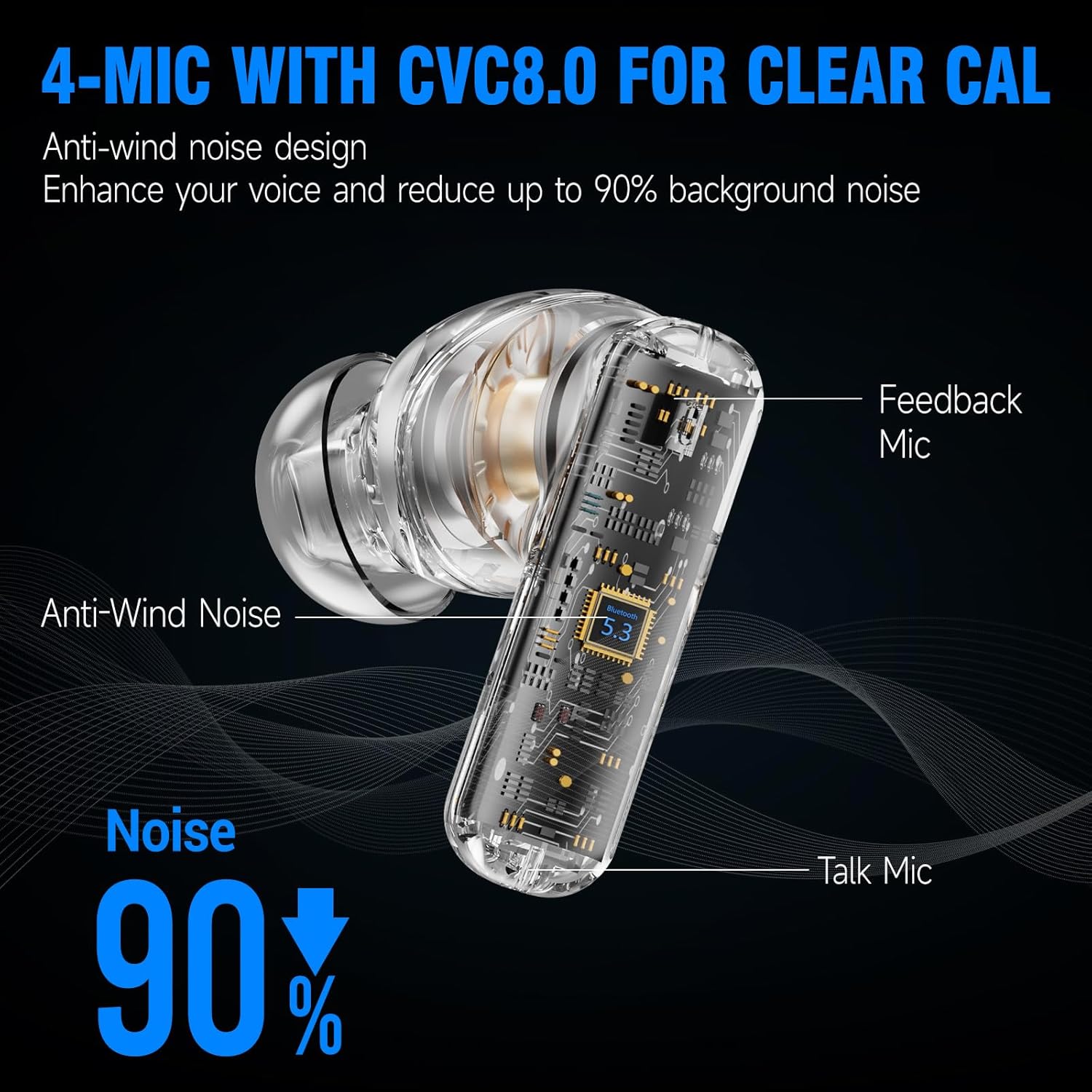
Image 4.2: 4-Mic with CVC8.0 for Clear Calls
4.4. Sound Experience
The EDYELL A1 earbuds feature 13mm Titanized Diaphragm Dynamic Drivers, designed to deliver HiFi stereo sound with deep bass and clear treble.

Image 4.3: 13mm Driver Delivers HiFi Stereo Sound
5. Maintenance
5.1. Cleaning
Regularly clean your earbuds and charging case to maintain performance and hygiene. Use a soft, dry, lint-free cloth. Do not use abrasive cleaners or solvents. For earplugs, remove them and clean with mild soap and water, then dry thoroughly before reattaching.
5.2. Water Resistance
The earbuds are IPX5 water-resistant, meaning they can withstand splashes and sweat. They are not designed for submersion in water. Avoid exposing them to heavy rain or swimming.

Image 5.1: IPX5 Water Resistance
6. Troubleshooting
| Issue | Possible Solution |
|---|---|
| Earbuds not pairing | Ensure earbuds are charged. Turn off and on Bluetooth on your device. Forget the device in Bluetooth settings and re-pair. |
| No sound or low volume | Check device volume. Ensure earbuds are properly connected. Clean earbud mesh if blocked. |
| Intermittent connection | Ensure no obstructions between earbuds and device. Keep device within Bluetooth range (approx. 10 meters). Avoid strong electromagnetic interference. |
| Microphone not working | Ensure earbuds are selected as the audio input device. Clean microphone ports. |
| ANC not effective | Ensure earbuds are properly seated in your ears with a good seal. Verify ANC is activated. |
7. Specifications
| Feature | Detail |
|---|---|
| Model Name | FM-Earbuds-A1 |
| Noise Control | Active Noise Cancellation (up to 35dB) |
| Connectivity Technology | Bluetooth 5.3 |
| Audio Driver Type | 13mm Dynamic Driver |
| Battery Life | Up to 48 Hours (with charging case) |
| Charging Port | Type-C |
| Microphones | 4-built-in microphones with CVC8.0 |
| Water Resistance Level | IPX5 |
| Control Type | Touch Control |
| Material | Plastic |
| Item Weight | 100 Grams |
| Product Dimensions | 11 x 11 x 4 cm |
| Battery Cell Composition | Lithium Ion |
| Country of Origin | China |
8. Warranty and Support
The EDYELL A1 Earbuds come with a 12-month EDYELL India Warranty. For any quality problems or warranty claims, please contact customer support via Amazon or directly using the contact information below.
Customer Care:
- Email: support@fenman.in
- Phone: +91 8882786235