
1. Introduction
Welcome to your new Rommelsbacher CT 3430/IN Double Induction Cooktop. This manual provides essential information for the safe and efficient operation, maintenance, and troubleshooting of your appliance. Please read these instructions carefully before first use and keep them for future reference.
2. Important Safety Instructions
Always observe the following safety precautions to reduce the risk of fire, electric shock, personal injury, or damage to the appliance.
- Electrical Safety: Ensure the cooktop is connected to a properly grounded outlet. Do not use extension cords or adapters. Disconnect from power before cleaning or maintenance.
- Placement: Place the cooktop on a stable, heat-resistant, and level surface. Ensure adequate ventilation around the appliance. Do not place near flammable materials or heat sources.
- Cookware: Use only induction-compatible cookware. Non-magnetic pots and pans will not heat. Ensure the pot base covers the cooking zone adequately.
- Operation: Never leave the cooktop unattended during operation. Do not touch the ceramic surface immediately after cooking, as residual heat may be present.
- Child Safety: Keep the appliance out of reach of children. Utilize the child safety lock function to prevent accidental activation.
- Cleaning: Allow the cooktop to cool completely before cleaning. Do not immerse the appliance in water. Use a damp cloth and mild detergent.
- Damage: Do not operate the cooktop if it is damaged. Contact customer service for repairs.
3. Product Overview
Key Features
- Two cooking zones with diameters from 120-260 mm (1800W/1300W).
- Space-saving vertical arrangement of cooking zones.
- Energy-saving induction technology with electronic control.
- Slider Touch & Touch Control operation with LED display.
- High-quality, seamless, and easy-to-clean ceramic glass surface.
- 10 power levels and 10 temperature levels (60 °C to 240 °C).
- 180-minute timer with acoustic signal, pause function, and automatic shut-off.
- Safety features: residual heat indicator, child safety lock, pot detection, automatic shut-off, and non-slip feet.
Components and Control Panel
The Rommelsbacher CT 3430/IN features a sleek ceramic glass surface with two induction cooking zones and an intuitive touch control panel located at the front. The vertical layout optimizes space, making it suitable for various kitchen setups.
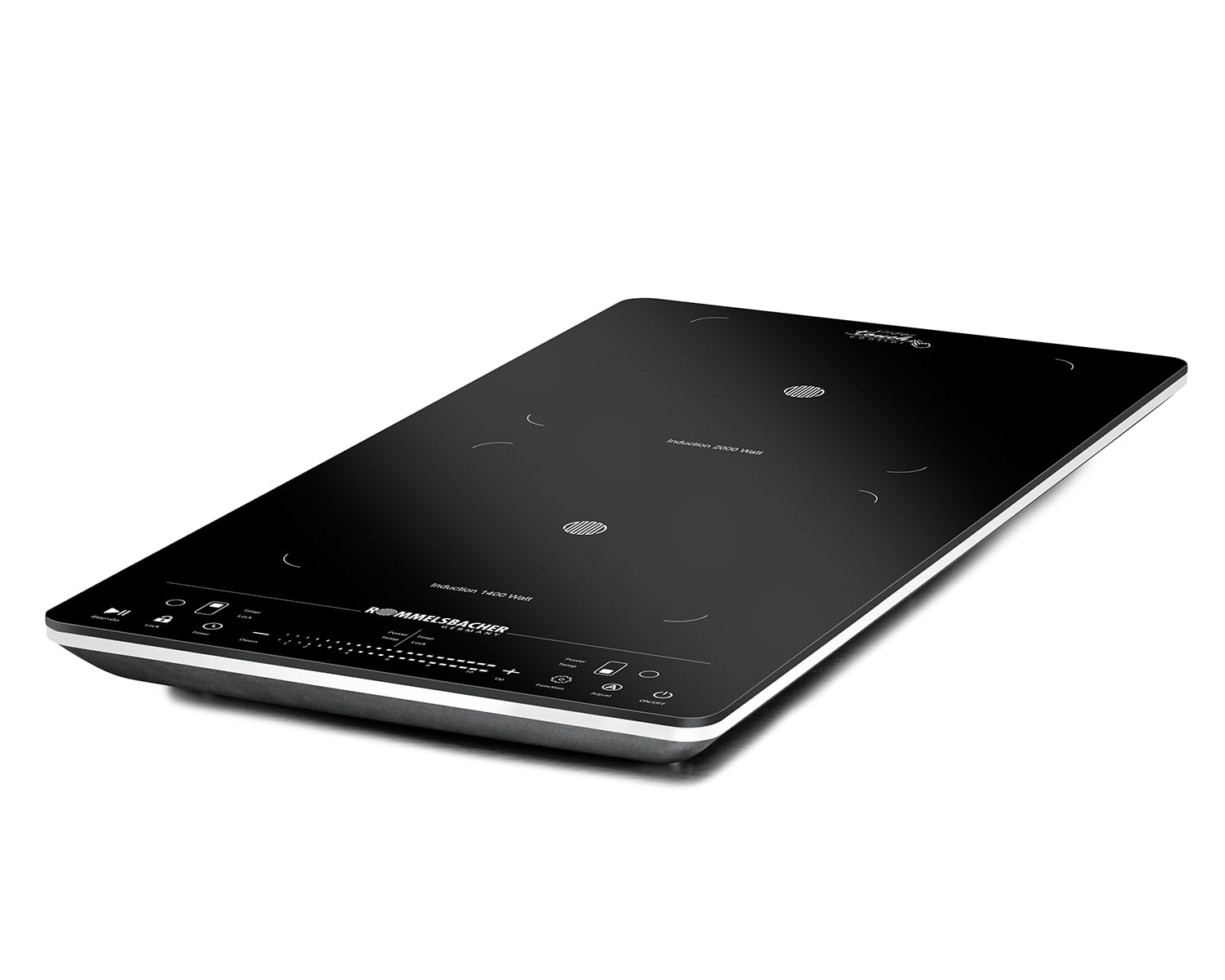
Image: The Rommelsbacher CT 3430/IN double induction cooktop, showcasing its compact design and control panel.

Image: The CT 3430/IN cooktop positioned on a countertop, surrounded by fresh ingredients, highlighting its integration into a kitchen environment.

Image: A top-down view of the cooktop, clearly showing the two induction zones and the detailed layout of the Slider Touch & Touch Control panel.

Image: A close-up view of the control panel, detailing the touch-sensitive buttons for power, timer, temperature, and power level adjustments.
4. Setup
Unpacking
- Carefully remove the cooktop from its packaging.
- Remove all packaging materials, stickers, and protective films.
- Inspect the appliance for any signs of damage. Do not use if damaged.
Placement
- Place the cooktop on a flat, stable, and heat-resistant surface.
- Ensure there is sufficient space around the cooktop for proper ventilation (at least 10 cm on all sides).
- Do not place the cooktop on or near hot surfaces, such as other stoves or ovens.
Power Connection
- Plug the power cord into a standard 230V AC electrical outlet.
- Ensure the outlet is easily accessible for quick disconnection if needed.
5. Operating Instructions
Powering On/Off
- To turn on: Press the ON/OFF button. The LED display will light up.
- To turn off: Press the ON/OFF button again.
Selecting a Cooking Zone
- After powering on, place an induction-compatible pot on the desired cooking zone.
- Press the corresponding cooking zone selection button (e.g., Power/Temp for the left or right zone).
Adjusting Power and Temperature
- Once a cooking zone is selected, use the Slider Touch control or the + and - buttons to adjust the power level (1-10) or temperature (60°C to 240°C).
- Press the Function button to switch between power and temperature modes.
Using the Timer
- With a cooking zone active, press the Timer button.
- Use the + and - buttons to set the desired cooking time (up to 180 minutes).
- The cooktop will automatically switch off and emit an acoustic signal when the timer expires.
Pause Function
- Press the Pause button (often indicated by a play/pause icon) to temporarily stop cooking.
- Press it again to resume cooking with the previous settings.
Child Safety Lock
- To activate: Press and hold the Lock button for a few seconds. An indicator light will confirm activation.
- To deactivate: Press and hold the Lock button again until the indicator light turns off.
Cookware Compatibility
Induction cooktops require cookware with a magnetic base. To check if your cookware is compatible, hold a magnet to the bottom of the pot or pan. If the magnet sticks, the cookware is suitable for induction cooking.
6. Maintenance and Cleaning
Regular cleaning and maintenance will ensure the longevity and optimal performance of your cooktop.
- Before Cleaning: Always unplug the cooktop from the power outlet and allow it to cool completely.
- Ceramic Glass Surface: Wipe the surface with a damp cloth and a small amount of mild dish soap. For stubborn stains, use a specialized ceramic hob cleaner. Avoid abrasive cleaners, scouring pads, or harsh chemicals that can scratch or damage the surface.
- Control Panel: Wipe the control panel with a soft, damp cloth. Ensure no liquid enters the control area.
- Exterior: Clean the exterior housing with a soft, damp cloth.
- Do Not Immerse: Never immerse the cooktop in water or any other liquid.
7. Troubleshooting
If you encounter issues with your cooktop, refer to the following common problems and solutions:
| Problem | Possible Cause | Solution |
|---|---|---|
| Cooktop does not turn on. | No power supply; power cord not plugged in; circuit breaker tripped. | Check power connection; ensure outlet is functional; reset circuit breaker. |
| Cooking zone not heating. | Cookware not induction-compatible; pot not centered; pot too small/large; no pot detected. | Use induction-compatible cookware; center pot on zone; ensure pot size is within 120-260mm. |
| Display shows an error code (e.g., 'E0', 'E1'). | Specific error condition (e.g., overheating, sensor fault, voltage issue). | Refer to the full manual for specific error codes. Often, unplugging and replugging after a few minutes can resolve temporary errors. |
| Cooktop makes noise during operation. | Normal fan operation; vibration from cookware. | This is normal for induction cooktops. Ensure cookware is flat-bottomed. |
| Controls are unresponsive. | Child safety lock activated; control panel is wet or dirty. | Deactivate child safety lock; clean and dry the control panel. |
If the problem persists after attempting these solutions, please contact Rommelsbacher customer support.
8. Technical Specifications
| Specification | Value |
|---|---|
| Brand | Rommelsbacher |
| Model Number | CT 3430/IN |
| Color | Black/Silver |
| Material | Glass, Plastic |
| Special Features | Double Induction, Timer, Vertical Layout |
| Heating Elements | 2 |
| Wattage | 3100 watts |
| Control Type | Touch |
| Voltage | 230 Volts |
| Heating Element Type | Induction |
| Power Source | Corded Electric |
| Item Dimensions (DxWxH) | 58P x 32l x 4.3H cm |
| Included Components | Cooktop, User Manual |
9. Warranty and Customer Support
Your Rommelsbacher CT 3430/IN Double Induction Cooktop comes with a manufacturer's warranty. Please refer to the warranty card included in your packaging for specific terms and conditions. For technical assistance, spare parts, or any other inquiries, please contact Rommelsbacher customer support through their official website or the contact information provided with your purchase documentation.


