
1. Introduction
This manual provides detailed instructions for the installation, operation, and maintenance of your NETVUE Sentry Plus 3 Outdoor Security Surveillance Camera. Please read this manual thoroughly before using the product to ensure proper functionality and safety. Keep this manual for future reference.
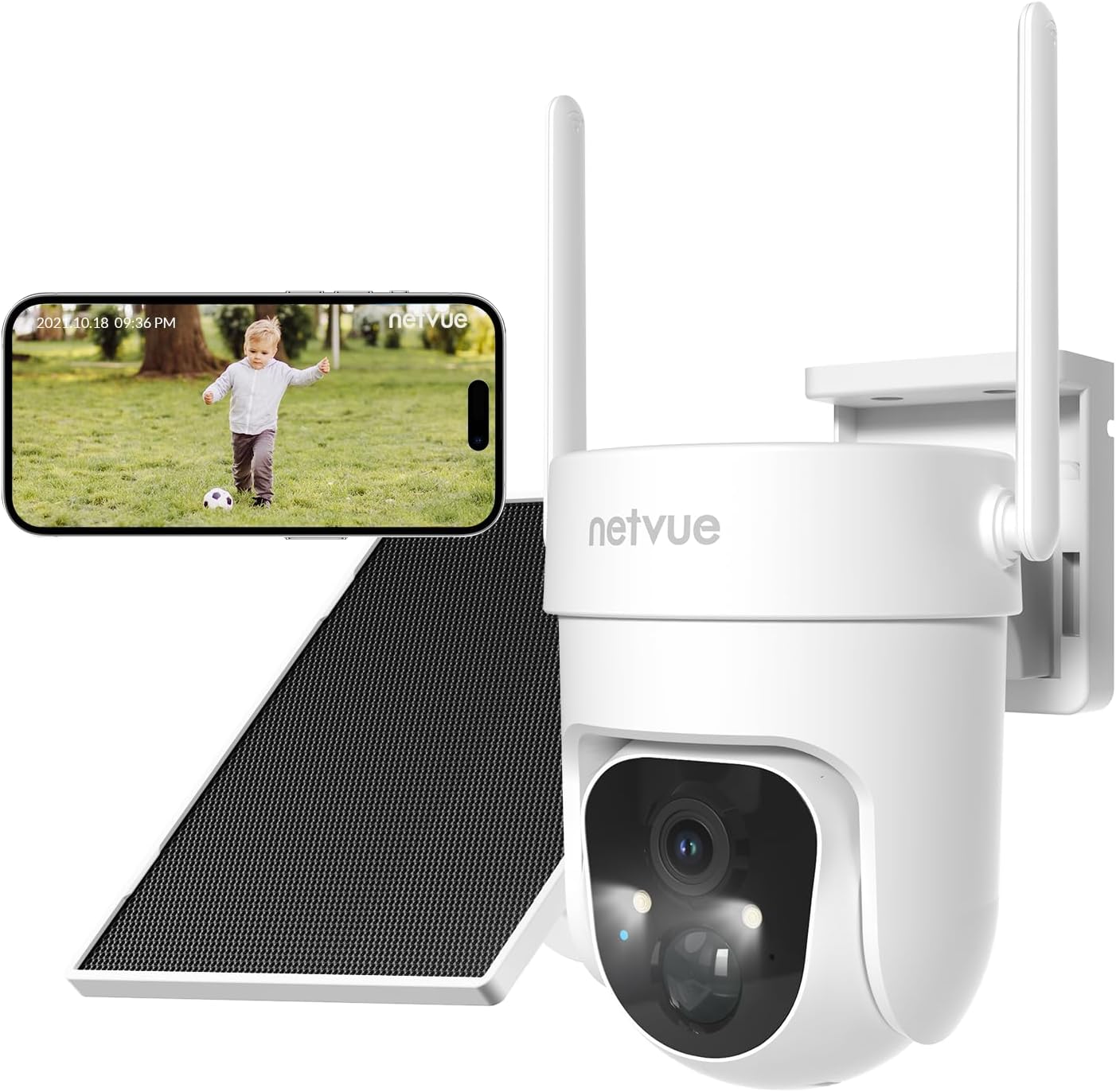
Image 1.1: NETVUE Sentry Plus 3 Outdoor Security Surveillance Camera. This image shows the camera unit, a solar panel, and a smartphone displaying a live feed from the camera.
2. Product Overview
2.1 Package Contents
- NETVUE Sentry Plus 3 Camera
- Solar Panel
- Mounting Bracket
- Mounting Screws and Anchors
- USB Charging Cable
- User Manual
2.2 Camera Components
- Camera Lens
- Infrared LEDs / Spotlight
- Microphone
- Speaker
- Status Indicator Light
- MicroSD Card Slot (under protective cover)
- Reset Button (under protective cover)
- USB Charging Port (under protective cover)
- Antennas (x2)
3. Setup
3.1 Initial Charging
Before first use, fully charge the camera using the provided USB cable and a 5V/2A power adapter (not included). The status indicator light will show charging progress.
3.2 App Download and Account Creation
- Download the NETVUE app from the App Store (iOS) or Google Play Store (Android).
- Open the app and create a new account or log in with an existing one.
3.3 Wi-Fi Connection
- Follow the in-app instructions to add your camera.
- Ensure your smartphone is connected to a 2.4GHz Wi-Fi network. The camera does not support 5GHz Wi-Fi.
- Scan the QR code displayed on your phone with the camera lens.
- Wait for the camera to connect to your Wi-Fi network. A voice prompt will confirm successful connection.

Image 3.3: Enhanced Wi-Fi Signal. This image illustrates the NETVUE camera's capability to maintain a strong Wi-Fi connection, showing a clear timestamped image compared to a blurry 'Other' camera feed.
3.4 Mounting the Camera
The NETVUE Sentry Plus 3 supports both wall-mount and ceiling-mount installations.
- Choose a suitable location for installation, ensuring good Wi-Fi signal and optimal solar panel exposure.
- Use the mounting bracket as a template to mark drill holes.
- Drill holes and insert wall anchors if necessary.
- Secure the mounting bracket to the wall or ceiling with screws.
- Attach the camera to the mounting bracket.
- Adjust the solar panel to face direct sunlight for maximum charging efficiency.

Image 3.4: Two-Way Installation. This image demonstrates the flexibility of installing the camera either mounted on a wall or suspended from a ceiling.
4. Operating the Camera
4.1 Live View and Playback
Open the NETVUE app to access the live view of your camera. You can also review recorded footage from the MicroSD card or cloud storage.
4.2 AI-Powered Motion Detection
The camera features advanced AI motion detection with customizable alert filters. You can configure the app to detect specific objects such as pets, humans, or vehicles, reducing false alarms.
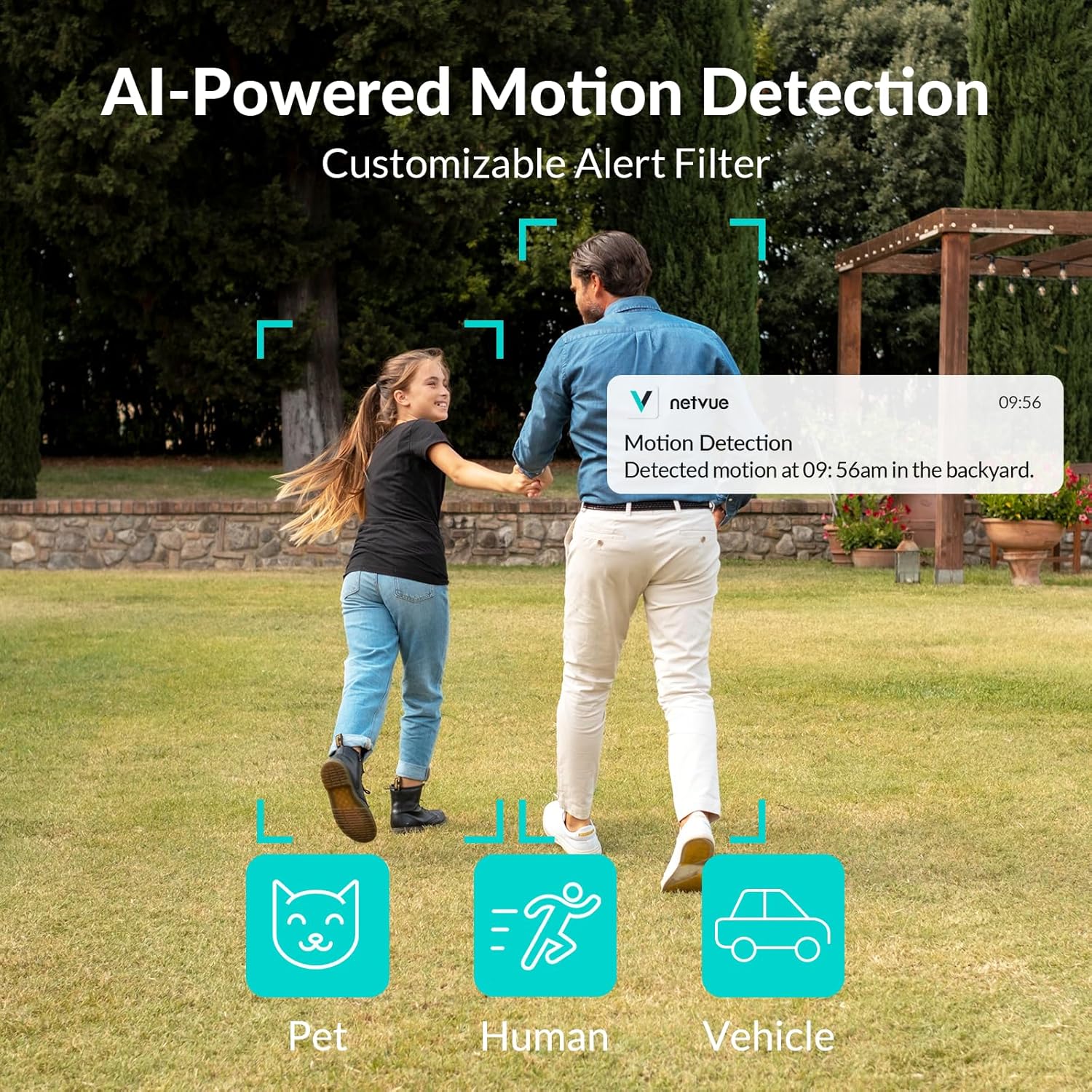
Image 4.2: AI-Powered Motion Detection. This image illustrates the camera's ability to detect and filter alerts for pets, humans, and vehicles, showing a notification on a smartphone.
4.3 Panoramic View Control
Utilize the app to remotely control the camera's pan (355°) and tilt (90°) angles, allowing you to monitor a vast panoramic area.

Image 4.3: Vast Panoramic View. This image highlights the camera's 355-degree horizontal pan and 90-degree vertical tilt capabilities, controlled via the app.
4.4 Two-Way Audio
The integrated microphone and speaker enable real-time two-way communication through the camera. This allows you to speak to visitors or deter intruders directly from your smartphone.

Image 4.4: Talk Through Your Camera. This image depicts a delivery person interacting with a homeowner via the camera's two-way audio feature.
4.5 Night Vision
The Sentry Plus 3 offers both infrared (black and white) and full-color night vision modes, ensuring clear visibility even in low-light conditions.

Image 4.5: Full Color Night Vision. This image compares the camera's infrared night vision (monochrome) with its full-color night vision, highlighting improved detail and color in the latter.
4.6 Storage Options
The camera supports local storage via a MicroSD card (up to 128GB, not included) and cloud storage (subscription required). You can manage recordings and playback through the NETVUE app.

Image 4.6: MicroSD Card & Cloud Storage. This image illustrates the camera's MicroSD card slot for local storage and the option for cloud storage via subscription.
5. Maintenance
5.1 Weather Resistance
The NETVUE Sentry Plus 3 camera is rated IP66 waterproof, designed to withstand various weather conditions including snow, rain, and sun. Regularly check the camera and solar panel for any debris accumulation that might obstruct their function.

Image 5.1: Outlasts in Harsh Weather. This image visually confirms the camera's IP66 waterproof rating, showing it functioning in snowy, rainy, and sunny environments.
5.2 Solar Panel Charging
Ensure the solar panel is positioned to receive maximum direct sunlight throughout the day to keep the camera's battery charged. Clean the solar panel surface periodically to remove dust or dirt that may reduce charging efficiency.
6. Troubleshooting
- Camera not connecting to Wi-Fi: Ensure your router is broadcasting a 2.4GHz Wi-Fi signal. The Sentry Plus 3 does not support 5GHz Wi-Fi networks. Verify the Wi-Fi password is correct and the camera is within range of the router. Try resetting the camera by pressing the reset button.
- Poor image quality: Check if the camera lens is clean and free from obstructions. Ensure there is adequate lighting for optimal performance, especially at night.
- Motion detection not working: Verify that motion detection is enabled in the app settings. Adjust sensitivity levels and detection zones as needed. Ensure the camera's view is not obstructed.
- Battery not charging: Confirm the solar panel is clean and receiving direct sunlight. Check the connection between the solar panel and the camera. If using USB charging, ensure the cable and power adapter are functioning correctly.
- App not connecting to live view: This can sometimes occur due to server issues. Try closing and reopening the app, or wait a few minutes and try again. Ensure your phone has a stable internet connection.
7. Specifications
| Feature | Specification |
|---|---|
| Model Number | Sentry Plus 3 |
| Connectivity Technology | Wireless (Wi-Fi) |
| Wireless Communication Technology | Wi-Fi (2.4GHz only) |
| Power Source | Solar Powered (with rechargeable Lithium Ion battery) |
| Wattage | 5 watts |
| Batteries | 1 Lithium Ion battery (included) |
| Special Features | Easy to Install, AI Motion Detection, Spotlight Siren, Color Night Vision, Two-Way Audio |
| Recommended Uses | Indoor/Outdoor |
| IP Rating | IP66 Waterproof |
| Pan/Tilt Range | 355° Pan, 90° Tilt |
| Compatible Devices | iOS, Android |
| Item Weight | 862 g |
8. Warranty and Support
For warranty information and technical support, please refer to the NETVUE official website or contact NETVUE customer service directly. Keep your purchase receipt as proof of purchase for warranty claims.


