
Fila SW40-Pink
Fila Smart Watch User Manual
Model: SW40-Pink
Introduction
Thank you for choosing the Fila Smart Watch SW40-Pink. This device is designed to enhance your daily life with advanced fitness tracking, communication features, and smart connectivity. This manual provides essential information for setting up, operating, and maintaining your smartwatch to ensure optimal performance and longevity.
What's in the Box

This image displays the typical contents found within the Fila Smart Watch packaging, including the smartwatch itself, a magnetic charging cable, an additional watch band, and the user manual.
- Fila Smart Watch (SW40-Pink)
- Magnetic Charging Cable
- Watch Band
- User Manual
Setup
1. Charging the Smart Watch
Before first use, fully charge your Fila Smart Watch. Connect the magnetic charging cable to the charging points on the back of the watch and plug the USB end into a standard USB power adapter (not included). The watch display will indicate charging status. A full charge typically takes approximately 2 hours.
2. Downloading the App
The Fila Smart Watch requires the "FILA S-WATCH" application for full functionality. Download the app from your smartphone's app store (available for Android and iOS devices).
3. Pairing with Your Smartphone
- Ensure your smartphone's Bluetooth is enabled.
- Open the "FILA S-WATCH" app on your smartphone.
- Follow the on-screen instructions within the app to search for and connect to your Fila Smart Watch. The watch's Bluetooth name will typically appear as "FILA SW40-Pink" or similar.
- Confirm the pairing request on both your watch and smartphone.
Once paired, the watch will synchronize time and data with your phone.
Operating Instructions
1. Basic Navigation

This image shows the Fila Smart Watch's main display, highlighting its vibrant screen and user interface for quick access to essential information like time, activity metrics, and battery status.
- Touch Screen: The 1.95" HD TFT full-touch color screen allows for intuitive interaction.
- Swipe Up/Down: Navigate through menus and notifications.
- Swipe Left/Right: Access quick functions or widgets.
- Tap: Select an item or confirm an action.
- Side Button: Typically used to return to the home screen or access the app list.
2. Bluetooth Calling

This image illustrates the smartwatch's smart connectivity features, including the ability to make and receive calls, locate your watch or phone, and remotely control your smartphone's camera.
The Fila Smart Watch features a built-in HD microphone and speaker. After connecting to your phone via Bluetooth, you can receive and make calls directly from your watch. Ensure your watch is within Bluetooth range of your phone for this feature to work.
3. Messages Notification
The smartwatch can synchronize contact information and display notifications from various apps (e.g., WhatsApp, Facebook, Instagram, Twitter, Skype, Line). All notifications are displayed on your wrist and accompanied by a vibration alert. Configure which app notifications you wish to receive through the "FILA S-WATCH" app settings.
4. Sports Modes

This image highlights the extensive range of sports modes available on the Fila Smart Watch, showing users engaged in various physical activities while tracking their performance.
The Fila Smart Watch supports over 100 sports modes, including walking, running, cycling, football, and more. During workouts, the app records real-time sports data such as steps, calories burned, distance, and activity time, aiding in scientific training.
5. Comprehensive Health Tracking

This image demonstrates the comprehensive health tracking capabilities of the Fila Smart Watch, including real-time heart rate, SpO2, and sleep monitoring for a healthier lifestyle.
The watch monitors various health metrics:
- Heart Rate Monitoring: Tracks your heart rate throughout the day.
- Sleep Monitoring: Analyzes your sleep patterns (deep sleep, light sleep, awake time).
- Step Counter: Records your daily steps and distance.
- Blood Oxygen (SpO2) Monitoring: Measures your blood oxygen saturation levels.
Access detailed health data and trends within the "FILA S-WATCH" app.
6. Customizing Watch Faces
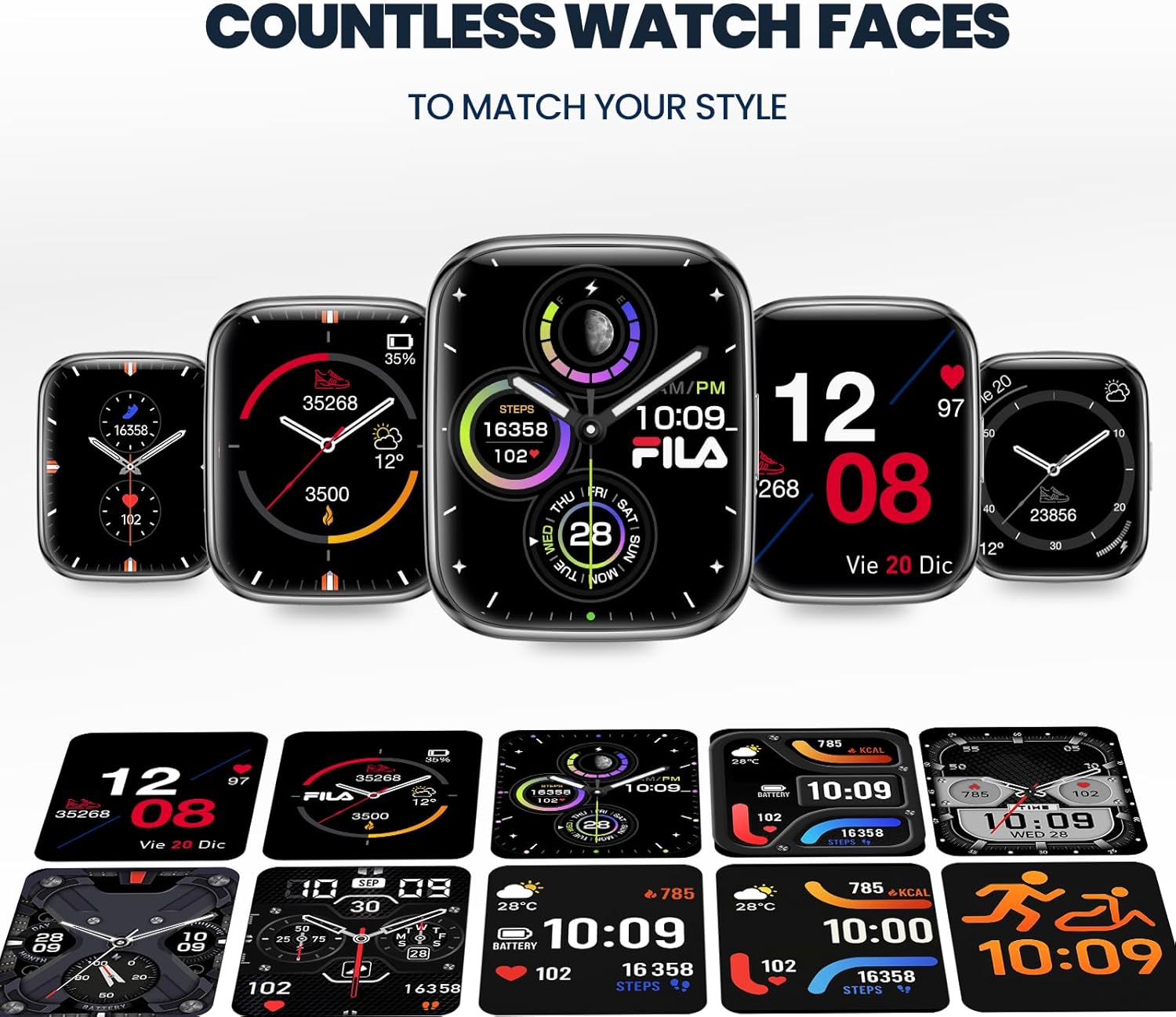
This image illustrates the wide array of customizable watch faces available for the Fila Smart Watch, allowing users to personalize their device's appearance.
The Fila Smart Watch offers numerous customizable watch faces to match your style. You can change watch faces directly on the watch or through the "FILA S-WATCH" app.
Maintenance
1. Cleaning Your Smart Watch
Regularly clean your watch and band to prevent skin irritation and maintain device performance. Use a soft, lint-free cloth. If necessary, slightly dampen the cloth with water. Do not use harsh chemicals or abrasive materials.
2. Water Resistance (IP67)
The Fila Smart Watch is rated IP67, meaning it is protected from dust and can withstand immersion in water up to 1 meter for up to 30 minutes. It is suitable for daily use and light splashes, but not recommended for swimming, showering, or diving.
3. Battery Life
The watch is equipped with a 210 Milliamp Hour Lithium Ion battery. Battery life can vary based on usage. To maximize battery life, reduce screen brightness, limit continuous heart rate monitoring, and disable unnecessary notifications.
Troubleshooting
| Problem | Possible Solution |
|---|---|
| Watch does not turn on | Ensure the watch is fully charged. Connect to the magnetic charging cable and allow it to charge for at least 30 minutes before attempting to power on. |
| Unable to pair with phone | Ensure Bluetooth is enabled on your phone. Restart both the watch and the phone. Make sure the watch is not already paired with another device. Check the "FILA S-WATCH" app for pairing instructions. |
| Notifications not received | Check app notification settings in the "FILA S-WATCH" app. Ensure the watch is connected via Bluetooth and within range. Verify that your phone's notification settings allow the app to send alerts. |
| Inaccurate health data | Ensure the watch is worn snugly on your wrist, about one finger's width above the wrist bone. Clean the sensor on the back of the watch. Avoid excessive movement during measurements. |
| Short battery life | Reduce screen brightness. Disable continuous heart rate monitoring if not needed. Limit the number of apps sending notifications to the watch. Ensure background app refresh is optimized on your phone. |
Specifications
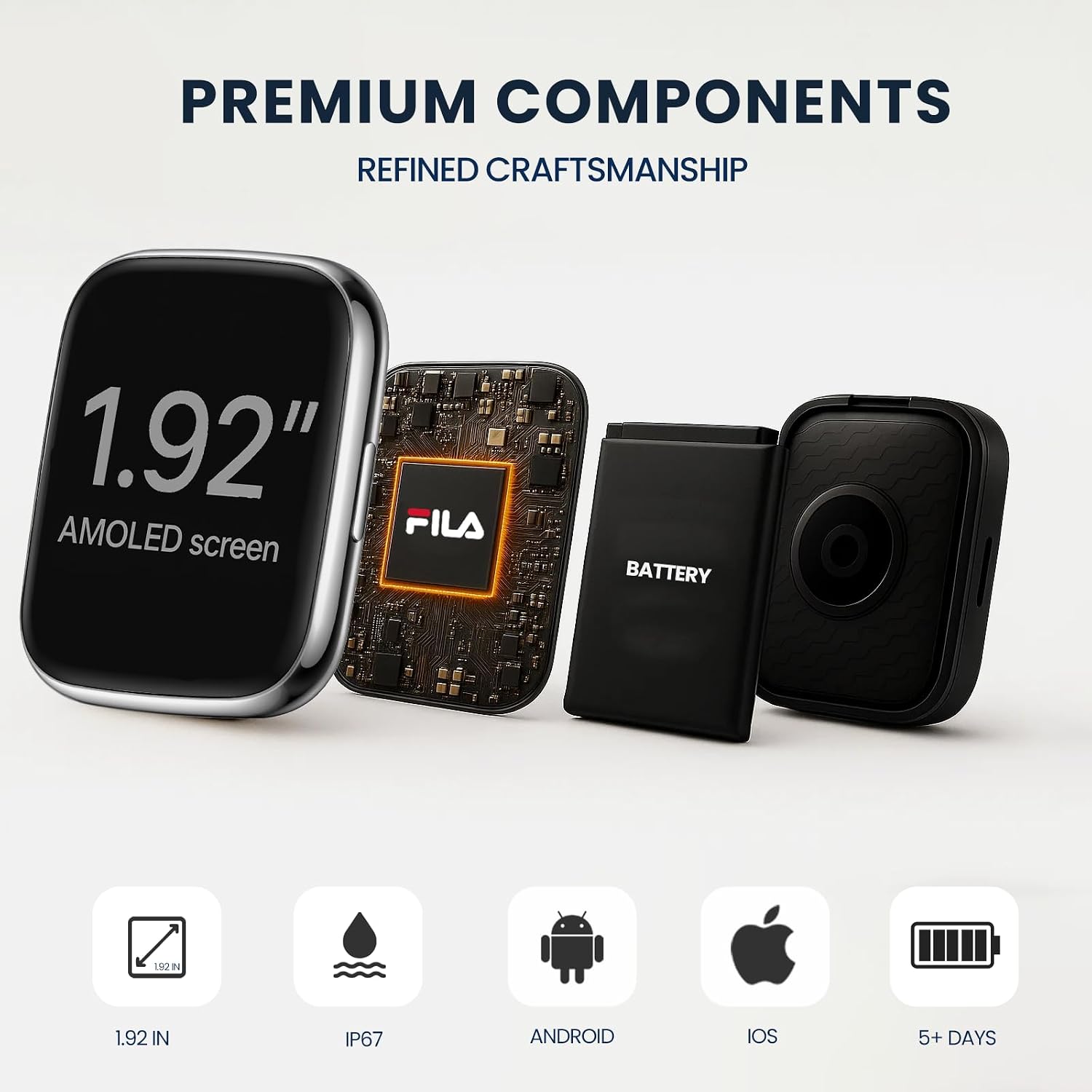
This image details the internal components of the Fila Smart Watch, emphasizing its 1.92-inch AMOLED screen, integrated Fila chip, battery, and other essential sensors for advanced functionality.
| Feature | Detail |
|---|---|
| Model Number | SW40-Pink |
| Screen Size | 1.95 Inches (410*502 resolution) |
| Operating System | Wear OS 3.0 |
| Connectivity | Bluetooth |
| Battery Capacity | 210 Milliamp Hours (Lithium Ion) |
| Memory Storage Capacity | 128 MB |
| Item Weight | 7.8 ounces |
| Product Dimensions | 6.1 x 4.33 x 1.69 inches |
| Water Resistance | IP67 |
| Special Features | Touchscreen, Multisport Tracker, Activity Tracker, Phone Call, Notifications, GPS Via Smartphone |
| Supported Languages | English, Italian, French, German, Spanish |
Warranty and Support
For warranty information and customer support, please refer to the official Fila website or contact the seller directly. Keep your purchase receipt as proof of purchase for any warranty claims.
Ask a question about this manual
Ask about setup, troubleshooting, compatibility, parts, safety, or missing instructions. Manuals+ will review the question and use this page’s manual context to help answer it.