
Raddy MN6 Lite
Raddy MN6 Lite Weather Station User Manual
Model: MN6 Lite
1. Introduction
The Raddy MN6 Lite Weather Station is a compact and powerful device designed to provide comprehensive weather information. It features an integrated display unit and a wireless 5-in-1 outdoor sensor, offering real-time data on indoor/outdoor temperature and humidity, atmospheric pressure, wind speed and direction, and rainfall. With its user-friendly functions and DCF atomic clock, the MN6 Lite helps you stay informed about changing weather conditions.
Package Contents:
- Main Display Unit
- 5-in-1 Outdoor Sensor
- Mounting Pole and Hardware
- Power Adapter (for main unit)
- User Manual (this document)

Image: The Raddy MN6 Lite Weather Station, showing the main display unit and the 5-in-1 outdoor sensor.
2. Safety Information
- Read all instructions carefully before use.
- Do not expose the main unit to extreme temperatures, direct sunlight, or moisture.
- Use only the specified power adapter for the main unit.
- Ensure proper battery installation in the outdoor sensor (AA batteries not included).
- Keep out of reach of children.
- Do not attempt to disassemble or repair the device. Contact customer support for assistance.
3. Setup and Installation
3.1 Main Display Unit Setup
- Connect the provided power adapter to the main display unit and plug it into a power outlet.
- The display will light up and begin searching for the outdoor sensor.
- Insert 3 x AA batteries (not included) into the battery compartment of the main unit for backup power.
3.2 Outdoor Sensor Installation
The outdoor sensor should be installed in an open area to ensure accurate readings for wind, rain, and temperature. It should be mounted securely to prevent movement in strong winds.
- Assemble the mounting pole and hardware as shown in the diagram.
- Insert 3 x AA batteries (not included) into the battery compartment of the outdoor sensor.
- Mount the sensor securely using the provided screws and brackets. Ensure the rain collector is level and the wind vane can rotate freely.
- The sensor and main unit should automatically pair. If not, refer to the troubleshooting section.

Image: Illustration of the wireless data transmission between the indoor display console and the outdoor sensor, highlighting the 100m range.

Image: All components included with the Raddy MN6 Lite Weather Station, laid out for assembly.
4. Operating Instructions
4.1 Display Overview
The Raddy MN6 Lite features a multi-functional display that provides a comprehensive overview of current weather conditions and forecasts.

Image: The multi-functional display of the Raddy MN6 Lite, illustrating indoor/outdoor temperature, humidity, rainfall, wind data, and other metrics, along with its physical dimensions.
Key Displayed Information:
- Indoor & Outdoor Temperature
- Indoor & Outdoor Humidity
- Rainfall (daily, weekly, monthly)
- Wind Direction & Speed
- Atmospheric Pressure
- Weather Forecast (12-hour)
- Time & Date (DCF Atomic Clock)
- Dew Point & Feels Like Temperature
- Daily Max/Min Temperature

Image: Icons representing the 12-hour weather forecast, including sunny, cloudy, rainy, stormy, and snowy conditions.
4.2 Backlight Adjustment
The display features 4 adjustable backlight levels for optimal visibility in various lighting conditions.
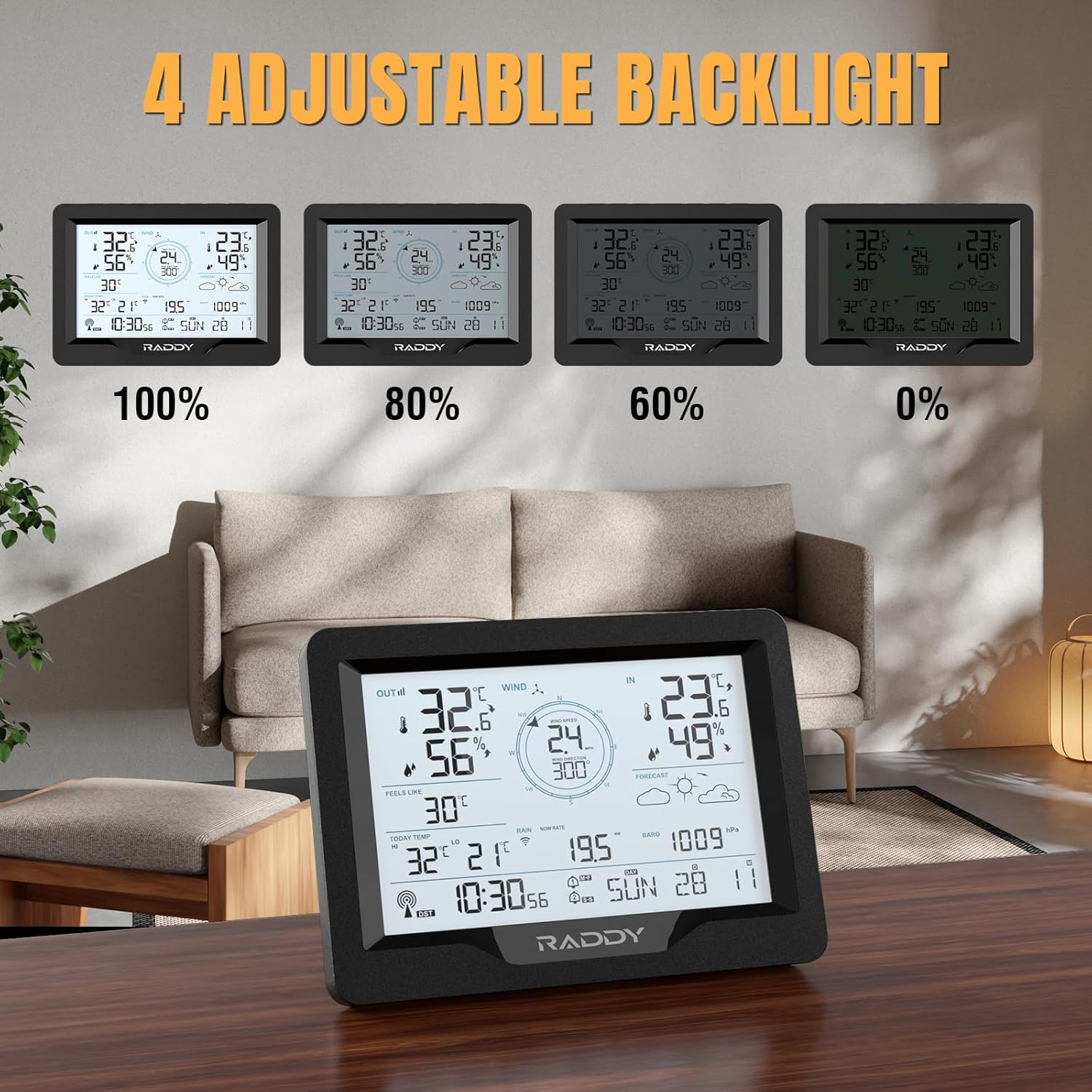
Image: The Raddy MN6 Lite display demonstrating its four adjustable backlight levels (100%, 80%, 60%, and 0%).
Press the LIGHT button on the main unit to cycle through the backlight brightness levels.
4.3 Setting Alarms
The Raddy MN6 Lite includes dual alarm clocks with a snooze function, allowing for separate alarms for weekdays and weekends.

Image: The Raddy MN6 Lite display highlighting its dual alarm clock feature, suitable for setting separate alarms for weekdays and weekends.
Refer to the detailed instructions in the printed manual for setting specific alarm times and weather alerts (e.g., high/low temperature, rainfall, wind speed).
4.4 DCF Atomic Clock
The station automatically synchronizes with the DCF atomic clock signal for precise timekeeping.
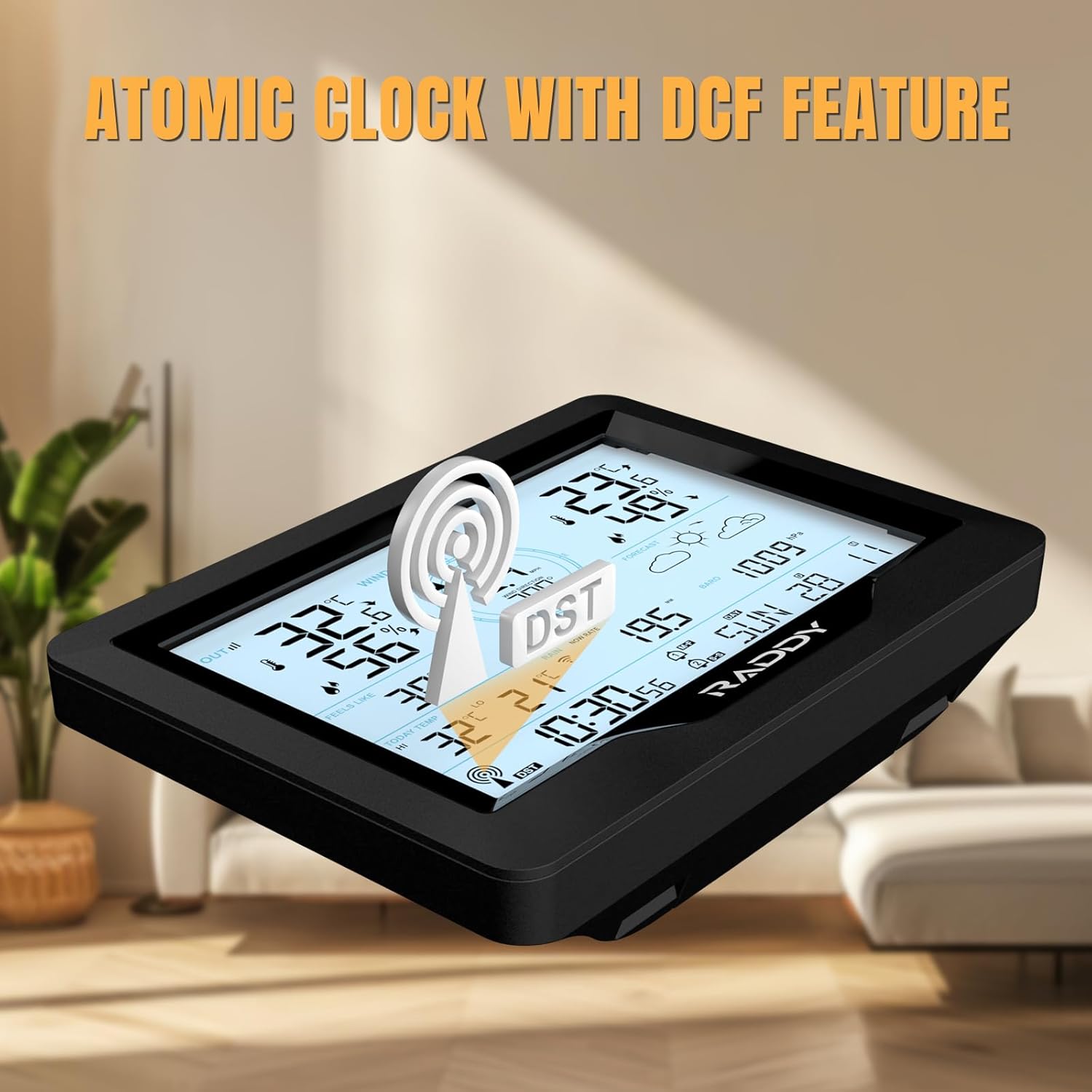
Image: The Raddy MN6 Lite display showing the atomic clock feature with the DCF signal icon, indicating automatic time synchronization.
5. Maintenance
- Cleaning: Wipe the display unit and outdoor sensor with a soft, damp cloth. Do not use abrasive cleaners or solvents.
- Battery Replacement: Replace batteries in both the main unit (backup) and outdoor sensor when the low battery indicator appears on the display. Ensure correct polarity.
- Outdoor Sensor Check: Periodically check the outdoor sensor for debris in the rain collector or obstructions to the wind vane and anemometer. Clean as necessary.
6. Troubleshooting
| Problem | Possible Cause | Solution |
|---|---|---|
| No outdoor data displayed. | Sensor not paired or out of range. Low batteries in sensor. | Ensure sensor is within 100m of the main unit. Replace sensor batteries. Re-pair by pressing the reset button on both units (refer to full manual for specific steps). |
| Inaccurate temperature/humidity. | Sensor exposed to direct sunlight or heat sources. | Relocate the outdoor sensor to a shaded, well-ventilated area. |
| Rainfall readings are incorrect. | Rain collector blocked by debris. Sensor not level. | Clear any debris from the rain collector. Ensure the sensor is mounted perfectly level. |
| Time not synchronizing (DCF). | Interference or weak signal. | Place the main unit near a window, away from electronic devices that may cause interference. Allow up to 24 hours for initial synchronization. |
7. Specifications
| Feature | Detail |
|---|---|
| Model Number | MN6 Lite |
| Dimensions (Package) | 37.9 x 27.6 x 13.7 cm; 1.64 kilograms |
| Connectivity Technology | Wireless (433 MHz) |
| Wireless Range | Up to 100 meters (330 feet) in open air |
| Power Source (Main Unit) | Power Adapter (included), AA Batteries (not included) for backup |
| Power Source (Outdoor Sensor) | AA Batteries (not included) |
| Specific Uses | Temperature, Wind Direction, Wind Speed, Precipitation, Pressure |
| Color | Black |
8. Warranty and Support
Raddy products are designed for reliability and performance. This product comes with a standard manufacturer's warranty. For detailed warranty terms and conditions, please refer to the warranty card included in your package or visit the official Raddy website.
If you encounter any issues or have questions regarding your Raddy MN6 Lite Weather Station, please contact our customer support team:
- Email: support@raddy.com
- Website: www.raddy.com/support
Please have your model number (MN6 Lite) and purchase date ready when contacting support.
Related documentsMN6 Lite


Ask a question about this manual
Ask about setup, troubleshooting, compatibility, parts, safety, or missing instructions. Manuals+ will review the question and use this page’s manual context to help answer it.