
ORICO 9858U3
ORICO 5 Bay DAS Hard Drive Enclosure User Manual
Model: 9858U3 | Brand: ORICO
1. Introduction
The ORICO 9858U3 is a high-capacity 5-bay Direct Attached Storage (DAS) enclosure designed for 3.5-inch SATA SSDs and HDDs. It offers massive storage capabilities, supporting up to 22TB per single disk for a total maximum capacity of 110TB. This enclosure provides high-speed data transfer, efficient heat dissipation, robust safety features, and broad compatibility, making it an ideal solution for large-scale data storage, backup, and management.

Figure 1.1: ORICO 5 Bay DAS Hard Drive Enclosure (Model 9858U3)
2. What's in the Box
Please verify that all items listed below are included in your package:
- 1 x ORICO 5 Bay Hard Drive Enclosure
- 1 x 1M USB 3.0 Type-A Cable
- 1 x Safety Key
- 1 x User Guide

Figure 2.1: Contents of the ORICO 9858U3 Package
3. Setup Guide
3.1. Hard Drive Installation
- Ensure the enclosure is powered off and disconnected from your computer.
- Unlock the drive bay door using the provided safety key.
- Gently slide your 3.5-inch SATA HDD or SSD into an empty drive bay until it clicks into place. The bracket-free design allows for quick and easy installation.
- Close and lock the drive bay door to secure the hard drive.
- Repeat for all desired hard drives.

Figure 3.1: Installing a Hard Drive and Safety Lock Mechanism
3.2. Connecting to Your Computer
- Connect one end of the provided USB 3.0 Type-A cable to the USB 3.0 port on the ORICO enclosure.
- Connect the other end of the USB 3.0 Type-A cable to an available USB 3.0 port on your computer (Laptop or Desktop).
- Connect the power cord to the enclosure's power input and then to a power outlet.
- Turn on the power switch on the back of the enclosure.
- Your computer should detect the new storage device. You may need to initialize and format the drives through your operating system's Disk Management utility for first-time use.
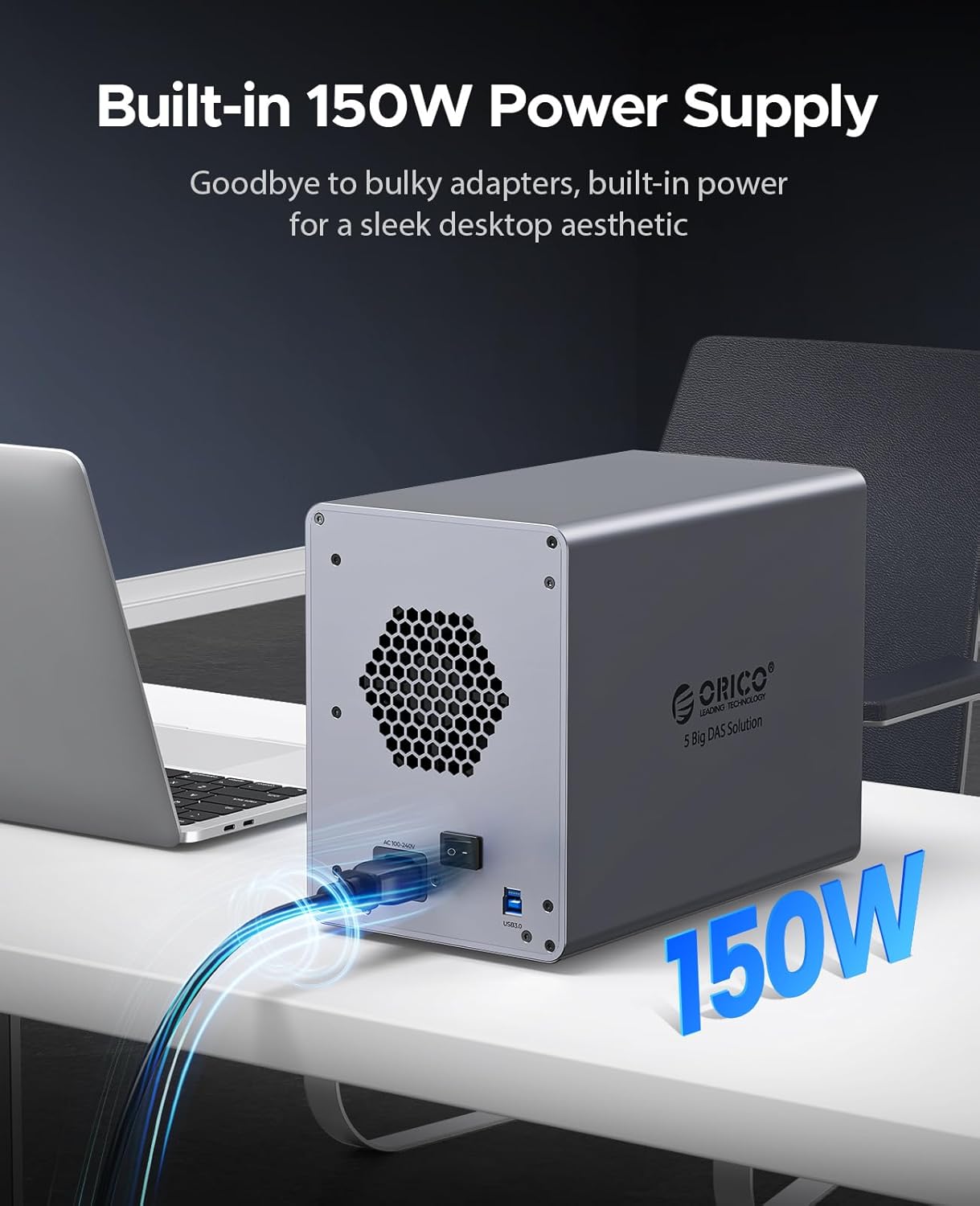
Figure 3.2: Power Supply and USB Connection Points
3.3. System Compatibility
The ORICO 9858U3 enclosure is fully compatible with Windows, macOS, and Linux operating systems. It supports various devices including laptops, desktops, iPads, OTG phones, projectors, and NAS systems.
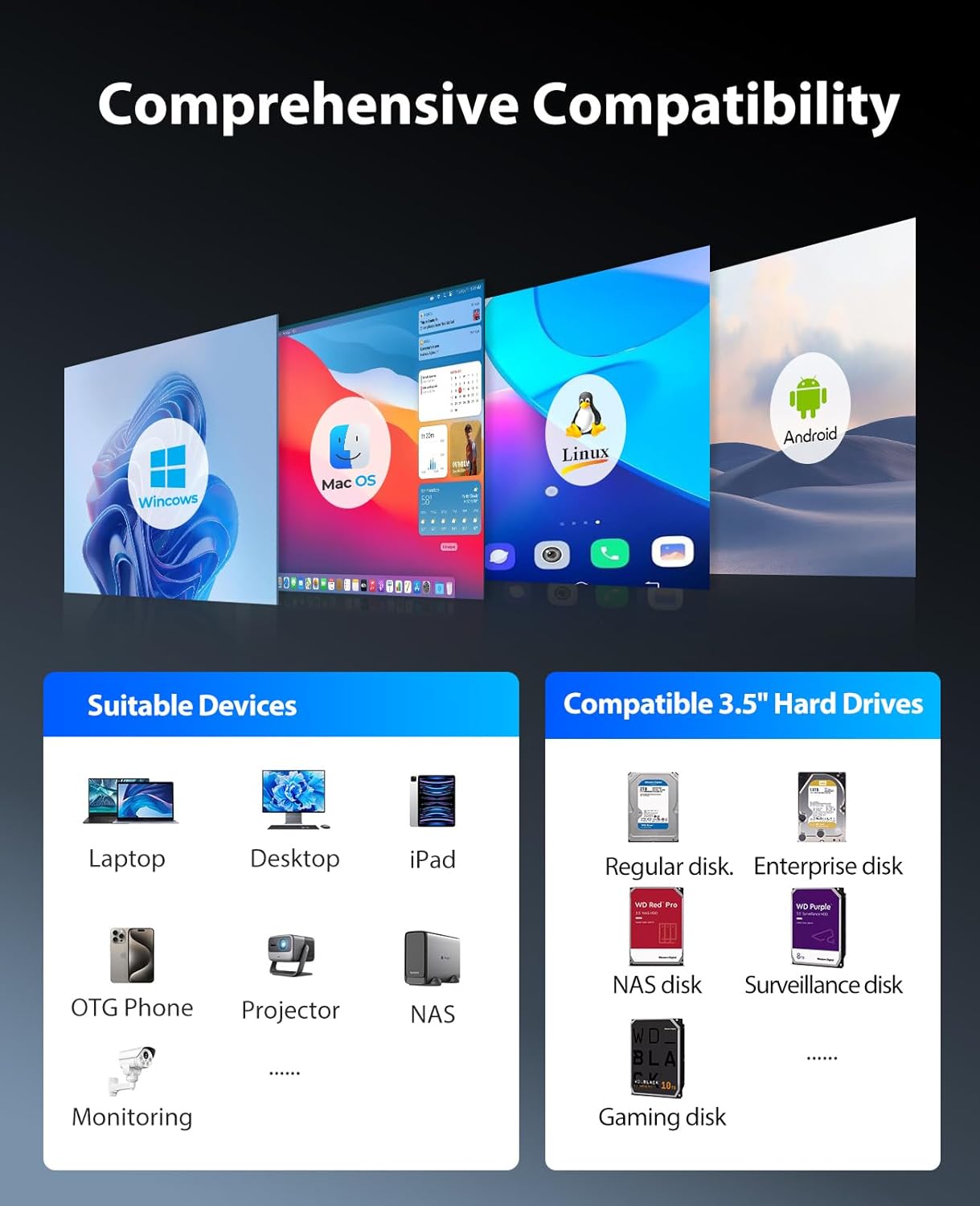
Figure 3.3: Broad System and Device Compatibility
4. Operating Instructions
4.1. Data Transfer
The enclosure utilizes a USB 3.0 interface, compatible with SATA 6 Gbps, providing data transfer speeds up to 235MB/s (5Gbps). This allows for efficient backup and transfer of large files and videos.

Figure 4.1: High-Speed Data Transfer Capabilities
4.2. Safety and Intelligent Features
- Safety Locking Mechanism: Each drive bay features an independent safety locking mechanism to prevent accidental removal or loss of hard drives, ensuring data security.
- LED Indicator Lights: Each tray is equipped with an LED indicator light, allowing you to monitor the working status of individual drives at any time.
- Intelligent Sleep Mode: The enclosure automatically enters sleep mode after 10 minutes of inactivity. This feature helps to extend the lifespan of your hard drives and conserve energy.
Video 4.2: Overview of ORICO 98 Series Features, including cooling, drive installation, and power connection.
5. Maintenance
5.1. Heat Dissipation
The ORICO 9858U3 is designed with effective heat dissipation in mind. It features an 80mm silent cooling fan and strategically placed front and rear vents. This airflow system efficiently dissipates heat, ensuring stable and efficient operation of your hard drives over extended periods.
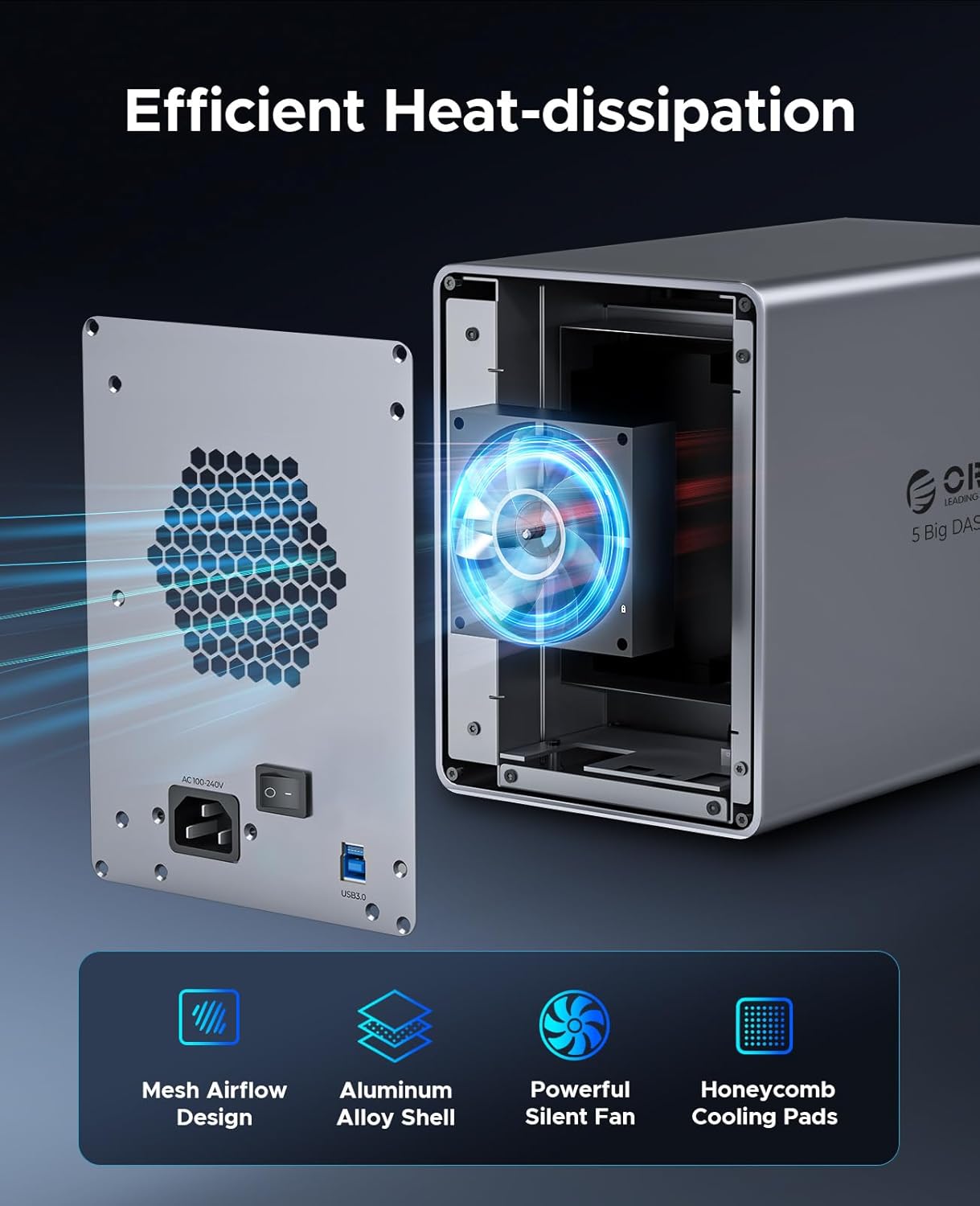
Figure 5.1: Internal Cooling Fan and Airflow Design
5.2. General Care
- Keep the enclosure in a clean, dust-free environment to prevent accumulation in the fan and vents.
- Ensure adequate space around the enclosure for proper airflow.
- Avoid exposing the unit to extreme temperatures or humidity.
- Do not attempt to open the enclosure or perform repairs yourself, as this may void the warranty.
6. Troubleshooting
If you encounter issues with your ORICO 9858U3 enclosure, please refer to the following common troubleshooting steps:
- Device Not Recognized: Ensure all cables (USB and power) are securely connected. Try connecting to a different USB port on your computer. Verify that the enclosure's power switch is in the ON position.
- Drives Not Appearing: For new drives, ensure they are initialized and formatted through your operating system's Disk Management (Windows) or Disk Utility (macOS). Check that drives are properly seated in their bays.
- Slow Transfer Speeds: Ensure you are using a USB 3.0 port on your computer. Verify that the USB cable is not damaged. Large file transfers can sometimes appear slower due to system overhead.
- Overheating: Ensure the enclosure's fan is operating and not obstructed. Clean any dust from the vents. Operate the enclosure in a well-ventilated area.
If problems persist, please contact ORICO customer support for further assistance.
7. Specifications
| Feature | Specification |
|---|---|
| Model Number | 9858U3 |
| Brand | ORICO |
| Number of Bays | 5 |
| Compatible Drive Type | 3.5-inch SATA HDDs/SSDs |
| Max Single Disk Capacity | 22TB |
| Max Total Capacity | 110TB |
| Interface | USB 3.0 Type B |
| Data Transfer Rate | Up to 5Gbps (235MB/s) |
| Power Supply | Built-in 150W |
| Cooling System | 80mm Silent Cooling Fan |
| Material | Aluminum Alloy |
| Dimensions | 13.3 x 12 x 8.8 inches |
| Item Weight | 10.43 pounds |
8. Warranty and Support
For warranty information and technical support, please refer to the official ORICO website or contact their customer service directly. Keep your purchase receipt for warranty claims.
ORICO Official Website: www.oricotech.com
Related documents9858U3


Ask a question about this manual
Ask about setup, troubleshooting, compatibility, parts, safety, or missing instructions. Manuals+ will review the question and use this page’s manual context to help answer it.