
1. Product Overview
The ESSAGER USB C to 3.5mm Audio Adapter is designed to connect your USB-C enabled devices, which lack a dedicated audio jack, to standard 3.5mm audio devices such as headphones, headsets, and speakers. It features an advanced DAC smart chip for high-fidelity sound and supports various control functions.
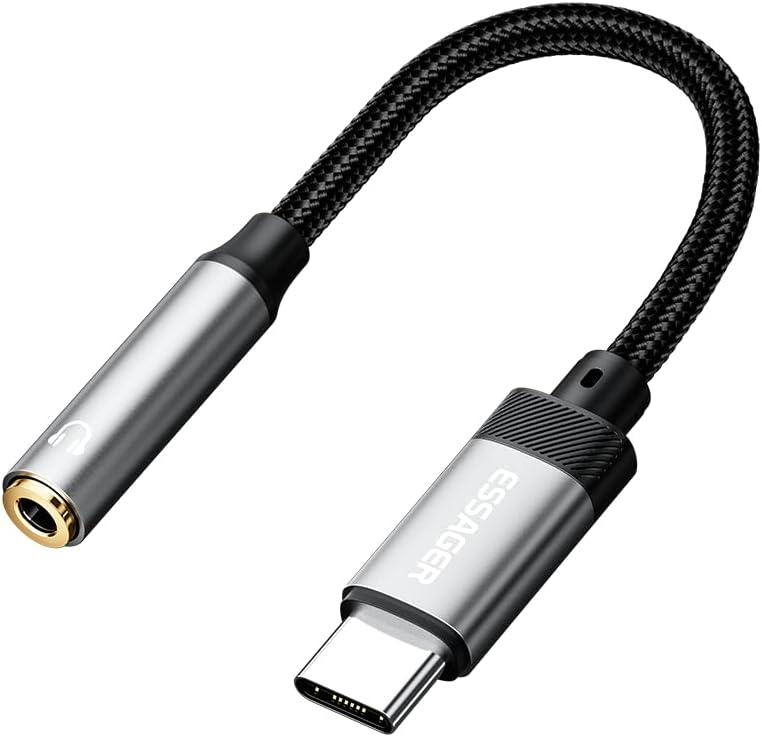
Image 1.1: The ESSAGER USB C to 3.5mm Audio Adapter, featuring a braided cable and metallic connectors.

Image 1.2: The adapter connected to a smartphone, illustrating its compact design and functionality.
2. Key Features
- Multi-Function Support: Connects USB-C devices to 3.5mm audio devices. Supports call management, volume control, and play/pause functions via wire control.
- Hi-Fi Sound Quality & Noise Reduction: Equipped with an advanced DAC smart chip for high-definition audio output and effective noise reduction, ensuring clear and detailed sound.
- Extreme Durability: Constructed with a premium aluminum alloy shell and a nylon-braided cable, designed to withstand over 20,000 bending tests for long-lasting use.

Image 2.1: Close-up of the adapter highlighting the integrated DAC smart chip for enhanced audio quality.

Image 2.2: Visual representation of the adapter's durable construction, including aluminum alloy shell and high-density braided thread.
3. Setup and Operation
3.1. Plug and Play
The ESSAGER USB C to 3.5mm Audio Adapter is designed for immediate use without the need for drivers or additional software installation. Simply plug the adapter into your device's USB-C port and then connect your 3.5mm audio device to the adapter.
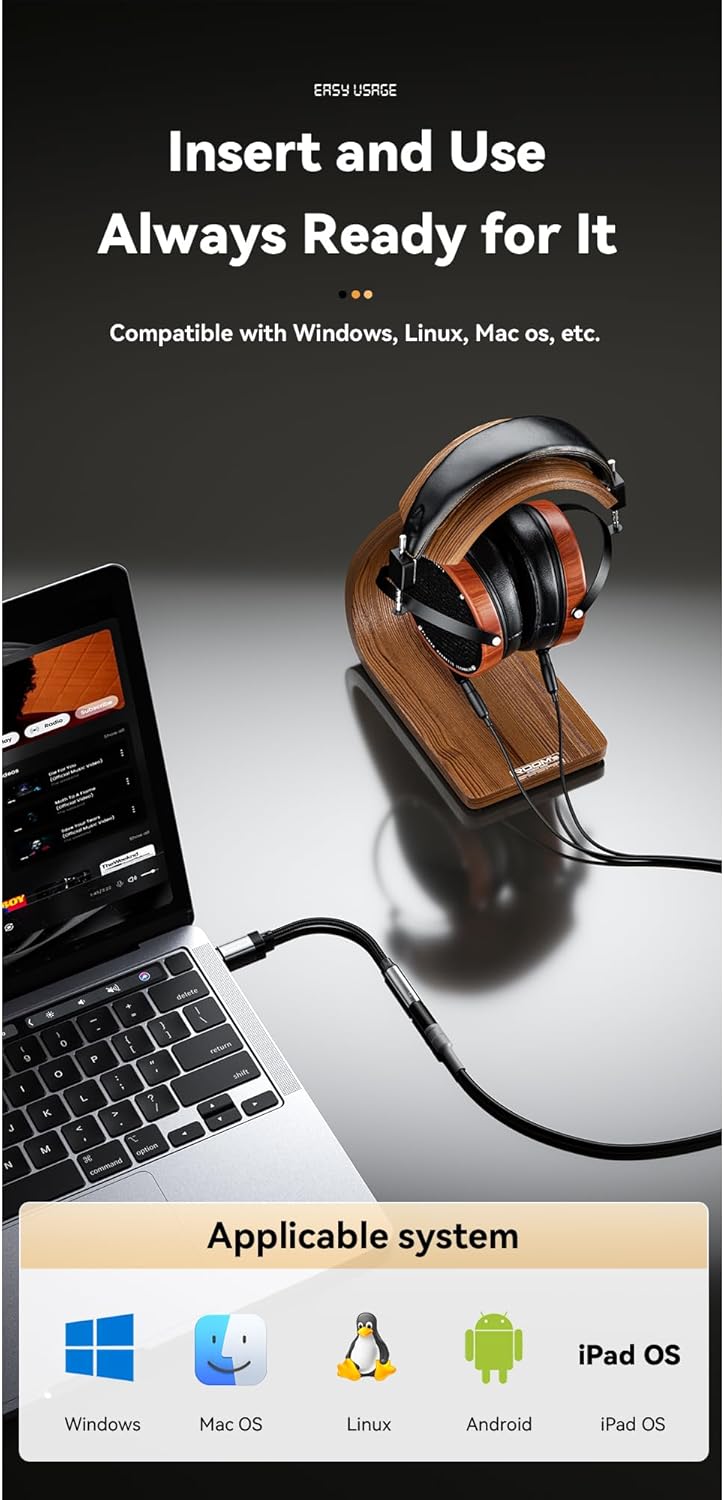
Image 3.1: The adapter connected to a laptop, demonstrating its plug-and-play functionality across various operating systems.
3.2. In-line Control
When using headphones or headsets with in-line controls, the adapter supports various functions directly through your audio device's buttons, including:
- Volume adjustment (increase/decrease)
- Play/Pause audio
- Answer/Hang up calls (for Type-C devices)

Image 3.2: Illustration of the adapter's support for in-line controls, allowing convenient management of music and calls.
4. Wide Compatibility
This USB C to 3.5mm audio adapter is compatible with a broad range of Type-C devices, including but not limited to:
- Smartphones: iPhone 16/15 series (Pro Max/Pro/Plus), Samsung Galaxy S24/S23/S22/S21/S20 series, Note 20/10/9/8, Pixel 9/8/7/6, Huawei Mate/P series, One Plus 6T/7/7Pro, and more.
- Tablets: iPad Pro, iPad mini 6, and other Type-C tablets.
- Computers: MacBooks, and other laptops with USB-C ports.
It supports TRRS and TRS audio jack types (OMTP/CTIA standards).

Image 4.1: A visual chart detailing the wide range of compatible devices and audio jack types supported by the adapter.
5. Troubleshooting
5.1. No Audio Output or Call Support
If your USB-C device already has a built-in 3.5mm audio port, this adapter may not support calling functions or may have limited audio output. This applies to certain models such as Galaxy S9/S8/Note 9/Note 8/S10, iPad Pro 11", and iPad Pro 12.9". For iPad Pro 2018, phone call and music control may not be supported.
Ensure the adapter is fully inserted into both the device's USB-C port and the 3.5mm audio device's jack.
5.2. Sound Quality Issues
If you experience static or poor sound quality, ensure that the audio source is of good quality and that the connections are secure. Test with different headphones or devices to isolate the issue.
6. Care and Maintenance
To ensure the longevity and optimal performance of your ESSAGER USB C to 3.5mm Audio Adapter, follow these guidelines:
- Avoid excessive bending or twisting of the cable, especially near the connectors.
- Keep the adapter clean and free from dust and debris. Use a soft, dry cloth for cleaning.
- Store the adapter in a cool, dry place when not in use.
- Do not expose the adapter to extreme temperatures or moisture.
7. Specifications
| Attribute | Detail |
|---|---|
| Brand | ESSAGER |
| Model Number | ESSAGER-USBC-3.5MM-AUX |
| Connector Type | USB Type C (Male) to 3.5mm AUX (Female) |
| Material | Aluminum Alloy Shell, Nylon-Braided Cable |
| DAC Chip | Advanced DAC Smart Chip |
| Dimensions | 3.39 x 3.11 x 0.28 inches (Package) |
| Item Weight | 0.634 ounces |
| Color | Grey |

Image 7.1: A visual representation of the adapter's dimensions and key specifications.
8. Support
For further assistance or inquiries regarding your ESSAGER USB C to 3.5mm Audio Adapter, please refer to the seller's contact information on the platform where the product was purchased. You may also visit the official ESSAGER brand store for additional product information and support resources.
Official ESSAGER Store: ESSAGER Store on Amazon