
Introduction
This BIGMONAT 3-in-1 device combines a powerful Bluetooth speaker, a sleep sound machine with 70 soothing sounds, and an RGB table lamp. Designed for versatile use in various settings, it offers up to 30 hours of playtime and convenient Type-C USB recharging. This manual provides detailed instructions for setup, operation, and maintenance.

Image: The BIGMONAT 3-in-1 device showcasing its multiple functionalities as a Bluetooth speaker, sound machine, and night light.
Package Contents
- 1 x BIGMONAT 3-in-1 Bluetooth Speaker
- 1 x Type-C USB Charging Cable
- 1 x User Manual
Product Overview & Controls

Image: Detailed diagram of the speaker's top panel controls and rear ports with corresponding numbers.
The following list details the functions of the numbered controls on your device:
- White noise sound selection
- Fan sound selection
- Water sound selection
- Zen sound selection
- Bluetooth button/Indicator light
- Sleep timer button
- Nature sound selection
- Other sound selection
- Decrease volume (-)
- Sound switch/Off switch (Press for 1-2 seconds to turn ON or OFF the sound)
- Increase volume (+)
- Panel light transfer switch (RGB fade on/off)
- Decrease brightness (-)
- Increase brightness (+)
- Panel light
- Lid for lamp
- LED ball lamp
- Speaker / built-in rechargeable battery
- Battery charger indicator light
- Type-C USB port
- Main power on/off switch
- Type-C USB cable
Setup
Follow these steps to set up your BIGMONAT 3-in-1 device:
- Locate the main power switch (21) on the back of the device.
- Toggle the switch to the 'ON' position to power on the device.
- The display will illuminate, indicating the device is ready for use.
Video: Demonstrates how to unbox and power on the BIGMONAT 3-in-1 Bluetooth Speaker by toggling the power switch on the back.
Operating Instructions
Power On/Off
- To power on the device, toggle the main power switch (21) on the back to 'ON'.
- To power off the device, toggle the main power switch (21) to 'OFF'.
Sound Selection
The device offers 70 soothing sounds across 6 categories: White Noise, Fan, Water, Zen, Nature, and Other.

Image: Visual representation of the 70 soothing sounds categorized into White Noise, Fan, Water, Zen, Nature, and Other.
- Press the sound category buttons (1, 2, 3, 4, 7, 8) on the top panel to cycle through the available sounds within each category.
- To turn off the sound, press and hold the Sound switch/Off switch (10) for 1-2 seconds.
Volume Adjustment
- Use the Volume - (9) button to decrease the sound volume.
- Use the Volume + (11) button to increase the sound volume.
- Press and hold either volume button for faster adjustment.
Light Control
The device features an RGB colorful light show and a warm white LED lamp.

Image: The speaker illuminated with different RGB colors, highlighting its night light feature.
- To activate the LED ball lamp (17), open the lid (16).
- To change the RGB light colors, press the Panel light transfer switch (12).
- To adjust the brightness of the light, use the Decrease brightness (-) (13) and Increase brightness (+) (14) buttons.
- The light can be used independently of the sound machine function.
Timer Settings

Image: The speaker with an illuminated top panel, showing icons for 30, 60, and 120-minute timer settings.
- Press the Sleep Timer button (6) to cycle through the available timer options: 30 minutes, 60 minutes, 120 minutes, or continuous play.
- When a timer is set, the sound will gradually fade out before turning off automatically.
Bluetooth Pairing
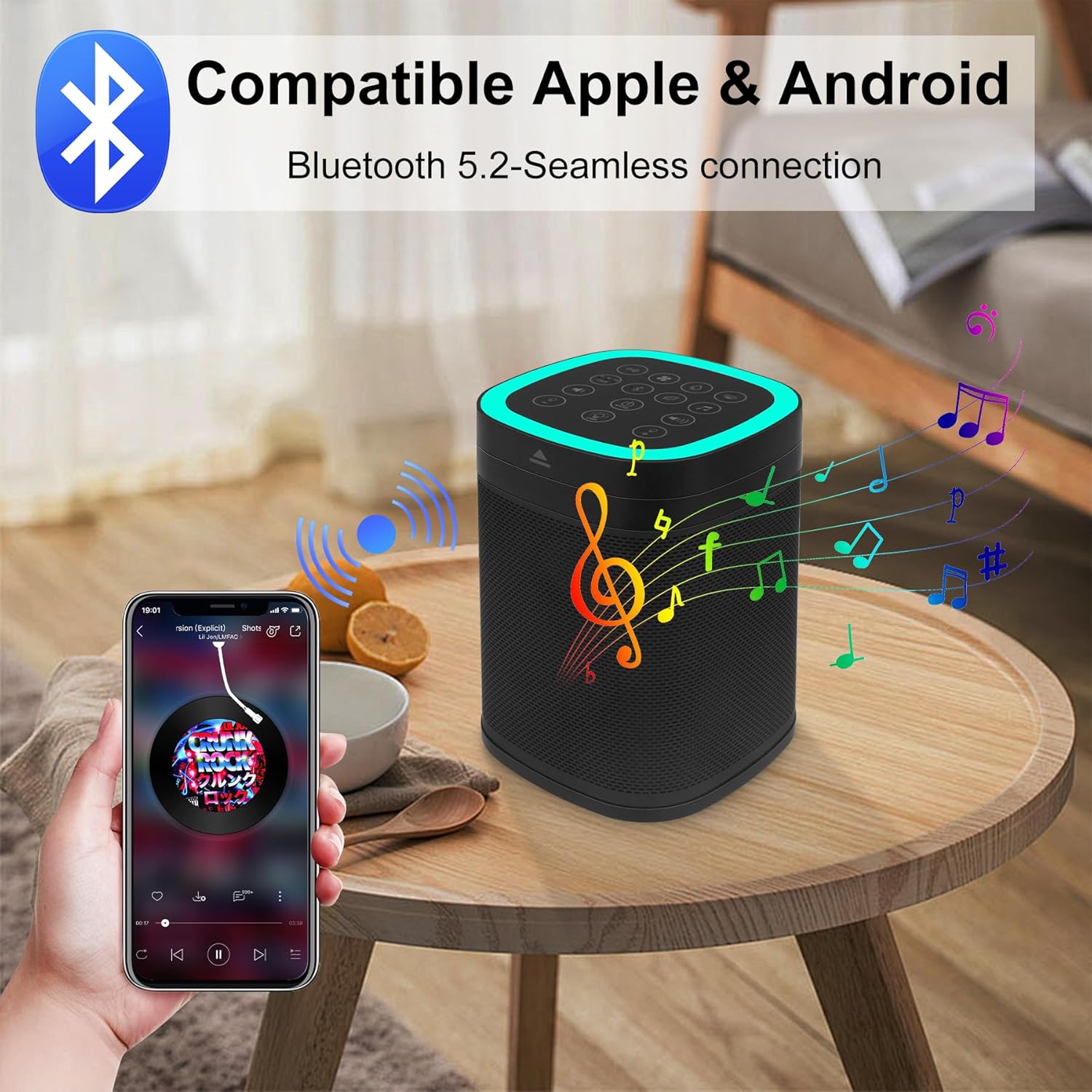
Image: The speaker wirelessly connected to a smartphone, playing music via Bluetooth 5.2.
- Press the Bluetooth button (5) to activate Bluetooth pairing mode. The Bluetooth indicator light will blink.
- On your mobile device, go to Bluetooth settings and search for available devices.
- Select 'H-440-BT' (or similar) from the list to connect.
- Once successfully paired, the Bluetooth indicator light will remain solid.
Charging
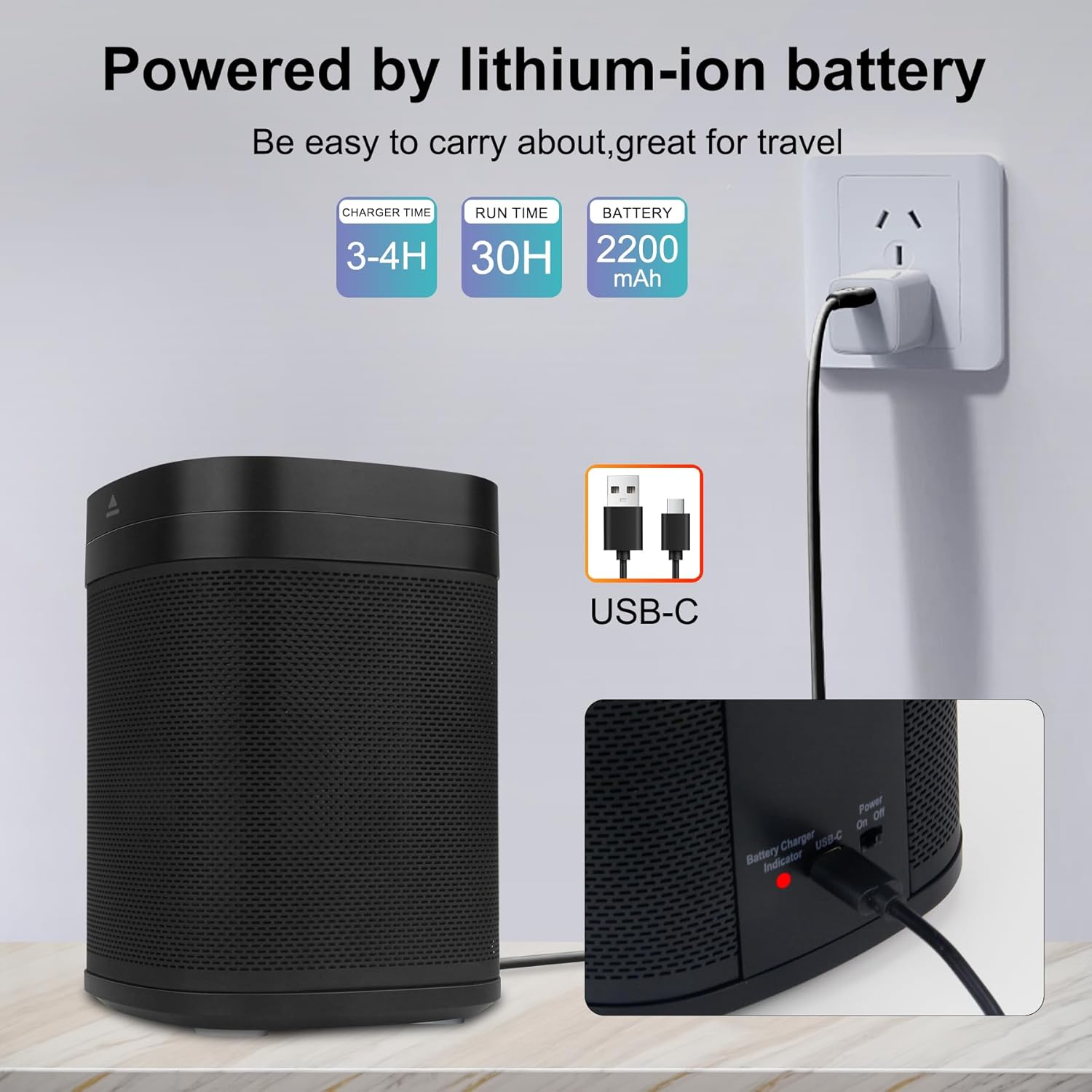
Image: The speaker being charged via its Type-C USB port, with charging time and battery life details.
The device has a built-in 3.7V 2200 mAh rechargeable battery.
- Connect the provided Type-C USB charging cable (22) to the Type-C charging interface (20) on the back of the device.
- Plug the other end of the USB cable into a compatible USB power adapter (not included).
- The battery charger indicator light (19) will illuminate during charging.
- A full charge takes approximately 3.5-4.5 hours.
- The battery provides approximately 45-50 hours of playtime at 50% volume level after being fully charged.
Safety Information
Please read and follow all safety instructions to prevent injury or damage to the device:
- CAUTION: To prevent electrical shock, do not operate the product while it is plugged in and in contact with water.
- Keep the product and its power cord out of the reach of children. This product is not intended for use by children.
- Always follow the instructions provided in the user manual for safe operation.
- To minimize noise exposure, do not use the product at high volumes for extended periods.
Specifications
| Feature | Detail |
|---|---|
| Product Dimensions | 4.76 x 4.76 x 6.61 inches; 2.27 Pounds |
| Item Model Number | B440-Black |
| Batteries | 1 Lithium Ion batteries required. (included) |
| Manufacturer | BIGMONAT |
| Brand | BIGMONAT |
| Material | Plastic |
| Power Source | Battery Powered |
| Item Depth | 4.76 inches |
Troubleshooting
If you encounter any issues with your device, please refer to the following common solutions:
- Device does not power on: Ensure the main power switch (21) is in the 'ON' position and the battery is sufficiently charged. Connect to a power source using the Type-C USB cable (22) if needed.
- Bluetooth pairing fails: Ensure the device is in Bluetooth pairing mode (Bluetooth indicator light (5) blinking) and within range of your mobile device. Try restarting both the speaker and your mobile device.
- No sound or low volume: Check the volume levels on both the speaker (9, 11) and your connected mobile device. Ensure the sound is not muted.
- Light not working: Ensure the lid (16) is open for the LED ball lamp (17) and check the brightness settings (13, 14). Press the Panel light transfer switch (12) to cycle through light modes.
- For any other issues, please refer to the full user manual or contact customer support.
Warranty and Support
For detailed warranty information, product registration, or to access customer support, please refer to the contact details provided in your product packaging or visit the official BIGMONAT website. Keep your purchase receipt for warranty claims.
Video: An overview of the BIGMONAT 3-in-1 Bluetooth Speaker, highlighting its sound, LED night light, and features.