
1. Product Overview
The Shelly Plus RGBW PM is a compact Wi-Fi controller designed for 12V or 24V DC LED strips, including RGBW, RGB, and White profiles. This device facilitates flexible ambiance creation, provides real-time power measurement, and functions as a Wi-Fi range extender and Bluetooth Low Energy (BLE) gateway. It is engineered to enhance efficiency and connectivity within your smart home ecosystem.
Key features include:
- Flexible Ambiance Creation: Control various LED strip types (RGBW, RGB, White) to set desired moods.
- Real-time Power Measurement: Monitor energy consumption for efficient lighting management.
- Wi-Fi Range Extender & BLE Gateway: Enhances network coverage and connectivity for other Shelly devices.
- Advanced Lighting Profiles: Choose from Lights, RGB, or RGBW profiles for tailored control.
- Adaptable Lighting: Syncs lighting with activities and moods, offering customizable patterns.
- Compatibility: Works with Alexa, Google Home, and the Shelly Smart Control App.

Image 1.1: The Shelly Plus RGBW PM device shown with its packaging, highlighting its function as an LED controller with Wi-Fi and Bluetooth capabilities.
2. Specifications
| Model Number | 3800235265635 |
| Product Dimensions | 0.47 x 1.46 x 1.65 inches; 0.6 ounces |
| Manufacturer | Shelly Europe |
| Power Supply | 12V or 24V DC |
| Current Rating | 4 Amps |
| Connectivity | Wi-Fi, Bluetooth |
| Supported LED Strips | RGBW, RGB, White |
| Mounting Type | Wall Mount |
| Connector Type | Screw Terminals |
| Contact Material | Stainless Steel |
| Contact Type | Normally Open |
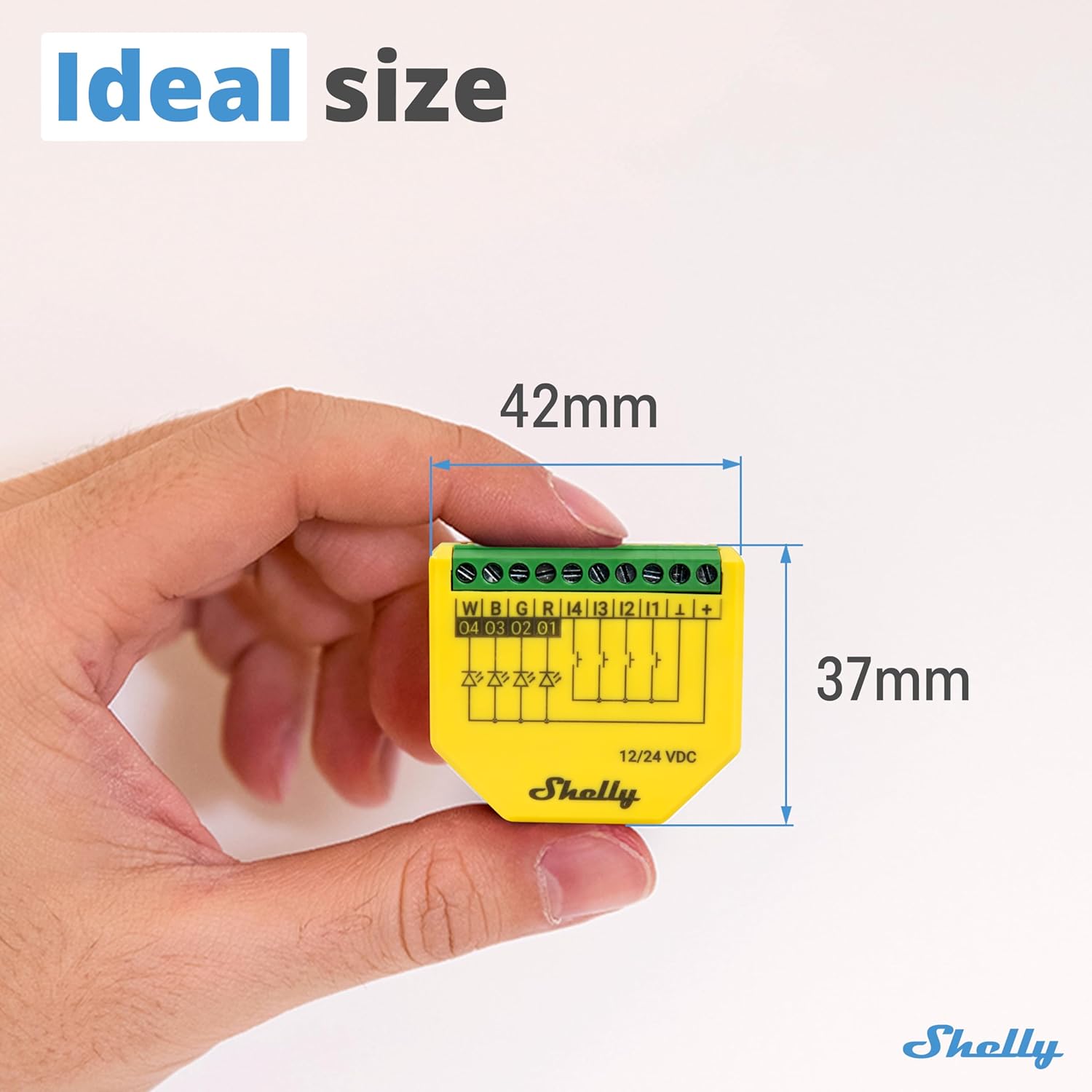
Image 2.1: The compact size of the Shelly Plus RGBW PM, measuring 42mm in width and 37mm in height, held in a hand for scale.
3. What's in the Box
Upon opening the product packaging, you will find the following items:
- 1 x Shelly Plus RGBW PM Device
- 1 x User Manual (this document)
4. Setup Instructions
This section outlines the general steps for installing and configuring your Shelly Plus RGBW PM device. Professional installation is recommended for electrical wiring.
4.1. Safety Information
- Ensure the power supply is disconnected before commencing any wiring.
- The device operates on 12V or 24V DC. Verify your LED strip and power supply compatibility.
- Adhere to local electrical codes and regulations.
4.2. Wiring the Device
The Shelly Plus RGBW PM features screw terminals for connecting to your power supply and LED strips. Refer to the diagram below for proper connections.

Image 4.1: Detailed view of the Shelly Plus RGBW PM's screw terminals, indicating connections for W (White), B (Blue), G (Green), R (Red) channels, and inputs I4, I3, I2, I1, along with the positive (+) and negative (-) power supply terminals for 12/24 VDC.
- Power Connection: Connect your 12V or 24V DC power supply to the '+' and '-' terminals.
- LED Strip Connection: Connect the respective color channels (W, B, G, R) of your LED strip to the corresponding terminals on the device. For RGB strips, connect R, G, B. For White strips, connect to W or any other channel as needed.
- Input Connections (Optional): If using external switches, connect them to the I1, I2, I3, I4 terminals and the common ground.
4.3. Initial Power On and App Integration
- Once wired, restore power to the circuit. The device will enter Access Point (AP) mode, indicated by a specific LED pattern (refer to the device's LED indicator guide for details).
- Download the Shelly Smart Control App from your device's app store (iOS or Android).
- Open the app and follow the on-screen instructions to add a new device. The app will guide you through connecting the Shelly Plus RGBW PM to your Wi-Fi network.
- After successful connection, you can configure device settings, including naming, room assignment, and initial lighting profiles.
5. Operating Instructions
The Shelly Plus RGBW PM offers versatile control over your LED lighting. Control is primarily managed through the Shelly Smart Control App, voice assistants, or optional physical switches.
5.1. Lighting Profiles
The device supports three distinct lighting profiles, configurable within the Shelly app:
- Lights Profile: Allows independent control of up to four individual LED strips, enabling separate brightness adjustments for each.
- RGB Profile: Designed for RGB LED strips, enabling unified color and brightness adjustments to create specific moods.
- RGBW Profile: Provides seamless transitions between color and white lighting, or allows blending both for a customized ambiance.

Image 5.1: An illustration of tailored lighting options, showing a living room with various LED strip configurations, demonstrating the flexibility of the Shelly Plus RGBW PM to control different lighting profiles.
5.2. Dynamic Lighting Control
The Shelly Plus RGBW PM allows you to adapt your lighting to match your activities and mood. You can save and name your preferred lighting patterns for quick activation via the app or voice commands.

Image 5.2: A living room scene with a television displaying a mountain landscape, illuminated by red LED strips, demonstrating how the Shelly Plus RGBW PM can synchronize lighting with mood and activities.
5.3. Night Mode
Configure a "Night Mode" within the Shelly app to automatically dim lights for a gentle evening illumination. This feature is ideal for winding down and maintaining low brightness during nighttime hours.

Image 5.3: A dimly lit room scene at night, showcasing the Shelly Plus RGBW PM's night mode feature, which automatically dims lights for a gentle, low-brightness ambiance.
5.4. Power Monitoring
The Shelly Plus RGBW PM includes real-time power measurement capabilities. This allows you to monitor the energy consumption of your connected LED strips, facilitating efficient energy use without compromising lighting quality.

Image 5.4: A person interacting with a smartphone, with a computer monitor in the background displaying a red glow, illustrating the power monitoring feature of the Shelly Plus RGBW PM for tracking energy consumption.
5.5. Voice Control Integration
The device is compatible with popular voice assistants such as Amazon Alexa and Google Home. Once integrated, you can control your lighting using voice commands.

Image 5.5: A smart speaker on a table, with speech bubbles indicating voice commands like "Alexa, dim the kitchen lights to 50%!" and "OK Google, turn on game mode!", demonstrating the Shelly Plus RGBW PM's compatibility with voice assistants.
6. Maintenance
The Shelly Plus RGBW PM is designed for minimal maintenance. To ensure optimal performance and longevity:
- Keep the device free from dust and moisture.
- Do not expose the device to extreme temperatures or direct sunlight.
- Periodically check wiring connections to ensure they are secure.
- Ensure your Shelly Smart Control App and device firmware are updated to the latest versions for new features and security enhancements.
7. Troubleshooting
If you encounter issues with your Shelly Plus RGBW PM, consider the following troubleshooting steps:
- Device Not Responding:
- Check the power supply to the device and LED strips.
- Verify Wi-Fi connectivity. Ensure your router is operational and the device is within range.
- Restart the device by cycling its power supply.
- LED Strips Not Lighting Up:
- Inspect all wiring connections to the LED strips and the Shelly device.
- Confirm the LED strips are functional by testing them with a direct power source if possible.
- Check the lighting profile settings in the Shelly app to ensure the correct channels are enabled and brightness is not set to zero.
- Difficulty Connecting to Wi-Fi:
- Ensure your Wi-Fi network is 2.4GHz, as the device may not support 5GHz networks.
- Verify the Wi-Fi password entered in the app is correct.
- Move the device closer to your Wi-Fi router during the initial setup process.
- Perform a factory reset on the device (refer to the Shelly support documentation for specific instructions).
- Inaccurate Power Readings:
- Ensure the device is correctly wired for power measurement.
- Check for any loose connections that might affect current sensing.
For further assistance, refer to the support resources mentioned in the next section.
8. Support & Warranty
Shelly is committed to providing comprehensive support for its products. If you require assistance or have questions regarding your Shelly Plus RGBW PM, please utilize the following resources:
- Shelly Customer Service: Shelly offers professional support for all its devices.
- Online Knowledge Base: Access detailed product specifications, guidelines, and FAQs at the official Shelly support portal. Visit Shelly Support Home
- Technical Support & Community: Engage with technical support and other users through Facebook Support Groups and Reddit communities.
- Shelly Academy: Explore video tutorials and webinars for in-depth guidance on product usage and advanced features.

Image 8.1: A QR code labeled "SCAN FOR SUPPORT" which links to the Shelly support website, offering knowledge base, technical support, and community resources.
8.1. Warranty Information
The Shelly Plus RGBW PM comes with a 3-year device warranty. Please retain your proof of purchase for warranty claims. For detailed warranty terms and conditions, refer to the official Shelly website or contact customer service.