
Introduction
The NENO Bambino is an electronic baby monitor system designed to provide reliable surveillance of your child. It includes a receiver unit and a camera unit, capable of pairing with up to four cameras for comprehensive home monitoring. With an extended range of up to 300 meters outdoors and 50 meters indoors, it is suitable for various living environments. Key features include two-way communication, pre-installed lullabies, night vision, and an alarm function, all housed in a child-friendly design.
What's in the Box
Please check the package contents to ensure all items are present:
- NENO Bambino Baby Monitor Receiver Unit
- NENO Bambino Baby Monitor Camera Unit
- Power Adapters (x2)
- USB Charging Cables (x2)
- Flexible Headband Mount
- User Manual

Image Description: An overhead view of the NENO Bambino Baby Monitor's complete package contents. It shows the monitor, the camera with its flexible mount, two power adapters, two USB cables, and the instruction manual, all arranged neatly on a white background next to the product box.
Setup
1. Charging the Devices
Before first use, fully charge both the receiver and camera units. Connect the provided power adapters to the respective units and plug them into a power outlet. The charging indicator will illuminate.
2. Placing the Camera Unit
Position the camera unit in your child's room to ensure a clear view of the crib or play area. The flexible headband mount allows for stable and comfortable mounting on various surfaces, such as crib rails or shelves. Adjust the camera angle as needed.

Image Description: A close-up view of the NENO Bambino camera unit, featuring its green, cat-ear-shaped housing and white base. Green arrows indicate the camera's ability to rotate on its stand, highlighting its flexible positioning.
3. Pairing Additional Camera Units (Optional)
The NENO Bambino receiver can be paired with up to four camera units. To pair an additional camera, access the pairing menu on the receiver and follow the on-screen instructions. Ensure the new camera is powered on and within range.
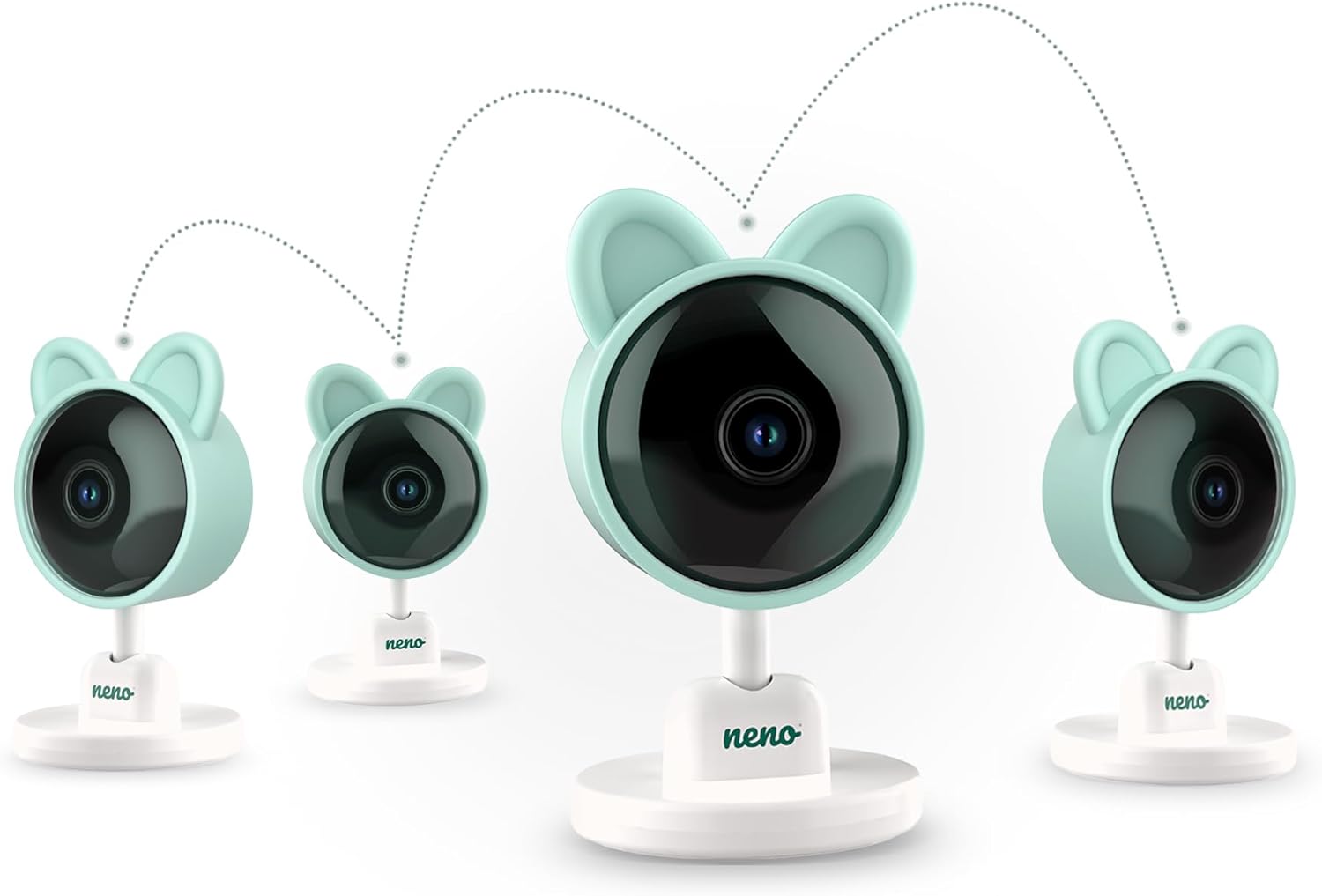
Image Description: An illustration showing one main NENO Bambino camera unit in the center, with three additional camera units positioned around it. Dotted lines connect all four cameras, symbolizing their ability to be linked to a single monitoring system.
Operating Instructions
1. Powering On/Off
Press and hold the power button on both the receiver and camera units to turn them on or off.
2. Navigating the Receiver Menu
Use the directional buttons and the 'OK' button on the receiver to navigate through the menu options and adjust settings.

Image Description: A close-up of the NENO Bambino receiver unit, showing its large screen displaying a sleeping baby. The control buttons, including the directional pad and function buttons, are visible on the right side of the screen.
3. Two-Way Communication
To speak to your child, press and hold the microphone button on the receiver. Your voice will be transmitted through the camera unit. Release the button to listen.

Image Description: An illustration depicting the NENO Bambino receiver and camera units facing each other. Purple speech bubble icons with sound waves emanate from both devices, visually representing the two-way communication feature.
4. Night Mode
The camera automatically activates infrared (IR) diodes in low-light conditions, providing clear visibility up to 5 meters in complete darkness. The IR LEDs are invisible to the human eye, ensuring your child's sleep is undisturbed.
5. Temperature Alarm
The built-in temperature sensor continuously monitors the room temperature. You can set a temperature range on the receiver, and an alarm will notify you if the temperature deviates from your set parameters.
6. Lullabies
The monitor includes 6 pre-installed lullabies. Access the lullaby menu on the receiver to select and play a soothing melody for your child.
7. Alarm Function
Utilize the alarm function on the receiver to set reminders for important events such as feeding times, nap schedules, or medication administration.
8. VOX Standby Mode
In VOX (Voice Operated eXchange) standby mode, the monitor's screen will automatically turn off to conserve battery. It will reactivate when noise is detected in the child's room, ensuring you are alerted to any sounds.
9. Zoom Function
The camera features a 4x digital zoom. Use the zoom controls on the receiver to get a closer view of your child without entering the room.
10. Operating Range
The NENO Bambino offers a substantial operating range: up to 300 meters in open outdoor areas and up to 50 meters indoors, depending on environmental factors and obstructions.
Maintenance
Cleaning
Wipe the monitor and camera units with a soft, dry, or slightly damp cloth. Do not use abrasive cleaners or solvents. Ensure the devices are unplugged before cleaning.
Battery Care
To prolong battery life, avoid fully discharging the units frequently. Store the devices in a cool, dry place if not in use for extended periods.
Troubleshooting
- No Signal/Poor Connection:
Ensure both units are powered on and fully charged. Move the receiver closer to the camera unit. Check for obstructions like thick walls or other electronic devices that might interfere with the signal. - No Sound/Poor Audio:
Check the volume settings on the receiver. Ensure there are no obstructions blocking the microphone or speaker on either unit. - Screen Not Turning On:
Check if the unit is charged. If in VOX mode, make a sound near the camera to activate the screen. - Battery Drains Quickly:
Ensure VOX mode is enabled to conserve power. Reduce screen brightness.
Specifications
| Feature | Specification |
|---|---|
| Brand | NENO |
| Model Number | Bambino |
| Manufacturer | Neno |
| Colour | Green |
| Item Package Quantity | 1 |
| Special Features | 4x zoom, Two-way communication, Temperature alarm, Night mode, Alarm function, Lullabies, VOX standby mode |
| Batteries Included | Yes |
| Batteries Required | Yes |
| Battery Cell Type | Lithium Ion |
| Package Dimensions | 19 x 16 x 7 cm |
| Item Weight | 1 kg |
| Indoor Range | Up to 50 meters |
| Outdoor Range | Up to 300 meters |


