
1. Introduction
This manual provides essential information for the safe and efficient operation of your new Haier 30L Convection Microwave Oven, model HIL3001ARSB. This appliance combines microwave, grill, convection, air fryer, and rotisserie functions, offering versatile cooking options. Please read these instructions thoroughly before use and retain them for future reference.
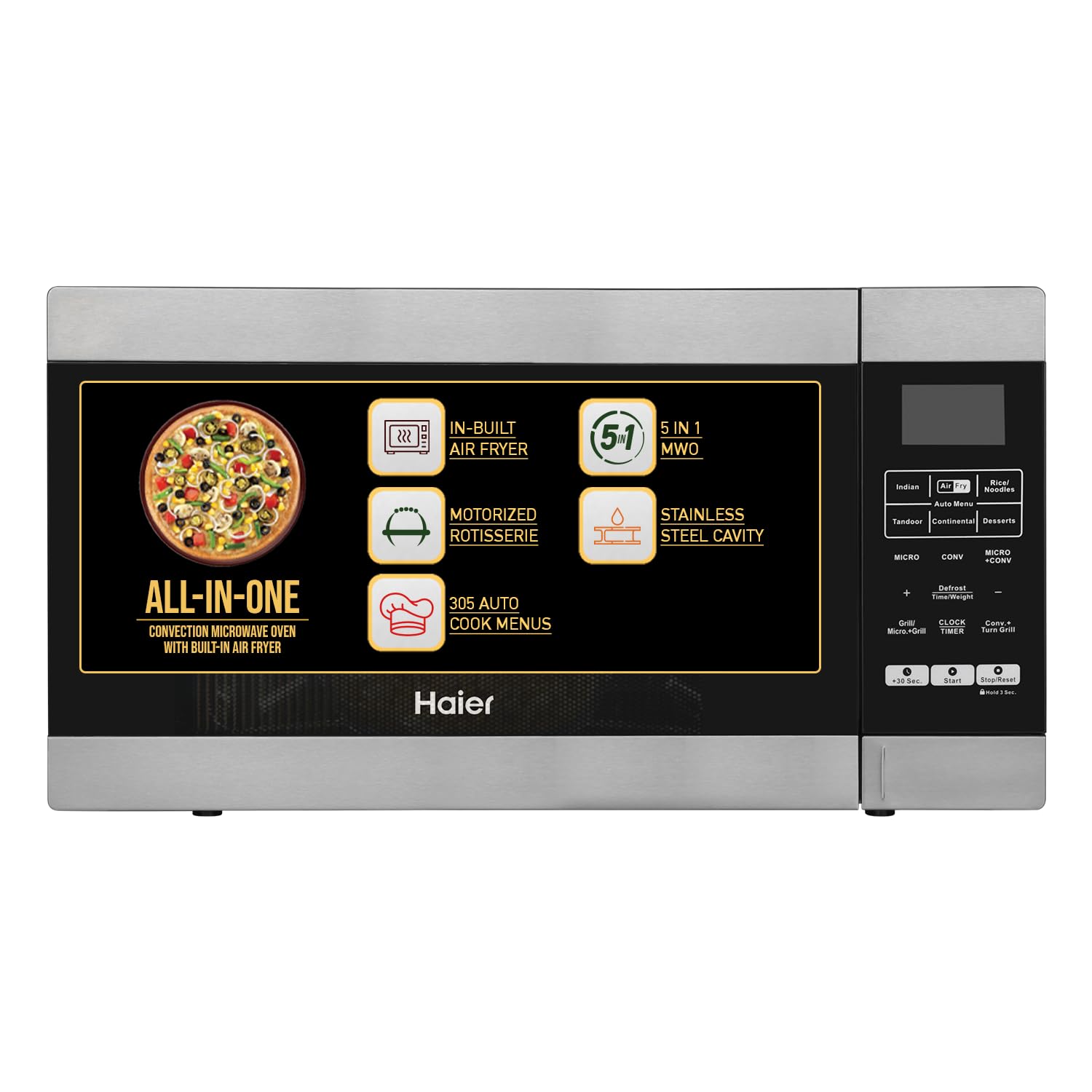
Front view of the Haier 30L Convection Microwave Oven HIL3001ARSB.

Overview of the multi-features including In-Built Air Fryer, 5-in-1 functionality, 305 Auto Cook Menus, Motorized Rotisserie, Stainless Steel Cavity, and Touch Control.
2. Safety Instructions
To reduce the risk of fire, electric shock, injury to persons, or exposure to excessive microwave energy when using your appliance, follow these basic precautions:
- Read all instructions before using the appliance.
- Do not operate the oven if the door or door seals are damaged.
- Do not heat liquids or other foods in sealed containers as they are liable to explode.
- Only use utensils suitable for microwave ovens.
- Ensure proper ventilation around the oven. Do not block any ventilation openings.
- Never operate the oven empty.
- Always supervise children when they are near the appliance.
- Do not attempt to service or repair the oven yourself. Contact qualified service personnel.
- Use the Child Lock feature to prevent unintended operation by children.
3. Product Components
Your Haier 30L Convection Microwave Oven comes with the following components:
- Microwave Oven Unit
- Owner's Manual (this document)
- Crispy Plate with High Rack
- Glass Turntable
- Rotating Ring (for turntable support)
- Air-Fryer Tray
- Motorized Rotisserie Rod and Forks
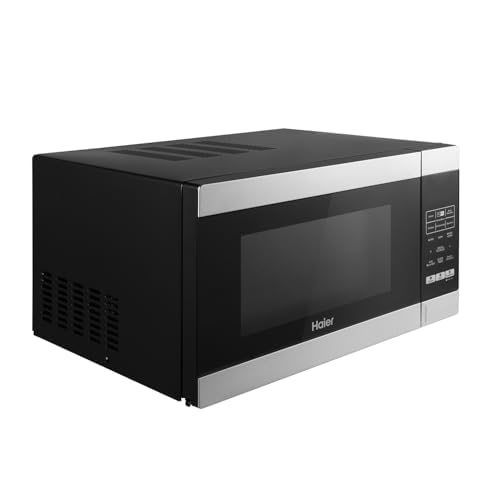
The 315 mm diameter glass turntable ensures even cooking.

The stainless steel cavity is designed for efficient and easy cleaning.
4. Setup
Follow these steps to set up your microwave oven:
- Unpacking: Carefully remove all packaging materials and accessories. Check the oven for any damage, such as dents or a broken door. Do not operate if damaged.
- Placement: Place the oven on a flat, stable surface strong enough to hold its weight. Ensure there is at least 20 cm (8 inches) of free space above the oven, 10 cm (4 inches) at the rear, and 5 cm (2 inches) on each side for proper ventilation. Do not place the oven near heat sources or in a damp environment.
- Electrical Connection: Plug the power cord into a grounded electrical outlet. Ensure the voltage matches the rating label on the oven.
- Initial Cleaning: Before first use, wipe the interior and exterior of the oven with a damp cloth.
- Turntable Assembly: Place the rotating ring in the center of the oven cavity. Position the glass turntable securely on top of the rotating ring. Ensure it rotates freely.

Rear view of the microwave oven, showing ventilation requirements.
5. Operating Instructions
Your Haier microwave oven features a touch control panel for various cooking functions.

Detailed view of the touch control panel with various function buttons.
5.1. Basic Microwave Cooking
To cook with microwave power:
- Place food in a microwave-safe container on the turntable.
- Press the 'Micro' button.
- Use the number pad or time adjustment buttons to set the cooking time.
- Press 'Start'.
The oven offers 5 microwave power levels. Adjust as needed for different foods.

Visual representation of the 5 multi-power levels available for microwave cooking.
5.2. Grill Function
Ideal for grilling thin meat slices, steaks, chops, sausages, and chicken pieces.
- Place food on the high rack provided.
- Press the 'Grill' button.
- Set the desired grilling time.
- Press 'Start'.
5.3. Convection Function
Use for baking and roasting. The oven can be preheated in convection mode.
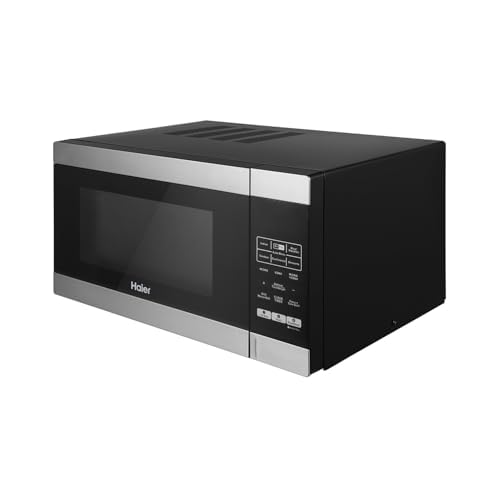
The convection oven function ensures even heat distribution for baking and roasting.
- Press the 'Convection' button.
- Select the desired temperature (e.g., 180°C).
- Press 'Start' to preheat. The oven will beep when preheating is complete.
- Place food inside and set the cooking time.
- Press 'Start'.
5.4. Combination Cooking
Combines microwave and grill/convection for faster cooking and browning.

Illustration of combination cooking, utilizing both microwave and grill elements.
- Press the 'Combination' button (Micro+Grill or Micro+Convection).
- Set the cooking time.
- Press 'Start'.
5.5. In-Built Air Fryer Function
For healthier, crispy results with less oil.

The in-built air fryer allows for cooking crispy foods with minimal oil.
- Place food on the Air-Fryer Tray.
- Press the 'Air Fry' button.
- Set the desired cooking time.
- Press 'Start'.
5.6. Motorized Rotisserie
Perfect for roasting whole chicken, kebabs, or paneer tikka evenly.

The motorized rotisserie ensures even cooking and browning for items like kebabs and tandoor dishes.
- Skewer the food onto the rotisserie rod and secure with forks.
- Place the rotisserie assembly inside the oven, ensuring it engages with the motor drive.
- Press the 'Rotisserie/Tandoor' button.
- Set the cooking time.
- Press 'Start'.
5.7. Auto Cook Menus
The oven features 305 pre-programmed auto cook menus for various Indian and Continental dishes, as well as desserts.

A wide variety of 305 auto cook menus simplifies meal preparation.
- Press the 'Auto Menu' button.
- Select the desired menu category (e.g., Indian, Continental, Desserts).
- Choose the specific dish number.
- Enter the food weight if prompted.
- Press 'Start'.
5.8. Defrosting
Use the auto defrost function to thaw frozen foods based on weight.
- Place frozen food in the oven.
- Press the 'Defrost' button.
- Enter the weight of the food.
- Press 'Start'.
5.9. Child Lock
To prevent accidental operation, especially by children.

The child lock feature provides safety by preventing unintended use.
- To Activate: Press and hold the 'Stop/Reset' button for 3 seconds. A lock indicator will appear on the display.
- To Deactivate: Press and hold the 'Stop/Reset' button for 3 seconds again. The lock indicator will disappear.
5.10. Express Cooking
For quick heating at full microwave power.

Express cooking allows for quick 30-second increments at full power.
- Press the '+30 Sec' button to start cooking immediately for 30 seconds at full power. Each additional press adds 30 seconds.
6. Maintenance and Cleaning
Regular cleaning and maintenance will ensure the longevity and optimal performance of your oven.
- Exterior: Wipe the exterior with a damp cloth and mild detergent. Avoid abrasive cleaners.
- Interior: Clean the stainless steel interior with a soft cloth and mild soap solution after each use. For stubborn food splatters, place a bowl of water with lemon slices inside and microwave for a few minutes to loosen residue, then wipe clean.
- Door Seals: Keep the door seals clean to ensure proper closure.
- Turntable and Accessories: The glass turntable, rotating ring, crispy plate, and air fryer tray can be washed in warm soapy water or in a dishwasher.
- Rotisserie: Clean the rotisserie rod and forks with warm soapy water after each use.
- Power Cord: Regularly check the power cord for any damage. If damaged, it must be replaced by a qualified technician.
7. Troubleshooting
If you encounter any issues, refer to the table below for common problems and solutions.
| Problem | Possible Cause | Solution |
|---|---|---|
| Oven does not start | Power cord unplugged; Door not closed properly; Fuse blown/Circuit breaker tripped | Ensure plug is firmly in outlet; Close door securely; Check household fuse/circuit breaker |
| Food not cooking evenly | Improper stirring/turning; Food not placed centrally; Incorrect power level/time | Stir/turn food during cooking; Ensure food is centered on turntable; Adjust power/time as needed |
| Display goes blank during operation | Temporary electrical glitch | Unplug the oven, wait 1 minute, then plug back in. If issue persists, contact service. |
| Smoke or sparks inside oven | Metal in oven; Food residue; Damaged cavity | Immediately turn off and unplug. Remove any metal objects. Clean interior. If cavity is damaged, do not use and contact service. |
8. Specifications
Technical details for the Haier 30L Convection Microwave Oven HIL3001ARSB:
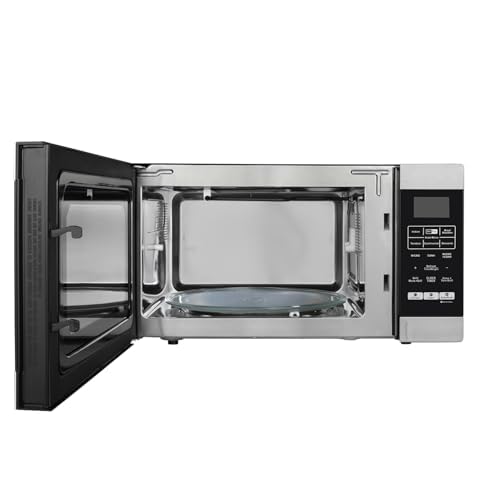
Visual representation of the oven's dimensions and 30-liter capacity.
| Feature | Specification |
|---|---|
| Model | HIL3001ARSB |
| Capacity | 30 Litres |
| Oven Cooking Mode | Convection |
| Microwave Power Output | 900 Watts |
| Convection Power Consumption | 2200 Watts |
| Grill Power Consumption | 1250 Watts |
| Voltage | 230 Volts |
| Dimensions (W x H x D) | 53.9 CM x 30.0 CM x 41.7 CM |
| Inner Material Type | Stainless Steel |
| Turntable Diameter | 12.40 Inches (315 mm) |
| Control Type | Membrane Touch |
| Special Features | Auto Cook, Child Lock, Digital Control, Express Cook, Grill Function, In-Built Air Fryer, Motorized Rotisserie |
9. Warranty and Support
Your Haier 30L Convection Microwave Oven HIL3001ARSB is covered by a manufacturer's warranty.
- Product Warranty: 1 Year from the date of purchase.
- Magnetron Warranty: 5 Years from the date of purchase.
To Avail Warranty: Please retain your Amazon invoice as proof of purchase. The warranty can be availed using this invoice.
User Manual Access: This user manual, along with other support documents, can be accessed from the official Haier brand website.
For any service or support inquiries, please contact Haier customer service.


