
Introduction
This manual provides detailed instructions for the Ulefone Armor Mini 20T Pro 5G, a compact and rugged smartphone designed for demanding environments. It features integrated FLIR thermal imaging, 5G connectivity, and a durable build. Please read this manual carefully to ensure proper use and optimal performance of your device.

Front and back view of the Ulefone Armor Mini 20T Pro 5G smartphone, showcasing its rugged design and the thermal imaging display on the screen.
Setup
Package Contents
Verify that your package contains the following items:
- 1 x Ulefone Armor Mini 20T Pro Rugged Smartphone
- 1 x Charger
- 1 x USB Type-C Cable
- 1 x Tempered Glass Screen Protector Film
- 1 x SIM Needle
SIM Card and Storage Installation
The Armor Mini 20T Pro supports dual 5G SIM cards and expandable storage up to 2TB via a microSD card (sold separately).
- Locate the SIM card tray on the side of the device.
- Insert the SIM needle into the small hole next to the tray to eject it.
- Place your Nano-SIM cards and/or microSD card into the designated slots. Ensure correct orientation.
- Carefully reinsert the tray into the phone until it clicks into place.

Side view of the Ulefone Armor Mini 20T Pro, indicating the location of the SIM card tray and physical buttons.
Powering On/Off
To power on the device, press and hold the Power button located on the side until the Ulefone logo appears. To power off, press and hold the Power button, then select "Power off" from the options.
Initial Configuration
Upon first power-on, follow the on-screen prompts to set up your Android 14 operating system, including language, Wi-Fi connection, Google account, and security settings.
Operating Your Device
Basic Navigation
The Ulefone Armor Mini 20T Pro features a 4.7-inch HD+ touchscreen display. Navigate by tapping, swiping, and pinching gestures. Physical buttons include Power, Volume Up/Down, and a customizable side key.

A hand holding the compact Ulefone Armor Mini 20T Pro, demonstrating its suitability for single-handed operation.
Display Features
The 4.7-inch HD+ display offers vibrant clarity and smooth motion with a resolution of 720 x 1600 pixels, 373 PPI, and a maximum brightness of 700 nits for excellent outdoor visibility.

A visual representation of the 4.7-inch HD+ display, detailing its 720x1600 resolution, 373 PPI, and 700 nits maximum brightness.
Camera Functions
The device is equipped with a 50MP main camera (ISOCELL GN1 sensor) and supports underwater photography. The front camera is 32MP.
To access the camera, tap the Camera icon on your home screen or app drawer. Select modes such as Photo, Video, Portrait, and Underwater. Adjust settings like resolution, flash, and filters as needed.
Thermal Imaging with FLIR Lepton 3.5
The integrated FLIR Lepton 3.5 thermal camera allows you to visualize heat signatures. Access this feature via the MyFLIR Pro application.
- Temperature Measurement Range: -10°C to 450°C.
- VividIR™ Technology: Enhances thermal image clarity.
- MSX® Intensity: Blends visible light details with thermal images for better context.
- Thermal Locking: Locks the temperature range for specific analysis.
- Customizable Circular Area: Monitor temperature within a defined circular region.
- Horizontal/Vertical Line: Measure average temperature along a line.
Screenshots illustrating various features of the MyFLIR Pro application, including VividIR activation, temperature alerts, MSX intensity adjustment, thermal locking, and customizable measurement areas.

A visual representation of the FLIR Lepton 3.5 thermal camera in action, showing its ability to detect heat signatures and its integration into the smartphone.
Connectivity
Your device supports a range of connectivity options:
- 5G Network: High-speed mobile data for streaming and downloads.
- Wi-Fi: Connect to wireless networks. The device can also act as a 5G mobile hotspot.
- Bluetooth: Pair with wireless accessories.
- GPS: For navigation and location services, supporting 5 navigation systems.
- NFC: For contactless payments (Google Pay supported) and data transfer.
- IR Emitter: Control compatible infrared devices.

An illustration demonstrating the Ulefone Armor Mini 20T Pro's 5G high-speed network access and its capability to function as a mobile 5G Wi-Fi hotspot.
Special Features
- Versatile LED Light: A powerful LED light with 130 LEDs and up to 500 lumens, offering various modes for camping, hiking, cycling, and emergency lighting.
- Custom Key: A programmable physical button for quick access to frequently used functions or apps.
- Glove Mode: Enhances touchscreen sensitivity for use with gloves.
- Emergency Warning Light: Utilizes the versatile LED light for signaling in emergency situations.
- Outdoor Toolbox: A suite of pre-installed tools useful for outdoor activities.
- 3.5mm Headphone Jack: For wired audio connections.
- FM Radio: Listen to FM radio without needing headphones as an antenna.

A person using the Ulefone Armor Mini 20T Pro's versatile LED light in a dark outdoor setting, highlighting its brightness and utility for various activities.
Battery Management
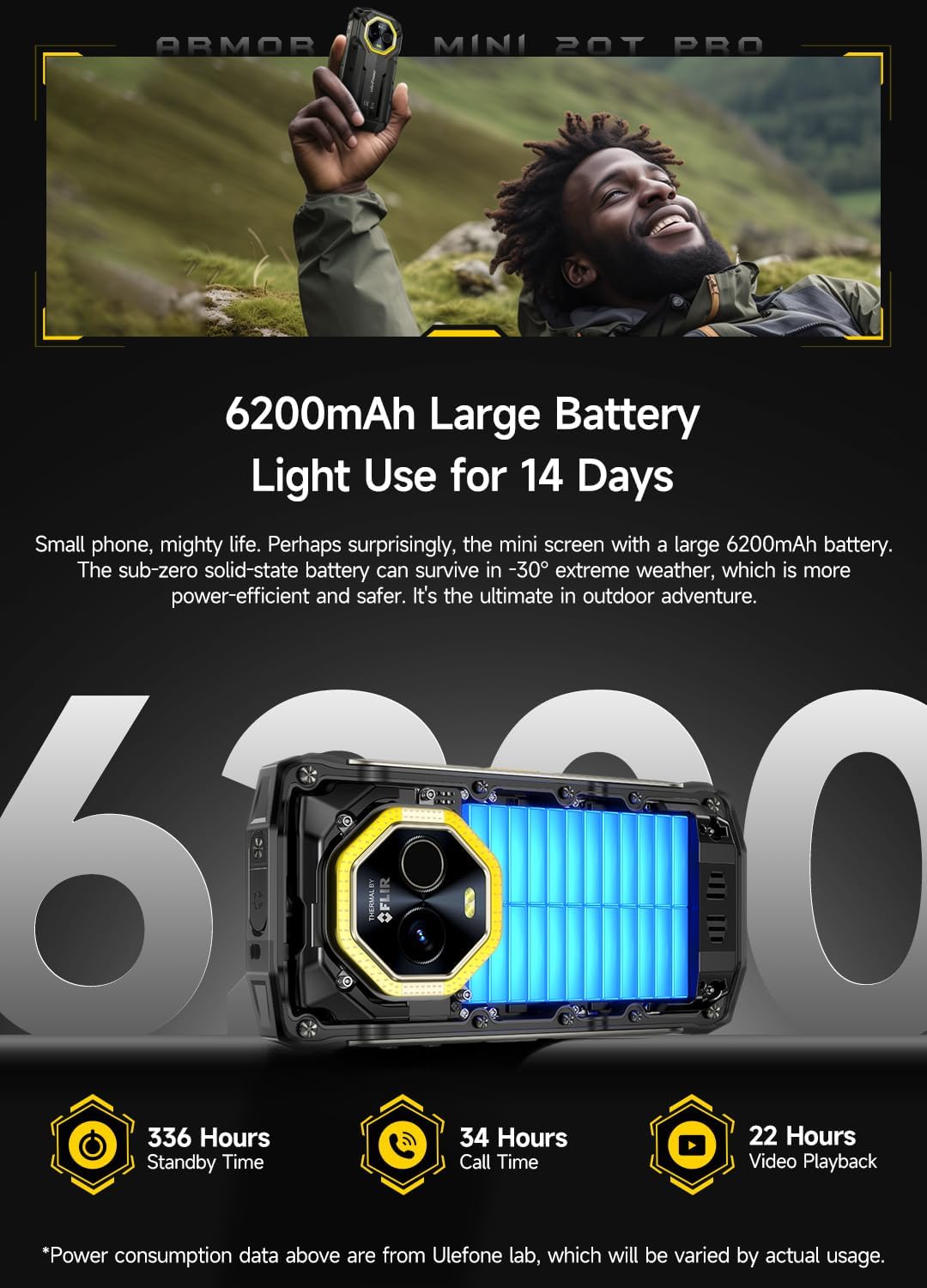
The device is powered by a 6200mAh battery, offering extended usage times. It supports 33W fast charging and 15W wireless charging. Reverse charging is also supported, allowing you to charge other devices.

A graphic emphasizing the 6200mAh battery capacity and its 14-day light use autonomy, with details on standby, call, and video playback durations.
Maintenance and Durability
Rugged Design
The Ulefone Armor Mini 20T Pro is built to withstand harsh conditions:
- IP68/IP69K Rating: Dustproof and waterproof, submersible up to 1.5 meters for 30 minutes.
- MIL-STD-810H Certified: Military-grade durability against drops (up to 1.2 meters) and extreme temperatures.
- Corning® Gorilla® Glass Victus: Enhanced scratch and drop resistance for the display.
- Extreme Temperature Operation: Functions reliably in temperatures as low as -30°C.

An image showcasing the Corning Gorilla Glass Victus for enhanced durability and the phone's ability to operate in extreme cold (-30°C) and heat (55°C).
Cleaning and Care
To maintain your device, wipe it with a soft, damp cloth. Avoid harsh chemicals or abrasive materials. Ensure all port covers are securely closed to maintain water and dust resistance.
Troubleshooting
If you encounter issues with your Ulefone Armor Mini 20T Pro 5G, try the following common solutions:
- Device not powering on: Ensure the battery is charged. Connect to the charger for at least 15 minutes before attempting to power on again.
- Poor network signal: Check your SIM card installation. Move to an area with better network coverage. Restart the device.
- Apps crashing or freezing: Close background applications. Clear the cache of the problematic app. Restart the device.
- Touchscreen unresponsive: Restart the device. If the issue persists, perform a factory reset (backup your data first).
- Thermal camera issues: Ensure the MyFLIR Pro app is updated. Check for any physical obstructions on the thermal camera lens.
For more complex issues, refer to the official Ulefone support website or contact customer service.
Technical Specifications
| Feature | Detail |
|---|---|
| Brand | Ulefone |
| Model Number | ARMOR 20T PRO |
| Operating System | Android 14 |
| Display | 4.7-inch HD+ (720 x 1600 resolution, 373 PPI, 700 nits max brightness) |
| Processor | MediaTek Dimensity 6300 5G SoC (up to 2.4 GHz) |
| RAM | Up to 16GB (8GB physical + 8GB virtual) LPDDR4X |
| Internal Storage | 256GB UFS2.2 |
| Expandable Storage | MicroSD card up to 2TB |
| Main Camera | 50MP ISOCELL GN1 (1/1.31" sensor, 1.2µm pixel size, f/1.95 aperture) |
| Front Camera | 32MP |
| Thermal Camera | FLIR Lepton 3.5 (160 x 120 resolution, -10°C to 450°C range) |
| Battery | 6200mAh Lithium-polymer |
| Charging | 33W Fast Charging, 15W Wireless Charging, Reverse Charging |
| Durability | IP68/IP69K, MIL-STD-810H, Corning Gorilla Glass Victus |
| Connectivity | 5G, Wi-Fi, Bluetooth, GPS, NFC, IR Emitter, USB Type-C |
| Other Features | Versatile LED Light (500 lumens), Custom Key, Glove Mode, Emergency Warning Light, Outdoor Toolbox, 3.5mm Headphone Jack, FM Radio |

An infographic summarizing the key technical specifications and features of the Ulefone Armor Mini 20T Pro 5G smartphone, including its thermal camera, battery, display, and ruggedness.

A detailed diagram illustrating the memory architecture of the Ulefone Armor Mini 20T Pro, showing 8GB physical RAM, 8GB virtual RAM, 256GB ROM, and support for up to 2TB SD card expansion.
Warranty and Support
Ulefone provides a standard manufacturer's warranty for the Armor Mini 20T Pro 5G. Please refer to the warranty card included in your package or visit the official Ulefone website for detailed warranty terms and conditions.
For technical support, troubleshooting assistance, or service inquiries, please contact Ulefone customer support through their official channels.


