
Surtime 8913
Surtime Ceiling Fan User Manual
Model: 8913
Introduction
Thank you for purchasing the Surtime Ceiling Fan with Lights. This manual provides detailed instructions for installation, operation, maintenance, and troubleshooting to ensure safe and efficient use of your new ceiling fan. Please read this manual thoroughly before installation and keep it for future reference.
This 47-inch low profile ceiling fan features integrated LED lighting, remote and APP control, a DC reversible motor, and dimmable light functions, making it suitable for various indoor and covered outdoor spaces.
Important Safety Information
Always follow basic safety precautions when installing and operating electrical appliances to reduce the risk of fire, electric shock, and personal injury.
- Read all instructions carefully before beginning installation.
- Installation must be performed by a qualified electrician.
- Ensure the power is turned off at the circuit breaker before installation or maintenance.
- The mounting structure must be capable of supporting the fan's weight (6.4 kg).
- Do not operate the fan with damaged wiring or if it is not functioning properly.
- Keep hands, clothing, and other objects away from the fan blades when in operation.
- This fan is suitable for indoor use and covered outdoor areas such as patios and gazebos. It is not waterproof.
Package Contents
Verify that all components are present and undamaged before installation. If any parts are missing or damaged, contact customer support.
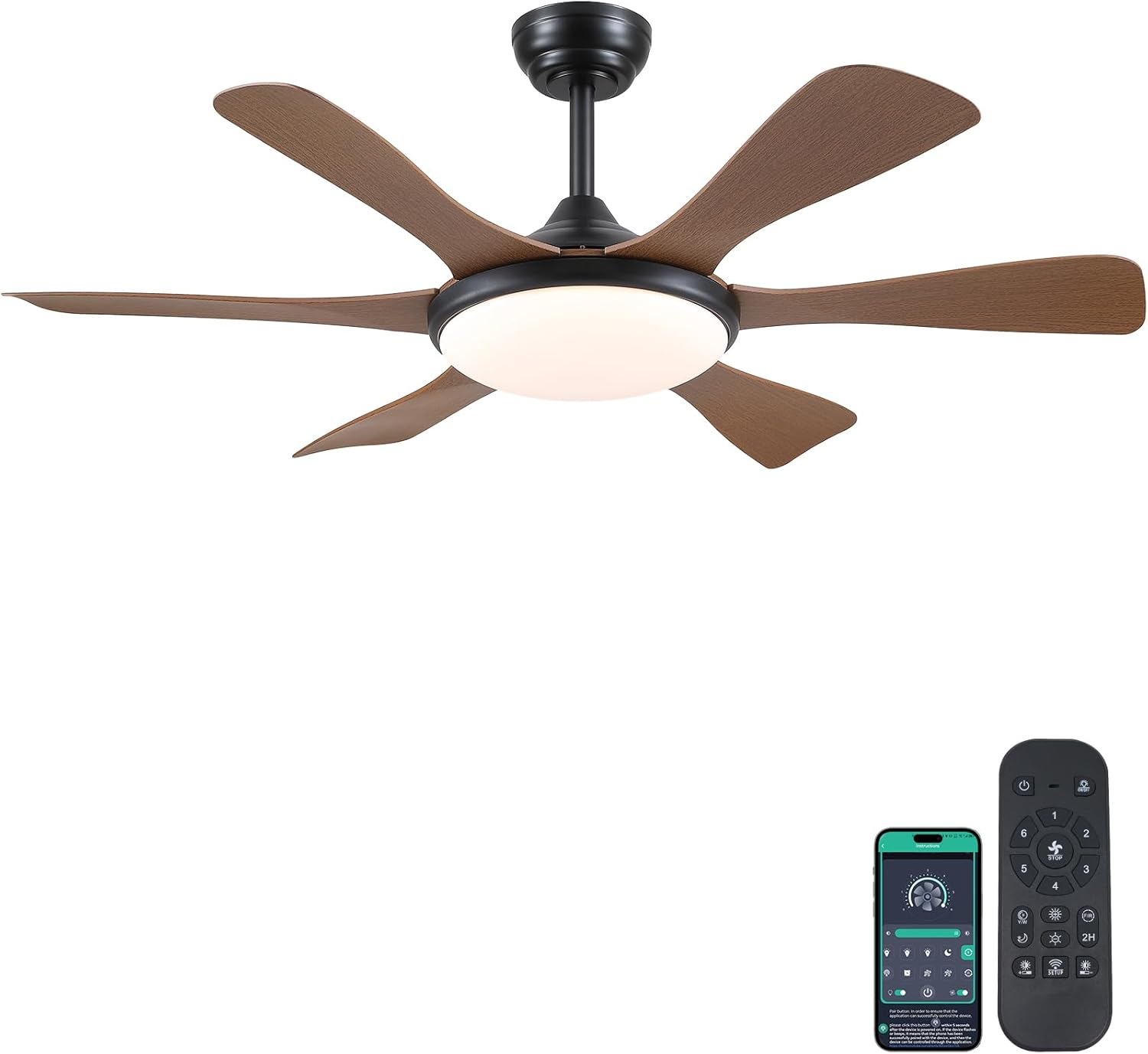
Image: Surtime 47-inch brown ceiling fan with integrated light, shown with its remote control and a smartphone displaying the control app. This image illustrates the complete product and its control methods.
Typical package contents include:
- Ceiling Fan Motor Assembly
- Fan Blades (5 pieces)
- LED Light Kit
- Remote Control
- Mounting Bracket
- Hardware Pack (screws, wire nuts, etc.)
- User Manual
Setup and Installation
Before starting installation, ensure you have all necessary tools and that the power supply is disconnected at the main circuit breaker.
Tools Required:
- Phillips screwdriver
- Flathead screwdriver
- Adjustable wrench
- Wire strippers
- Electrical tape
- Ladder
Installation Steps:
- Turn off Power: Locate the circuit breaker for the fan's intended location and turn off the power. Verify power is off using a voltage tester.
- Mounting Bracket Installation: Secure the mounting bracket to the ceiling junction box. Ensure the junction box is securely fastened to the building structure and can support the fan's weight.
- Wiring Connections: Connect the fan's electrical wires to the household wiring according to local electrical codes. Typically, this involves connecting live, neutral, and ground wires. Use wire nuts to secure connections.
- Attach Fan Body: Carefully lift the fan motor assembly and attach it to the mounting bracket. Ensure all connections are secure.
- Install Fan Blades: Attach the five fan blades to the motor housing using the provided screws. Ensure they are tightened securely but do not overtighten.
- Install Light Kit: Connect the LED light kit wiring to the fan's light wiring. Secure the light kit to the fan body.
- Restore Power: Once all components are securely installed and wiring is checked, restore power at the circuit breaker.
For visual guidance, refer to the installation videos provided by the manufacturer (if available).
Operating Instructions
Your Surtime ceiling fan can be controlled via the included remote control or a smartphone application.
Remote Control Operation:
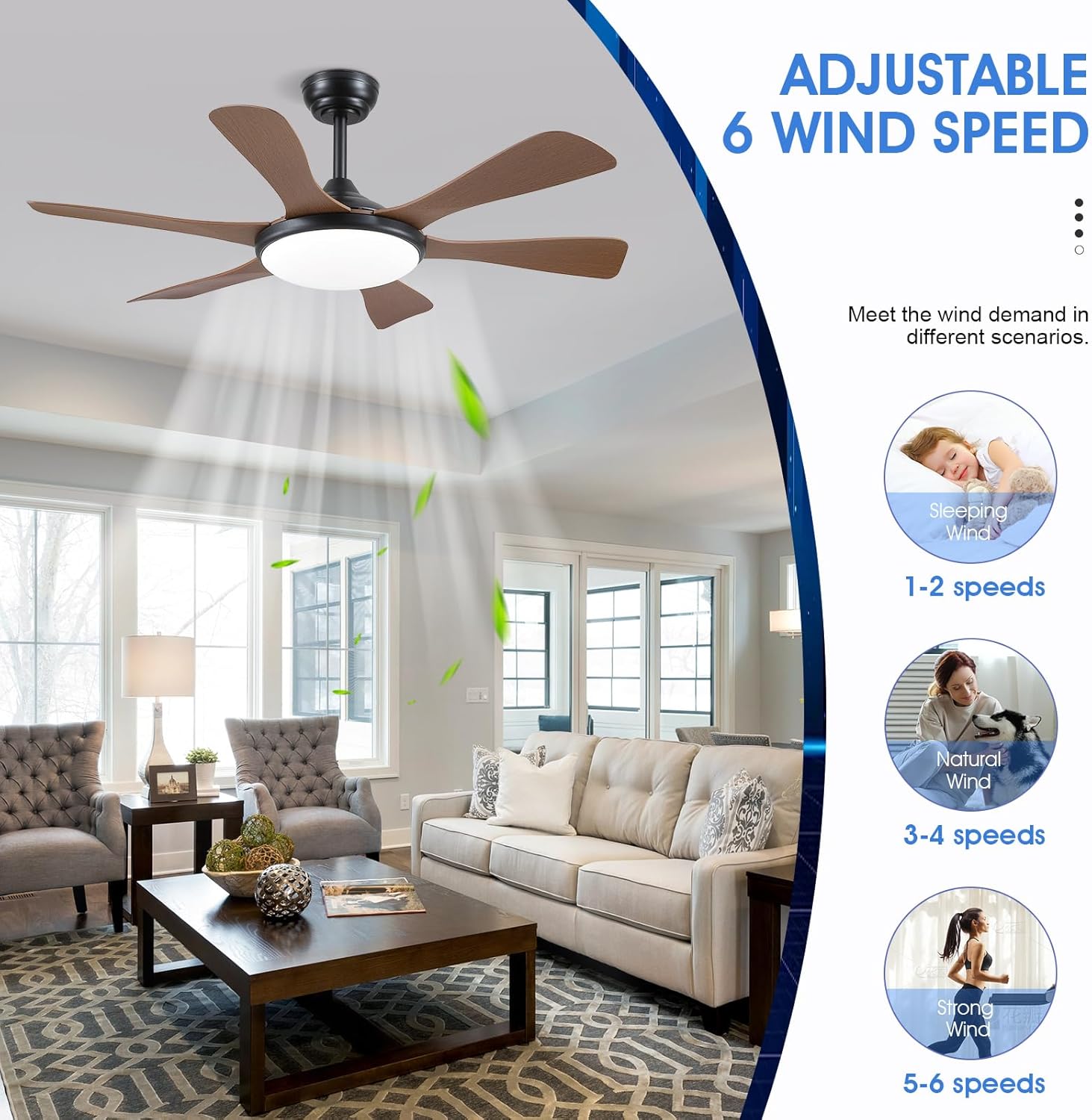
Image: Illustration demonstrating the six adjustable wind speeds of the Surtime ceiling fan, categorized into Sleeping (1-2 speeds), Natural Wind (3-4 speeds), and Strong Wind (5-6 speeds) to meet various comfort demands.
- Power On/Off: Press the power button to turn the fan and light on or off.
- Fan Speed: Use the speed buttons (1-6) to adjust the fan's rotation speed.
- Light Control:
- Color Temperature: Cycle through 3 color temperatures (3000K Warm White, 4500K Natural White, 6000K Cool White).
- Brightness: Adjust brightness from 10% to 100%.
- Reversible Motor: Press the reverse button to change the direction of the fan blades (Summer Mode: downdraft for cooling; Winter Mode: updraft for air circulation).
- Timer Function: Set the fan to turn off automatically after 2 hours.
APP Control Operation:
Download the Surtime fan control app from your smartphone's app store. Follow the in-app instructions to pair your fan. The app provides comprehensive control over all fan and light functions, mirroring the remote control capabilities.

Image: Visual representation of the Surtime ceiling fan's stepless dimming capability from 0% to 100% brightness, alongside its three selectable color temperatures: White, Natural, and Warm, illustrating versatile lighting options.
Smart Memory Function:
The fan remembers your last brightness and color temperature settings. To activate this feature, ensure the light is turned off for at least 10 seconds before turning it back on. Turning the light on within 10 seconds will reset the color temperature.
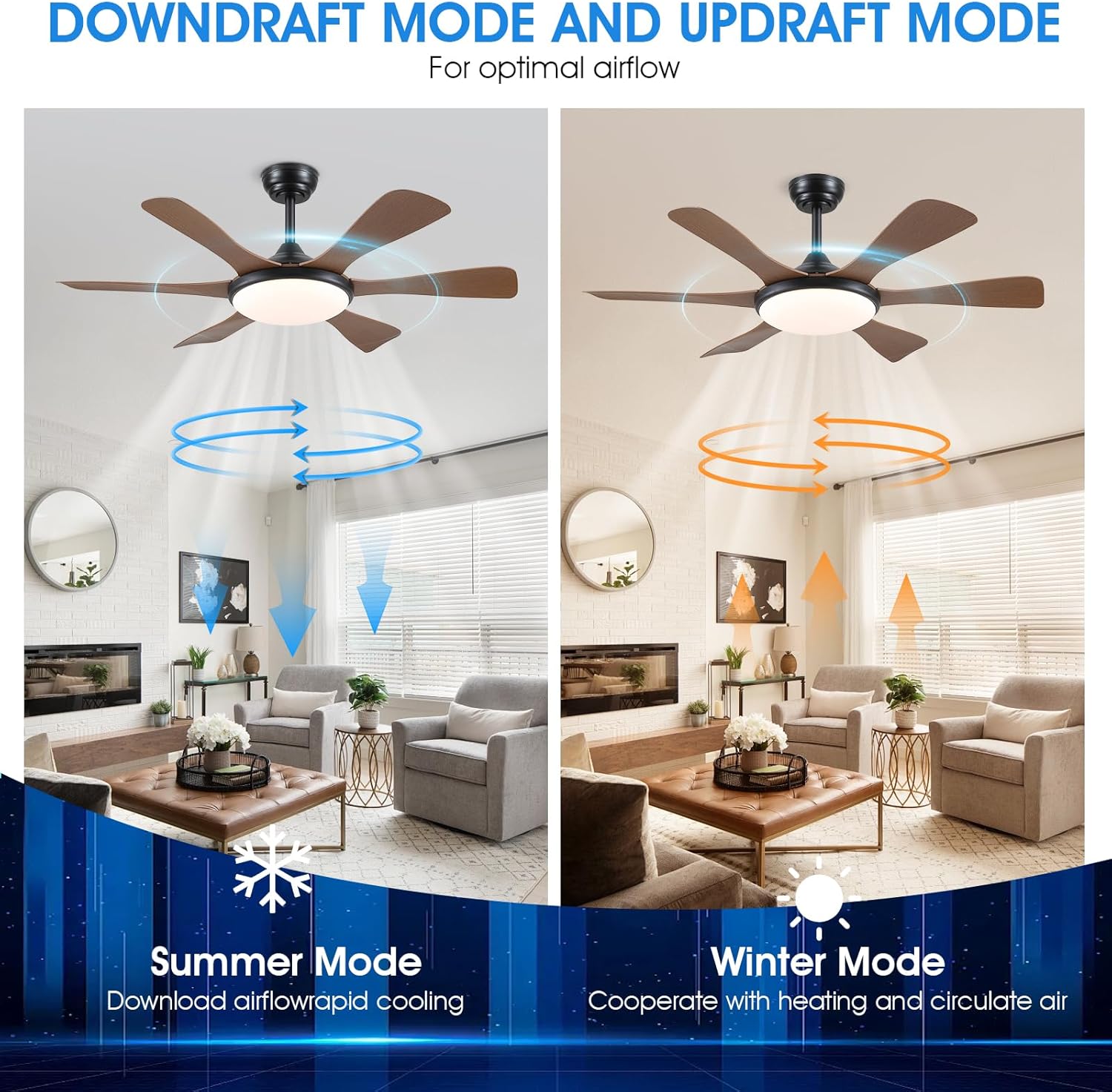
Image: Diagram illustrating the two operational modes of the Surtime ceiling fan: Downdraft Mode (Summer Mode) for rapid cooling by pushing air down, and Updraft Mode (Winter Mode) for circulating warm air by drawing it upwards, optimizing airflow for different seasons.
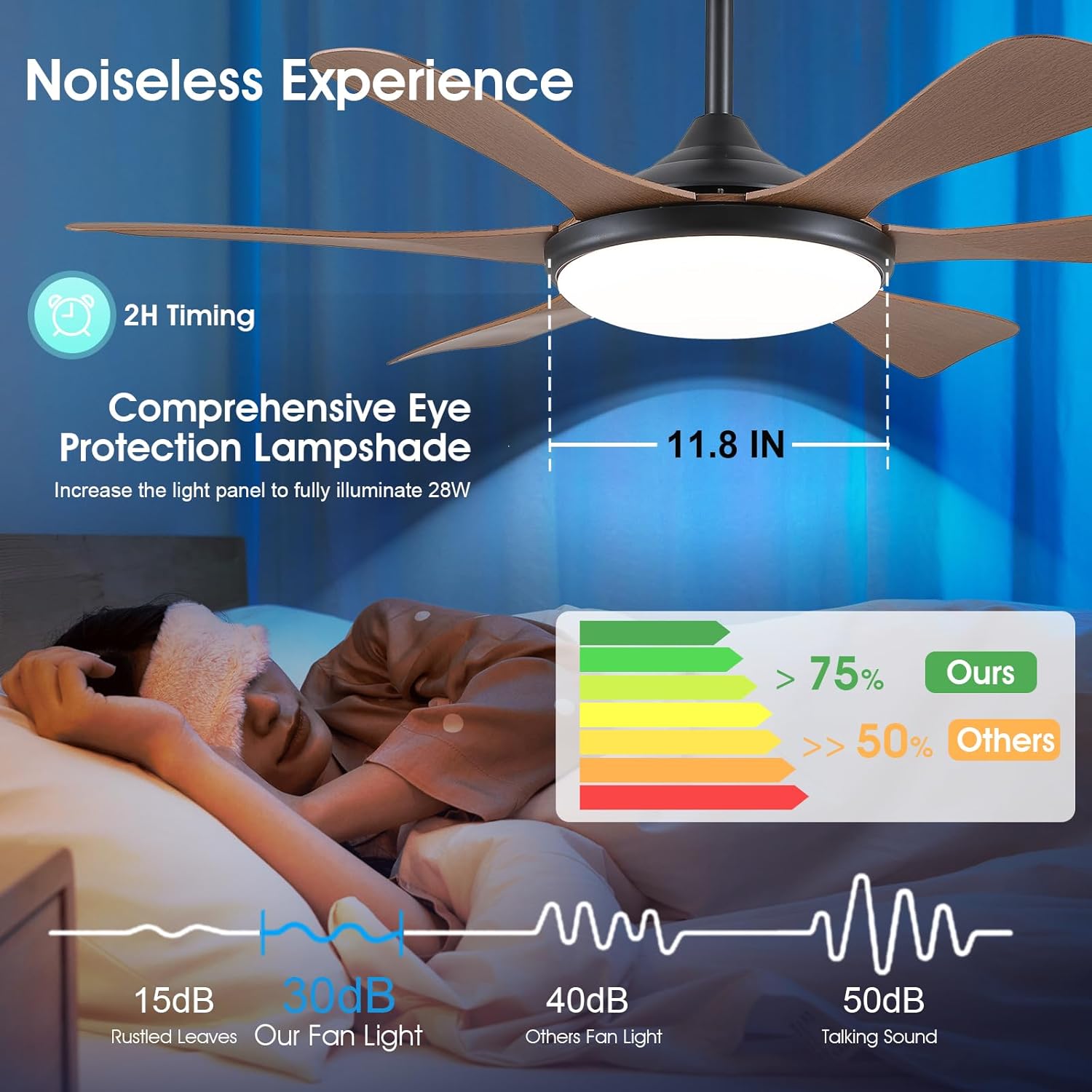
Image: This image highlights the Surtime ceiling fan's quiet operation (15dB vs. 30dB for the fan light), a 2-hour timing function, and a comprehensive eye protection lampshade designed to fully illuminate 28W.
Maintenance
Regular maintenance ensures the longevity and optimal performance of your ceiling fan.
- Cleaning: Dust the fan blades and motor housing regularly with a soft, damp cloth. Do not use abrasive cleaners or solvents. Ensure the fan is turned off and power is disconnected before cleaning.
- Blade Tightness: Periodically check that all blade screws are tight. Over time, screws may loosen due to fan vibration.
- Light Kit: The LED light source is integrated and generally does not require replacement. If issues arise, contact customer support.
- Motor: The DC motor is designed for quiet operation and requires no lubrication.
Troubleshooting
If you experience issues with your Surtime ceiling fan, refer to the following common problems and solutions:
| Problem | Possible Cause | Solution |
|---|---|---|
| Fan does not start. | No power; loose wiring; remote control battery dead. | Check circuit breaker; verify wiring connections; replace remote control battery. |
| Light does not work. | Loose wiring; LED light kit malfunction. | Check light kit wiring connections; contact customer support if LED is faulty. |
| Fan wobbles. | Loose blade screws; unbalanced blades; improper mounting. | Tighten all blade screws; ensure blades are balanced (balancing kit may be needed); re-check mounting bracket security. |
| Noisy operation. | Loose screws; motor issue; interference. | Check all screws for tightness; ensure no wires are rubbing; if motor noise persists, contact support. |
| Remote control not responding. | Dead battery; remote not paired. | Replace remote battery; refer to pairing instructions in the full manual (if applicable). |

Image: Dimensional drawing of the Surtime 47-inch ceiling fan, indicating a total height of 14 inches, a light diameter of 11.8 inches, and an overall fan width of 47 inches. Insets show details of the metal body, LED light, and fan blades.
Specifications
| Feature | Detail |
|---|---|
| Model Number | 8913 |
| Brand | Surtime |
| Dimensions | 119.38 x 119.38 x 35.56 cm (47 x 47 x 14 inches) |
| Weight | 6.4 kg |
| Color | Brown |
| Material | Acrylic (blades), Metal (body) |
| Light Source | Integrated LED, Dimmable (10%-100%) |
| Color Temperature | 3000K-6000K (3 levels) |
| Motor Type | DC Reversible Motor |
| Control Method | Remote Control, APP Control |
| Special Features | App Operable, Dimmable Light, Light Memory Function, 6 Wind Speeds, 2H Timing |
| Indoor/Outdoor Use | Indoor, Covered Outdoor (Not waterproof) |
Warranty and Support
Surtime provides a worry-free 1-year warranty on quality-related issues for this ceiling fan. This warranty covers defects in materials and workmanship under normal use.
For warranty claims, technical support, or any questions regarding your product, please contact Surtime customer service:
- Customer Service: Refer to the contact information provided on the product packaging or the Surtime official website.
- Online Resources: Visit the Surtime Store on Amazon for additional product information and support.
Please have your model number (8913) and purchase date available when contacting support.
Related documents8913


Ask a question about this manual
Ask about setup, troubleshooting, compatibility, parts, safety, or missing instructions. Manuals+ will review the question and use this page’s manual context to help answer it.