1. Introduction
This manual provides comprehensive instructions for the safe and effective use of your Havells Turbo 10-in-1 Grooming Kit, model GS6110. Please read this manual thoroughly before first use and keep it for future reference. This grooming kit is designed for trimming hair on the face, head, ears, and nose, offering a versatile solution for personal grooming.
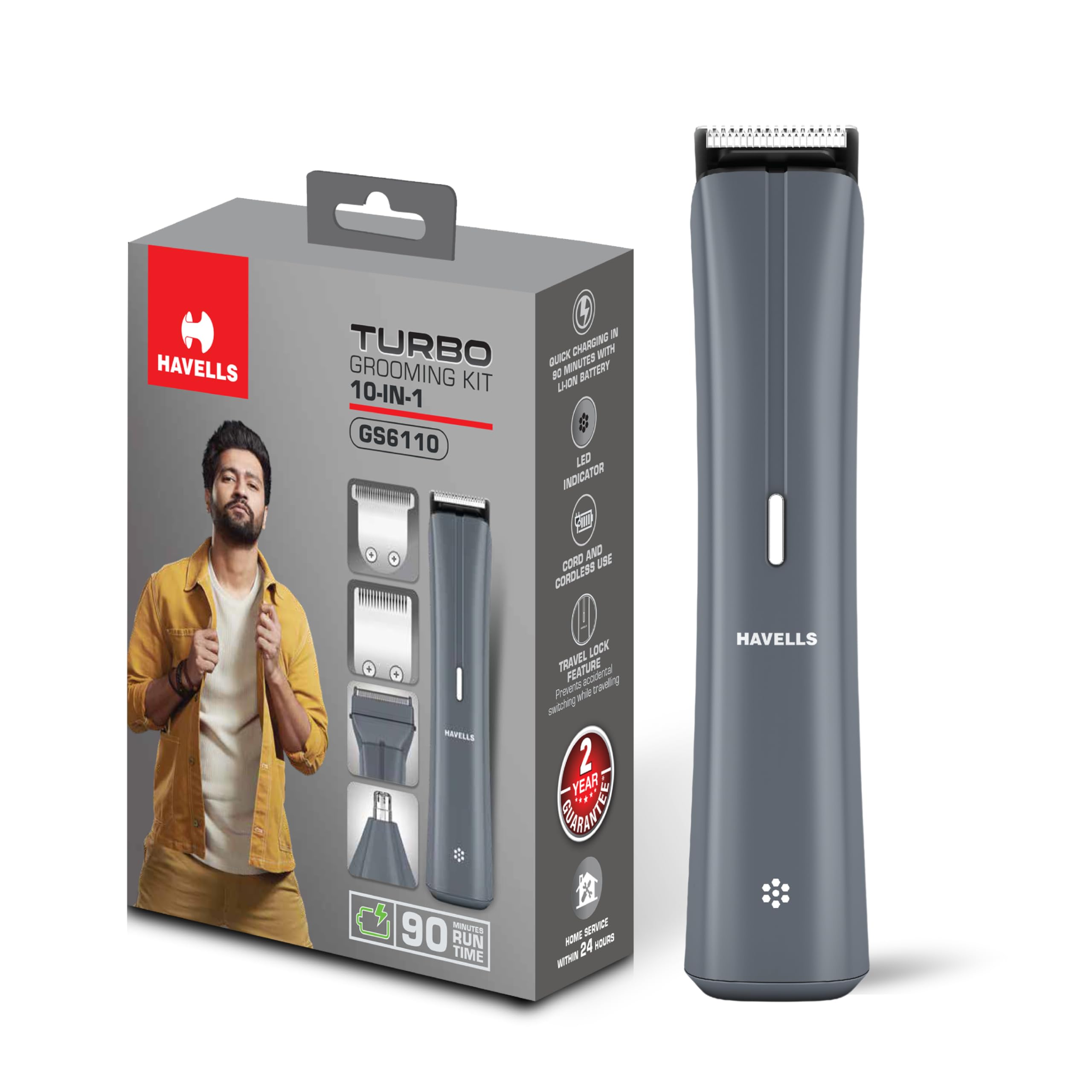
Image 1.1: Havells Turbo 10-in-1 Grooming Kit GS6110 and its packaging.
2. Package Contents
The Havells Turbo 10-in-1 Grooming Kit GS6110 includes the following items:

Image 2.1: Visual representation of the grooming kit's contents, including the main unit, various attachments, and comb guides.
- Main Trimmer Unit
- 4 Versatile Attachments: U-blade, T-blade, Foil Shaver, Nose & Ear Trimmer
- 6 Comb Guides (ranging from 3mm to 13mm)
- Type-C Charging Cable
- Cleaning Brush
- Lubricating Oil
- User Manual
3. Key Features
The Havells Turbo 10-in-1 Grooming Kit is designed with advanced features for an efficient grooming experience:
- Complete Grooming Solution: Offers 10 versatile attachments for hair, beard, mustache, nose, ear, and body grooming.
- Precision Control: Includes 6 U-blade and 4 T-blade combs for lengths from 3mm to 13mm.
- Quick Charge Battery: Provides up to 90 minutes of cordless use on a 90-minute charge.
- Type-C Charging: Modern Type-C port for fast and flexible charging, compatible with most mobile chargers and power banks.
- Titanium Blades: Durable stainless steel titanium blades designed for long-lasting sharpness and precise cuts.
- Easy Maintenance: Detachable heads are rinseable under running water for simple cleaning.
- Compact & Travel Friendly: Ergonomic design and lightweight build make it ideal for travel.
- LED Indicator: Displays charging and full-charge status for convenient battery management.
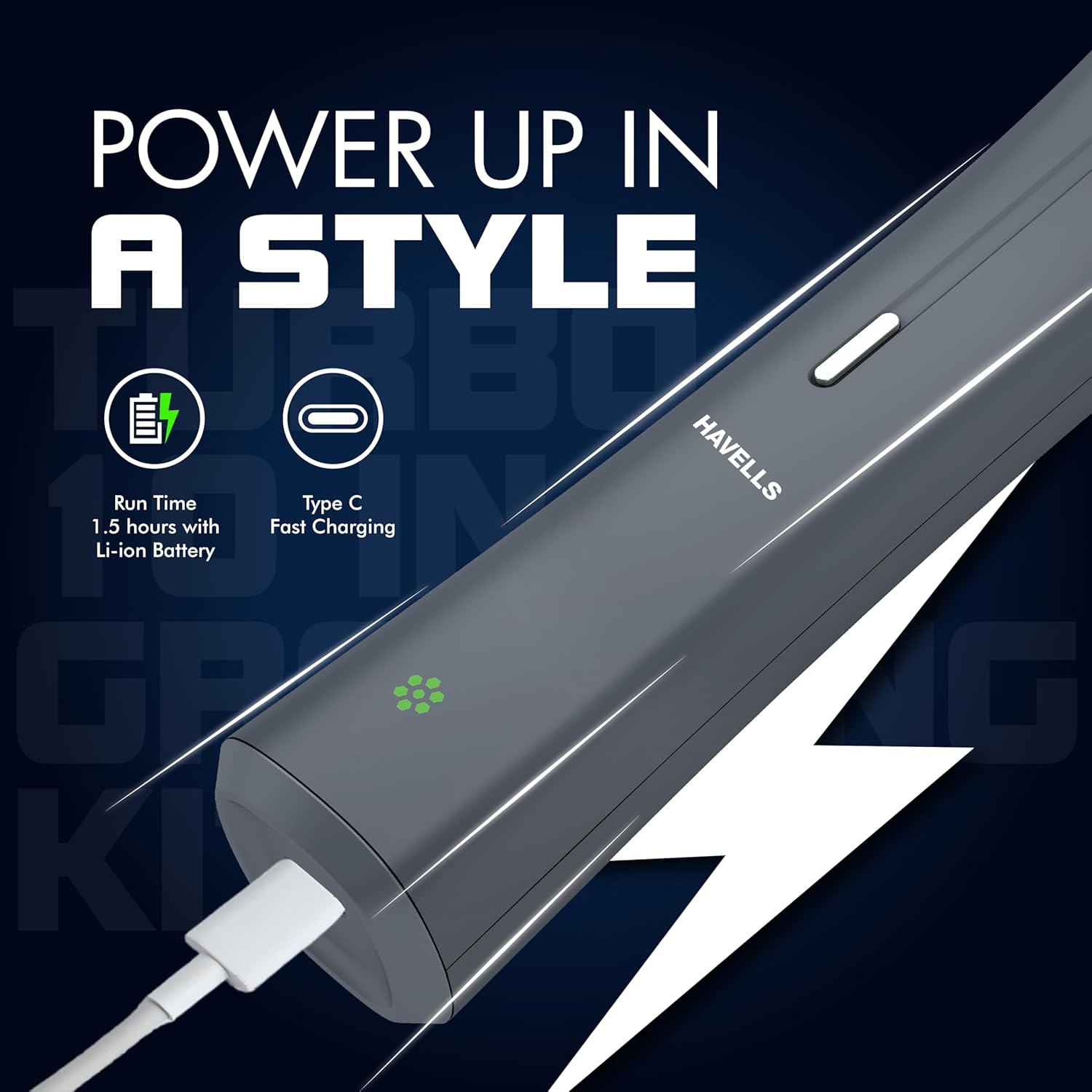
Image 3.1: Overview of key features including quick charge, extended run time, LED indicator, and travel lock.
4. Setup and Charging
4.1 Initial Charge
Before first use, fully charge the grooming kit for approximately 90 minutes. The LED indicator will show charging status and turn solid when fully charged.
4.2 Charging Procedure
- Ensure the trimmer is switched off.
- Insert the Type-C charging cable into the port at the bottom of the trimmer.
- Connect the other end of the cable to a compatible USB power adapter (not included) or power bank.
- The LED indicator will illuminate to show charging is in progress.
- Once fully charged, the LED indicator will change, indicating the device is ready for use. Disconnect the charger.

Image 4.1: The grooming kit being charged via its Type-C port.
5. Operating Instructions
The Havells Turbo 10-in-1 Grooming Kit offers various attachments for different grooming needs. Always ensure the blades are clean and lightly oiled before use for optimal performance.

Image 5.1: Examples of trimming applications for beard, hair, face, and ear/nose areas.
5.1 Attaching/Detaching Blades and Combs
- To attach a blade: Align the blade with the trimmer unit and press firmly until it clicks into place.
- To detach a blade: Push the blade upwards from the front of the trimmer until it releases.
- To attach a comb guide: Slide the desired comb onto the blade until it locks securely.
- To detach a comb guide: Gently pull the comb upwards from the blade.
5.2 Trimming Hair and Beard (U-blade & T-blade)
- Select the appropriate U-blade or T-blade attachment.
- Choose a comb guide (3mm-13mm) for your desired hair length. For a closer trim, use without a comb guide (0.5mm).
- Switch on the trimmer.
- Move the trimmer against the direction of hair growth, using slow and controlled movements.
- For detailing and edging, remove the comb guide and use the blade directly.
5.3 Shaving (Foil Shaver)
- Attach the foil shaver head.
- Ensure your skin is clean and dry.
- Gently press the shaver against your skin and move it in short, circular motions or against the direction of hair growth.
5.4 Nose and Ear Trimming (Nose & Ear Trimmer)
- Attach the nose and ear trimmer head.
- Carefully insert the trimmer tip into your nostril or ear canal.
- Move the trimmer gently to cut unwanted hairs. Do not insert too deeply.
6. Maintenance and Cleaning
Regular cleaning ensures optimal performance and extends the life of your grooming kit.
- After Each Use: Switch off and unplug the trimmer. Detach the blade head. Use the cleaning brush to remove loose hairs from the blade and trimmer unit.
- Rinsing: The detachable blade heads can be rinsed under running water. Ensure the main trimmer body does not get wet unless specified as waterproof (refer to specifications). Allow parts to air dry completely before reattaching.
- Lubrication: After every few uses or after rinsing, apply a small drop of lubricating oil (provided) to the blades to maintain smooth operation and prevent rust. Run the trimmer for a few seconds to distribute the oil.
- Storage: Store the grooming kit and its accessories in a dry, safe place, away from children.
7. Troubleshooting
If you encounter any issues with your Havells Turbo 10-in-1 Grooming Kit, please refer to the following common solutions:
| Problem | Possible Cause | Solution |
|---|---|---|
| Trimmer does not turn on. | Battery is depleted. | Charge the trimmer for 90 minutes. |
| Trimmer pulls hair or cuts poorly. | Blades are dull, dirty, or not oiled. | Clean the blades thoroughly and apply lubricating oil. If problem persists, blades may need replacement (contact customer support). |
| Trimmer makes unusual noise. | Blades are not properly attached or are obstructed. | Ensure blade head is securely attached. Clean any hair or debris from the blade area. |
| Charging indicator not working. | Faulty cable or power source. | Try a different Type-C cable and power adapter. Ensure connections are secure. |
If the issue persists after attempting these solutions, please contact Havells customer support for further assistance.
8. Specifications
| Feature | Detail |
|---|---|
| Model Number | GS6110 |
| Brand | Havells |
| Power Source | Battery Powered (1 Lithium Ion battery included) |
| Battery Run Time | Up to 90 minutes |
| Charging Time | Approx. 90 minutes |
| Charging Type | Type-C |
| Blade Material | Stainless Steel Titanium |
| Number of Attachments | 10 (including various blades and comb guides) |
| Comb Length Settings | 3mm to 13mm |
| Item Weight | 229 g |
| Product Dimensions (LxWxH) | 16 x 3.5 x 3.7 cm |
| Country of Origin | China |
9. Safety Information
Warning:
- Keep the product away from children.
- Do not immerse the main trimmer unit in water. Only detachable heads are rinseable.
- Do not use the trimmer if the blades are damaged, as this may cause injury.
- Avoid using the trimmer on irritated or broken skin.
- Ensure the charging cable and adapter are in good condition before charging.
- Do not attempt to repair the device yourself. Contact authorized service personnel.
10. Warranty and Support
Your Havells Turbo 10-in-1 Grooming Kit GS6110 comes with a 2-year warranty from the date of purchase. This warranty covers manufacturing defects under normal use.
For warranty claims, service requests, or any product-related inquiries, please contact Havells customer support. You can raise a request via the Havells One App for doorstep service with technician visits for quick and convenient repairs.
For further information, please visit the official Havells website or refer to the product detail page where you purchased the item.


