
1. Product Overview
The KEJOG Mini Portable Projector delivers a 1080P Full HD viewing experience with Bluetooth 5.2 connectivity. Designed for versatility, it features built-in Hi-Fi stereo speakers and supports various input sources, making it suitable for home entertainment, outdoor use, and presentations.
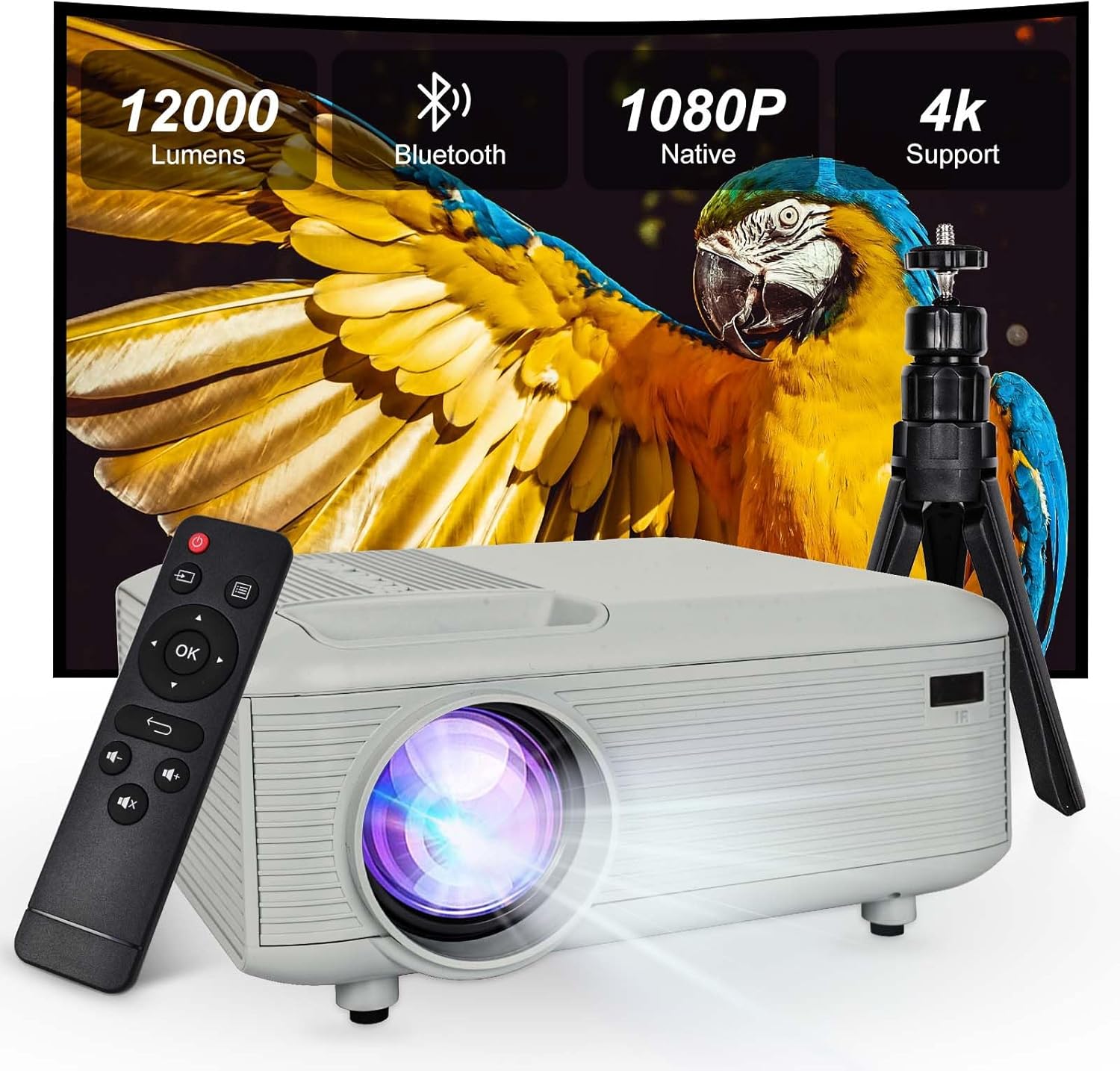
Image: The KEJOG Mini Portable Projector, showcasing its compact design, included remote control, and a small tripod. Key features like 12000 Lumens, Bluetooth, 1080P Native resolution, and 4K support are highlighted on the projected screen.
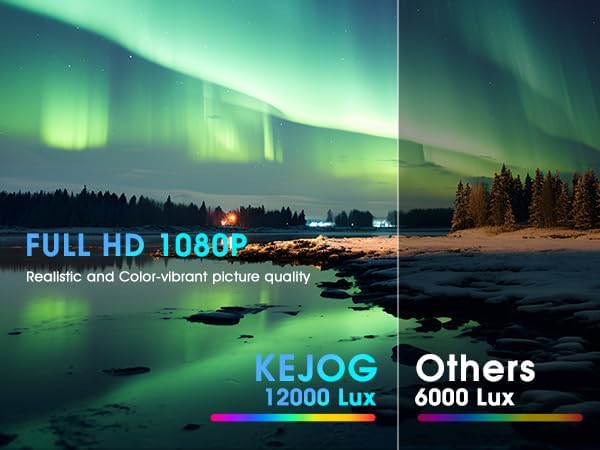
Image: A side-by-side comparison demonstrating the superior picture quality of the KEJOG projector (12000 Lux) versus another projector (6000 Lux), highlighting realistic and color-vibrant Full HD 1080P resolution.
2. What's in the Box
- HDMI Cable
- Remote Control
- User Manual
- Power Cord
3. Setup Guide
3.1 Physical Placement
Place the projector on a stable, flat surface or mount it using a compatible tripod. Ensure there is adequate ventilation around the device. The projector can be placed on a desktop or mounted on a tripod for flexible positioning.

Image: The KEJOG projector shown in various placement positions, including ceiling mount, table placement, and tripod installation, illustrating its adaptability to different environments.
3.2 Power Connection
Connect the provided power cord to the projector's power input port and then plug it into a standard electrical outlet.
3.3 Connectivity Ports
The projector features multiple ports for connecting various devices:
- HDMI: For connecting laptops, TV sticks, gaming consoles, etc.
- USB: For connecting USB drives to play media files.
- 3.5mm Audio Jack: For connecting external speakers or headphones.

Image: A diagram illustrating the various connectivity options of the KEJOG projector, including Earphone (3.5mm), HDMI, and USB ports, along with its dimensions (8.26in x 6.69in x 3.34in).
4. Operating Instructions
4.1 Power On/Off
Press the power button on the projector or the remote control to turn the device on or off. Allow a few seconds for the projector to initialize.
4.2 Focus Adjustment
Rotate the focus ring on the projector lens until the projected image appears clear and sharp on the screen.
4.3 Source Selection
Use the 'Source' button on the remote control or the projector's control panel to select the desired input source (e.g., HDMI, USB).
4.4 Bluetooth Connectivity
To connect to a Bluetooth speaker:
- Ensure your Bluetooth speaker is in pairing mode.
- Navigate to the Bluetooth settings on the projector.
- Select your speaker from the list of available devices to pair.
Note: Bluetooth does not support direct connection to smartphones for audio output.

Image: A living room setup showing the KEJOG projector displaying a movie on a large screen, with a Bluetooth speaker wirelessly connected to the projector for enhanced audio.
4.5 Smartphone/Tablet Connection
To connect your smartphone or tablet:
- For iOS devices: Use an official Lightning to HDMI adapter (not included) to connect via the HDMI port.
- For Android devices: If your phone supports MHL, use a Micro USB/Type-C to HDMI cable (not included). Alternatively, a Chromecast (not included) can be used for wireless mirroring.

Image: A diagram illustrating how to connect smartphones to the KEJOG projector. It shows an Apple iPhone connecting with a data cable and an Android phone connecting via an HDMI cable (adapter not included).
4.6 TV Stick Compatibility
The projector is compatible with popular TV sticks such as Fire TV Stick and Chromecast (not included). Simply plug the TV stick into the HDMI port and select the corresponding HDMI input source.
4.7 Screen Size Adjustment
The projector can produce a screen size of up to 200 inches. Adjust the distance of the projector from the projection surface to achieve the desired screen size. The focus ring should be adjusted after changing the projection distance.
5. Maintenance
5.1 Cleaning the Lens
Use a soft, lint-free cloth or lens cleaning paper to gently wipe the projector lens. Avoid using abrasive materials or harsh chemicals.
5.2 Cleaning the Air Vents
Regularly clean the air vents to prevent dust buildup, which can affect performance and lead to overheating. Use a soft brush or compressed air to remove dust.
5.3 Storage
When not in use, store the projector in a cool, dry place, away from direct sunlight and extreme temperatures. Use the original packaging or a protective case to prevent damage.
6. Troubleshooting
6.1 No Picture
- Ensure the power cord is securely connected and the projector is turned on.
- Verify the input source is correctly selected (e.g., HDMI 1, USB).
- Check the connection cable (HDMI, USB) for damage and ensure it is firmly plugged into both the projector and the source device.
- Adjust the focus ring to ensure the image is not simply out of focus.
6.2 No Sound
- Increase the volume on both the projector and the source device.
- If using external speakers, ensure they are properly connected and powered on.
- If using Bluetooth speakers, ensure they are paired correctly and the volume is up.
- Check if the audio output is muted on the projector or source device.
6.3 Blurred Image
- Adjust the focus ring on the projector lens.
- Ensure the projection surface is flat and smooth.
- Verify the projector is placed at an optimal distance from the screen.
7. Specifications
| Brand | KEJOG |
| Model Number | Mini Projector (With Screen Included) |
| Item Weight | 2.44 pounds |
| Product Dimensions | 8 x 6.9 x 3.3 inches |
| Color | White |
| Special Features | Built-In Speaker, Lightweight, Portable |
| Connectivity Technology | 3.5mm Jack, Bluetooth, HDMI, USB |
| Display Resolution | 1920 x 1080 |
| Recommended Uses | Business, Education, Gaming, Home Cinema |
8. Warranty and Support
KEJOG is committed to customer satisfaction. This product includes:
- A 30-day money-back guarantee.
- A 2-year repair warranty.
- Lifetime technical support.
For any inquiries or assistance, please contact KEJOG customer support. Contact information can typically be found on the product packaging or the official KEJOG website.
