Introduction
This manual provides essential instructions for setting up, operating, and maintaining your Fastrack Jupiter S1 Smart Watch. Please read this guide thoroughly to ensure optimal performance and longevity of your device.
The Fastrack Jupiter S1 Smart Watch features a 1.83-inch TFT display, SingleSync BT Calling, AI Voice Assistant, 100+ sports modes, and comprehensive health monitoring capabilities, including heart rate, SpO2, and sleep tracking. It is designed with IP68 water resistance and offers up to 5 days of battery life.
1. Setup
1.1 Package Contents
Verify that all items are present in the package:
- Fastrack Jupiter S1 Smart Watch
- Magnetic Charging Cable
- Quick Start Guide
- Warranty Card
1.2 Initial Charging
Before first use, fully charge your Fastrack Jupiter S1 Smart Watch. Connect the magnetic charging cable to the charging points on the back of the watch and to a standard USB power adapter (not included). A full charge typically takes approximately 2 hours.

Image 1.1: Fastrack Jupiter S1 Smart Watch with its magnetic charging cable. The watch is shown from the side, highlighting the charging port.
1.3 App Installation and Pairing
- Download the Fastrack Smart World App: Search for "Fastrack Smart World" in your smartphone's app store (iOS or Android) and install the application.
- Create an Account: Open the app and follow the on-screen instructions to create a new user account or log in if you already have one.
- Enable Bluetooth: Ensure Bluetooth is enabled on your smartphone.
- Pair the Watch: In the Fastrack Smart World App, navigate to the device pairing section. Select "Fastrack Jupiter S1" from the list of available devices. Follow the prompts on both your watch and smartphone to complete the pairing process.
- Grant Permissions: Allow necessary permissions (e.g., notifications, location, health data) for the app to function correctly.
2. Operating Your Smart Watch
2.1 Basic Navigation
- Touchscreen: Swipe left, right, up, or down to navigate through menus and widgets. Tap to select items.
- Side Button: Press the side button to return to the home screen or access the app list.
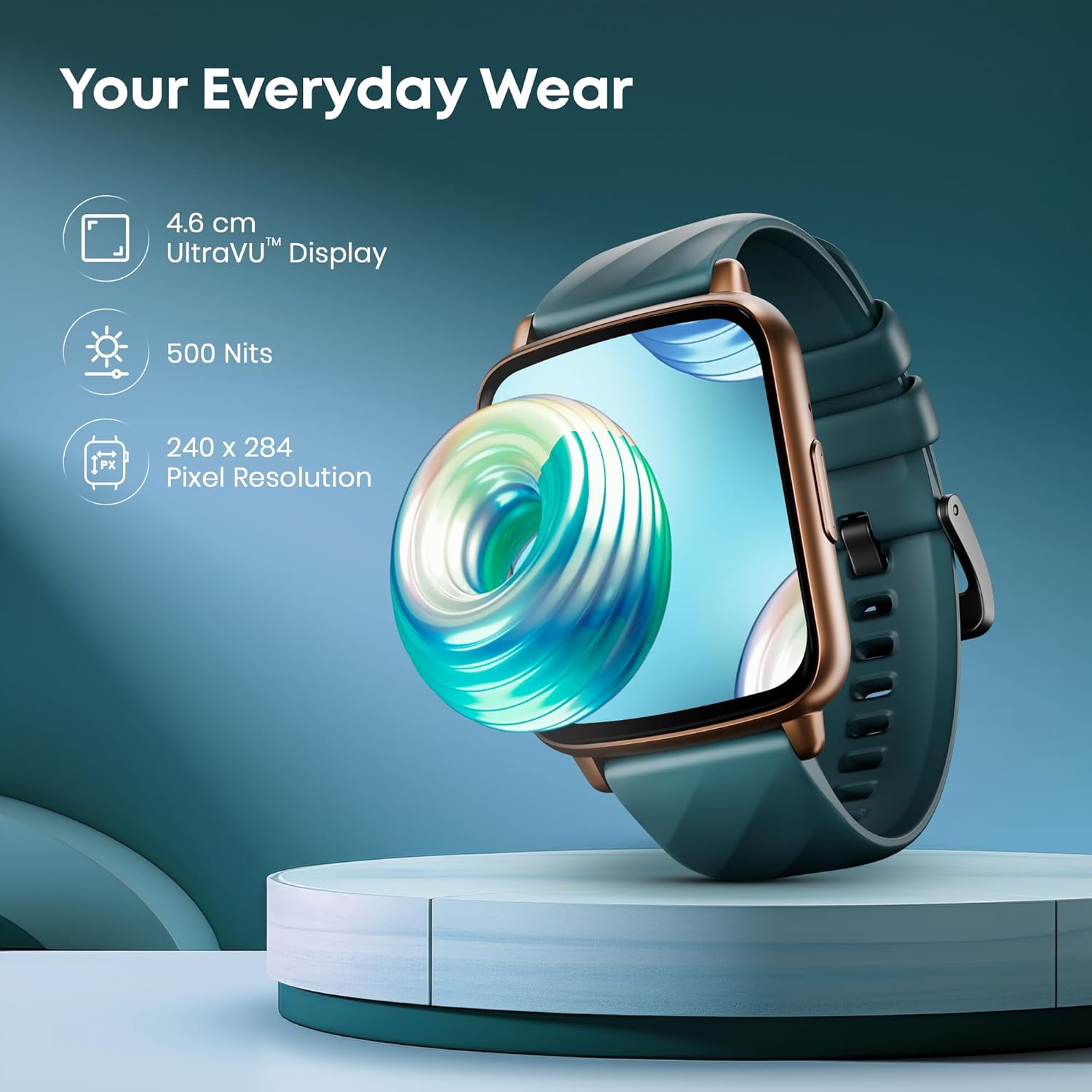
Image 2.1: The Fastrack Jupiter S1 Smart Watch display, illustrating its 4.6 cm UltraVU Display with 240x284 pixel resolution and 500 Nits brightness.
2.2 SingleSync BT Calling
The Jupiter S1 supports Bluetooth calling, allowing you to make and receive calls directly from your wrist when connected to your smartphone. Ensure your watch is paired via Bluetooth 5.3v.
- Making Calls: Access the dialer or contacts from the watch menu.
- Receiving Calls: Answer or reject incoming calls directly on the watch.
- AI Voice Assistant: Utilize the integrated AI Voice Assistant for hands-free commands and quick actions.
- Quick Replies: Send quick, pre-set replies to messages directly from the watch.
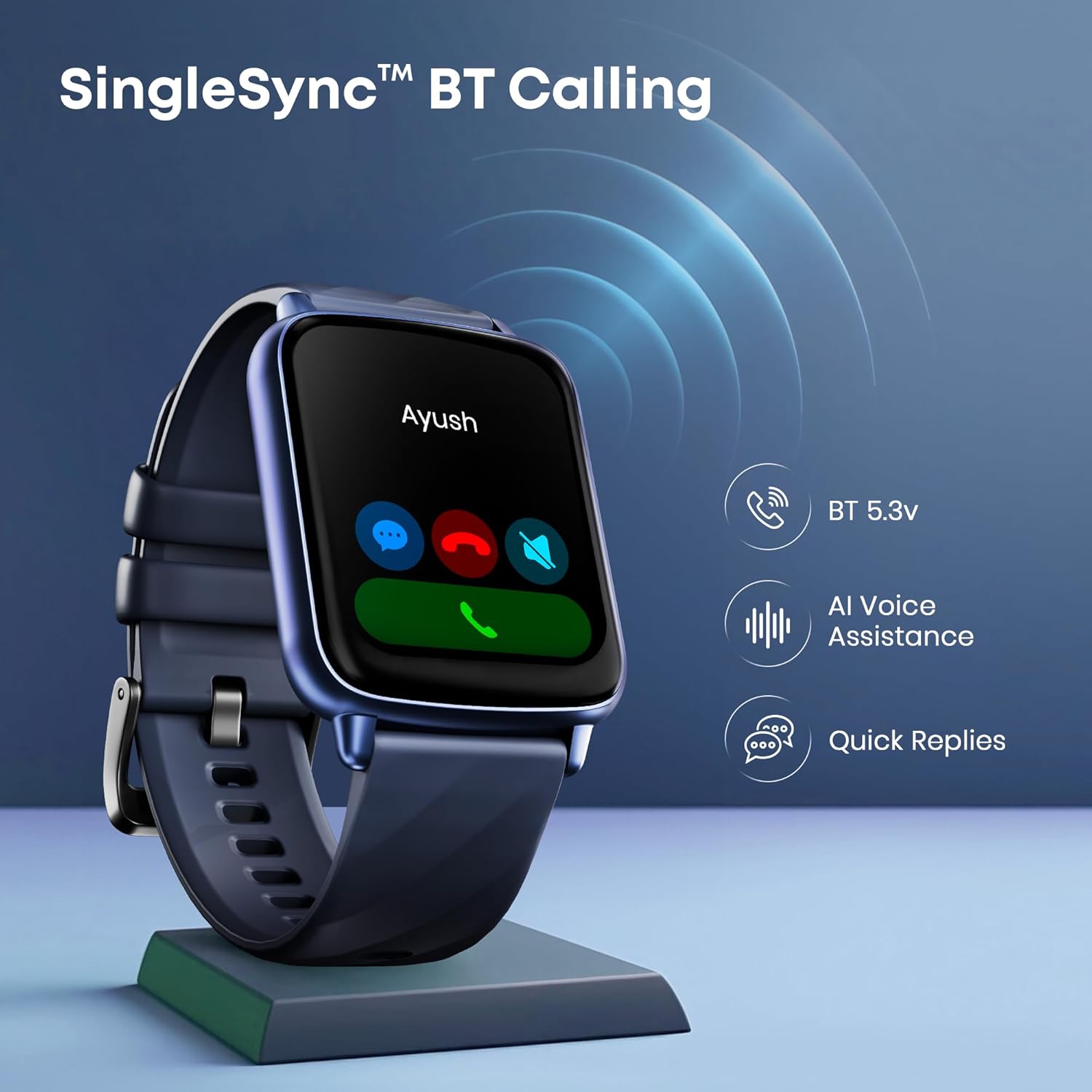
Image 2.2: The Fastrack Jupiter S1 Smart Watch displaying an incoming call, with icons for Bluetooth 5.3v, AI Voice Assistance, and Quick Replies.
2.3 Sports Modes and Activity Tracking
The watch offers over 100 sports modes to track various physical activities. It also features auto multisport recognition.
- Selecting a Sport: Navigate to the Sports section on your watch and choose your desired activity.
- Auto Recognition: The watch can automatically detect certain activities and prompt you to start tracking.
- Sports Records: View detailed records of your workouts in the Fastrack Smart World App.

Image 2.3: A visual representation of the Fastrack Jupiter S1 Smart Watch's 100+ sport modes, including auto sports recognition and sports records.
2.4 Watch Faces
Personalize your watch with over 100 customizable watch faces available through the Fastrack Smart World App.
- Changing Watch Faces: Long-press the watch screen or use the Fastrack Smart World App to browse and apply new watch faces.

Image 2.4: A collage of various watch faces available for the Fastrack Jupiter S1 Smart Watch, demonstrating customization options.
2.5 Health Monitoring
The Jupiter S1 provides comprehensive health tracking features:
- 24x7 Heart Rate Tracker: Monitors your heart rate continuously.
- SpO2 Monitoring: Measures blood oxygen saturation levels.
- Auto Stress Monitor: Tracks stress levels throughout the day.
- Advanced Sleep Tracker: Analyzes sleep patterns (light, deep, REM sleep).
- Breathing Exercise: Guided breathing exercises for relaxation.
For accurate readings, ensure the watch is worn snugly on your wrist. Detailed insights are available in the Fastrack Smart World App.
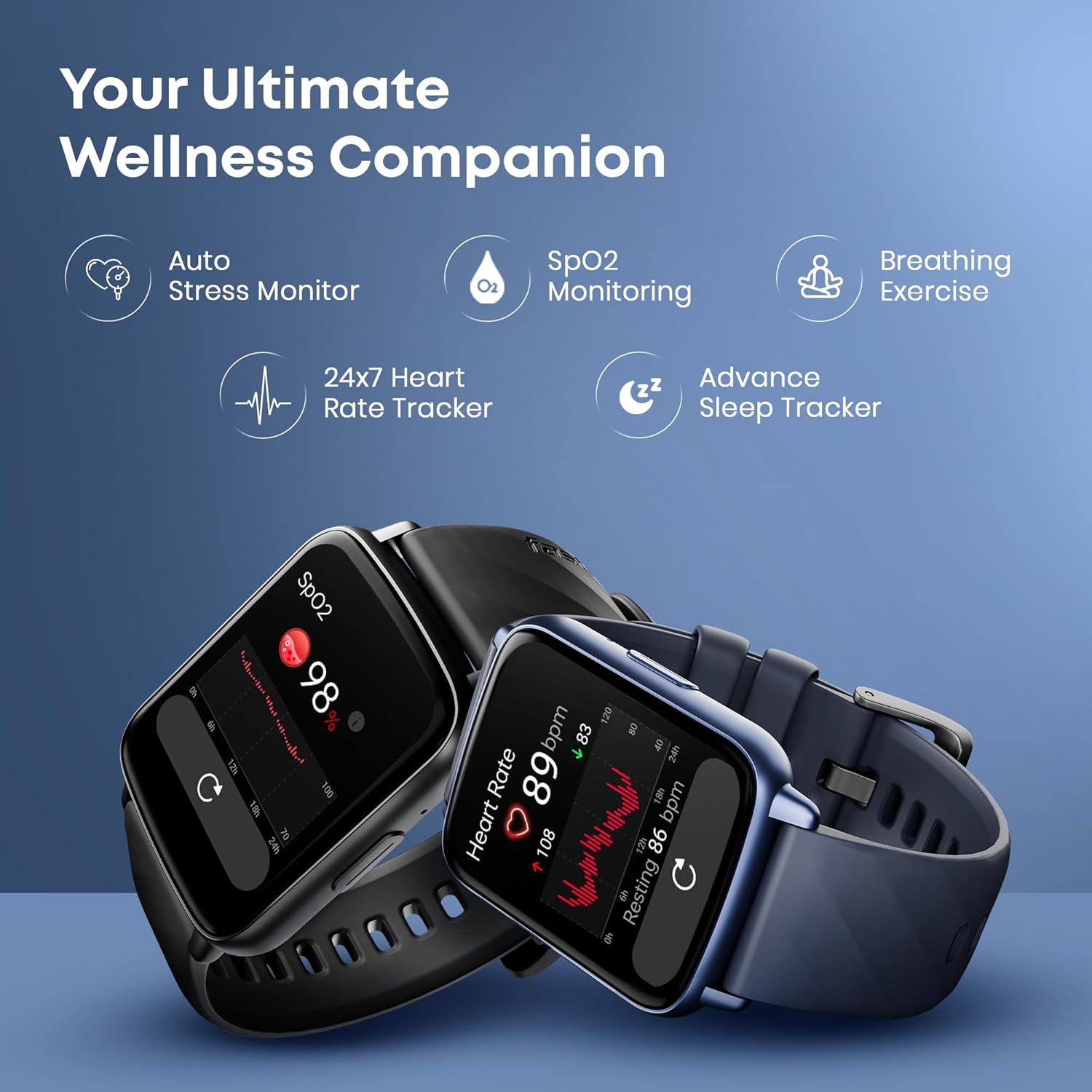
Image 2.5: Two Fastrack Jupiter S1 Smart Watches displaying heart rate and SpO2 monitoring data, alongside icons for stress monitoring, breathing exercises, and sleep tracking.
2.6 Additional Features
- Smart Notifications: Receive alerts for calls, messages, and app notifications.
- Music Control: Control music playback on your smartphone.
- Camera Control: Use your watch as a remote shutter for your smartphone camera.
- Calculator: A built-in calculator for quick calculations.
- Built-in Games: Engage with pre-installed games on the watch.
- SOS Calling: A feature for emergency situations.
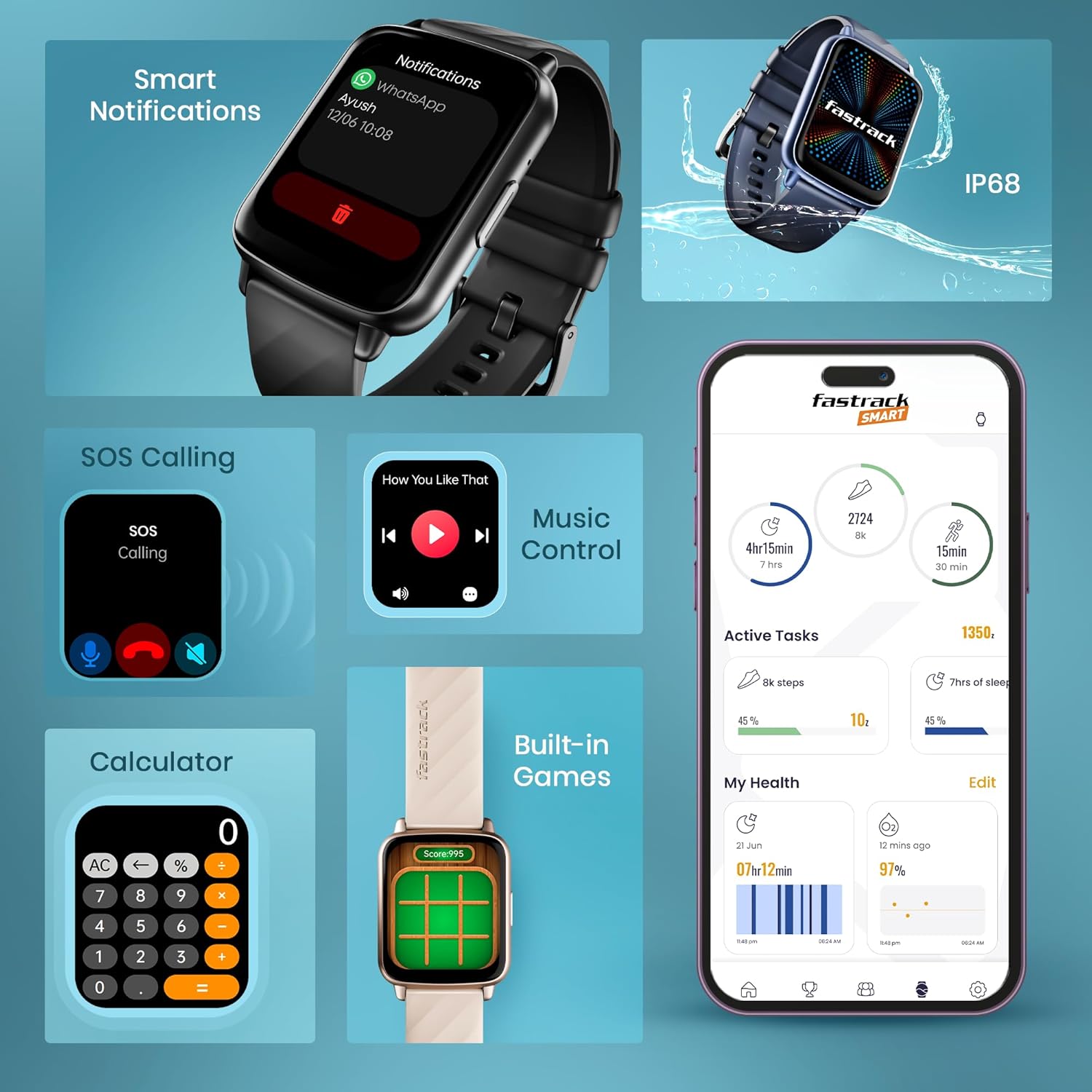
Image 2.6: A comprehensive view of the Fastrack Jupiter S1 Smart Watch's smart features, including notifications, SOS calling, music control, calculator, built-in games, and the Fastrack Smart app interface.
3. Maintenance
3.1 Cleaning Your Watch
Regularly clean your watch to maintain its appearance and functionality:
- Wipe the screen and body with a soft, lint-free cloth.
- For stubborn dirt, slightly dampen the cloth with water. Avoid using harsh chemicals or abrasive materials.
- Clean the charging contacts periodically to ensure proper charging.
3.2 Water Resistance (IP68)
The Fastrack Jupiter S1 Smart Watch is rated IP68 for water and dust resistance. This means it is protected against immersion in water up to 1.5 meters for up to 30 minutes. It is suitable for daily use, such as washing hands or light rain exposure. However, it is not recommended for swimming, diving, or high-pressure water activities.
- Avoid exposing the watch to hot water, steam, or detergents.
- If the watch gets wet, dry it thoroughly before charging or using the touchscreen.
3.3 Battery Care
- To maximize battery life, avoid extreme temperatures.
- Charge the watch fully before long periods of inactivity.
- The typical battery life is up to 5 days, depending on usage.
4. Troubleshooting
4.1 Common Issues and Solutions
| Issue | Solution |
|---|---|
| Watch not turning on | Ensure the watch is fully charged. Connect to the magnetic charger for at least 30 minutes. |
| Cannot pair with smartphone |
|
| Inaccurate health data | Ensure the watch is worn snugly on your wrist, not too loose or too tight. Clean the sensors on the back of the watch. |
| Notifications not appearing |
|
| Short battery life | Reduce screen brightness, disable continuous heart rate monitoring, or limit frequent notifications. Ensure background app usage is optimized. |
4.2 Restarting the Device
If your watch is unresponsive or experiencing minor glitches, try restarting it. This option is usually found in the watch's settings menu.
5. Specifications
| Feature | Detail |
|---|---|
| Model Name | Fastrack Jupiter S1 |
| Model Number | 38135PP02K |
| Display Size | 1.83 Inches (4.6 cm) |
| Display Type | TFT LCD, 240*284 Pixel Resolution |
| Battery Life (Average) | Up to 5 Days |
| Charging Time | Approximately 2 Hours |
| Battery Type | Lithium Ion |
| Water Resistance | IP68 |
| Connectivity | Bluetooth (Wireless Type) |
| Compatible Devices | Smartphone |
| Special Features | Activity Tracker, Heart Rate Monitor, Multisport Tracker, Phone Call, Stress Tracking, AI Voice Assistant, Built-in Games, Music/Camera Control |
| Item Weight | 60 g |
| Package Dimensions | 4.5 x 3.7 x 1.1 cm |
6. Warranty Information
The Fastrack Jupiter S1 Smart Watch comes with a 1 Year Warranty from the date of purchase. Please refer to the included Warranty Card for detailed terms and conditions.
For warranty claims or service, retain your proof of purchase and contact customer support.
7. Customer Support
For any queries, technical assistance, or support regarding your Fastrack Jupiter S1 Smart Watch, please contact:
- Manufacturer/Importer: Titan Company Limited
- Customer Care Number: 1800-266-0123
- Customer Care Email: customercare@titan.co.in
You can also find additional resources and FAQs on the official Fastrack website or within the Fastrack Smart World App.


