
1. Introduction
Thank you for choosing the Owlotech S7810814 Wireless RGB Keyboard. This manual provides essential information for setting up, operating, and maintaining your new keyboard. Please read these instructions carefully before use to ensure proper functionality and longevity of your device.
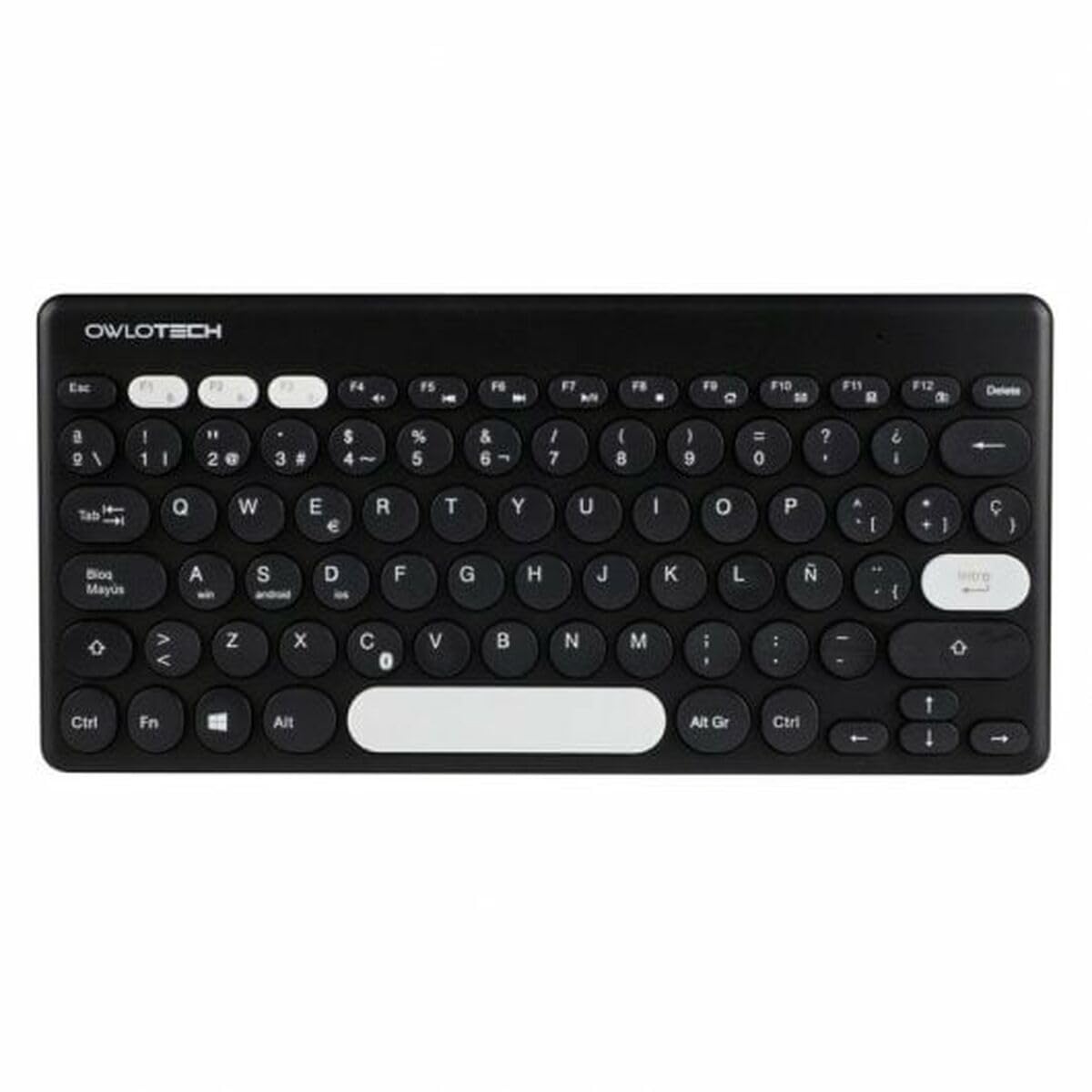
Image 1.1: Front view of the Owlotech S7810814 Wireless RGB Keyboard. This image displays the full QWERTY Spanish layout with RGB backlighting visible.
2. Package Contents
Ensure all items are present in the package:
- Owlotech S7810814 Wireless RGB Keyboard
- USB Cable (for charging/wired connection)
- User Manual (this document)
3. Setup
3.1 Connecting the Keyboard
The Owlotech S7810814 keyboard offers wireless connectivity, primarily designed for use with laptops and desktop computers.
- Locate the USB receiver, typically stored in a compartment on the keyboard itself or included separately.
- Plug the USB receiver into an available USB port on your computer.
- Turn on the keyboard using the power switch, usually located on the back or side of the device.
- Your computer should automatically detect and install the necessary drivers. This process may take a few moments.
- Once installed, the keyboard is ready for use.
3.2 Initial Charging
For optimal performance, it is recommended to fully charge the keyboard before its first wireless use. Connect the provided USB cable to the keyboard's charging port and the other end to a USB power source (e.g., computer USB port, USB wall adapter).
4. Operating the Keyboard
4.1 Keyboard Layout and Keys
This keyboard features a QWERTY Spanish layout with 108 keys, including a full numeric keypad and function keys. The membrane switch type provides a comfortable typing experience.
4.2 RGB Backlighting
The Owlotech S7810814 keyboard includes RGB backlighting. Specific key combinations (often involving the 'Fn' key and other function keys) are used to cycle through different lighting modes, adjust brightness, or change colors. Refer to the keyboard's markings for these specific controls.
4.3 Recommended Usage
This keyboard is suitable for various applications, including gaming and mobile computing, offering a versatile input solution.
5. Maintenance
5.1 Cleaning
To clean your keyboard, gently wipe the surface with a soft, damp cloth. Avoid using harsh chemicals or abrasive materials. For cleaning between keys, use compressed air to remove dust and debris.
5.2 Water Resistance
This keyboard is not water-resistant. Avoid exposing it to liquids to prevent damage.
5.3 Storage
When not in use for extended periods, store the keyboard in a dry, cool place away from direct sunlight and extreme temperatures.
6. Troubleshooting
6.1 Keyboard Not Responding
- Ensure the keyboard is powered on.
- Check that the USB receiver is securely plugged into a working USB port on your computer.
- Verify the keyboard's battery level. Recharge if necessary.
- Try plugging the USB receiver into a different USB port.
- Restart your computer.
6.2 RGB Lighting Not Working
- Ensure the keyboard is powered on and connected.
- Check if the RGB lighting has been turned off via a keyboard shortcut. Refer to the keyboard's markings for lighting controls.
- Ensure the battery has sufficient charge.
7. Specifications
| Brand | Owlotech |
| Model Number | S7810814 |
| Dimensions (L x W x H) | 31.2 x 20.8 x 11.2 cm |
| Weight | 780 g |
| Connectivity Technology | Wireless (USB) |
| Keyboard Layout | QWERTY Spanish |
| Number of Keys | 108 |
| Switch Type | Membrane |
| Special Features | RGB Backlighting |
| Color | Multicolor |
| Material | Plastic |
| Water Resistance Level | Not water-resistant |
8. Warranty
This Owlotech S7810814 Wireless RGB Keyboard comes with a two-year manufacturer's warranty from the date of purchase. This warranty covers defects in materials and workmanship under normal use. It does not cover damage caused by misuse, accidents, unauthorized modifications, or external causes.
9. Support
If you encounter any issues not covered in this manual or require further assistance, please contact Owlotech customer support. Keep your purchase receipt for warranty claims.
