
Loewe 63409D90
Loewe Callas 43 Television User Manual
Model: 63409D90
1. Introduction
Thank you for choosing the Loewe Callas 43 Television. This manual provides essential information for setting up, operating, maintaining, and troubleshooting your new television. Please read it carefully before use and keep it for future reference.
The Loewe Callas 43 is a sophisticated Smart TV designed and engineered in Germany, offering a premium viewing and audio experience. It features a 43-inch Full HD LED display with HDR10 and Dolby Vision support for stunning visuals, an integrated front soundbar for immersive sound, and comprehensive smart TV functionalities for easy access to your favorite content.
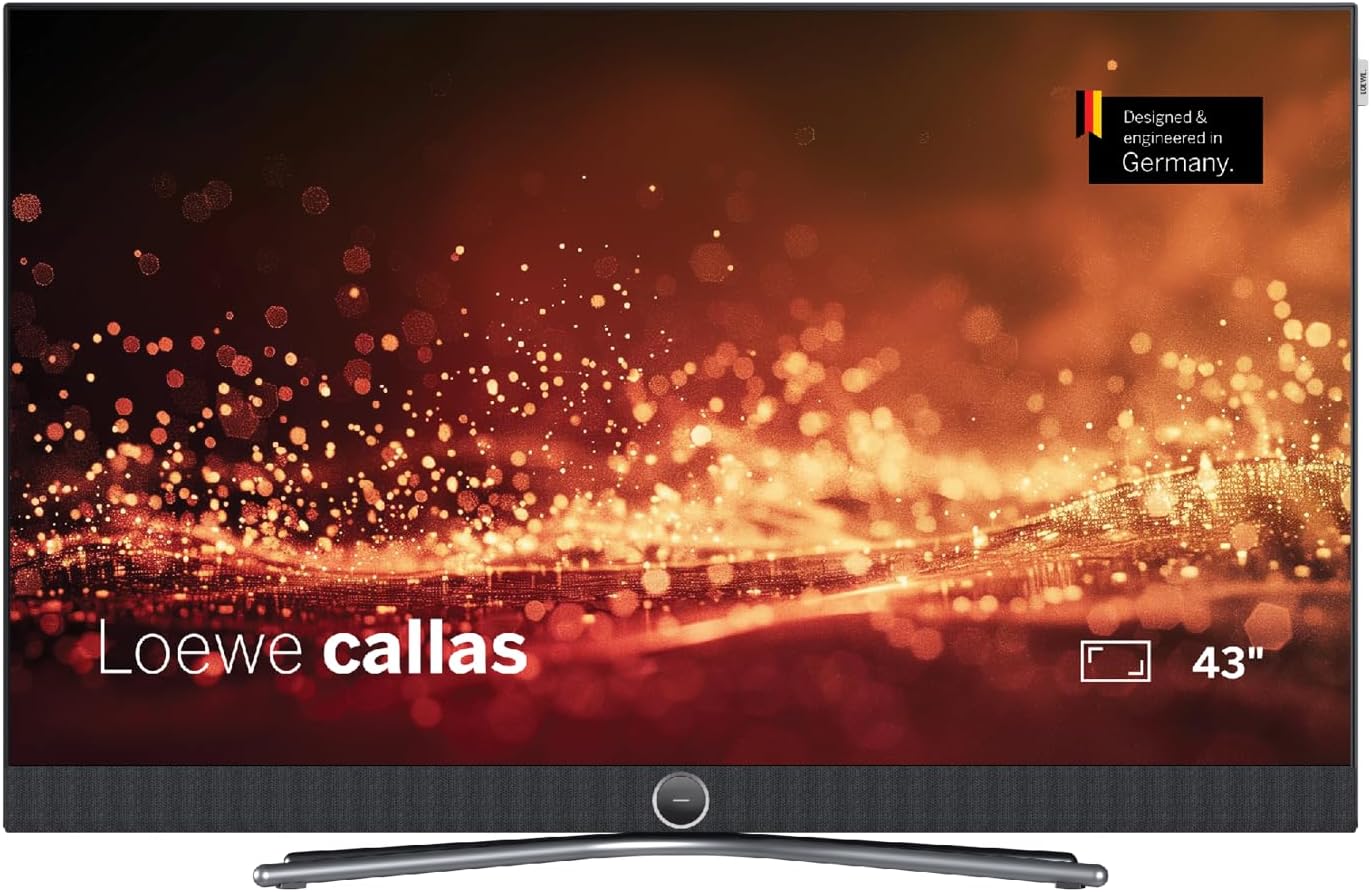
Figure 1: Front view of the Loewe Callas 43 Television, showcasing its sleek design and integrated soundbar.
2. What's in the Box
Please check that all the following components are included in your package:
- Loewe Callas 43 Television Unit
- Loewe remote alu silver (Remote Control)
- Netzkabel (2.5 m, black) (Power Cable)
- User Manual (this document)

Figure 2: Side profile of the Loewe Callas 43 Television, highlighting its slim and elegant design.
3. Initial Setup
3.1 Unpacking and Placement
- Carefully remove the television and all accessories from the packaging.
- Place the television on a stable, flat surface or mount it securely using a compatible VESA wall mount (sold separately). Ensure adequate ventilation around the TV.
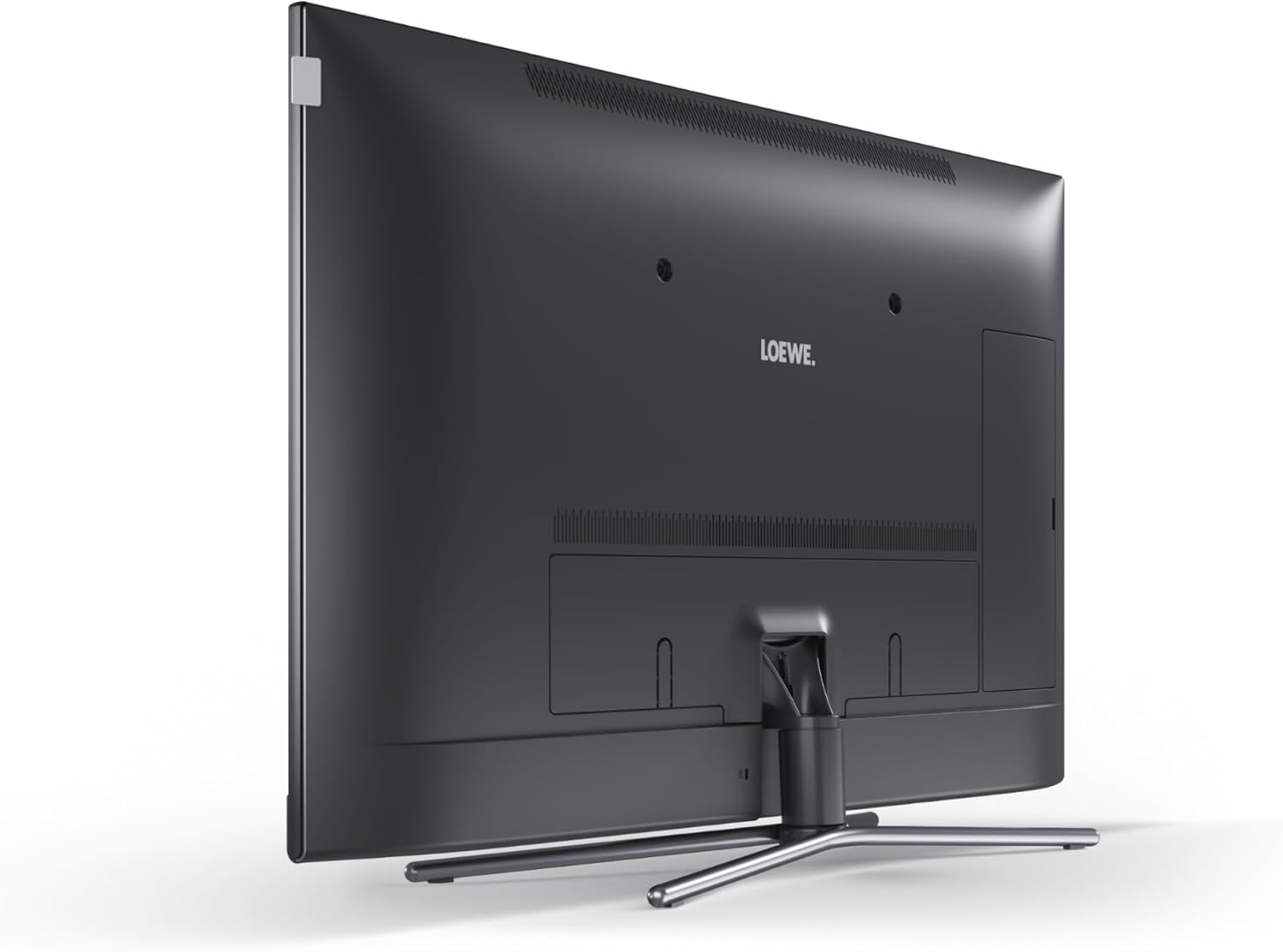
Figure 3: Rear view of the Loewe Callas 43 Television, showing the stand attachment point and general back panel layout.
3.2 Connecting Power
- Connect the provided power cable to the AC input port on the back of the television.
- Plug the other end of the power cable into a wall outlet.
3.3 Connecting External Devices
The Loewe Callas 43 features multiple connectivity options:
- HDMI Ports: Connect Blu-ray players, gaming consoles, set-top boxes, or other HDMI-enabled devices.
- USB Ports: Connect USB storage devices for media playback or recording.
- Antenna/Cable Input: Connect your antenna or cable TV source.
- Network (LAN/Wi-Fi): Connect to your home network for Smart TV features and internet access.
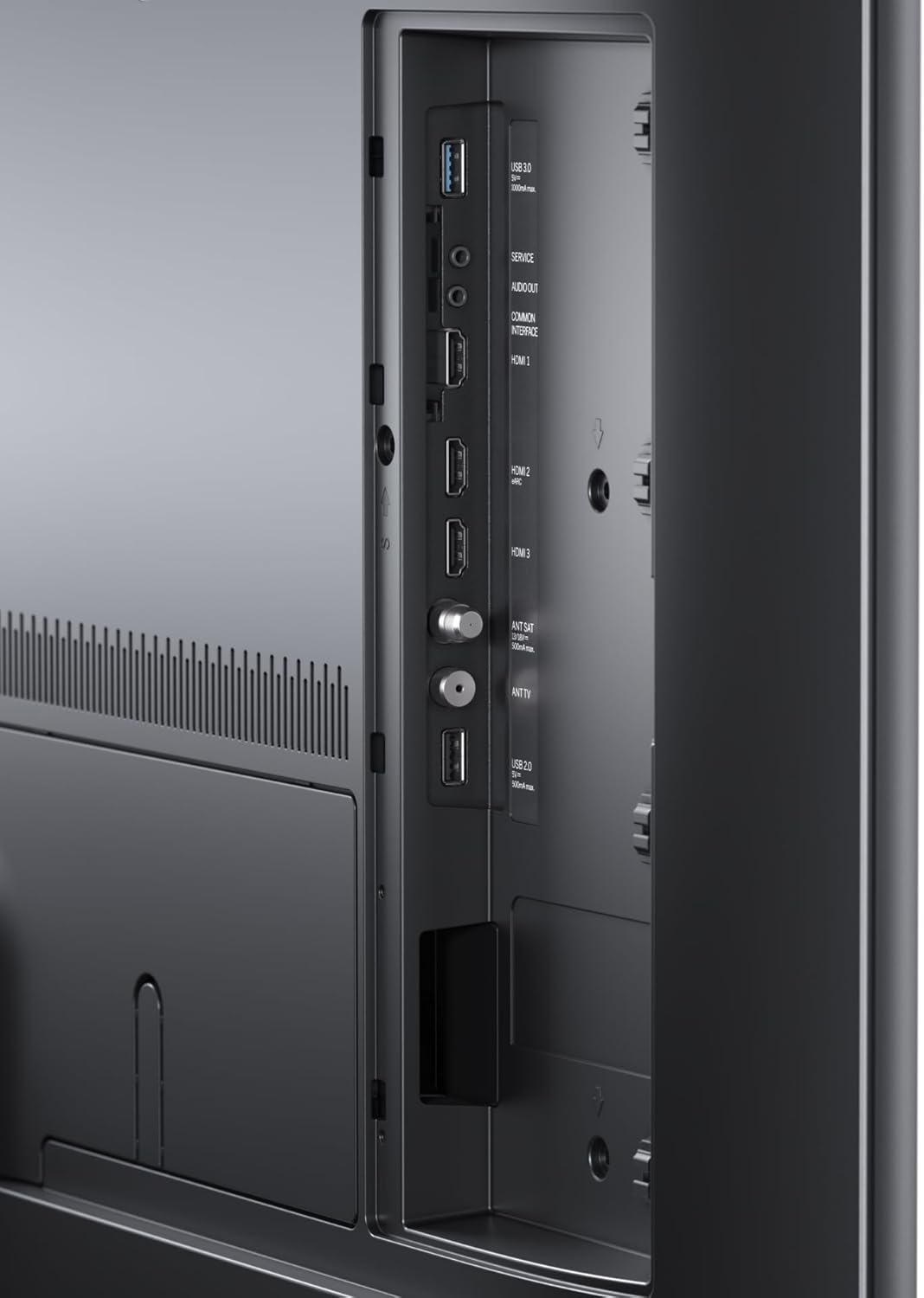
Figure 4: Detailed view of the connectivity ports on the Loewe Callas 43 Television, including HDMI and USB inputs.
3.4 First-Time Setup Wizard
Upon first power-on, the TV will guide you through an initial setup wizard:
- Select your preferred language.
- Configure network settings (Wi-Fi or wired connection).
- Scan for available TV channels.
- Agree to terms and conditions for Smart TV services.
- Complete the setup to access all features.
4. Operating the Television
4.1 Remote Control Functions
The Loewe remote alu silver provides full control over your television. Key functions include:
- Power Button: Turns the TV on/off or to standby.
- Navigation Buttons: Up, Down, Left, Right, and OK/Enter for menu navigation.
- Volume +/-: Adjusts the sound level.
- Channel +/-: Changes TV channels.
- Source/Input: Selects the input source (HDMI, USB, TV).
- Smart TV/Home Button: Accesses the Smart TV interface.
- Numeric Buttons: Direct channel selection.
4.2 Smart TV Features
The Loewe Callas 43 is a Smart TV, providing access to a wide range of online content and applications. Connect your TV to the internet via Wi-Fi or Ethernet to enjoy:
- Popular streaming services (e.g., Netflix, Amazon Prime Video, YouTube).
- Web browsing.
- Access to various apps from the app store.
- Media playback from network devices.

Figure 5: The Loewe Callas 43 Television integrated into a modern living space, demonstrating its use with a gaming console.
5. Maintenance and Care
5.1 Cleaning the Television
- Always unplug the TV before cleaning.
- Use a soft, dry, lint-free cloth to wipe the screen and cabinet.
- For stubborn marks, lightly dampen the cloth with water or a mild, non-abrasive screen cleaner. Do not spray liquid directly onto the screen.
- Avoid using harsh chemicals, abrasive pads, or solvents as they can damage the surface.
5.2 Software Updates
Periodically check for software updates to ensure optimal performance and access to the latest features. Updates can usually be found in the TV's settings menu under 'System' or 'Software Update'. Ensure your TV is connected to the internet for this feature.
6. Troubleshooting
If you encounter issues with your Loewe Callas 43 Television, refer to the following common problems and solutions:
| Problem | Possible Cause / Solution |
|---|---|
| No Power | Ensure the power cable is securely connected to both the TV and the wall outlet. Check if the outlet is working. Try a different outlet. |
| No Picture / Black Screen | Check the selected input source (HDMI, TV). Ensure external devices are powered on and connected correctly. Try restarting the TV. |
| No Sound | Check the volume level and ensure mute is not activated. Verify audio cables for external sound systems. Check TV audio output settings. |
| Remote Control Not Working | Replace the batteries. Ensure there are no obstructions between the remote and the TV's IR sensor. |
| Cannot Connect to Wi-Fi | Check your router and internet connection. Re-enter the Wi-Fi password. Move the TV closer to the router or use an Ethernet cable. |
7. Technical Specifications
| Feature | Specification |
|---|---|
| Brand | Loewe |
| Model Name | callas |
| Model Number | 63409D90 |
| Screen Technology | LCD + E-LED |
| Visible Screen Diagonal | 109.3 cm (43 inches) |
| Resolution | 4K (3840 x 2160 pixels) |
| Refresh Rate | 60 Hz |
| Connectivity Technology | WLAN (Wi-Fi), HDMI, USB |
| Product Dimensions (D x W x H) | 6.8 x 97 x 63.3 cm |
| Weight | 19 Kilograms |
| Energy Efficiency Class | G |

Figure 6: Energy efficiency label for the Loewe Callas 43 Television. For more details, visit the EPREL database.
8. Warranty and Support
Loewe products are designed for durability and reliability. Your Loewe Callas 43 Television comes with a standard manufacturer's warranty. Please refer to the warranty card included in your packaging or visit the official Loewe website for detailed warranty terms and conditions specific to your region.
For technical support, service requests, or further inquiries, please visit the official Loewe support website or contact their customer service. Keep your model number (63409D90) and purchase information ready when contacting support.
Related documents63409D90


Ask a question about this manual
Ask about setup, troubleshooting, compatibility, parts, safety, or missing instructions. Manuals+ will review the question and use this page’s manual context to help answer it.