
Introduction
Thank you for choosing the TIQLAB 40-Inch Gaming Desk. This manual provides detailed instructions for assembly, operation, maintenance, and troubleshooting to ensure optimal performance and longevity of your desk. Please read all instructions carefully before beginning assembly and retain this manual for future reference.

Figure 1: Fully assembled TIQLAB 40-Inch Gaming Desk in a typical setup.
Package Contents
Please verify that all components listed below are present before beginning assembly. If any parts are missing or damaged, please contact customer support.
- Desk Top Panels (Carbon Fiber Surface)
- Desk Legs (Alloy Steel, Z-shaped)
- Monitor Stand
- Power Strip with 2 AC Outlets, 1 USB, and 1 Type-C Port
- LED Light Strip
- LED Remote Control
- Headphone Hook
- Cup Holder
- Adjustable Feet Pads
- Assembly Hardware (screws, washers, Allen wrench)
- Instruction Manual
Setup & Assembly
Assembly is straightforward and typically takes about 30-60 minutes. It is recommended to have two people for easier assembly, especially when flipping the desk. Do not overtighten screws during assembly to prevent damage to the wood or stripping of threads. Use a manual screwdriver for best results.
- Unpack and Identify Parts: Carefully remove all components from the packaging. Lay them out on a clean, soft surface to prevent scratches. Identify each part using the provided diagrams in the manual.
- Attach Leveling Feet: Screw the adjustable feet pads into the bottom of the Z-shaped desk legs.
- Assemble Desk Frame: Connect the horizontal support bars to the Z-shaped legs using the provided screws and washers. Ensure all connections are secure but do not fully tighten yet.
- Attach Desk Top: Carefully place the desk top panels onto the assembled frame. Align the pre-drilled holes and secure the panels to the frame using the appropriate screws. Once all screws are in place, gradually tighten all screws on the frame and desk top.
- Install Monitor Stand: Attach the monitor stand to the designated positions on the desk top using the provided hardware.
- Install Headphone Hook and Cup Holder: Secure the headphone hook and cup holder to the desired locations on the side of the desk using the provided screws.
- Integrate Power Strip: Insert the power strip into the pre-cut slot on the desk top and secure it with screws. Route the power cord as needed.
- Install LED Light Strip: Carefully place the LED light strip into the designated channel on the monitor stand. Connect the LED strip to the power source.

Figure 2: Assembly diagram highlighting key dimensions and components.
Video 1: A demonstration showcasing various features of the TIQLAB Gaming Desk, including its design and accessories.
Operating Instructions
LED Lighting System
The integrated LED light strip offers customizable lighting options to enhance your gaming or work environment. Use the provided remote control to manage the lighting effects.
- Power On/Off: Press the ON/OFF button on the remote.
- Color Selection: Choose from 7 static colors or 20 static color options using the color buttons on the remote.
- Dynamic Modes: Select from 21 dynamic modes to create various lighting effects.
- Brightness Adjustment: Use the brightness control buttons (sun icons) to increase or decrease the light intensity.
- Speed Control: Adjust the speed of dynamic lighting modes using the speed control buttons.
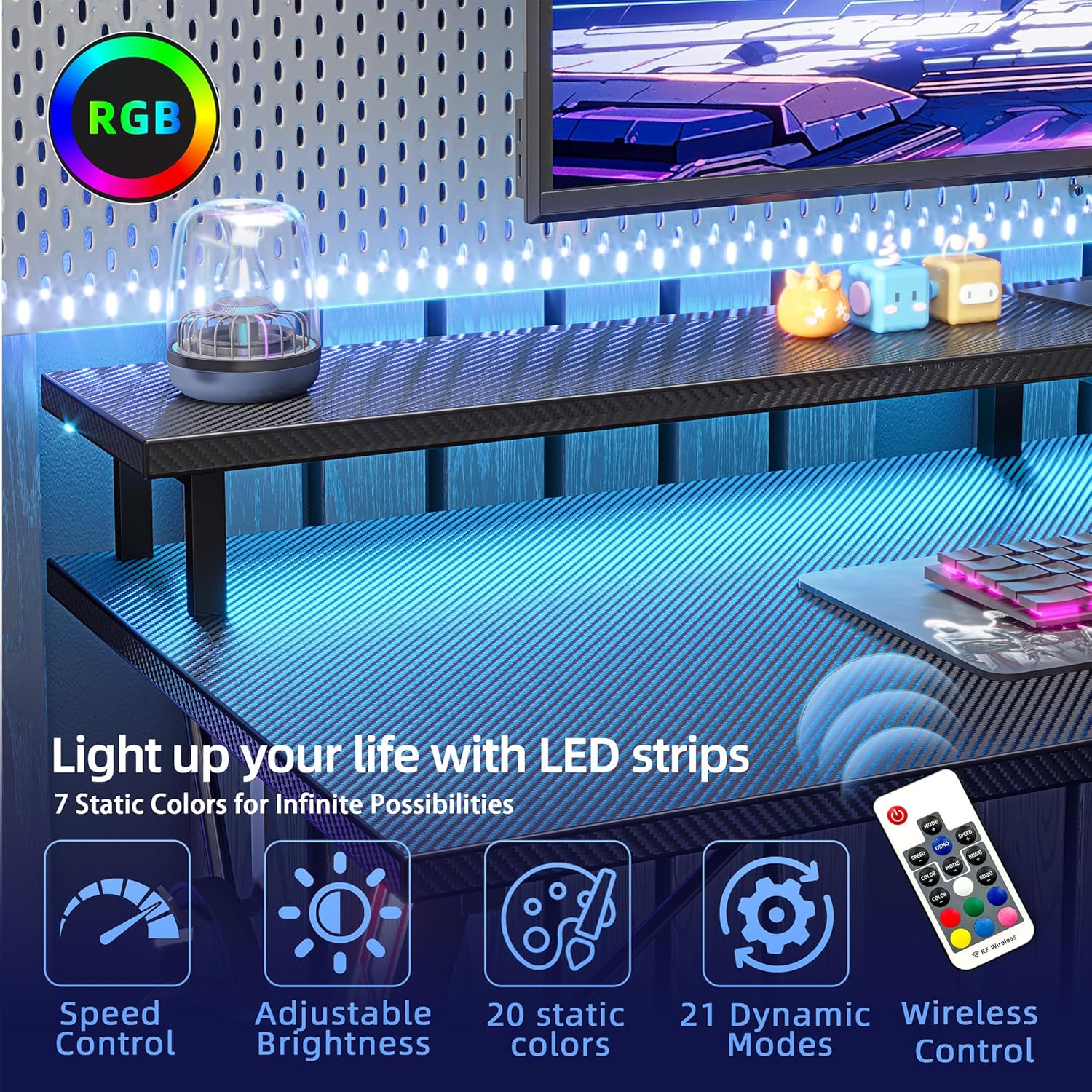
Figure 3: LED remote control for customizing desk lighting.
Integrated Power Outlets
The desk features a built-in power strip for convenient access to electricity without cable clutter.
- AC Outlets: Two 125V/12A AC outlets are available for powering your devices.
- USB Ports: One USB and one Type-C port (5V/3A) are provided for charging mobile devices.
- Power Cord: The power strip includes a 60-inch cord for connection to a wall outlet.

Figure 4: Integrated power strip with AC outlets and USB ports.
Key Features
- Carbon Fiber Surface: The desk surface is made from FSC-Certified wood with a carbon fiber texture, providing a sleek and durable finish.
- Ergonomic Design: The desk features an ergonomically curved surface to reduce neck strain and improve posture during long gaming or work sessions.
- Large Monitor Stand: An elevated monitor stand is included to provide optimal viewing height and create additional storage space beneath.
- Headphone Hook: A convenient headphone hook is located on the side of the desk, keeping your headphones easily accessible and off the desktop.
- Stable Support: Constructed with a thicker alloy steel X-shaped frame, the desk ensures strength, durability, and stability. Adjustable feet pads further enhance stability on uneven floors.

Figure 5: Ergonomic features and monitor stand benefits.

Figure 6: Headphone hook and stable leg structure.
Video 2: A brief overview of the gaming desk, highlighting its multi-shelf design and LED lighting.
Maintenance & Care
- Cleaning: Wipe the desk surface with a soft, damp cloth. Avoid harsh chemicals or abrasive cleaners that could damage the carbon fiber finish.
- Spills: Clean up spills immediately to prevent staining or damage to the surface.
- Stability Check: Periodically check all screws and connections to ensure they remain tight. Retighten if necessary.
- Heat Protection: Avoid placing hot items directly on the desk surface. Use coasters or protective pads.
Troubleshooting
- Desk is Wobbly:
- Ensure all assembly screws are securely tightened.
- Adjust the leveling feet at the bottom of the legs to stabilize the desk on uneven surfaces.
- LED Lights Not Working:
- Check if the power cord for the LED strip is securely plugged into the power strip and the wall outlet.
- Ensure the remote control has working batteries and is pointed directly at the LED receiver.
- Verify that the LED strip is properly connected to its power source.
- Power Outlets Not Functioning:
- Confirm the main power cord from the desk's power strip is fully plugged into a functional wall outlet.
- Check if the wall outlet itself is receiving power by testing it with another device.
Specifications
| Feature | Detail |
|---|---|
| Brand | TIQLAB |
| Model Number | b338312e-0e28-42a0-84bd-c6ddc70197b7 |
| Product Dimensions | 19.6"D x 40"W x 33.5"H |
| Color | Black |
| Material | Alloy Steel (Base), Wood (Top) |
| Special Feature | Built-in Power Outlets, LED Lights, Monitor Stand, Headphone Hook |
| Power Strip | 2 AC Outlets (125V/12A), 1 USB Port, 1 Type-C Port (5V/3A) |
| Power Cord Length | 60 Inch |
| Assembly Required | Yes |
| Recommended Assembly Persons | 2 |
Safety Information
- Always use the adjustable feet pads to ensure stability on uneven surfaces.
- Assemble the desk according to the provided instructions to avoid injury.
- Keep the desk away from heat sources.
- Do not place heavy objects on the desk that exceed its weight limit.
- Ensure all electrical connections are secure and avoid overloading the power strip.
Warranty & Support
This TIQLAB Gaming Desk comes with a limited warranty. For specific details regarding coverage and duration, please refer to the warranty information provided with your purchase or contact TIQLAB customer support.
For any questions, missing parts, or technical assistance, please contact TIQLAB customer support through the retailer where the product was purchased.