
1. Introduction
Thank you for choosing the VEVSHAO Mini Projector V50. This portable smart projector offers a high-definition viewing experience with 4K 1080P 3D Full HD resolution, automatic focus, and versatile connectivity options including WiFi and Bluetooth 5.0. Its integrated 15000mAh battery allows for convenient outdoor projection. This manual provides essential information for setting up, operating, maintaining, and troubleshooting your projector to ensure optimal performance.

Image: VEVSHAO V50 Mini Projector used in diverse environments, highlighting its portability and versatility.
2. Package Contents
Please check the box for the following items:
- VEVSHAO Mini Projector V50
- Remote Control
- Power Adapter
- User Manual
3. Product Overview
The VEVSHAO V50 is a compact and powerful projector designed for both indoor and outdoor use. It features a robust design with a convenient handle for portability.
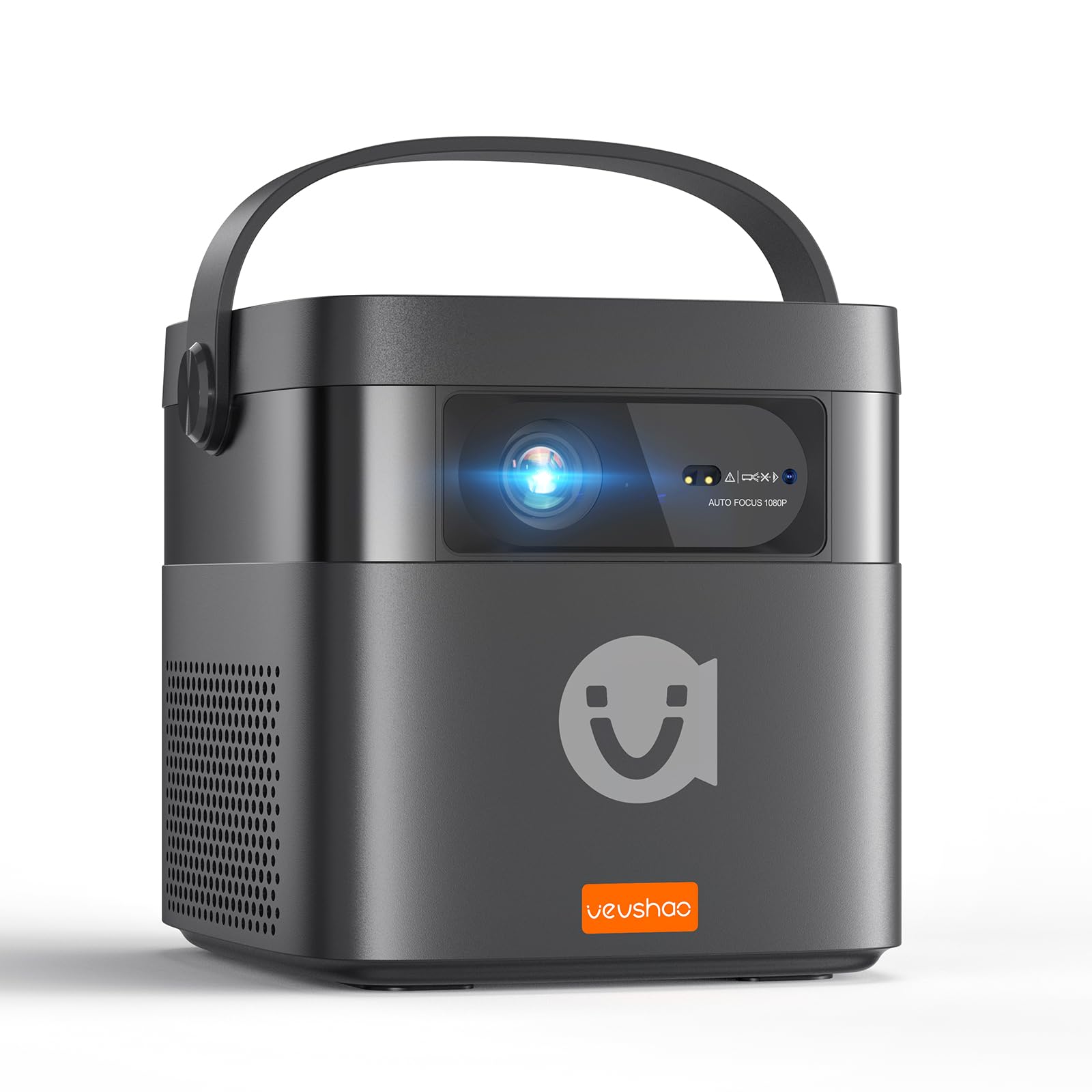
Image: Front view of the VEVSHAO V50 Mini Projector.
Key Features:
- Native 1080P HD Resolution: Delivers crisp and clear images.
- 400 ANSI Lumens Brightness: Provides vibrant visuals in various lighting conditions.
- Automatic Focus & 6D Keystone Correction: Ensures a perfectly clear and rectangular image automatically.
- Built-in 15000mAh Battery: Offers approximately 3 hours of portable usage.
- Dual 10W Stereo Speakers: Provides rich and immersive audio.
- Android 9.0 System: Access to streaming apps and smart features.
- Dual-band WiFi (2.4G + 5G) & Bluetooth 5.0: Seamless wireless connectivity.
- 3D Shutter Function Support: Enjoy cinematic 3D content.

Image: Overview of VEVSHAO V50's core features and specifications.
4. Setup
4.1 Powering On/Off
To power on the projector, press and hold the power button on the remote control for approximately 5 seconds until the device starts. To power off, repeat the process.
4.2 Placement
Position the projector on a stable, flat surface. Ensure there are no obstructions blocking the lens or the ventilation outlets. The optimal projection distance and screen size can vary. The projector supports a maximum image size of 300 inches and a maximum projection distance of 8 meters.

Image: Guide for projection distance and screen size.
4.3 Focus & Keystone Adjustment
The VEVSHAO V50 features fast automatic focus and 6D automatic keystone correction. When you move the projector, it will automatically adjust the image to be clear and rectangular within 1-3 seconds, eliminating the need for manual adjustments.

Image: Automatic focus and keystone correction in action.
4.4 Connectivity
The projector offers multiple connectivity options:
- HDMI: Connect to laptops, game consoles, TV boxes, etc.
- USB: Play media directly from USB flash drives.
- WiFi (2.4G/5G): Connect to your home network for streaming and screen mirroring.
- Bluetooth 5.0: Connect to external Bluetooth speakers or headphones.

Image: Rear view of the projector showing available ports.

Image: Compatible devices and input types.
5. Operating Instructions
5.1 Android System Navigation
The projector runs on Android 9.0, providing a smart interface. Use the remote control to navigate through the menus, select applications, and adjust settings. You can download additional apps from the integrated App Store or Google Play Store.

Image: Android 9.0 user interface with various application icons.
5.2 Screen Mirroring
The V50 supports wireless screen projection via WiFi for smartphones, tablets, and laptops (Miracast for Android, AirPlay for iOS). Access the respective mirroring application from the home screen to connect your device.
5.3 Media Playback
Insert a USB disk into the USB port to play local media files such as videos, photos, and music. Use the File Explorer app to browse and select your content.
5.4 3D Functionality
The VEVSHAO V50 supports active shutter 3D. To enjoy 3D content, ensure your media is in a compatible 3D format, activate the 3D mode in the projector settings, and wear active shutter 3D glasses (sold separately).

Image: Enjoying a 3D movie with the VEVSHAO V50 projector.
5.5 Audio Features
The projector is equipped with powerful dual 10W stereo speakers, delivering clear and robust sound. For private listening or enhanced audio, you can connect external Bluetooth speakers or headphones via Bluetooth 5.0.

Image: VEVSHAO V50 with integrated 10W speakers.
5.6 Battery Operation
The built-in 15000mAh battery provides approximately 3 hours of usage on a single charge, offering flexibility for outdoor or portable use without needing a power outlet.

Image: Projector powered by its internal battery for portable use.
6. Maintenance
To ensure the longevity and optimal performance of your VEVSHAO V50 projector, follow these maintenance guidelines:
- Cleaning the Lens: Use a soft, lint-free cloth specifically designed for optical lenses. Avoid abrasive materials or harsh chemicals.
- Cleaning the Exterior: Wipe the projector's exterior with a soft, dry cloth. Do not use liquid cleaners directly on the device.
- Ventilation: Ensure the ventilation outlets are clear of dust and debris to prevent overheating. Do not block the air outlet.
- Battery Care: For optimal battery life, avoid fully discharging the battery frequently. If storing for extended periods, charge the battery to about 50% and recharge every few months.
- Storage: Store the projector in a cool, dry place away from direct sunlight and extreme temperatures.
7. Troubleshooting
If you encounter issues with your VEVSHAO V50 projector, refer to the following common problems and solutions:
| Problem | Possible Cause | Solution |
|---|---|---|
| Projector does not power on. | Low battery or power adapter not connected. | Ensure the power adapter is securely connected or the battery is charged. Press and hold the power button on the remote for 5 seconds. |
| Image is blurry. | Projector moved, or auto-focus needs to re-adjust. | Wait a few seconds for the auto-focus to re-adjust. Ensure the lens is clean. |
| Image is distorted (not rectangular). | Projector is not perpendicular to the screen, or auto-keystone needs to re-adjust. | Wait a few seconds for the 6D auto-keystone correction to re-adjust. |
| No sound. | Volume too low, external audio device connected, or audio settings incorrect. | Increase volume. Disconnect external Bluetooth devices if not intended. Check audio output settings in the Android system. |
| Cannot connect to WiFi. | Incorrect password, out of range, or network issue. | Verify WiFi password. Move closer to the router. Restart the projector and router. |
| Screen mirroring not working. | Device incompatibility or network issues. | Ensure your device supports Miracast (Android) or AirPlay (iOS). Connect both devices to the same WiFi network. |
8. Specifications
| Feature | Detail |
|---|---|
| Brand | VEVSHAO |
| Model Name | V50 |
| Display Resolution | 1920 x 1080 (Native) |
| Max Screen Resolution | 1920 x 1080 |
| Brightness | 400 ANSI Lumens |
| Contrast Ratio | 10000:1 |
| Display Type | DLP |
| Connectivity Technology | Bluetooth 5.0, HDMI, USB, Wi-Fi (2.4G/5G) |
| Special Features | Integrated 3D, Automatic Screen Alignment, Automatic Focusing, Dustproof |
| Max Projection Distance | 8 Meters |
| Max Image Size | 300 Inches |
| Min Image Size | 11 Inches |
| Light Source Life | 50000 Hours |
| Power | 45 Watts |
| Voltage | 240 Volts |
| Operating System | Android 9.0 |
| Battery Capacity | 15000mAh |
| Dimensions (L x W x H) | 14.6 x 14.4 x 16.1 cm |
9. Warranty and Support
The VEVSHAO Mini Projector V50 comes with a 1-year warranty from the date of purchase. This warranty covers manufacturing defects and malfunctions under normal use. Please retain your proof of purchase for warranty claims.
For technical support, warranty claims, or any questions regarding your VEVSHAO V50 projector, please contact VEVSHAO customer service. Contact information can typically be found on the official VEVSHAO website or through your retailer.
VEVSHAO is committed to providing professional support and solutions to ensure your satisfaction.
