
1. Safety Information
Your safety is paramount. Please read and understand all safety instructions before operating your CYSUM electric mountain bike. Failure to follow these instructions may result in serious injury or property damage.
1.1 General Safety Guidelines
- Always wear a helmet that meets safety standards.
- Obey all local traffic laws and regulations.
- Perform a pre-ride inspection before each use, checking brakes, tires, and battery level.
- Do not ride under the influence of alcohol or drugs.
- Be aware of your surroundings and ride defensively.
- Avoid riding in adverse weather conditions such as heavy rain, snow, or ice.
1.2 Battery Safety
- Use only the charger provided by CYSUM.
- Do not expose the battery to extreme temperatures or direct sunlight for extended periods.
- Do not puncture, drop, or disassemble the battery.
- Charge the battery in a well-ventilated area, away from flammable materials.
- If the battery is damaged or shows signs of overheating, discontinue use immediately and contact support.
2. Product Overview
The CYSUM 29-inch Electric Mountain Bike CM520-29 is designed for adults seeking a versatile and powerful e-bike experience. It features a robust aluminum frame, a powerful motor, and a long-lasting battery, making it suitable for various terrains, including off-road trails.

Figure 2.1: CYSUM 29-inch Electric Mountain Bike CM520-29.
2.1 Key Features
- Powerful Brushless Motor: Equipped with a 75 Nm motor for strong assistance on various inclines.
- High-Capacity Battery: Features a removable 48V 14Ah (672 Wh) lithium battery, offering an extended range of 75-85 km with pedal assist.
- Durable Frame: Constructed from lightweight and sturdy aluminum alloy.
- Wide Tires: 29 x 2.35 inch tires provide enhanced grip and stability on diverse terrains.
- 7-Speed Gear System: A 7-speed flywheel combined with a Shimano Altus derailleur for smooth gear changes.
- Comfort and Convenience: Includes front suspension, a comfortable seat, headlights, taillights, fenders, and a rear rack.

Figure 2.2: Integrated rear rack and taillight.
3. Setup and Assembly
Your CYSUM electric mountain bike arrives approximately 90% pre-assembled. The remaining assembly typically involves attaching the handlebars, pedals, front wheel (if not pre-installed), and adjusting the seat.
3.1 Unpacking
- Carefully remove the bike and all components from the packaging.
- Inspect for any shipping damage. Report any issues to your retailer immediately.
- Retain packaging for future transport or returns.
3.2 Handlebar Installation
- Attach the handlebar to the stem, ensuring all cables are routed correctly and not pinched.
- Tighten the stem bolts securely, following the manufacturer's torque specifications if available.
3.3 Pedal Installation
- Identify the left (L) and right (R) pedals.
- The right pedal threads clockwise, and the left pedal threads counter-clockwise.
- Apply a small amount of grease to the pedal threads.
- Carefully thread each pedal into its crank arm and tighten firmly with a wrench.
3.4 Seat Adjustment
- Loosen the seat post quick-release lever or bolt.
- Adjust the seat height so that your leg is slightly bent at the knee when the pedal is at its lowest point.
- Ensure the seat post is inserted past the minimum insertion line.
- Tighten the quick-release lever or bolt securely.

Figure 3.1: Front suspension fork and wheel.
4. Operating Instructions
Familiarize yourself with the controls and functions of your CYSUM e-bike before your first ride.
4.1 Powering On/Off
- To power on the bike, press and hold the power button on the handlebar display for a few seconds.
- To power off, press and hold the power button again until the display turns off.
4.2 Handlebar Display
The digital display provides essential information such as speed, battery level, and pedal assist level.

Figure 4.1: Handlebar display.
4.3 Pedal Assist System (PAS)
The bike offers multiple levels of pedal assist. Use the '+' and '-' buttons on the handlebar control to adjust the assist level. Higher levels provide more motor assistance, while lower levels conserve battery life.
4.4 Shifting Gears
Your CYSUM e-bike is equipped with a 7-speed gear system. Use the shifter on the handlebar to change gears. Shift to lower gears for climbing hills and higher gears for flat terrain or descents. Always shift while pedaling lightly to ensure smooth transitions.

Figure 4.2: Rear derailleur and cassette.
4.5 Braking
The bike features disc brakes for reliable stopping power. Apply both front and rear brakes simultaneously for effective and controlled braking. Avoid sudden, hard braking, especially with the front brake, to prevent loss of control.

Figure 4.3: Rear disc brake.
4.6 Battery Charging
- To charge the battery, first ensure the bike is powered off.
- The battery can be charged while installed on the bike or removed.
- Connect the charger to the battery charging port, then plug the charger into a standard wall outlet.
- The charger indicator light will typically show red during charging and turn green when fully charged.
- Charging time is approximately 6-8 hours for a full charge.

Figure 4.4: Removable battery integrated into the frame.
5. Maintenance
Regular maintenance ensures the longevity and optimal performance of your CYSUM electric mountain bike.
5.1 Cleaning
- Clean the bike regularly with a damp cloth and mild soap. Avoid high-pressure washers, which can damage electrical components.
- Keep the battery contacts clean and dry.
5.2 Tires
- Check tire pressure before each ride. Maintain pressure within the range indicated on the tire sidewall.
- Inspect tires for wear, cuts, or embedded objects.
5.3 Brakes
- Regularly check brake pads for wear and replace them when necessary.
- Ensure brake levers are firm and responsive. Adjust cable tension if needed.
5.4 Chain and Drivetrain
- Keep the chain clean and lubricated to ensure smooth shifting and prevent rust.
- Inspect the chain and gears for wear or damage.
5.5 Battery Care
- Store the battery in a cool, dry place when not in use.
- If storing for an extended period, charge the battery to approximately 50-70% and recharge every 2-3 months.
6. Troubleshooting
This section addresses common issues you might encounter with your CYSUM electric mountain bike.
6.1 No Power to Display/Motor
- Check Battery: Ensure the battery is fully charged and securely seated in the frame.
- Power Button: Confirm the power button on the display is pressed and held correctly.
- Connections: Inspect all visible cable connections for looseness or damage.
6.2 Motor Not Assisting
- Pedal Assist Level: Ensure the pedal assist level is set above '0' on the display.
- Pedaling: The motor only assists when you are pedaling.
- Brake Levers: Check if brake levers are fully released, as some systems cut motor power when brakes are applied.
6.3 Brakes Squealing or Ineffective
- Brake Pads: Inspect brake pads for wear or contamination. Clean or replace as needed.
- Rotor: Ensure the brake rotor is clean and free of oil or grease.
- Adjustment: Brake cables may need adjustment for proper tension.
For issues not covered here, please contact CYSUM customer support.
7. Specifications
Detailed technical specifications for the CYSUM 29-inch Electric Mountain Bike CM520-29.
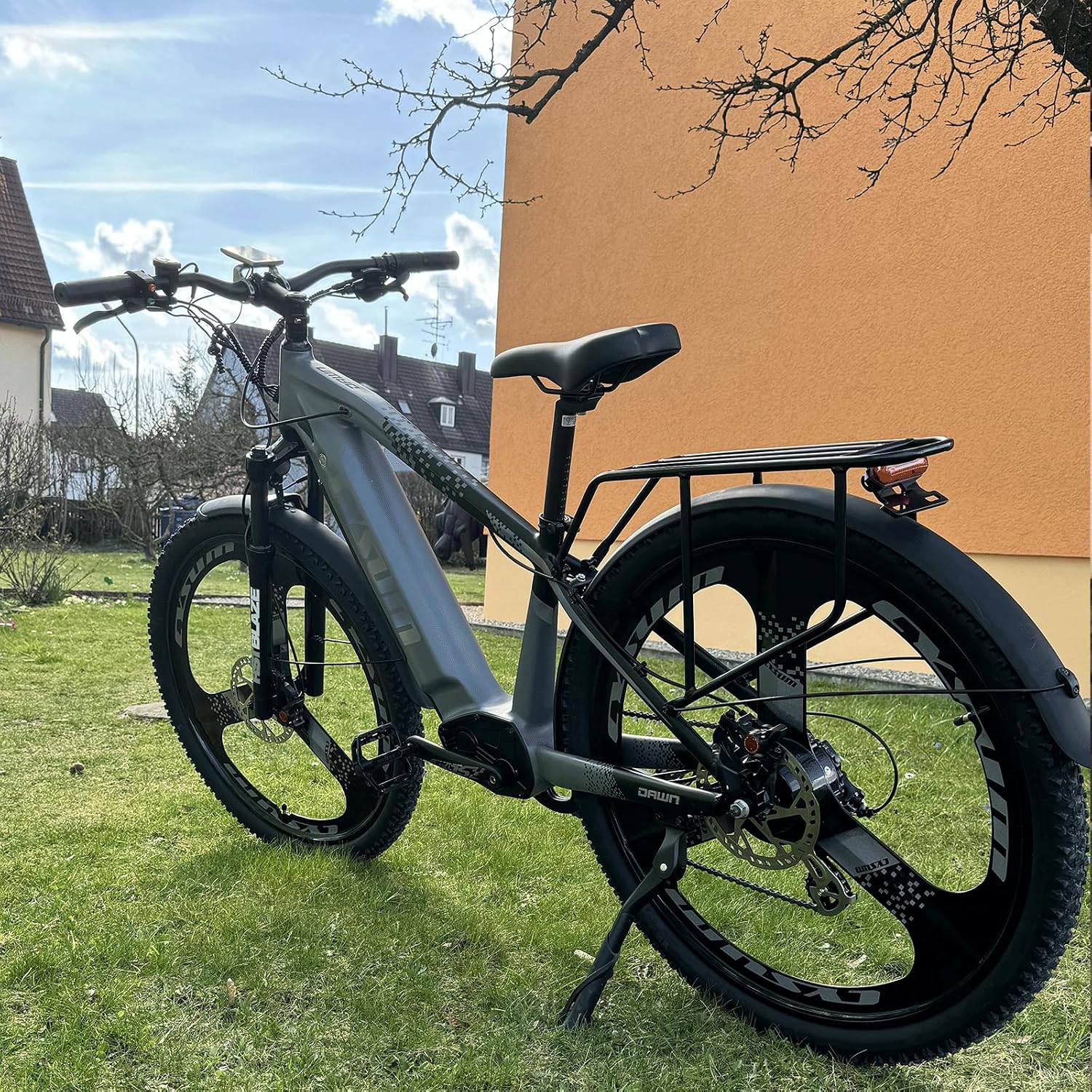
Figure 7.1: CYSUM CM520-29 dimensions.
| Feature | Specification |
|---|---|
| Model Number | CM520-29 |
| Wheel Size | 29 Inch |
| Tire Size | 29 x 2.35 Inch |
| Frame Material | Aluminum Alloy |
| Motor Torque | 75 Nm |
| Battery | 48V 14Ah (672 Wh) Removable Lithium |
| Max Range (Pedal Assist) | 75-85 km |
| Number of Speeds | 7 |
| Brake Type | Disc |
| Suspension Type | Front |
| Included Components | Rear Rack, Fenders |
| Item Weight | 31 kg |
| Color | Grey |
8. Warranty and Support
CYSUM stands behind the quality of its products.
8.1 Warranty Information
- Frame: 3-year warranty.
- Motor, Battery, and Circuit System: 1-year warranty.
This warranty covers manufacturing defects and does not cover damage due to misuse, accidents, or normal wear and tear. Please retain your proof of purchase for warranty claims.
8.2 Customer Support
If you have any questions, require assistance with assembly, operation, maintenance, or need to make a warranty claim, please contact CYSUM customer support through your retailer or the official CYSUM website. Provide your model number (CM520-29) and purchase details for faster service.


