
TecTake 405183
TecTake 2-in-1 Electric Cooler and Warmer User Manual
Model: 405183 | Brand: TecTake
1. Introduction
Thank you for choosing the TecTake 2-in-1 Electric Cooler and Warmer. This versatile appliance is designed to keep your food and beverages either cool or warm, making it ideal for camping, road trips, picnics, and everyday use. With its dual functionality and portable design, it offers convenience and reliability wherever you go.
This manual provides essential information for the safe and efficient operation of your cooler/warmer. Please read it thoroughly before first use and keep it for future reference.
2. Safety Instructions
To ensure safe operation and prevent damage, please observe the following safety precautions:
- Always connect the appliance to a power source that matches the voltage specified on the rating label (12V DC or 220-240V AC).
- Do not immerse the appliance, cord, or plug in water or other liquids.
- Keep the ventilation openings clear and unobstructed to ensure proper airflow and prevent overheating.
- Do not use the appliance if the power cord or plug is damaged, or if the appliance malfunctions or has been dropped. Contact qualified service personnel for repair.
- Avoid placing hot items directly into the cooler/warmer when in cooling mode, or cold items when in heating mode, as this can reduce efficiency and potentially damage the unit.
- This appliance is not intended for use by persons (including children) with reduced physical, sensory, or mental capabilities, or lack of experience and knowledge, unless they have been given supervision or instruction concerning use of the appliance by a person responsible for their safety.
- Unplug the appliance from the power source before cleaning or when not in use.
- Do not use abrasive cleaners or sharp objects to clean the interior or exterior of the appliance.
3. Product Overview
3.1 Components
The TecTake Electric Cooler and Warmer is designed for ease of use and portability. Key components include:
- Main Unit with Insulated Compartment
- Foldable and Lockable Carry Handle
- Control Panel (on lid)
- Ventilation System
- Hidden Cable Compartment
- Removable Separation Grid
- AC Power Cable (220-240V)
- DC Power Cable (12V)

Figure 3.1: The TecTake Electric Cooler and Warmer, showing its spacious interior filled with fruits and bottles, along with the included AC and DC power cables.
3.2 Key Features
- 2-in-1 Functionality: Capable of both cooling (down to 5°C) and heating (up to 65°C).
- Generous Capacity: 25-liter volume provides ample space for snacks, drinks, cosmetics, or medicines.
- Dual Power Supply: Operates on 12V DC (car cigarette lighter) and 220-240V AC (standard household outlet).
- ECO Mode: Energy-efficient and quiet operation, ideal for extended use.
- Robust and Lightweight Design: Made from durable plastic with rounded edges for easy handling and transport.
- Secure Transport: Features a foldable handle that locks the lid securely in place.
- Optimal Organization: Includes a removable separation grid to divide the interior space into two zones.
- Integrated Cable Storage: A hidden compartment on the lid keeps power cables neatly stored.
- TÜV Certified: Ensures product safety and quality.

Figure 3.2: Overview of the cooler's main features, highlighting its capacity, dual function, durable build, portability, energy efficiency, and versatile power options.
4. Setup
Follow these steps to set up your TecTake Electric Cooler and Warmer:
- Unpack: Carefully remove the cooler/warmer and all accessories from its packaging. Retain the packaging for future storage or transport.
- Inspect: Check the appliance for any signs of damage. Do not use if damaged.
- Placement: Place the cooler/warmer on a stable, flat surface. Ensure there is adequate ventilation around the unit, especially around the fan openings on the lid.
- Connect Power:
- For AC (Household) Use: Retrieve the AC power cable from the hidden compartment. Plug the cable into the AC input port on the cooler/warmer, then plug the other end into a standard 220-240V AC wall outlet.
- For DC (Vehicle) Use: Retrieve the DC power cable from the hidden compartment. Plug the cable into the DC input port on the cooler/warmer, then plug the other end into your vehicle's 12V cigarette lighter socket.
- Initial Cleaning: Before first use, wipe the interior with a damp cloth and mild detergent. Rinse and dry thoroughly.

Figure 4.1: Close-up of the hidden cable compartment on the lid, designed for neat storage of the power cables.
5. Operation
Your TecTake Electric Cooler and Warmer offers both cooling and heating functions, along with an energy-saving ECO mode.
5.1 Cooling Mode
To cool items, ensure the cooler is connected to a power source. Locate the switch on the control panel (usually marked with 'COLD' or a snowflake icon) and set it to the cooling position. The internal temperature will drop to approximately 5°C, depending on the ambient temperature.
5.2 Heating Mode
To warm items, connect the cooler to a power source. Locate the switch on the control panel (usually marked with 'HOT' or a flame icon) and set it to the heating position. The internal temperature will rise to approximately 65°C, suitable for keeping food warm.
5.3 ECO Mode
For energy-efficient and quieter operation, switch the cooler to ECO mode (if available on your model). This mode reduces power consumption while maintaining effective cooling or heating, making it ideal for overnight use or when minimal noise is desired.
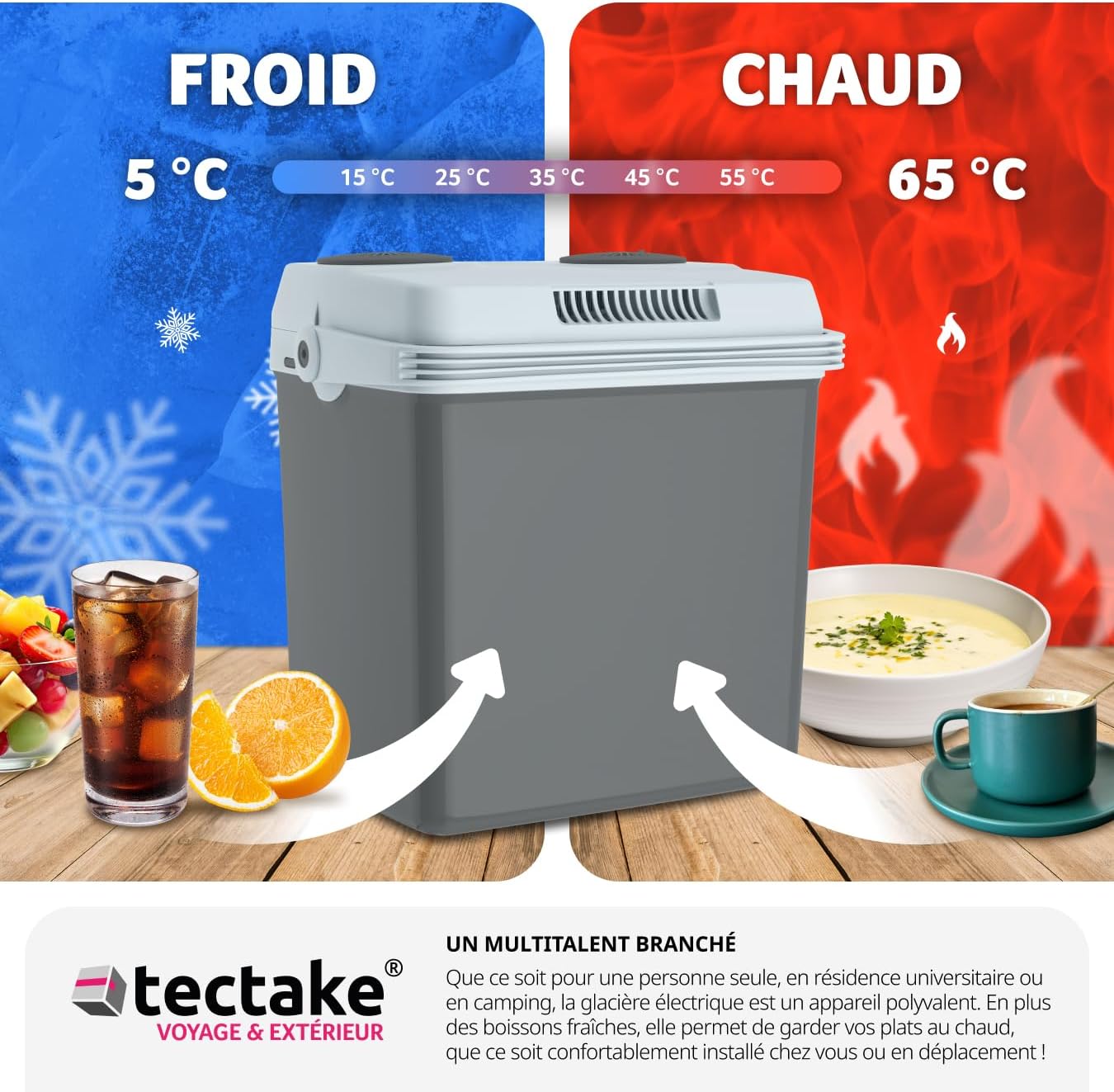
Figure 5.1: Visual representation of the cooler's dual functionality, maintaining items at 5°C for cooling and 65°C for heating.

Figure 5.2: The cooler's quiet operation and power modes, suitable for various environments.
6. Maintenance
Regular cleaning and proper care will extend the life of your TecTake Electric Cooler and Warmer.
- Cleaning the Interior: After each use, especially if food or liquids have spilled, wipe the interior with a damp cloth and a mild, non-abrasive detergent. Rinse with a clean damp cloth and dry thoroughly. Ensure no water enters the electrical components.
- Cleaning the Exterior: Wipe the exterior surfaces with a soft, damp cloth. Do not use harsh chemicals or abrasive cleaners.
- Ventilation: Periodically check and clean the ventilation openings on the lid to ensure they are free from dust and debris. Use a soft brush or vacuum cleaner to remove any blockages.
- Storage: When not in use for extended periods, ensure the cooler/warmer is clean and dry. Store it in a cool, dry place with the lid slightly ajar to prevent odors and mildew.
7. Troubleshooting
If you encounter issues with your cooler/warmer, refer to the table below for common problems and solutions:
| Problem | Possible Cause | Solution |
|---|---|---|
| Appliance does not turn on. | No power supply; damaged cable/plug; incorrect voltage. | Check power connection; ensure correct voltage; inspect cable/plug for damage. |
| Insufficient cooling/heating. | Blocked ventilation; lid not closed properly; ambient temperature too high/low. | Clear ventilation openings; ensure lid is securely closed; allow more time for temperature change. |
| Excessive noise from fan. | Blocked fan; fan malfunction. | Check for obstructions in fan area; if noise persists, contact support. |
| Condensation inside. | Normal operation, especially in humid conditions. | Wipe dry periodically. |
8. Technical Specifications
| Feature | Specification |
|---|---|
| Model Number | 405183 |
| Capacity | 25 Liters |
| Overall Dimensions (L x W x H) | 32 x 44 x 45 cm |
| Weight | 5.7 kg |
| Cooling Zone Temperature | 5 - 8 °C (relative to ambient) |
| Heating Zone Temperature | 55 - 65 °C |
| Noise Level (ECO Mode) | 39 dB |
| Noise Level (MAX Mode) | 49 dB |
| AC Cable Length | 148 cm |
| DC Cable Length | 160 cm |
| Cooling Power (AC) | 58 W |
| Heating Power (AC) | 52 W |
| Cooling Power (DC) | 48 W |
| Heating Power (DC) | 40 W |
| Material | Plastic |

Figure 8.1: Detailed dimensions and specifications of the cooler, including internal and external measurements.
9. Warranty and Support
Your TecTake Electric Cooler and Warmer is manufactured to high-quality standards and is designed for reliable performance. For information regarding warranty coverage, technical support, or spare parts, please refer to the contact details provided with your purchase or visit the official TecTake website.
Please retain your proof of purchase for any warranty claims.
Ask a question about this manual
Ask about setup, troubleshooting, compatibility, parts, safety, or missing instructions. Manuals+ will review the question and use this page’s manual context to help answer it.