
Introduction
Thank you for choosing the Comfytemp Cordless Leg Massager. This device is designed to provide circulation and pain relief for your calves through a combination of heat and compression. Its cordless design offers convenience and portability, allowing you to enjoy a soothing massage anytime, anywhere. This manual provides essential information for safe and effective use, including setup, operation, maintenance, and troubleshooting.

Figure 1: Comfytemp Cordless Leg Massager
Safety Information
Please read all safety warnings and instructions before using this product to avoid injury or damage. Keep this manual for future reference.
- Always follow the instructions provided with the massager.
- Do not use while sleeping or in the presence of water.
- Keep the massager away from heat sources and do not leave it unattended while in use.
- Consult a healthcare professional before use if you have any medical conditions or are pregnant.
- Do not use on broken skin or areas with inflammation.
- Keep out of reach of children.
Product Features
- Cordless Design: Features a built-in 2500mAh rechargeable battery, offering 90 to 150 minutes of use depending on settings. Ideal for use at home, office, or while traveling.
- 360° Circular Airbags: Mimics professional kneading motions by rhythmically inflating and deflating air bags around the calves, boosting circulation and relieving discomfort.
- Dual Control Options: Control via built-in buttons for three massage modes and three intensity levels (up to 120mmHg), or use the optional app for advanced features including personalized programs, timer settings, and higher pressure (up to 160mmHg).
- Soothing Heat: Delivers gentle heat up to 45℃/113℉ to help relieve muscle fatigue.
- Larger Size: Adjustable calf circumference up to 18 inches and a height of 13 inches for broader coverage.

Figure 2: Cordless relief for on-the-go use.

Figure 3: Dynamic compression massage with circular airbags.

Figure 4: Enhanced adjustment via the mobile application.
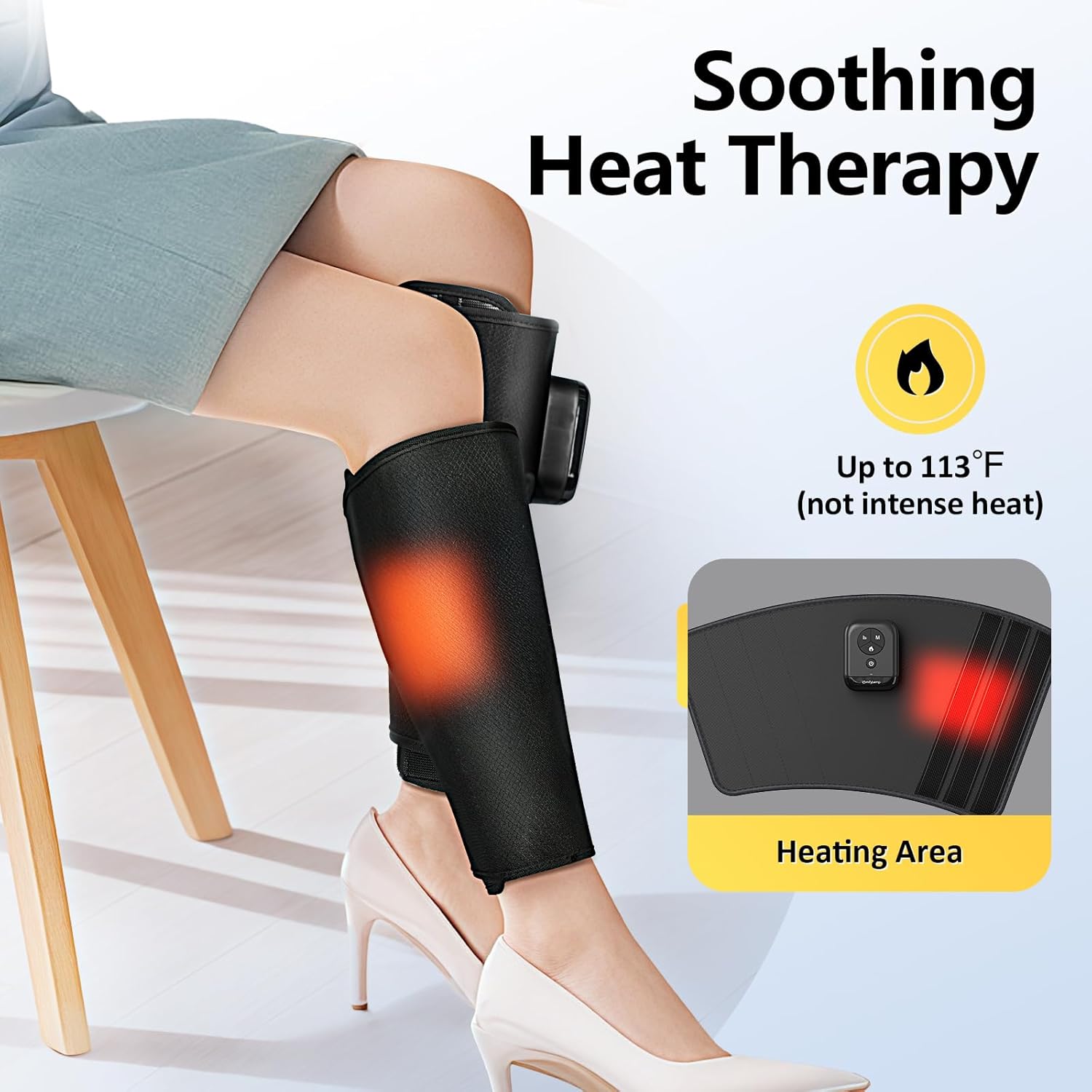
Figure 5: Soothing heat therapy for muscle relief.

Figure 6: Designed to fit various calf sizes.
Setup Instructions
- Charge the Device: Before first use, fully charge both leg massagers using the provided charging cable. The indicator light will show charging status.
- Position Controller: Ensure the end with the controller is facing upward.
- Wrap Securely: Wrap the leg sleeve snugly around your calf, leaving about a one-finger gap between your calf and the wrap for optimal comfort and compression. Ensure the controller is positioned on the outside of your calf.
- Power On: Press and hold the power button on the controller to turn on the device.

Figure 7: Step-by-step guide for wearing the leg massager.
Operating Instructions
Using Built-in Controls
- Power Button: Press and hold to turn on/off. Short press to start/stop massage.
- Mode Button (M): Cycle through 3 massage modes (M1: Leg soothing, M2: Kneading relaxation, M3: Lifting massage).
- Intensity Button (|||): Adjust between 3 intensity levels (Low: Soothe relax, Mid: Improve circulation, High: Deep tissue massage).
- Heat Button (Flame icon): Toggle soothing heat on or off.
Using the Mobile Application
For advanced customization and higher pressure settings, download the Comfytemp app from your smartphone's app store.
- Pairing: Ensure Bluetooth is enabled on your smartphone. Open the app and follow the on-screen instructions to pair your leg massager(s).
- Basic Interface: Select from 9 automatic timer settings, turn heat on/off, choose from 3 modes, and select pressure levels (Low, Mid, High).
- Advanced Interface: Create up to three custom programs. Name your custom mode, select specific airbags (Top, Middle, Bottom), choose desired pressure levels, and set inflation time for each selected airbag.
- Start/Stop: Use the 'START' or 'STOP' button within the app to control the massage.
Video 1: Detailed guide on how to use the Comfytemp mobile application for controlling the leg massager.
Video 2: Overview of the Cordless Calf Massager with Heat and Compression features.
Maintenance
- Cleaning: Wipe the surface of the massager with a soft, damp cloth. Do not use abrasive cleaners or immerse the device in water.
- Storage: Store the massager in a cool, dry place away from direct sunlight and extreme temperatures.
- Battery Care: To prolong battery life, charge the device regularly, even if not in frequent use. Avoid fully depleting the battery before recharging.
Troubleshooting
- Device not turning on: Ensure the battery is charged. If the issue persists, try connecting to the charger to see if the indicator light responds.
- No compression or weak compression: Check that the leg sleeves are securely wrapped and there are no air leaks. Increase the intensity level using either the built-in controls or the app.
- No heat: Ensure the heat function is activated. The heat is designed to be gentle; if you expect intense heat, please note this device provides soothing warmth.
- App connectivity issues: Ensure Bluetooth is on and the device is within range. Try restarting both the massager and your smartphone.
Specifications
| Attribute | Value |
|---|---|
| Product Dimensions | 1 x 1 x 13 inches |
| Weight | 2.6 Pounds |
| Item Model Number | K1002 |
| Power Source | Battery Powered |
| Material | Polyester |
| Color | Black |
| Manufacturer | Shenzhen Yicai Health Technology Co. , Ltd |
| Country of Origin | China |
Warranty and Support
Comfytemp products are designed for quality and durability. For specific warranty information and customer support, please visit the official Comfytemp store or contact their customer service directly.
Official Comfytemp Store: Comfytemp Store on Amazon

